Omada Pro Logo official website Vigi Logo official website
Contact Us
  • Contact Support
Log In
avatar

    Messages Messages Bookmarks Bookmarks Account Settings Account Settings
    Chile / Español
    Omada logo
    • Products

      Products

      • Wireless
        • WiFi 7
          WiFi 7
        • Ceiling Mount
          Ceiling Mount
        • Wall Plate
          Wall Plate
        • Outdoor
          Outdoor
        • View All
          View All
      • Switches
        • Access Max
          Access Max
        • Access Plus
          Access Plus
        • Access
          Access
        • View All
          View All
      • Gateways
        • Wired Gateways
          Wired Gateways
        • WiFi Gateways
          WiFi Gateways
        • Integrated Gateways
          Integrated Gateways
        • View All
          View All
      • Controllers
        • Cloud-Based
          Cloud-Based
        • Hardware
          Hardware
        • Software
          Software
        • View All
          View All
      • Accessories
        • Media Converters
          Media Converters
        • Modules/Cables
          Modules/Cables
        • PoE Adapters
          PoE Adapters
        • Rackmount Accessories
          Rackmount Accessories
        • View All
          View All

      Management Platforms

      • Management Systems
        • Cloud-Based
          Cloud-Based
        • Hardware
          Hardware
        • Software
          Software
        • View All
          View All
      • Cloud Portal
    • Solutions
      Solutions Home

      By Scenarios

      • Small and Mid-Sized Offices
      • Small-Sized Chain Restaurants/Stores
      • WiFi for Farms/Ranches/Parking Lots
      • High-Density WiFi

      By Technology

      • WiFi 7
      • PPSK Solution
      • PtP & PtMP Wireless Bridges
      • Multi-Gigabit Solution
      • PoE Switches for Surveillance

      Case Studies

      Case Studies

      Omada Powers Shift4’s POS Solution over 20,000 Sites in the US

      Navegar
    • Learn and Train

      Learn

      • FAQs
      • Setup Videos
      • Configuration Guides
      • Case Studies

      Train

      • Training Introduction
      • For Learners
      • For Instructors
    • Support
      Support Home

      Documents

      • Hardware Installation Guide
      • Knowledgebase
      • Datasheet
      • Reference Guide
      • View All

      Downloads

      • Software Download
      • Firmware Download
      • GPL Code
      • MIBs Files
      • View All

      Bulletins

      • Security Vulnerability
      • EOL/EOM/EOS Notification
      • View All

      Contact Support

      • Email Support
      • Call Support
      • Warranty Services

      Tools

      • Omada Emulators
      • Omada App
      • Compatibility List
    • Community
    Search
    1. Home>
    2. Product Support>
    3. EAP215-Bridge KIT>
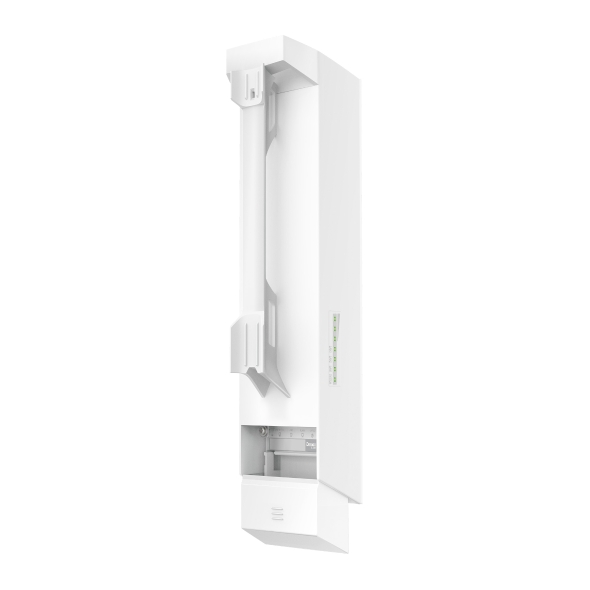
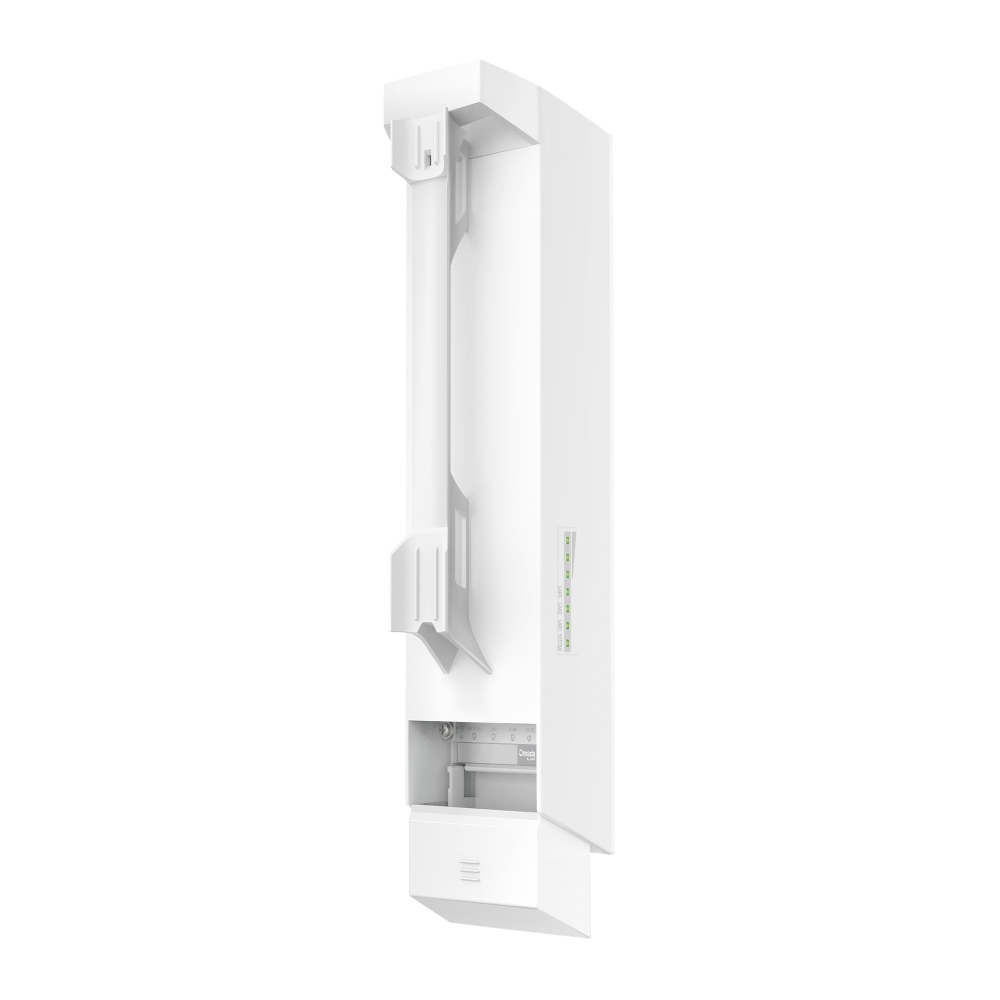
    Bridge Inalámbrico Interior/Exterior Largo Alcance Omada 5GHz 867Mbps
    Bridge Inalámbrico Interior/Exterior Largo Alcance Omada 5GHz 867Mbps
    Bridge Inalámbrico Interior/Exterior Largo Alcance Omada 5GHz 867Mbps
    Bridge Inalámbrico Interior/Exterior Largo Alcance Omada 5GHz 867Mbps
    Bridge Inalámbrico Interior/Exterior Largo Alcance Omada 5GHz 867Mbps
    Bridge Inalámbrico Interior/Exterior Largo Alcance Omada 5GHz 867Mbps
    Bridge Inalámbrico Interior/Exterior Largo Alcance Omada 5GHz 867Mbps
    Bridge Inalámbrico Interior/Exterior Largo Alcance Omada 5GHz 867Mbps
    Bridge Inalámbrico Interior/Exterior Largo Alcance Omada 5GHz 867Mbps
    Bridge Inalámbrico Interior/Exterior Largo Alcance Omada 5GHz 867Mbps
    Bridge Inalámbrico Interior/Exterior Largo Alcance Omada 5GHz 867Mbps
    Bridge Inalámbrico Interior/Exterior Largo Alcance Omada 5GHz 867Mbps

    /4Download

    EAP215-Bridge KIT

    Bridge Inalámbrico Interior/Exterior Largo Alcance Omada 5GHz 867Mbps

    • 802.11ac, hasta 867 Mbps en 5 GHz
    • Transmisión de largo alcance de hasta 5 km
    • Emparejamiento automático y emparejamiento automático multi-bridge
    • Alineación guiada por aplicación y prueba de velocidad
    • 3× puertos Gigabit Ethernet
    • 802.3af PoE, fuente de alimentación de CC y PoE pasivo
    • Resistencia a la intemperie IP65 y rango de funcionamiento de -40 °C a +70 °C
    • Monitorización y gestión remota
    • 802.11ac, hasta 867 Mbps en 5 GHz
    • Transmisión de largo alcance de hasta 5 km
    • Emparejamiento automático y emparejamiento automático multi-bridge
    • Alineación guiada por aplicación y prueba de velocidad
    • 3× puertos Gigabit Ethernet
    • 802.3af PoE, fuente de alimentación de CC y PoE pasivo
    • Resistencia a la intemperie IP65 y rango de funcionamiento de -40 °C a +70 °C
    • Monitorización y gestión remota
    • Documents
    • Videos
    • Downloads
    • Tools
    • Bulletins
    • Community

    Filter By TypeReset

    • checkbox

      Datasheet

    • checkbox

      Guía de Instalación del Hardware

    • checkbox

      Base de conocimientos

      checkbox
    • checkbox

      Nota de difusión

    • checkbox

      Guía de referencia

      checkbox
    • checkbox

      Otros

    Filter By TagReset

    • Controller
    • Gateway
    • Vlan
    • ACL
    • Standalone
    • Mesh
    • CLI
    • VPN
    • App
    • Online
    • Reset
    • Authentication
    • Portal
    • Wireless
    • API

    How to Configure Upgrade, Reboot and WLAN Schedules for Omada EAPs

    Learn how to configure Upgrade, Reboot and Wi-Fi Schedules for Omada EAPs in both Controller and Standalone modes. Automate system upgrade or restart and define Wi-Fi uptime to enhance network security and minimize power consumption. This article will show you how to set up automated upgrades, reboot cycles and Wi-Fi Radio "On/Off" schedules for your Omada EAPs.

    Configuration Guide
    03-26-2026
    4488

    How to build a Wireless Network between the home and farm using Omada devices

    FAQ
    03-10-2026
    4437

    How to Choose Ethernet Cables for More Stable PoE Power Supply

    Configuration Guide
    02-24-2026
    9742

    DECLARACION DE CONFORMIDAD EAP215-Bridge KIT-SUBTEL EAR

    Datasheet
    02-19-2026
    44

    What should I pay attention to when building a network with EAP-Bridge and Flex Bridge 5?

    Troubleshooting Guide
    02-13-2026
    5151

    How to prevent wireless users from sharing Wi-Fi via the mobile hotspot?

    Wi-Fi networks are an essential part of modern life, offering connectivity for various devices at home, at work, or in public spaces. However, with the increasing use of Wi-Fi, many individuals share their networks with others, whether intentionally or unintentionally. This can lead to security vulnerabilities, slow speeds, and potential legal issues.

    Configuration Guide
    11-18-2025
    21440

    How to Build a Mesh Network via Omada EAP in Controller Mode using Omada APP

    In outdoor scenarios where wired networks are difficult to deploy, you can use the mesh function of EAP to extend the coverage of the wireless network. Currently, the mesh function is only supported on APs managed by a controller. This article mainly introduces how to use the APP to operate the controller and complete mesh networking. Depending on the type of controller you are using, the following requirements apply: 

    Configuration Guide
    11-14-2025
    14759

    How to configure Management VLAN for Omada Devices (Omada Controller 5.15 or above)

    The management VLAN is a VLAN created to separate the management network from the data network. By default, the management VLAN is the LAN network in a network centrally managed by Omada SDN Controller. You can change the management VLAN to improve network security. With a separated management VLAN, it is much harder for unauthorized users to modify the configurations or monitor the network.

    Configuration Guide
    11-13-2025
    26881

    Interference Detection on Omada Controller

    Discover how to use TP-Link Omada’s Interference Detection tool to scan your Wi-Fi network, detect interference sources and analyze channel utilization. This article explains the Interference Detection feature in the Omada Controller, including its purpose, access methods, configuration process and exporting the results.

    Configuration Guide
    11-08-2025
    18563

    How to Fix Black Screens, Lag, Distortion, or Pixelation on IPTVs

    This article provides a detailed overview of common causes and troubleshooting methods for IPTV issues such as black screens, lag, image distortion, and pixelation. Based on the practical configuration of TP-Link Omada devices, it offers a systematic, multi-layered diagnostic approach and recommended settings to help you restore video playback quality.

    Troubleshooting Guide
    11-08-2025
    26493
    • Total 51 items
    • 1
    • 2
    • 3
    • 4
    • 5
    • 6
    • 10 / page

    No results found.

    Filter By TypeReset

    • checkbox

      Firmware

    • checkbox

      Software

      checkbox
    • checkbox

      Archivos MIB

    • checkbox

      Código GPL

    Other Tools

    Omada App

    Omada App

    Filter By TypeReset

    • checkbox

      Vulnerabilidad de la seguridad

    • checkbox

      Notificación EOL/EOM/EOS

    • checkbox

      Otros

    No results found.

    • Total 27 items
    • 1
    • 2
    • 3

    Síguenos

    • TP-Link Omada facebook
    • TP-Link Omada youtube
    • TP-Link Omada twitter
    About
    • Corporate Profile
    • Contact Us
    • Privacy Policy
    Press
    • News
    • Blog
    • Security Advisory
    Partners
    • Partner Program
    Learning Center
    • Technology Trends
    TP-Link Omada Omada Pro VIGI
    Chile / Español

    ©2026 TP-Link Chile SpA and its affiliated companies. All rights reserved.

    Este sitio web utiliza cookies para mejorar la navegación en el sitio web, analizar las actividades en línea y tener la mejor experiencia de usuario posible en nuestro sitio web. Puedes oponerte al uso de cookies en cualquier momento. Puede encontrar más información en nuestra política de privacidad . No volver a mostrar

    Your Privacy Choices

    Este sitio web utiliza cookies para mejorar la navegación en el sitio web, analizar las actividades en línea y tener la mejor experiencia de usuario posible en nuestro sitio web. Puedes oponerte al uso de cookies en cualquier momento. Puede encontrar más información en nuestra política de privacidad . No volver a mostrar

    Basic Cookies

    These cookies are necessary for the website to function and cannot be deactivated in your systems.

    TP-Link

    SESSION, JSESSIONID, accepted_local_switcher, tp_privacy_banner, tp_privacy_base, tp_privacy_marketing, tp_top-banner, tp_popup-bottom, tp_popup-center, tp_popup-right-middle, tp_popup-right-bottom, tp_productCategoryType

    Youtube

    id, VISITOR_INFO1_LIVE, LOGIN_INFO, SIDCC, SAPISID, APISID, SSID, SID, YSC, __Secure-1PSID, __Secure-1PAPISID, __Secure-1PSIDCC, __Secure-3PSID, __Secure-3PAPISID, __Secure-3PSIDCC, 1P_JAR, AEC, NID, OTZ

    Zendesk

    OptanonConsent, __cf_bm, __cfruid, _cfuvid, _help_center_session, _pendo___sg__.<container-id>, _pendo_meta.<container-id>, _pendo_visitorId.<container-id>, _zendesk_authenticated, _zendesk_cookie, _zendesk_session, _zendesk_shared_session, ajs_anonymous_id, cf_clearance

    Analysis and Marketing Cookies

    Analysis cookies enable us to analyze your activities on our website in order to improve and adapt the functionality of our website.

    The marketing cookies can be set through our website by our advertising partners in order to create a profile of your interests and to show you relevant advertisements on other websites.

    Google Analytics & Google Tag Manager

    _gid, _ga_<container-id>, _ga, _gat_gtag_<container-id>

    Google Ads & DoubleClick

    test_cookie, _gcl_au