


First of all, check the model of your switch to verify it is web-manageable. Until now, only TP-Link Easy Smart/Unmanaged Pro/Smart/Managed switches are web-manageable.
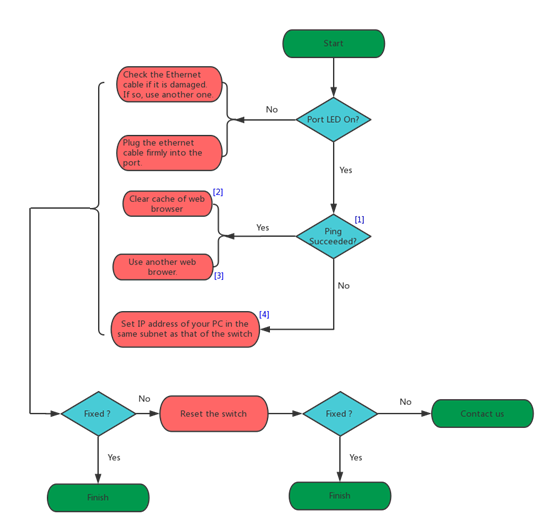
The troubleshooting for Easy Smart and Unmanaged Pro switches is shown below:
Figure 1 Troubleshooting for Easy Smart and Unmanaged Pro Switches
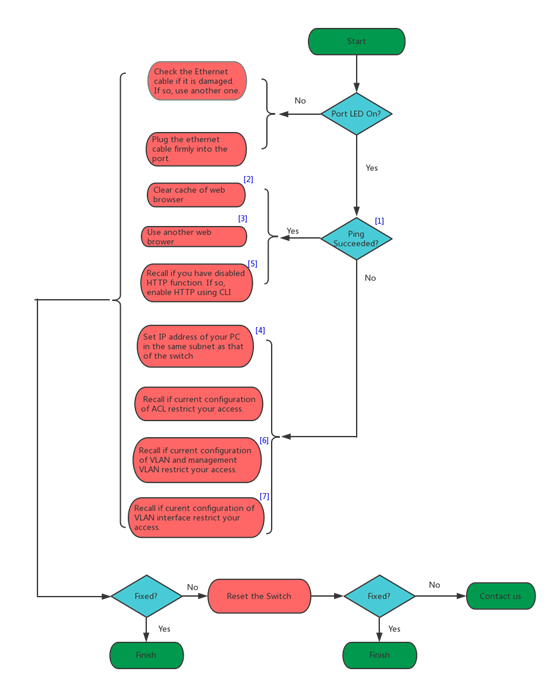
The troubleshooting for Smart and Managed switches is shown below:
Figure 2 Troubleshooting for Smart and Managed Switches
Explanations:
[1] The default IP address of the switch is 192.168.0.1. If you had changed the default IP address, then ping the new IP address.
For how to ping IP addresses, please refer to: https://www.tp-link.com/support/faq/425/.
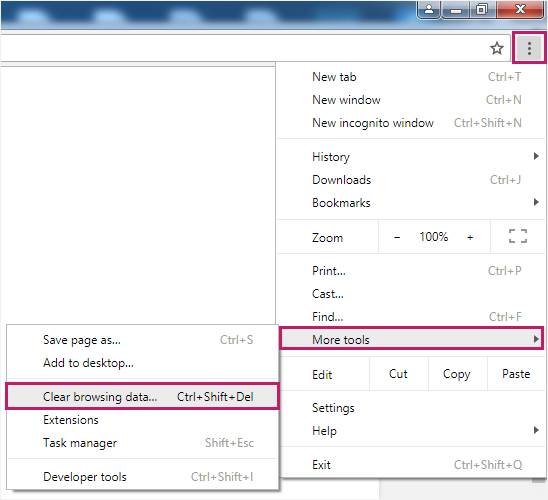
[2] Here introduces how to clear cache demonstrated with Chrome:
- Open Chrome and click
 , then choose More tools > Clear browsing data…
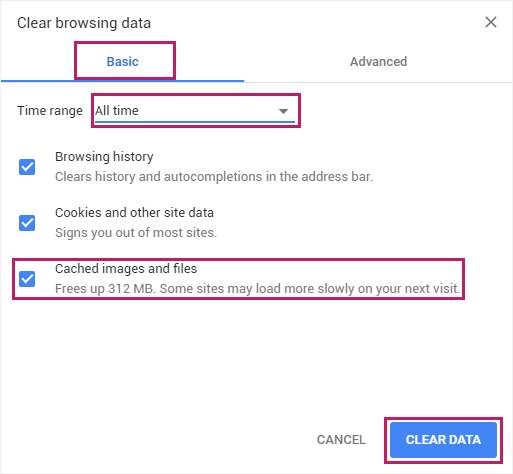
- In the Basic tab, select the time range and check the Cached Images and files, then click CLEAR DATA.
[3] It is recommended to use Google Chrome or Internet Explorer browser.
[4] For how to find the IP address of your computer, please refer to: https://www.tp-link.com/support/faq/838/.
[5] If HTTP function of the switch is disabled, the switch will not be accessible from the web browser. But you can still use the command line ip http server to enable HTTP and then access the switch using the browser again. For how to use the command line, please refer to the User Guide of the switch.
[6] Management VLAN is only supported on T1500 series switches;
[7] Check if the VLAN that your computer belongs to have a VLAN interface. For example, if your computer only belongs to VLAN 2, which does not have a VLAN interface, then you cannot visit the switch. If VLAN 2 has a VLAN interface with its own IP address, then you need to visit the switch using the IP address of VLAN interface 2.
