1. Home>
  2. Product Support>
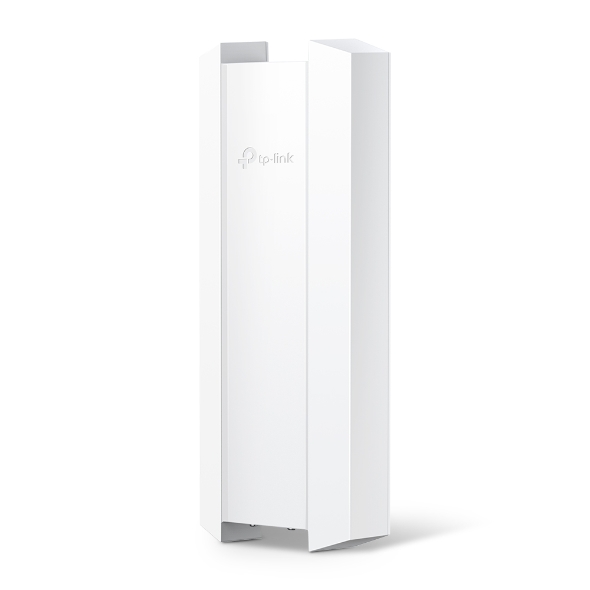
  3. EAP670-Outdoor>
AX5400 Indoor/Outdoor WiFi 6 Access Point

/1Download

EAP670-Outdoor

AX5400 Indoor/Outdoor WiFi 6 Access Point

How to Find the Hardware Version on Your TP-Link Device
IMPORTANT:  Model and hardware version availability varies by region. Please refer to your TP-Link regional website to determine product availability.
Vx.0 = Vx.6/Vx.8/Vx.9(eg:V1.0=V1.6/V1.8/V1.9)
Vx.x0 = Vx.x6/Vx.x8/Vx.x9 (eg:V1.20=V1.26/V1.28/V1.29)
Vx.30 = Vx.32/Vx.33 (eg:V3.30=V3.32/V3.33)
  • Blazing-Fast WiFi 6 Speeds 
  • Higher Network Efficiency 
  • Long-Range Coverage
  • Optimized Network Experience 
  • Centralized Cloud Management
  • Blazing-Fast WiFi 6 Speeds 
  • Higher Network Efficiency 
  • Long-Range Coverage
  • Optimized Network Experience 
  • Centralized Cloud Management
  • Documents
  • Videos
  • Downloads
  • Tools
  • Bulletins
  • Community

Filter By TypeReset

  • checkbox

    Datasheet

  • checkbox

    Hardware Installation Guide

  • checkbox

    Knowledgebase

    checkbox
  • checkbox

    Release Note

  • checkbox

    Reference Guide

    checkbox
  • checkbox

    Others

Filter By TagReset

  • Controller
  • Gateway
  • Vlan
  • ACL
  • Standalone
  • Mesh
  • CLI
  • VPN
  • App
  • Online
  • Reset
  • Authentication
  • Portal
  • Wireless
  • API

Best Practices for Deploying Sonos on an Omada Network

Sonos device causing loops in the Omada Network? Follow this best practice guide to configure the Omada devices to work with your Sonos speakers.

Troubleshooting Guide
08-17-2026
25310

How to Configure Enhanced IoT Connectivity Feature on Omada Controller

The Enhanced IoT Connectivity feature provides a one-click IoT SSID configuration in the Omada Controller, specifically designed for IoT devices. It automatically optimizes wireless settings to ensure that IoT devices can connect to Wi-Fi networks reliably, securely, and effortlessly.

Configuration Guide
07-23-2026
17667

How to Configure WLAN Using AP Groups in Omada Controller v6.3

Learn how to configure WLANs with AP Groups, manage SSID deployment, and handle SSID migration after upgrading to Omada Controller v6.3.

Configuration Guide
08-05-2026
18976

How to Use an Omada Controller to Manage Omada Devices Across Different Subnets Over the Internet

In enterprise networks, devices are often deployed across different subnets, making it common for Omada devices and the Omada Controller to reside in separate network segments. Supporting device adoption and management across subnets enables centralized control without changing existing network designs. This article introduces different methods for adopting devices across subnets using Omada products.

Configuration Guide
06-23-2026
57468

How to Configure Band Steering on Omada EAP

Band Steering is a feature designed to optimize wireless performance by intelligently distributing clients across different frequency bands, including 2.4 GHz, 5 GHz, and 6 GHz. By guiding dual-band or tri-band clients to more suitable bands, it helps reduce congestion and improve overall network efficiency.

Configuration Guide
08-14-2026
30252

How to Use Wi‑Fi Calling in Your Omada Ecosystem

Wi-Fi Calling (VoWiFi) establishes an IP-sec based‑ encrypted tunnel between the client device and the carrier’s core network, carrying voice and SMS traffic over enterprise Wi-Fi infrastructure. This enables stable voice services in areas with weak cellular coverage.

Configuration Guide
08-14-2026
50392

How to Configure Upgrade, Reboot and WLAN Schedules for Omada EAPs

Learn how to configure Upgrade, Reboot and Wi-Fi Schedules for Omada EAPs in both Controller and Standalone modes. Automate system upgrade or restart and define Wi-Fi uptime to enhance network security and minimize power consumption. This article will show you how to set up automated upgrades, reboot cycles and Wi-Fi Radio "On/Off" schedules for your Omada EAPs.

Configuration Guide
08-14-2026
33214

How to Choose Ethernet Cables for More Stable PoE Power Supply

Configuration Guide
08-24-2026
52643

How to Setup Omada EAP in Standalone Mode

This FAQ provides guidance on setting up an Omada EAP in Standalone Mode using either the Web GUI or the Omada App. Omada EAPs deliver flexible wireless coverage for small and medium-sized businesses as well as residential environments and can operate independently or under centralized management via an Omada Controller.

Configuration Guide
08-17-2026
94860

How to Prevent Wireless Users from Sharing Wi‑Fi via Mobile Hotspot

Wi-Fi networks are an essential part of modern life, offering connectivity for various devices at home, at work, or in public spaces. However, with the increasing use of Wi-Fi, many individuals share their networks with others, whether intentionally or unintentionally. This can lead to security vulnerabilities, slow speeds, and potential legal issues.

Configuration Guide
09-16-2026
61742
  • Total 51 items
  • 1
  • 2
  • 3
  • 4
  • 5
  • 6
  • 10 / page

No results found.

Filter By TypeReset

  • checkbox

    Firmware

  • checkbox

    Software

    checkbox
  • checkbox

    MIBs Files

  • checkbox

    GPL Code

  • checkbox

    Declaration of Conformity

    checkbox

No results found.

Other Tools

Filter By TypeReset

  • checkbox

    Security Vulnerability

  • checkbox

    EOL/EOM/EOS Notification

  • checkbox

    Others

No results found.