
Omada Pro Logo official website Vigi Logo official website
Contact Us
  • Contact Sales
  • Contact Support
Log In
avatar

    ข้อความ ข้อความ บุ๊กมาร์ก บุ๊กมาร์ก การตั้งค่าบัญชี การตั้งค่าบัญชี
    ไทย / ไทย
    Omada logo
    • Products

      Products

      • Fusion Gateways
        • Fusion Series
          Fusion Series
        • Fusion Pro Series
          Fusion Pro Series
        • Fusion Max Series
          Fusion Max Series
        • View All
          View All
      • Standard Gateways
        • Wired Gateways
          Wired Gateways
        • WiFi Gateways
          WiFi Gateways
        • 4G/5G WiFi Gateways
          4G/5G WiFi Gateways
        • Integrated Gateways
          Integrated Gateways
        • View All
          View All
      • Wireless
        • Campus
          Campus
        • WiFi 7
          WiFi 7
        • Ceiling Mount
          Ceiling Mount
        • Wall Plate
          Wall Plate
        • Outdoor
          Outdoor
        • Wireless Bridge
          Wireless Bridge
        • GPON
          GPON
        • Desktop
          Desktop
        • View All
          View All
      • Switches
        • Campus
          Campus
        • Aggregation
          Aggregation
        • Access Max
          Access Max
        • Access Pro
          Access Pro
        • Access Plus
          Access Plus
        • Access
          Access
        • Agile
          Agile
        • Industrial
          Industrial
        • L3/L2+ Managed
          L3/L2+ Managed
        • View All
          View All
      • Controllers
        • Cloud-Based
          Cloud-Based
        • Hardware
          Hardware
        • Software
          Software
        • View All
          View All
      • Accessories
        • Power & PoE
          Power & PoE
        • Media Converters
          Media Converters
        • Modules & Cables
          Modules & Cables
        • Mounting & Brackets
          Mounting & Brackets
        • View All
          View All

      Management Platforms

      • Management Systems
        • Fusion Gateways
          Fusion Gateways
        • Cloud-Based
          Cloud-Based
        • Hardware
          Hardware
        • Software
          Software
        • View All
          View All
      • Cloud Portal

      Software Tools

      • Omada Design Hub
      • Omada WiFi Navi App
      • Omada App
    • Solutions
      Solutions Home

      By Scenarios

      • WiFi for Hotels
      • Multi-Dwelling Units (MDU)
      • Small and Mid-Sized Offices
      • Small-Sized Chain Restaurants/Stores
      • WiFi for Farms/Ranches/Parking Lots
      • High-Density WiFi

      By Technology

      • Unified Networking and Surveillance Solution
      • Free Cloud Management via Omada Central Essentials
      • WiFi 7
      • PPSK Solution
      • PtP & PtMP Wireless Bridges
      • Multi-Gigabit Solution
      • PoE Switches for Surveillance

      Case Studies

      Case Studies

      Omada Powers Shift4’s POS Solution over 20,000 Sites in the US

      ค้นหา
    • Learn and Train

      Learn

      • FAQs
      • Setup Videos
      • Configuration Guides
      • Case Studies

      Train

      • Training Introduction
      • For Learners
      • For Instructors
    • Support
      Support Home

      Documents

      • Hardware Installation Guide
      • Knowledgebase
      • Datasheet
      • คู่มืออ้างอิง
      • View All

      Downloads

      • Software Download
      • Firmware Download
      • GPL Code
      • MIBs Files
      • View All

      Bulletins

      • Security Vulnerability
      • EOL/EOM/EOS Notification
      • View All

      Contact Support

      • Email Support
      • Call Support
      • Warranty Services

      Tools

      • Omada Emulators
      • Omada App
      • Compatibility List
    • Partner

      Partner Program

      • Log In
      • Explore Now

      Become a Partner

      • Join Now

      Deal Registration

      • Submit Now

      Find a Distributor

      • Find Now
    • Community
    Search
    1. หน้าหลัก>
    2. การสนับสนุนผลิตภัณฑ์>
    3. Omada Central Essentials>
    A Unified Free Cloud Platform for Networking and Surveillance
    A Unified Free Cloud Platform for Networking and Surveillance
    A Unified Free Cloud Platform for Networking and Surveillance
    A Unified Free Cloud Platform for Networking and Surveillance
    A Unified Free Cloud Platform for Networking and Surveillance
    A Unified Free Cloud Platform for Networking and Surveillance
    A Unified Free Cloud Platform for Networking and Surveillance
    A Unified Free Cloud Platform for Networking and Surveillance
    A Unified Free Cloud Platform for Networking and Surveillance
    A Unified Free Cloud Platform for Networking and Surveillance
    A Unified Free Cloud Platform for Networking and Surveillance
    A Unified Free Cloud Platform for Networking and Surveillance
    A Unified Free Cloud Platform for Networking and Surveillance
    A Unified Free Cloud Platform for Networking and Surveillance
    A Unified Free Cloud Platform for Networking and Surveillance
    A Unified Free Cloud Platform for Networking and Surveillance
    A Unified Free Cloud Platform for Networking and Surveillance
    A Unified Free Cloud Platform for Networking and Surveillance
    A Unified Free Cloud Platform for Networking and Surveillance
    A Unified Free Cloud Platform for Networking and Surveillance
    A Unified Free Cloud Platform for Networking and Surveillance

    /7ดาวน์โหลด

    Omada Central Essentials

    A Unified Free Cloud Platform for Networking and Surveillance

    จะค้นหาเวอร์ชั่นฮาร์ดแวร์บนอุปกรณ์ TP-Link ได้อย่างไร
    ข้อมูลสำคัญ: รุ่นสินค้าและเวอร์ชันฮาร์ดแวร์อาจแตกต่างกันไปตมแต่ละภูมิภาค โปรดตรวจสอบข้อมูลจากเว็บไซต์ TP-Link ของภูมิภาคของคุณเพื่อตรวจสอบความพร้อมของผลิตภัณฑ์.
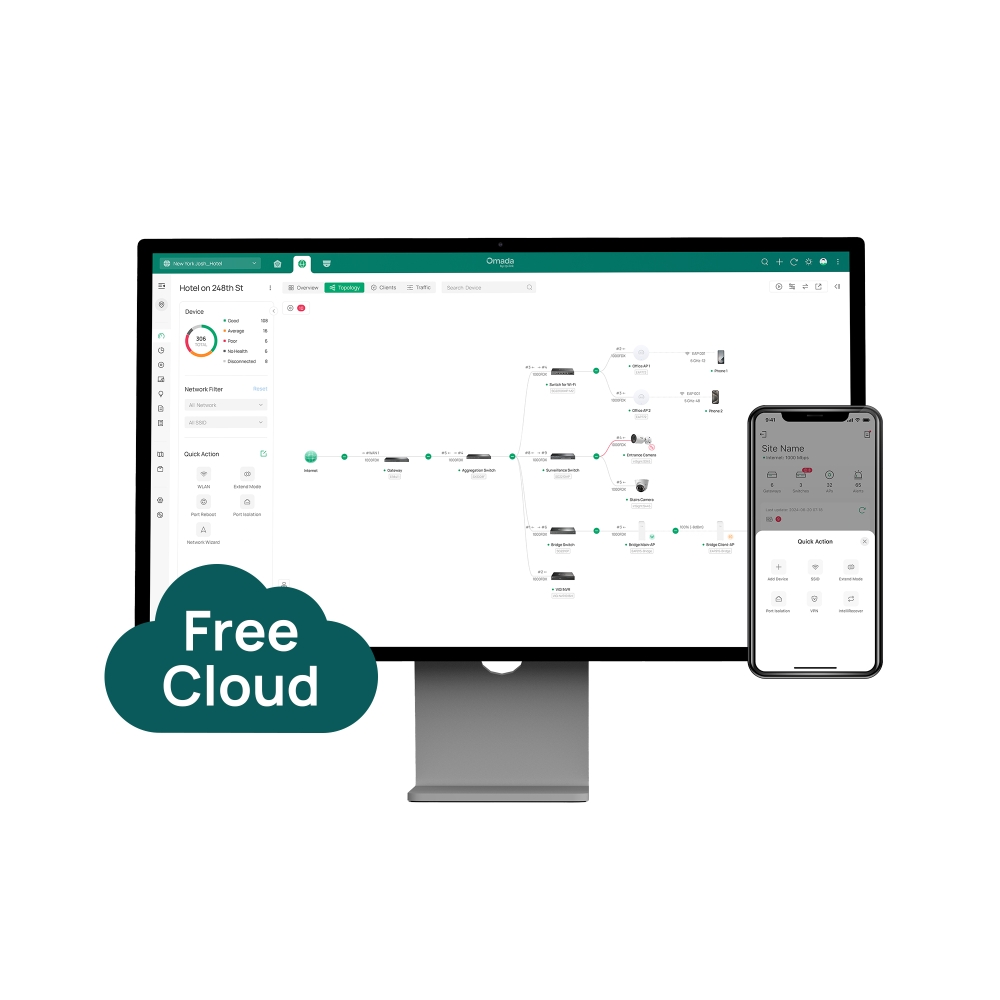
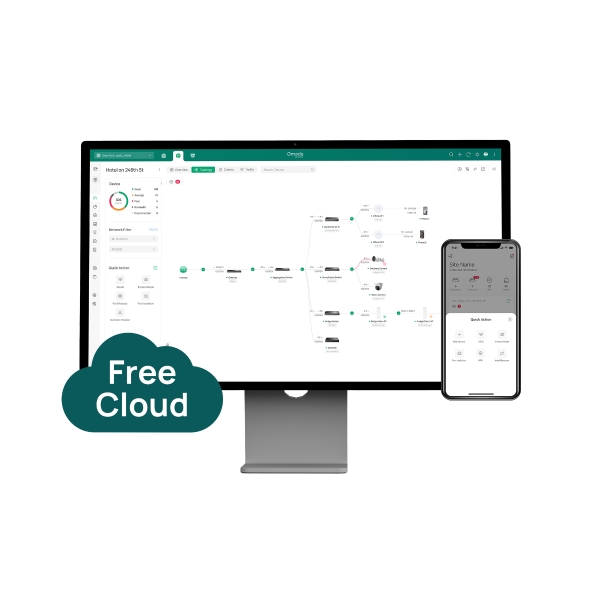
    • Lifetime Free Cloud Management
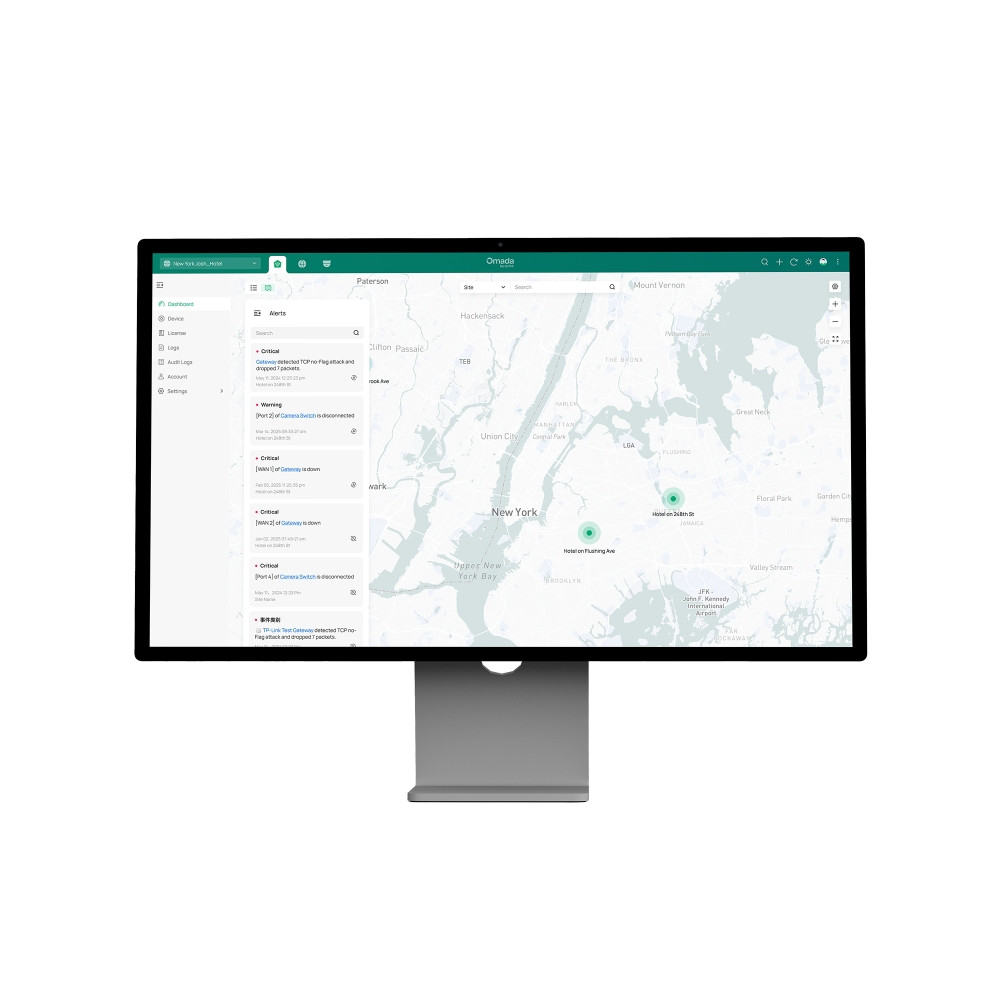
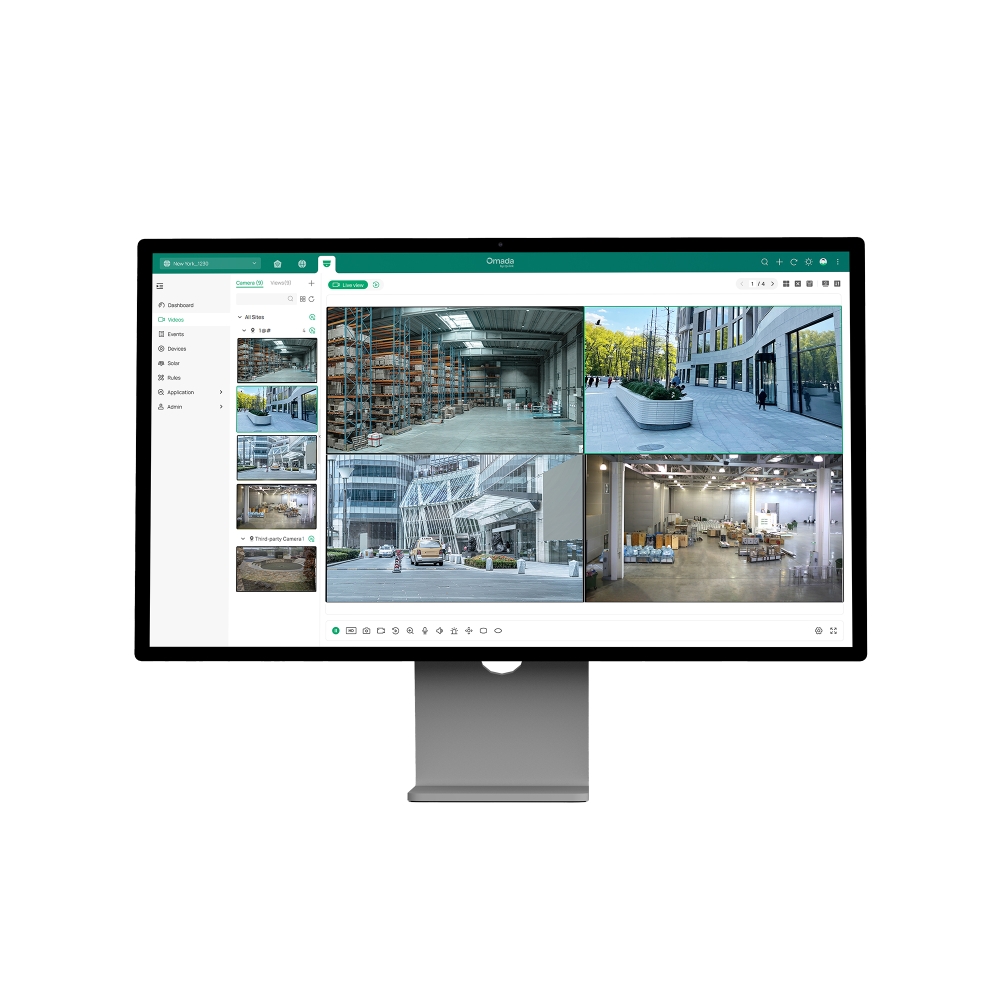
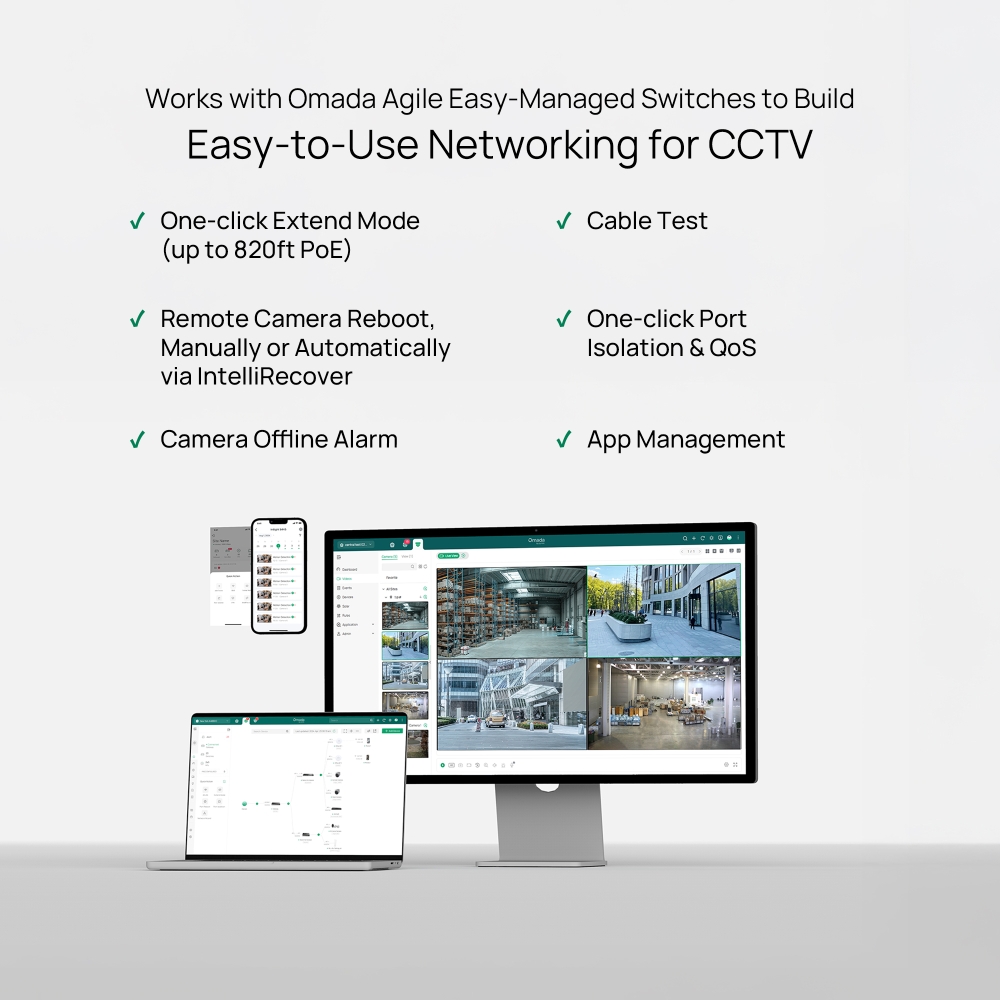
    • Unified Cloud Management of Surveillance and Network in One System
    • Super-Easy Setup with Automatic Device Identification and ZTP
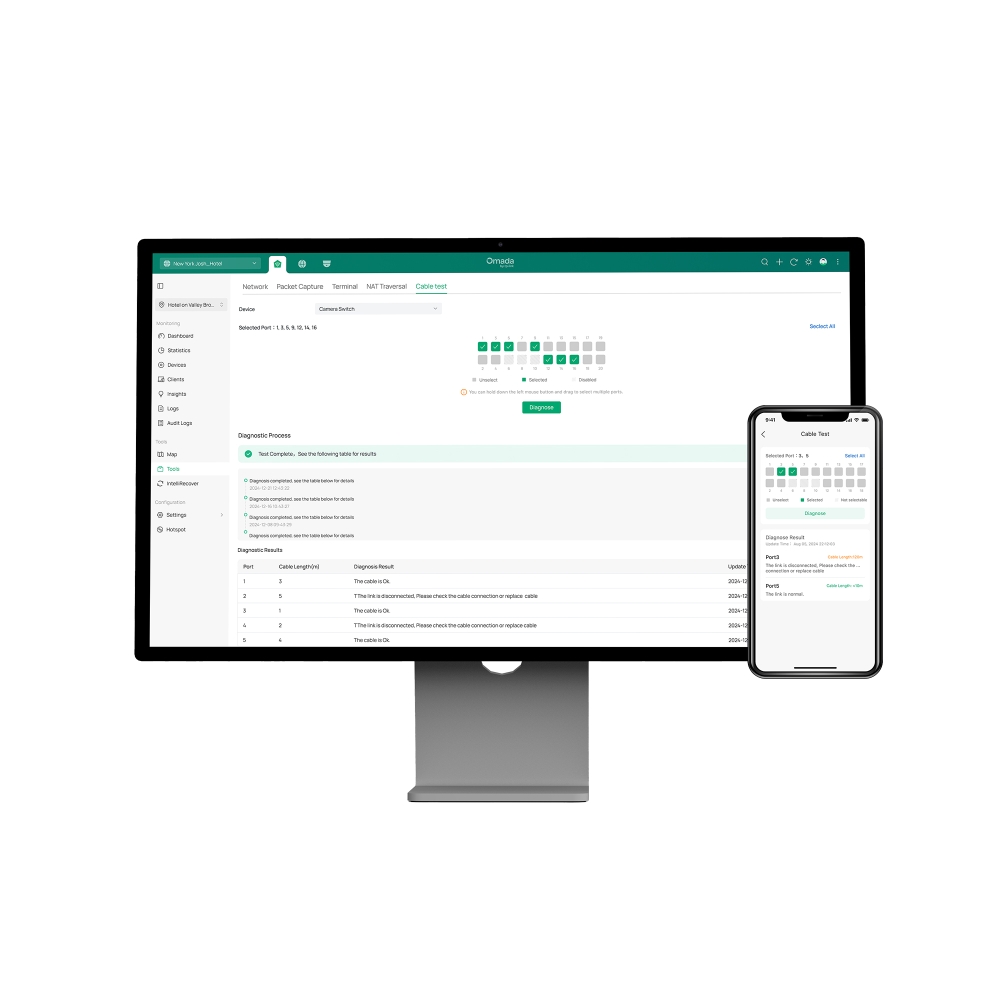
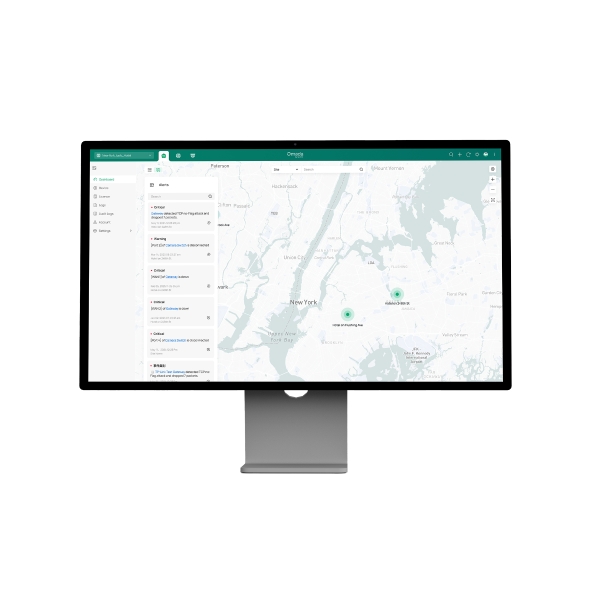
    • Remote Maintenance and Troubleshooting
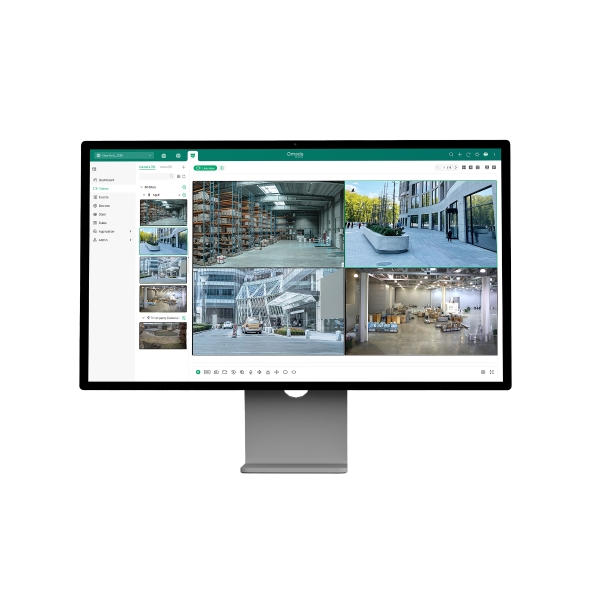
    • Free Video Monitoring
    • No Additional On-Premises Controller Investment or Installation
    • Lifetime Free Cloud Management
    • Unified Cloud Management of Surveillance and Network in One System
    • Super-Easy Setup with Automatic Device Identification and ZTP
    • Remote Maintenance and Troubleshooting
    • Free Video Monitoring
    • No Additional On-Premises Controller Investment or Installation
    • เอกสาร
    • วิดีโอ
    • ดาวน์โหลด
    • เครื่องมือ
    • จดหมายข่าว
    • ชุมชน

    คัดกรองตามประเภทรีเซ็ต

    • checkbox

      Datasheet

    • checkbox

      คู่มือการติดตั้งอุปกรณ์

    • checkbox

      ฐานความรู้

      checkbox
    • checkbox

      หมายเหตุการเปิดตัว

    • checkbox

      คู่มืออ้างอิง

      checkbox
    • checkbox

      อื่น ๆ

    คัดกรองตามแท็กรีเซ็ต

    • Controller
    • Gateway
    • VLAN
    • ACL
    • Standalone
    • Mesh
    • CLI
    • VPN
    • App
    • Online
    • Reset
    • Authentication
    • Portal
    • Wireless
    • API

    How to Configure Root Node Feature on an Omada Controller

    Configure the Root Node in Omada Controller to correct topology relationships on sites without an Omada gateway and identify device uplinks more accurately.

    คู่มือการกำหนดค่า
    09-24-2026
    8968

    How to Upgrade from Omada Central Essentials to Omada Central Standard

    Learn how to upgrade an Omada Central Organization from the Essentials plan to the Standard plan directly through Plan Management without migration.

    คู่มือการกำหนดค่า
    08-26-2026
    14898

    How to Use an Omada Controller to Manage Omada Devices Across Different Subnets Over the Internet

    In enterprise networks, devices are often deployed across different subnets, making it common for Omada devices and the Omada Controller to reside in separate network segments. Supporting device adoption and management across subnets enables centralized control without changing existing network designs. This article introduces different methods for adopting devices across subnets using Omada products.

    คู่มือการกำหนดค่า
    06-23-2026
    67562

    How to Configure Spanning Tree on Omada Controller

    Spanning Tree Protocol (STP) is a Layer 2 Protocol that prevents loops in the network.

    คู่มือการกำหนดค่า
    07-30-2026
    55190

    How to Enable PWA to Improve Page Load Performance

    In weak or unstable network conditions, pages may load slowly or experience noticeable delays during access.Omada Controller supports PWA capabilities to improve performance and stability:

    คู่มือการกำหนดค่า
    07-15-2026
    32238

    What Is the Difference in Client Health Behavior Across Controllers

    Client Health is a new monitoring feature introduced in Omada Controller 6.1 that evaluates and tracks the connection quality and experience of all wireless client devices on your network. By enabling this feature, the system continuously collects and calculates wireless client-level health data, helping network administrators quickly identify wireless client connectivity issues and optimize network performance.

    คำถามที่พบบ่อย
    08-24-2026
    27563

    How to Configure WireGuard VPN in Controller Mode Using Omada App

    This article demonstrates how to configure a WireGuard VPN between Site HQ and Site STA, where each site is equipped with its own Omada Gateway. By following the configuration steps in Controller mode using the Omada App, administrators can quickly establish a secure and reliable VPN tunnel to connect distributed networks.

    คู่มือการกำหนดค่า
    08-18-2026
    39013

    How to Configure Bluetooth on Omada Controller

    This article details the principle and advantages of Bluetooth IoT technology and provides specific configuration guidelines and application strategies for Bluetooth IoT.

    คู่มือการกำหนดค่า
    08-18-2026
    32527

    How to Configure VLAN in Omada Network v6

    We are aware that significant changes regarding LAN settings have been made from Omada Controller v5 to Omada Network v6. This article introduces how to configure the VLAN feature with newest Omada Network v6 to help you establish a better understanding of the workflow of how to configure VLAN with Omada Network v6.

    คู่มือการกำหนดค่า
    08-18-2026
    139169

    How to Separate Large Numbers of VLANs via Bridge VLAN and SSID VLAN (with VLAN Pool)

    Bridge VLAN is a feature that allows multiple VLANs to share a single Layer 3 interface and DHCP pool to reduce gateway resource usage. SSID VLAN binds a specific SSID to one or multiple VLANs for straightforward traffic isolation. By combining Bridge VLAN and SSID VLAN, you can meet the requirements of the apartment or hotel room network design without creating a large number of Layer 3 interfaces.

    คู่มือการกำหนดค่า
    08-19-2026
    35312

    ไม่พบผลลัพธ์

    คัดกรองตามประเภทรีเซ็ต

    • checkbox

      เฟิร์มแวร์

    • checkbox

      ซอฟต์แวร์

      checkbox
    • checkbox

      ไฟล์ MIBs

    • checkbox

      รหัส GPL

    ไม่พบผลลัพธ์

    เครื่องมืออื่น ๆ

    คัดกรองตามประเภทรีเซ็ต

    • checkbox

      ช่องโหว่ด้านความปลอดภัย

    • checkbox

      การแจ้งเตือน EOL/EOM/EOS

    • checkbox

      อื่น ๆ

    ไม่พบผลลัพธ์

    ไม่พบผลลัพธ์

    ติดตามข้อมูลข่าวสารTP-Link ให้ความสำคัญกับความเป็นส่วนตัวของคุณอย่างจริงจัง หากต้องการรายละเอียดเพิ่มเติมเกี่ยวกับแนวทางการรักษาความเป็นส่วนตัวของ TP-Link โปรดดู นโยบายความเป็นส่วนตัวของ TP-Link

    Email Error

    ฉันต้องการอัปเดตข่าวสาร ผลิตภัณฑ์ใหม่ ๆ และโปรโมชันจาก TP-Link อยู่เสมอ

    โดยการกรอกแบบฟอร์มนี้แสดงว่าคุณยืนยันว่าคุณเข้าใจและยอมรับนโยบายความเป็นส่วนตัวของเรา

    reCaptcha not verified

    ติดตามเรา

    About
    • Corporate Profile
    • Sustainability
    • Contact Us
    • Privacy Policy
    • Ethical Violation Compliant
    Press
    • News
    • Blog
    • Security Advisory
    Partners
    • พาร์ทเนอร์โปรแกรม
    Learning Center
    • Technology Trends
    TP-Link Omada Omada Pro VIGI
    ไทย / ไทย

    ลิขสิทธิ์ถูกต้อง © 2026 TP-Link Enterprises (Thailand) Co.,Ltd. สงวนลิขสิทธิ์

    เว็บไซต์นี้ใช้คุกกี้เพื่อปรับปรุงการนำทางเว็บไซต์ วิเคราะห์กิจกรรมออนไลน์ และมอบประสบการณ์การใช้งานที่ดีที่สุดแก่ผู้ใช้บนเว็บไซต์ของเรา คุณสามารถปฏิเสธการใช้คุกกี้ได้ตลอดเวลา คุณสามารถดูข้อมูลเพิ่มเติมได้ใน นโยบายความเป็นส่วนตัว ของเรา อย่าแสดงอีก

    Your Privacy Choices

    เว็บไซต์นี้ใช้คุกกี้เพื่อปรับปรุงการนำทางเว็บไซต์ วิเคราะห์กิจกรรมออนไลน์ และมอบประสบการณ์การใช้งานที่ดีที่สุดแก่ผู้ใช้บนเว็บไซต์ของเรา คุณสามารถปฏิเสธการใช้คุกกี้ได้ตลอดเวลา คุณสามารถดูข้อมูลเพิ่มเติมได้ใน นโยบายความเป็นส่วนตัว ของเรา อย่าแสดงอีก

    คุกกี้พื้นฐาน

    คุกกี้เหล่านี้จำเป็นต่อการทำงานของเว็บไซต์และไม่สามารถปิดการใช้งานในระบบของคุณได้

    TP-Link

    SESSION, JSESSIONID, accepted_local_switcher, tp_privacy_banner, tp_privacy_base, tp_privacy_marketing, tp_top-banner, tp_popup-bottom, tp_popup-center, tp_popup-right-middle, tp_popup-right-bottom, tp_productCategoryType

    Youtube

    id, VISITOR_INFO1_LIVE, LOGIN_INFO, SIDCC, SAPISID, APISID, SSID, SID, YSC, __Secure-1PSID, __Secure-1PAPISID, __Secure-1PSIDCC, __Secure-3PSID, __Secure-3PAPISID, __Secure-3PSIDCC, 1P_JAR, AEC, NID, OTZ

    Zendesk

    OptanonConsent, __cf_bm, __cfruid, _cfuvid, _help_center_session, _pendo___sg__.<container-id>, _pendo_meta.<container-id>, _pendo_visitorId.<container-id>, _zendesk_authenticated, _zendesk_cookie, _zendesk_session, _zendesk_shared_session, ajs_anonymous_id, cf_clearance

    คุกกี้การวิเคราะห์และการตลาด

    คุกกี้การวิเคราะห์ช่วยให้เราวิเคราะห์กิจกรรมของคุณบนเว็บไซต์ของเราเพื่อปรับปรุงและปรับการทำงานของเว็บไซต์ของเรา

    คุกกี้การตลาดสามารถตั้งค่าผ่านเว็บไซต์ของเราโดยพันธมิตรโฆษณาของเราเพื่อสร้างโปรไฟล์ความสนใจของคุณและแสดงโฆษณาที่เกี่ยวข้องกับคุณบนเว็บไซต์อื่นๆ

    Google Analytics, Google Tag Manager

    _gid, _ga_<container-id>, _ga, _gat_gtag_<container-id>

    Google Ads และ DoubleClick

    test_cookie, _gcl_au