


How to Share Omada Security Devices on Omada Central


Content
Introduction
Omada Central supports multiple accounts for multi-level management. This article aims to introduce how to share your Omada Guard Devices with different accounts at different management levels on Omada Central.
To share your Omada Guard Devices in Omada Central, you need to manually send an invitation to a registered TP-Link ID, set its roles for the desired site, and then this TP-Link ID will become the management account with specific management permissions for the Omada site.
Requirements
- Omada Central
- Omada Guard cameras and NVRs
Configuration
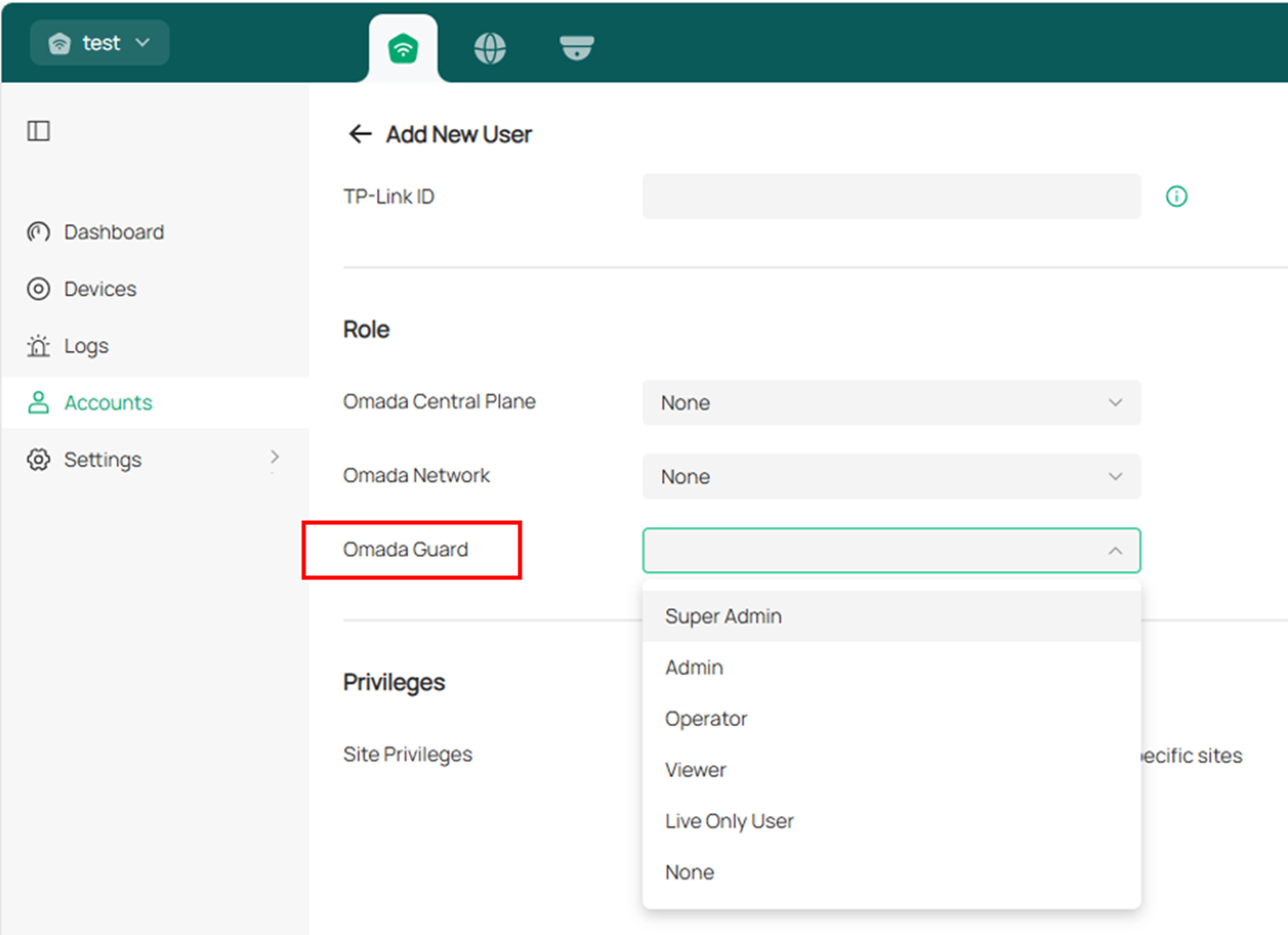
Step 1. Log in to the Omada Central web portal (https://omada.tplinkcloud.com/), and go to Omada Central Plane > Accounts > Add New User.

Step 2. Then, you can enter the TP-Link ID you want to share with and set the Role of the TP-Link ID. There are six roles to choose from in Omada Guard; you can also set Omada Central Plane and Omada Network roles here if needed.
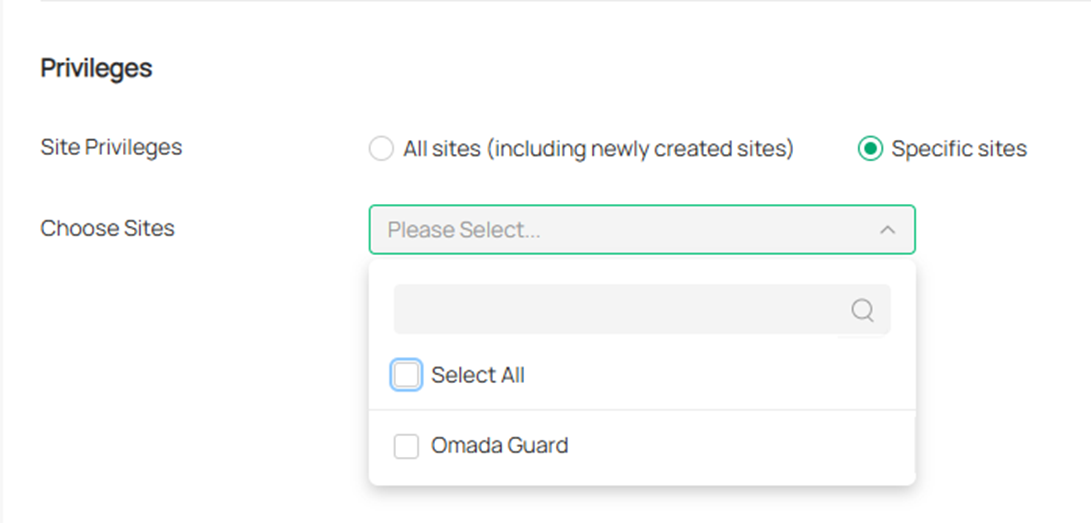
You can also choose the site you want to share in the Privileges Options.
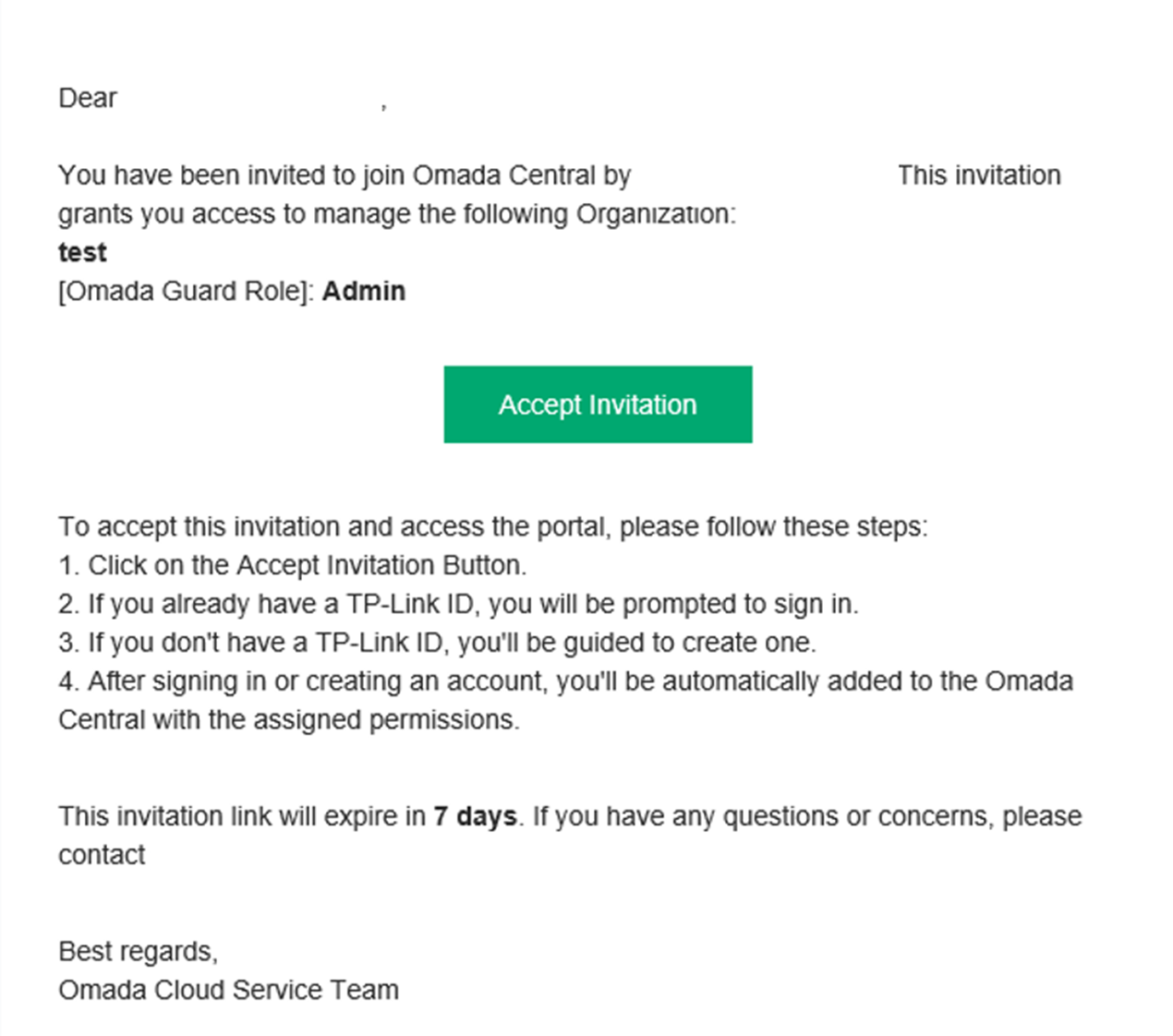
Step 3. After setting the roles and privileges, click Invite to send an invitation to the TP-Link ID you added. After sending the invitation, the invitee should go to the email box to check the email and accept the invitation. Then the invitee can log into the Omada Guard with defined management level using the TP-Link ID.
Conclusion
You have now successfully shared your Omada Guard Devices with another account on Omada Central.
To learn more about each function and configuration, please visit Support Home to download or check the manual for your product.
