Omada Pro Logo official website Vigi Logo official website
Contáctanos
  • Contacto soporte
Iniciar Sesión
avatar

    Mensajes Mensajes Favoritos Favoritos Ajustes de cuenta Ajustes de cuenta
    Colombia / Español
    Omada logo
    • Productos

      Productos

      • Inalámbirco
        • WiFi 7
          WiFi 7
        • Access Point
          Access Point
        • Access Point de pared
          Access Point de pared
        • Desktop
          Desktop
        • Exterior
          Exterior
        • Ver todo
          Ver todo
      • Switches
        • Access Pro
          Access Pro
        • Access Plus
          Access Plus
        • Access
          Access
        • Ver todo
          Ver todo
      • Gateways
        • Wired Gateways
          Wired Gateways
        • WiFi Gateways
          WiFi Gateways
        • Integrated Gateways
          Integrated Gateways
        • Ver todo
          Ver todo
      • Controladores
        • Cloud-Based
          Cloud-Based
        • Hardware
          Hardware
        • Software
          Software
        • Ver todo
          Ver todo
      • Accesorios
        • Alimentación y PoE
          Alimentación y PoE
        • Convertidores de medios
          Convertidores de medios
        • Módulos y Cables
          Módulos y Cables
        • Montaje y soportes
          Montaje y soportes
        • Ver todo
          Ver todo

      Plataformas de gestión

      • Sistemas de gestión
        • Cloud-Based
          Cloud-Based
        • Hardware
          Hardware
        • Software
          Software
        • Ver todo
          Ver todo
      • Portal de Cloud
    • Soluciones
      Home Soluciones

      Por escenarios

      • Pequeñas y medianas oficinas
      • Restaurantes y tiendas de cadena pequeñas
      • WiFi para fincas, campos y estacionamientos
      • WiFi de alta densidad

      Por tecnología

      • WiFi 7
      • Solución PPSK
      • Puentes inalámbricos PtP & PtMP
      • Solución Multi-Gigabit
      • Switches PoE para videovigilancia

      Casos de estudio

      Casos de estudio

      Omada Powers Shift4’s POS Solution over 20,000 Sites in the US

      Navegar
    • Aprender y capacitarse

      Aprendizaje

      • Preguntas frecuentes
      • Videos de instalación
      • Guias de configuración
      • Casos de estudio

      Capacitaciones

      • Introducción capacitaciones
      • Para aprendices
      • Para instructores
    • Soporte
      Home soporte

      Documentos

      • Guía de instalación de Hardware
      • Soporte y recursos
      • Fichas técnicas
      • Guía de referencia
      • Ver todo

      Descargas

      • Descargar Software
      • Descargar Firmware
      • Código GPL
      • Archivos MIBs
      • Ver todo

      Boletines

      • Vulnerabilidad de seguridad
      • Notificaciones EOL/EOM/EOS
      • Ver todo

      Contacto soporte

      • Email soporte
      • Número soporte
      • Servicios de garantías

      Herramientas

      • Emuladores Omada
      • Omada App
      • Lista de compatibilidad
    • Comunidad
    Buscar
    1. Home>
    2. Product Support>
    3. T2500G-10TS>
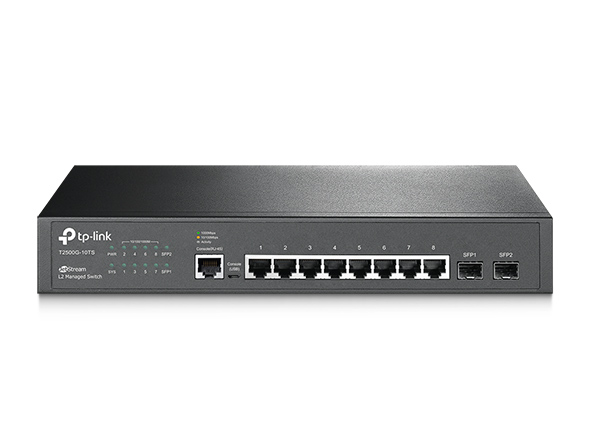
    Switch Gestionable Gigabit L2 JetStream de 8 Puertos con 2 Ranuras SFP
    Switch Gestionable Gigabit L2 JetStream de 8 Puertos con 2 Ranuras SFP
    Switch Gestionable Gigabit L2 JetStream de 8 Puertos con 2 Ranuras SFP
    Switch Gestionable Gigabit L2 JetStream de 8 Puertos con 2 Ranuras SFP
    Switch Gestionable Gigabit L2 JetStream de 8 Puertos con 2 Ranuras SFP
    Switch Gestionable Gigabit L2 JetStream de 8 Puertos con 2 Ranuras SFP
    Switch Gestionable Gigabit L2 JetStream de 8 Puertos con 2 Ranuras SFP
    Switch Gestionable Gigabit L2 JetStream de 8 Puertos con 2 Ranuras SFP
    Switch Gestionable Gigabit L2 JetStream de 8 Puertos con 2 Ranuras SFP

    /3Download

    T2500G-10TS

    V2

    Switch Gestionable Gigabit L2 JetStream de 8 Puertos con 2 Ranuras SFP

    How to Find the Hardware Version on Your TP-Link Device
    IMPORTANT:  Model and hardware version availability varies by region. Please refer to your TP-Link regional website to determine product availability.
    Vx.0 = Vx.6/Vx.8/Vx.9(eg:V1.0=V1.6/V1.8/V1.9)
    Vx.x0 = Vx.x6/Vx.x8/Vx.x9 (eg:V1.20=V1.26/V1.28/V1.29)
    Vx.30 = Vx.32/Vx.33 (eg:V3.30=V3.32/V3.33)
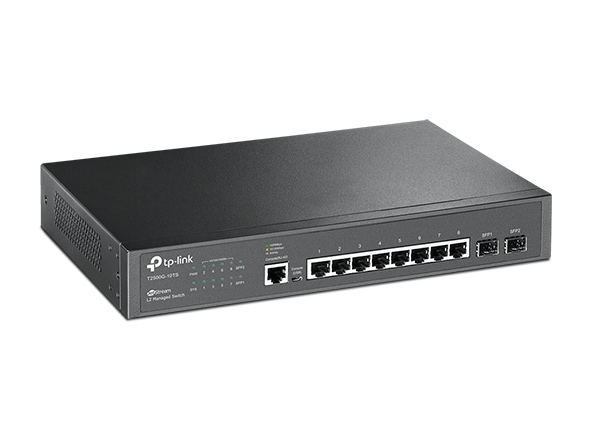
    • 8× Gigabit RJ45 Ports
    • 2× Gigabit SFP Slots
    • RJ45/Micro-USB Console Ports
    • L2/L3/L4 QoS and IGMP snooping 
    • 8× Gigabit RJ45 Ports
    • 2× Gigabit SFP Slots
    • RJ45/Micro-USB Console Ports
    • L2/L3/L4 QoS and IGMP snooping 
    • Documents
    • Videos
    • Downloads
    • Tools
    • Bulletins
    • Community

    Filter By TypeReset

    • checkbox

      Datasheet

    • checkbox

      Guía de Instalación del Hardware

    • checkbox

      Base de conocimientos

      checkbox
    • checkbox

      Nota de difusión

    • checkbox

      Guía de referencia

      checkbox
    • checkbox

      Otros

    Filter By TagReset

    • Controller
    • Gateway
    • Vlan
    • ACL
    • Standalone
    • Mesh
    • CLI
    • VPN
    • App
    • Online
    • Reset
    • Authentication
    • Portal
    • Wireless
    • API

    How to Configure MSTP on L2 Managed Switches Using the New GUI

    Configuration Guide
    08-13-2026
    73225

    How to Configure STP/RSTP on L2 Managed Switches Using the New GUI

    Configuration Guide
    08-13-2026
    45450

    Troubleshooting Guide for TP-Link Switch SFP Port Issues

    Troubleshooting Guide
    08-26-2026
    44933

    What Is the Difference Between Voice VLAN and Auto VoIP

    FAQ
    08-26-2026
    75603

    What Should I Do if I Cannot Access the Web Management Page of My TP-Link Switch

    Troubleshooting Guide
    09-10-2026
    62332

    How to Configure Voice VLAN on TP-Link Smart and Managed Switches Using the New GUI

    Configuration Guide
    Vlan
    08-13-2026
    78140

    How to Configure 802.1Q VLAN for LAG Ports on Smart and Managed Switches Using the New GUI

    Configuration Guide
    07-22-2026
    47328

    How to Achieve AAA Authentication Through TACACS + Server on the Switch

    Configuration Guide
    08-28-2026
    39131

    Conguring SNMP & RMON

    Configuration Guide
    09-27-2019
    3040

    Key Points of Managing the Switch via SNMP

    Configuration Guide
    01-04-2019
    5910
    • Total 50 items
    • 1
    • 2
    • 3
    • 4
    • 5

    No results found.

    Filter By TypeReset

    • checkbox

      Firmware

    • checkbox

      Software

      checkbox
    • checkbox

      Archivos MIB

    • checkbox

      Código GPL

    Other Tools

    Filter By TypeReset

    • checkbox

      Vulnerabilidad de la seguridad

    • checkbox

      Notificación EOL/EOM/EOS

    • checkbox

      Otros

    No results found.

    No results found.

    SubscriptionTP-Link toma en serio su privacidad. Para obtener más detalles sobre las prácticas de privacidad de TP-Link, consulte la Política de privacidad de TP-Link.

    Email Error

    Me gustaría estar al tanto de las novedades, actualizaciones de productos y promociones de TP-Link.

    Al completar este formulario, confirma que comprende y acepta nuestra Política de Privacidad .

    reCaptcha not verified

    Síguenos

    • TP-Link Omada facebook
    • TP-Link Omada youtube
    Sobre nosotros
    • Perfil corporativo
    • Contáctanos
    • Política de privacidad
    Prensa
    • Noticias
    • Blog
    • Aviso de seguridad
    Partners
    • Partner Program
    Centro de aprendizaje
    • Tendencias en tecnología
    TP-Link Omada Omada Pro VIGI
    Colombia / Español

    ©2026 TPLINK Colombia LTDA and its affiliated companies. All rights reserved.

    Este sitio web utiliza cookies para mejorar la navegación en el sitio web, analizar las actividades en línea y tener la mejor experiencia de usuario posible en nuestro sitio web. Puedes oponerte al uso de cookies en cualquier momento. Puede encontrar más información en nuestra política de privacidad . No volver a mostrar

    Your Privacy Choices

    Este sitio web utiliza cookies para mejorar la navegación en el sitio web, analizar las actividades en línea y tener la mejor experiencia de usuario posible en nuestro sitio web. Puedes oponerte al uso de cookies en cualquier momento. Puede encontrar más información en nuestra política de privacidad . No volver a mostrar

    Basic Cookies

    These cookies are necessary for the website to function and cannot be deactivated in your systems.

    TP-Link

    SESSION, JSESSIONID, accepted_local_switcher, tp_privacy_banner, tp_privacy_base, tp_privacy_marketing, tp_top-banner, tp_popup-bottom, tp_popup-center, tp_popup-right-middle, tp_popup-right-bottom, tp_productCategoryType

    Youtube

    id, VISITOR_INFO1_LIVE, LOGIN_INFO, SIDCC, SAPISID, APISID, SSID, SID, YSC, __Secure-1PSID, __Secure-1PAPISID, __Secure-1PSIDCC, __Secure-3PSID, __Secure-3PAPISID, __Secure-3PSIDCC, 1P_JAR, AEC, NID, OTZ

    Zendesk

    OptanonConsent, __cf_bm, __cfruid, _cfuvid, _help_center_session, _pendo___sg__.<container-id>, _pendo_meta.<container-id>, _pendo_visitorId.<container-id>, _zendesk_authenticated, _zendesk_cookie, _zendesk_session, _zendesk_shared_session, ajs_anonymous_id, cf_clearance

    Analysis and Marketing Cookies

    Analysis cookies enable us to analyze your activities on our website in order to improve and adapt the functionality of our website.

    The marketing cookies can be set through our website by our advertising partners in order to create a profile of your interests and to show you relevant advertisements on other websites.

    Google Analytics & Google Tag Manager

    _gid, _ga_<container-id>, _ga, _gat_gtag_<container-id>

    Google Ads & DoubleClick

    test_cookie, _gcl_au