
Vigi Logo official website
Επικοινωνήστε μαζί μας
  • Τεχνική Υποστήριξη
Είσοδος
avatar

    Μηνύματα Μηνύματα Σελιδοδείκτες Σελιδοδείκτες Ρυθμίσεις λογαριασμού Ρυθμίσεις λογαριασμού
    Greece / Ελληνικά
    Omada logo
    • Προϊόντα

      Προϊόντα

      • Fusion Gateways
        • Fusion Series
          Fusion Series
      • Standard Gateways
        • Ενσύρματοι Δρομολογητές
          Ενσύρματοι Δρομολογητές
        • Δρομολογητές WiFi
          Δρομολογητές WiFi
        • Δρομολογητές 4G WiFi
          Δρομολογητές 4G WiFi
        • Integrated Δρομολογητές
          Integrated Δρομολογητές
        • View All
          View All
      • Wireless
        • WiFi 7
          WiFi 7
        • Οροφής
          Οροφής
        • Επιτοίχια
          Επιτοίχια
        • Επιτραπέζια
          Επιτραπέζια
        • Εξωτερικού Χώρου
          Εξωτερικού Χώρου
        • Ζεύξη Εξωτερικού Χώρου
          Ζεύξη Εξωτερικού Χώρου
        • GPON
          GPON
        • Προβολή όλων
          Προβολή όλων
      • Switches
        • Campus
          Campus
        • Aggregation
          Aggregation
        • Access Max
          Access Max
        • Access Pro
          Access Pro
        • Access Plus
          Access Plus
        • Access
          Access
        • Agile
          Agile
        • Industrial
          Industrial
        • View All
          View All
      • Controllers
        • Cloud-Based
          Cloud-Based
        • Hardware
          Hardware
        • Software
          Software
        • View All
          View All
      • Accessories
        • Power & PoE
          Power & PoE
        • Media Converters
          Media Converters
        • Modules & Cables
          Modules & Cables
        • Mounting & Brackets
          Mounting & Brackets
        • View All
          View All

      Management Platforms

      • Management Systems
        • Fusion Gateways
          Fusion Gateways
        • Cloud-Based
          Cloud-Based
        • Hardware
          Hardware
        • Software
          Software
        • View All
          View All
      • Cloud Portal

      Software Tools

      • Omada Design Hub
      • Omada WiFi Navi App
    • Λύσεις
      Λύσεις Αρχική Σελίδα

      Ανά Σενάριο

      • Μικρές/Μεσαίες Επιχειρήσεις
      • Αλυσίδα Καταστημάτων/Εστιατορίων
      • WiFi for Farms/Ranches/Parking Lots
      • WiFi for Outdoors
      • High-Density WiFi

      Ανά Τεχνολογία

      • Unified Networking and Surveillance Solution
      • Free Cloud Management via Omada Central Essentials
      • WiFi 7
      • PPSK Solution
      • PtP & PtMP Wireless Bridges
      • GPON Solution
      • Multi-Gigabit Solution
      • PoE Switches for Surveillance

      Case Studies

      Case Studies

      Omada Powers Real-World Success

      Περιήγηση
    • Μάθηση και Εκπαίδευση

      Μάθηση

      • Συχνές Ερωτήσεις
      • Videos Ρυθμίσεων
      • Οδηγοί Ρυθμίσεων
      • Μελέτες Περιπτώσεων

      Εκπαίδευση

      • Εισαγωγή Εκπαίδευσης
      • Για Μαθητές
      • Για Εκπαιδευτές
    • Υποστήριξη
      Υποστήριξη Αρχική Σελίδα

      Αρχεία

      • Οδηγός εγκατάστασης
      • Knowledgebase
      • Datasheet
      • Reference Guide
      • Προβολή όλων

      Λήψεις

      • Λήψη λογισμικού
      • Λήψη Firmware
      • Κώδικας GPL
      • Αρχεία MIBs
      • Προβολή όλων

      Δελτία

      • Security Vulnerability
      • EOL/EOM/EOS Notification
      • Προβολή όλων

      Επικοινωνήστε με την Υποστήριξη

      • Υποστήριξη μέσω Email
      • Τηλεφωνική Υποστήριξη
      • Υπηρεσίες εγγύησης

      Εργαλεία

      • Εξομειωτές Omada
      • Omada App
      • Λίστα Συμβατότητας
    • Community
    Αναζήτηση
    1. Αρχική>
    2. Υποστήριξη Προϊόντων>
    3. Omada Central Essentials>
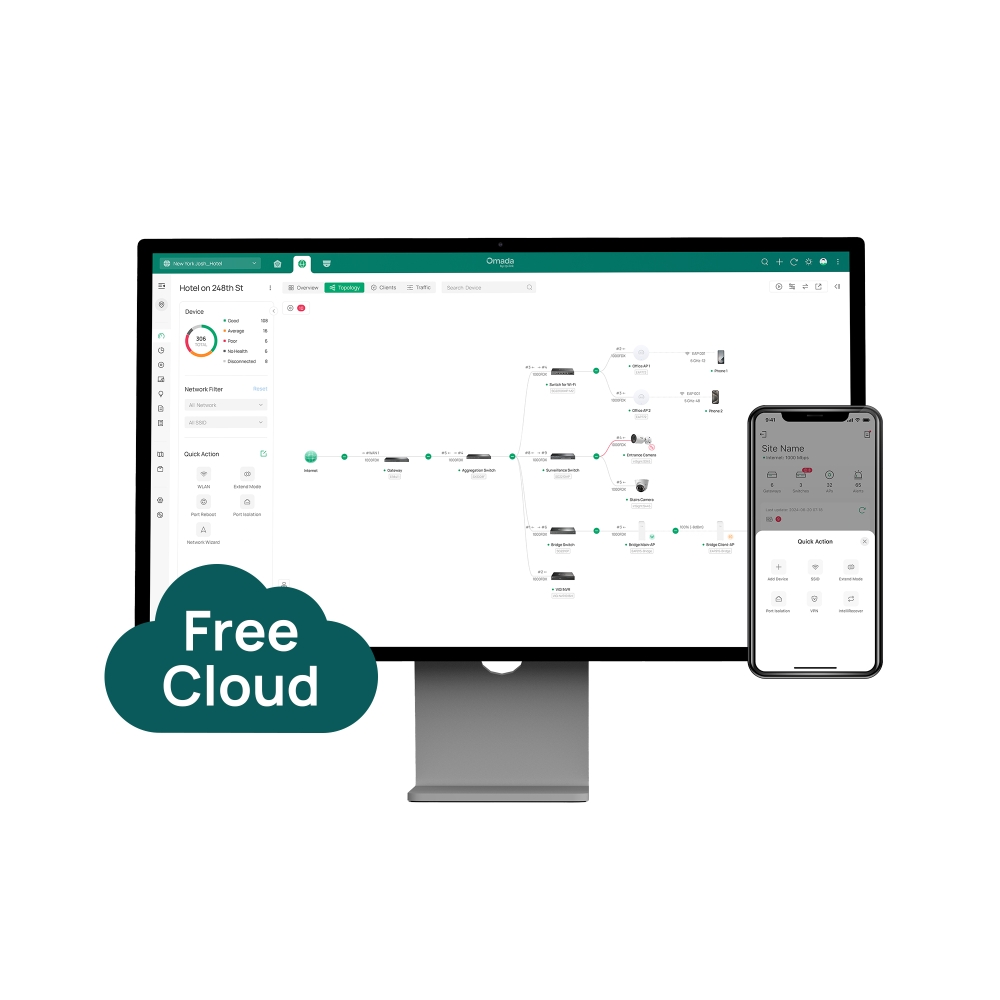
    A Unified Free Cloud Platform for Networking and Surveillance
    A Unified Free Cloud Platform for Networking and Surveillance
    A Unified Free Cloud Platform for Networking and Surveillance
    A Unified Free Cloud Platform for Networking and Surveillance
    A Unified Free Cloud Platform for Networking and Surveillance
    A Unified Free Cloud Platform for Networking and Surveillance
    A Unified Free Cloud Platform for Networking and Surveillance
    A Unified Free Cloud Platform for Networking and Surveillance
    A Unified Free Cloud Platform for Networking and Surveillance
    A Unified Free Cloud Platform for Networking and Surveillance
    A Unified Free Cloud Platform for Networking and Surveillance
    A Unified Free Cloud Platform for Networking and Surveillance
    A Unified Free Cloud Platform for Networking and Surveillance
    A Unified Free Cloud Platform for Networking and Surveillance
    A Unified Free Cloud Platform for Networking and Surveillance
    A Unified Free Cloud Platform for Networking and Surveillance
    A Unified Free Cloud Platform for Networking and Surveillance
    A Unified Free Cloud Platform for Networking and Surveillance
    A Unified Free Cloud Platform for Networking and Surveillance
    A Unified Free Cloud Platform for Networking and Surveillance
    A Unified Free Cloud Platform for Networking and Surveillance

    /7Λήψη

    Omada Central Essentials

    A Unified Free Cloud Platform for Networking and Surveillance

    How to Find the Hardware Version on Your TP-Link Device
    ΣΗΜΑΝΤΙΚΟ:Η διαθεσιμότητα έκδοσης μοντέλου και υλικού διαφέρει ανάλογα με την περιοχή. Ανατρέξτε στον τοπικό ιστότοπό σας TP-Link για να προσδιορίσετε τη διαθεσιμότητα των προϊόντων.
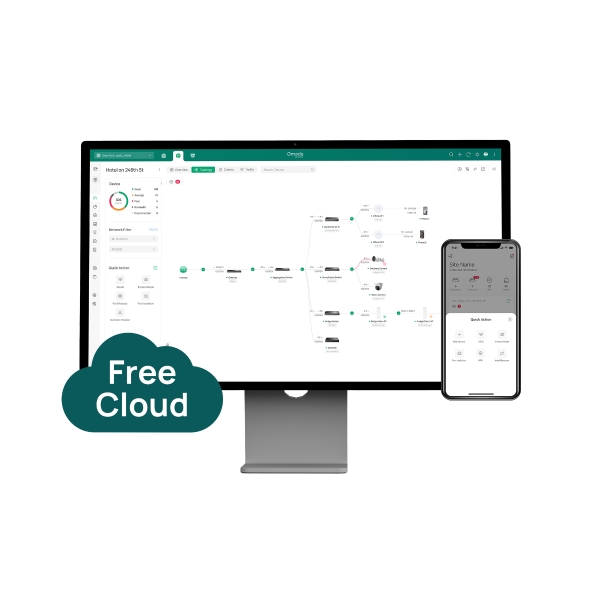
    • Lifetime Free Cloud Management
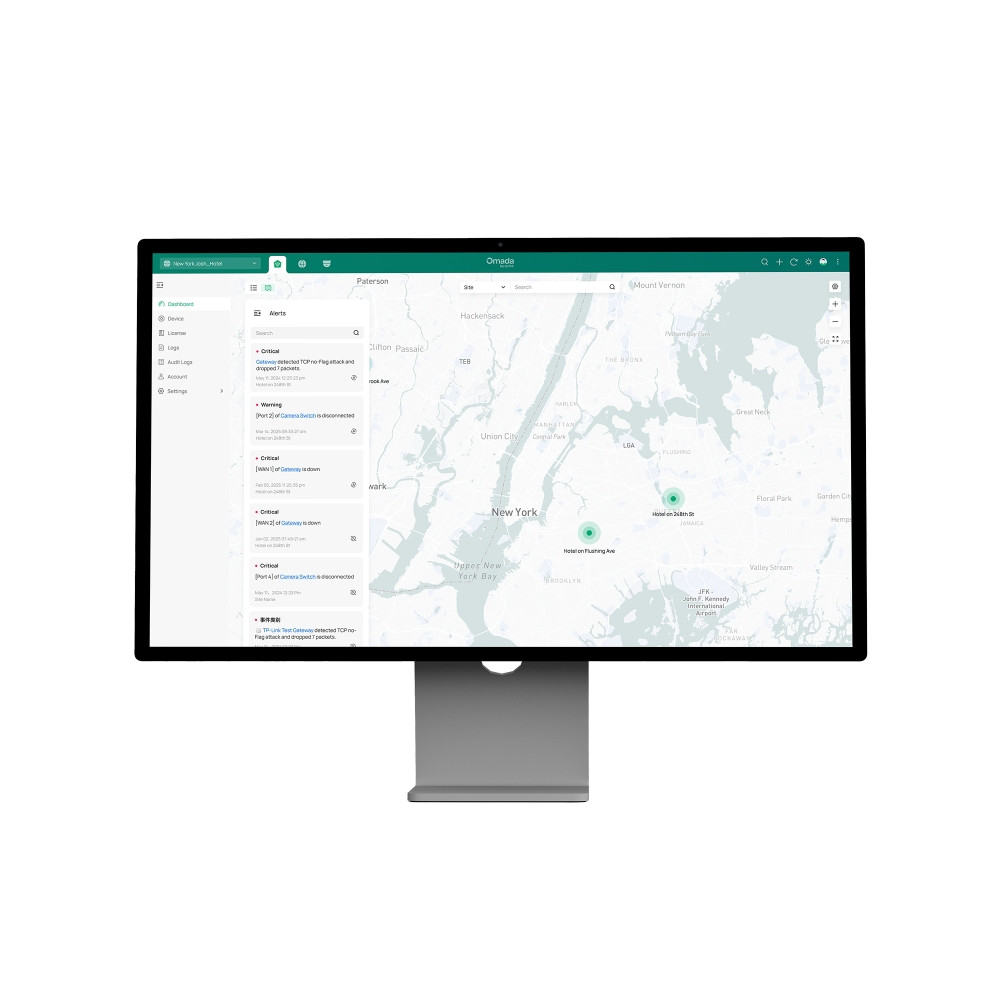
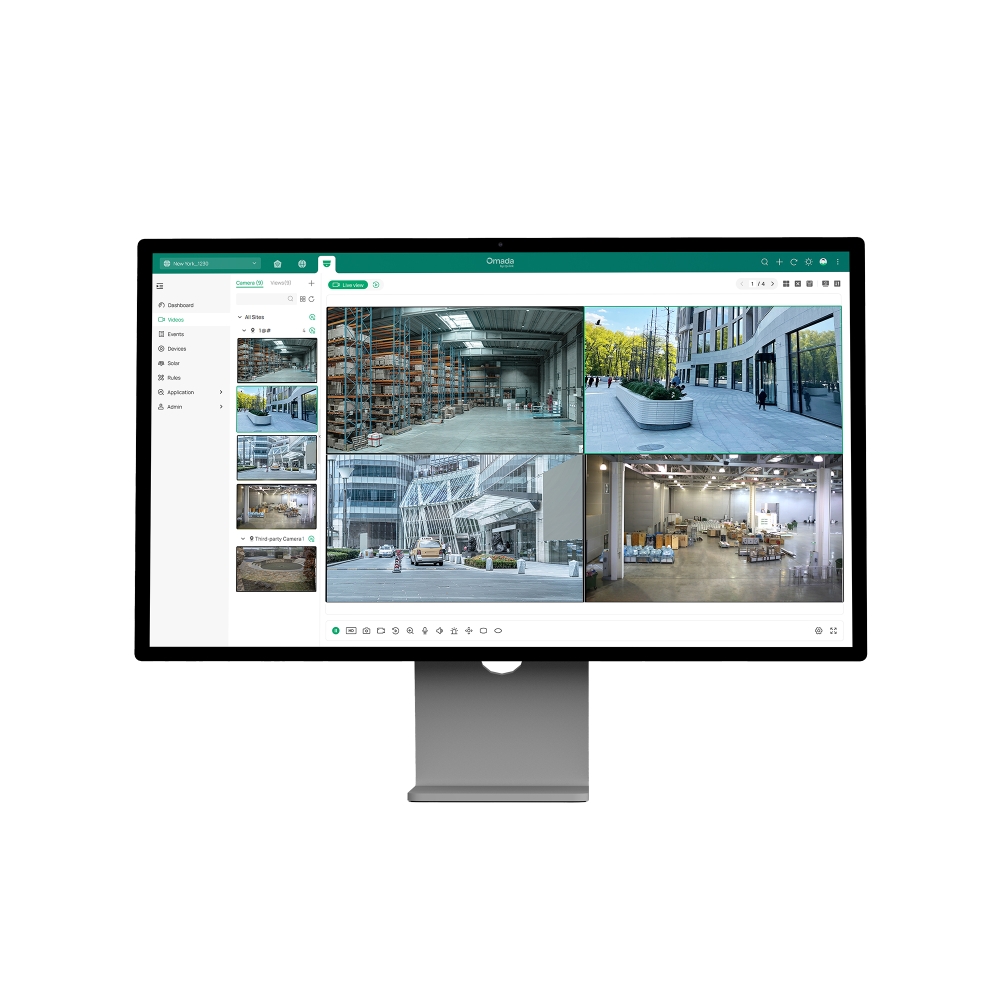
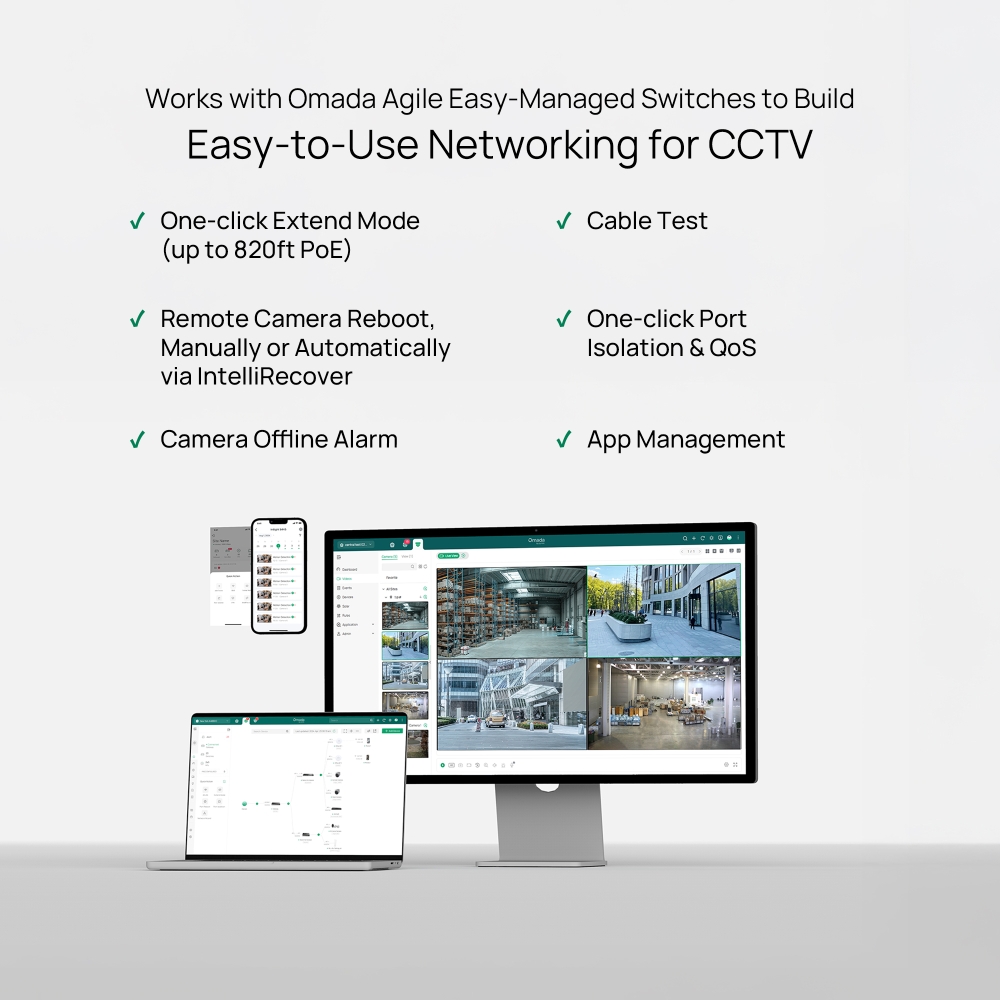
    • Unified Cloud Management of Surveillance and Network in One System
    • Super-Easy Setup with Automatic Device Identification and ZTP
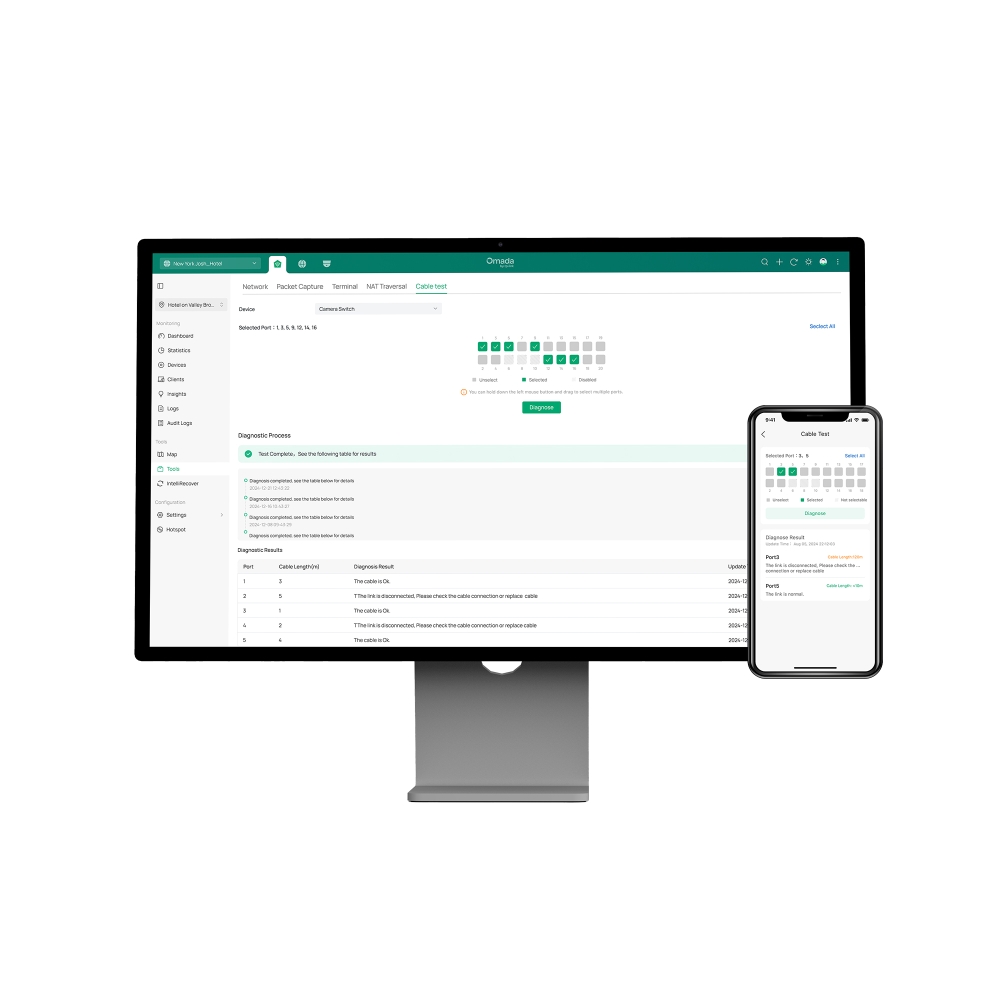
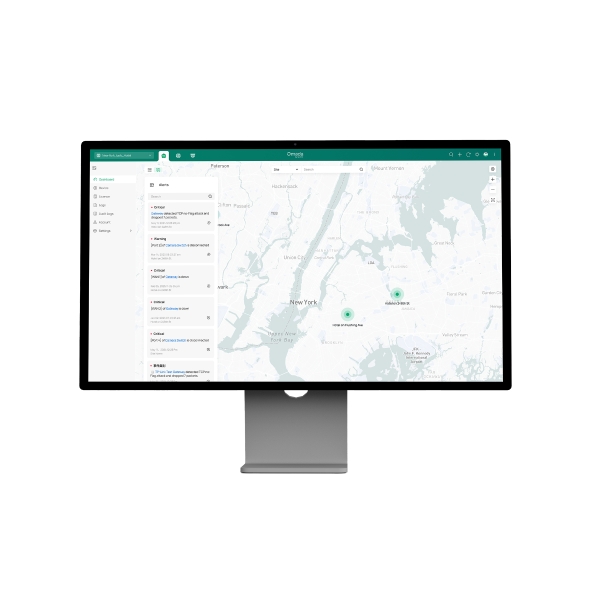
    • Remote Maintenance and Troubleshooting
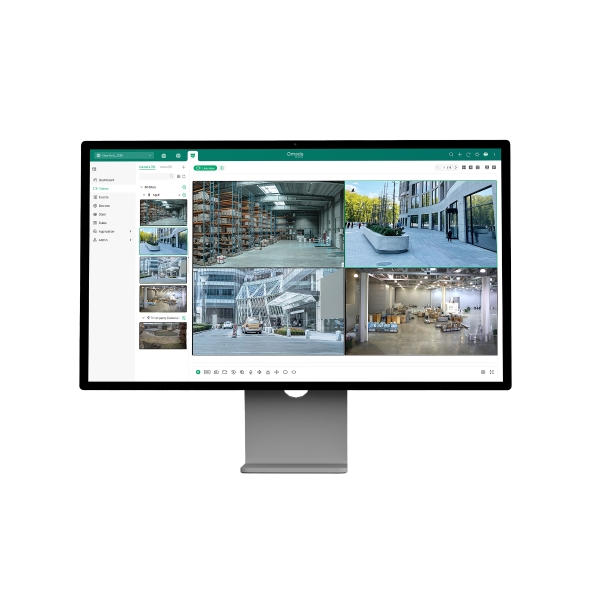
    • Free Video Monitoring
    • No Additional On-Premises Controller Investment or Installation
    • Lifetime Free Cloud Management
    • Unified Cloud Management of Surveillance and Network in One System
    • Super-Easy Setup with Automatic Device Identification and ZTP
    • Remote Maintenance and Troubleshooting
    • Free Video Monitoring
    • No Additional On-Premises Controller Investment or Installation
    • Έγγραφα
    • Βίντεο
    • Λήψεις
    • Εργαλεία
    • Bulletins
    • Κοινότητα

    Φίλτρο ανα ΤύποΕπαναφορά

    • checkbox

      Datasheet

    • checkbox

      Hardware Installation Guide

    • checkbox

      Knowledgebase

      checkbox
    • checkbox

      Release Note

    • checkbox

      Reference Guide

      checkbox
    • checkbox

      Others

    Φιλτράρισμα ανά ετικέταΕπαναφορά

    • Controller
    • Gateway
    • Vlan
    • ACL
    • Standalone
    • Mesh
    • CLI
    • VPN
    • App
    • Online
    • Επαναφορά
    • Αυθεντικοποίηση
    • Πύλη
    • Wireless
    • API

    How to Configure Root Node Feature on an Omada Controller

    Configure the Root Node in Omada Controller to correct topology relationships on sites without an Omada gateway and identify device uplinks more accurately.

    Configuration Guide
    09-24-2026
    7348

    How to Upgrade from Omada Central Essentials to Omada Central Standard

    Learn how to upgrade an Omada Central Organization from the Essentials plan to the Standard plan directly through Plan Management without migration.

    Configuration Guide
    08-26-2026
    13781

    How to Use an Omada Controller to Manage Omada Devices Across Different Subnets Over the Internet

    In enterprise networks, devices are often deployed across different subnets, making it common for Omada devices and the Omada Controller to reside in separate network segments. Supporting device adoption and management across subnets enables centralized control without changing existing network designs. This article introduces different methods for adopting devices across subnets using Omada products.

    Configuration Guide
    06-23-2026
    63250

    How to Configure Spanning Tree on Omada Controller

    Spanning Tree Protocol (STP) is a Layer 2 Protocol that prevents loops in the network.

    Configuration Guide
    07-30-2026
    51871

    How to Enable PWA to Improve Page Load Performance

    In weak or unstable network conditions, pages may load slowly or experience noticeable delays during access.Omada Controller supports PWA capabilities to improve performance and stability:

    Configuration Guide
    07-15-2026
    30035

    What Is the Difference in Client Health Behavior Across Controllers

    Client Health is a new monitoring feature introduced in Omada Controller 6.1 that evaluates and tracks the connection quality and experience of all wireless client devices on your network. By enabling this feature, the system continuously collects and calculates wireless client-level health data, helping network administrators quickly identify wireless client connectivity issues and optimize network performance.

    FAQ
    08-24-2026
    26038

    How to Configure WireGuard VPN in Controller Mode Using Omada App

    This article demonstrates how to configure a WireGuard VPN between Site HQ and Site STA, where each site is equipped with its own Omada Gateway. By following the configuration steps in Controller mode using the Omada App, administrators can quickly establish a secure and reliable VPN tunnel to connect distributed networks.

    Configuration Guide
    08-18-2026
    37511

    How to Configure Bluetooth on Omada Controller

    This article details the principle and advantages of Bluetooth IoT technology and provides specific configuration guidelines and application strategies for Bluetooth IoT.

    Configuration Guide
    08-18-2026
    31626

    How to Configure VLAN in Omada Network v6

    We are aware that significant changes regarding LAN settings have been made from Omada Controller v5 to Omada Network v6. This article introduces how to configure the VLAN feature with newest Omada Network v6 to help you establish a better understanding of the workflow of how to configure VLAN with Omada Network v6.

    Configuration Guide
    08-18-2026
    133931

    How to Separate Large Numbers of VLANs via Bridge VLAN and SSID VLAN (with VLAN Pool)

    Bridge VLAN is a feature that allows multiple VLANs to share a single Layer 3 interface and DHCP pool to reduce gateway resource usage. SSID VLAN binds a specific SSID to one or multiple VLANs for straightforward traffic isolation. By combining Bridge VLAN and SSID VLAN, you can meet the requirements of the apartment or hotel room network design without creating a large number of Layer 3 interfaces.

    Configuration Guide
    08-19-2026
    33185
    • Συνολικά ΧΧΧΧ αντικείμενα
    • 1
    • 2
    • 3

    Δεν βρέθηκαν αποτελέσματα.

    Φίλτρο ανα ΤύποΕπαναφορά

    • checkbox

      Firmware

    • checkbox

      Software

      checkbox
    • checkbox

      MIBs Files

    • checkbox

      GPL Code

    • checkbox

      Declaration of Conformity

      checkbox

    Δεν βρέθηκαν αποτελέσματα.

    Άλλα εργαλεία

    Φίλτρο ανα ΤύποΕπαναφορά

    • checkbox

      Security Vulnerability

    • checkbox

      EOL/EOM/EOS Notification

    • checkbox

      Others

    Δεν βρέθηκαν αποτελέσματα.

    Δεν βρέθηκαν αποτελέσματα.

    ΕγγραφήΗ TP-Link λαμβάνει σοβαρά υπόψη το απόρρητό σας. Για περισσότερες λεπτομέρειες σχετικά με τις πρακτικές απορρήτου της TP-Link, ανατρέξτε στην ενότητα Πολιτική απορρήτου του TP-Link.

    Email Error

    Θα ήθελα να είμαι ενημερωμένος με τις ειδήσεις TP-Link, ενημερώσεις προϊόντων και προσφορές.

    Συμπληρώνοντας αυτήν τη φόρμα επιβεβαιώνετε ότι κατανοείτε και αποδέχεστε την Πολιτική απορρήτου μας.

    reCaptcha not verified

    Ακολουθήστε μας

    • TP-Link Omada facebook
    • TP-Link Omada youtube
    • TP-Link Omada linkedin
    • TP-Link Omada twitter
    About
    • Corporate Profile
    • Contact Us
    • Privacy Policy
    Press
    • News
    • Blog
    • Security Advisory
    Learning Center
    • Technology Trends
    TP-Link Omada VIGI
    Greece / Ελληνικά

    ©2026 TP-Link Hellas and its affiliated companies. All rights reserved.

    Αυτός ο ιστότοπος χρησιμοποιεί cookies. Συνεχίζοντας την περιήγηση στον ιστότοπο, αποδέχεστε τις χρήσεις των cookies από εμάς. Μάθε περισσότερα.

    Your Privacy Choices

    Αυτός ο ιστότοπος χρησιμοποιεί cookies. Συνεχίζοντας την περιήγηση στον ιστότοπο, αποδέχεστε τις χρήσεις των cookies από εμάς. Μάθε περισσότερα.

    Βασικά Cookies

    Αυτά τα cookie είναι απαραίτητα για τη λειτουργία του ιστότοπου και δεν μπορούν να απενεργοποιηθούν στα συστήματά σας.

    TP-Link

    SESSION, JSESSIONID, accepted_local_switcher, tp_privacy_banner, tp_privacy_base, tp_privacy_marketing, tp_top-banner, tp_popup-bottom, tp_popup-center, tp_popup-right-middle, tp_popup-right-bottom, tp_productCategoryType

    Youtube

    id, VISITOR_INFO1_LIVE, LOGIN_INFO, SIDCC, SAPISID, APISID, SSID, SID, YSC, __Secure-1PSID, __Secure-1PAPISID, __Secure-1PSIDCC, __Secure-3PSID, __Secure-3PAPISID, __Secure-3PSIDCC, 1P_JAR, AEC, NID, OTZ

    Zendesk

    OptanonConsent, __cf_bm, __cfruid, _cfuvid, _help_center_session, _pendo___sg__.<container-id>, _pendo_meta.<container-id>, _pendo_visitorId.<container-id>, _zendesk_authenticated, _zendesk_cookie, _zendesk_session, _zendesk_shared_session, ajs_anonymous_id, cf_clearance

    Cookies Ανάλυσης και Μάρκετινγκ

    Τα cookie ανάλυσης μας δίνουν τη δυνατότητα να αναλύσουμε τις δραστηριότητές σας στον ιστότοπό μας για να βελτιώσουμε και να προσαρμόσουμε τη λειτουργικότητα του ιστότοπού μας.

    Τα διαφημιστικά cookie μπορούν να ρυθμιστούν μέσω του ιστότοπού μας από τους διαφημιστικούς μας συνεργάτες, προκειμένου να δημιουργήσουν ένα προφίλ των ενδιαφερόντων σας και να σας εμφανίζει σχετικές διαφημίσεις σε άλλους ιστότοπους.

    Google Analytics & Google Tag Manager

    _gid, _ga_<container-id>, _ga, _gat_gtag_<container-id>

    Google Ads & DoubleClick

    test_cookie, _gcl_au