


TERMS OF USE: The Omada Wireless Bridge series must be installed by a certified professional. Installers must abide by local rules and regulations in terms of legal frequency channels, output power, and Dynamic Frequency Selection (DFS) requirements.
Note: Images may differ from your actual product.
Package Contents
The kit contains a Main AP and a Client AP, which can be distinguished by the role switch on the AP.
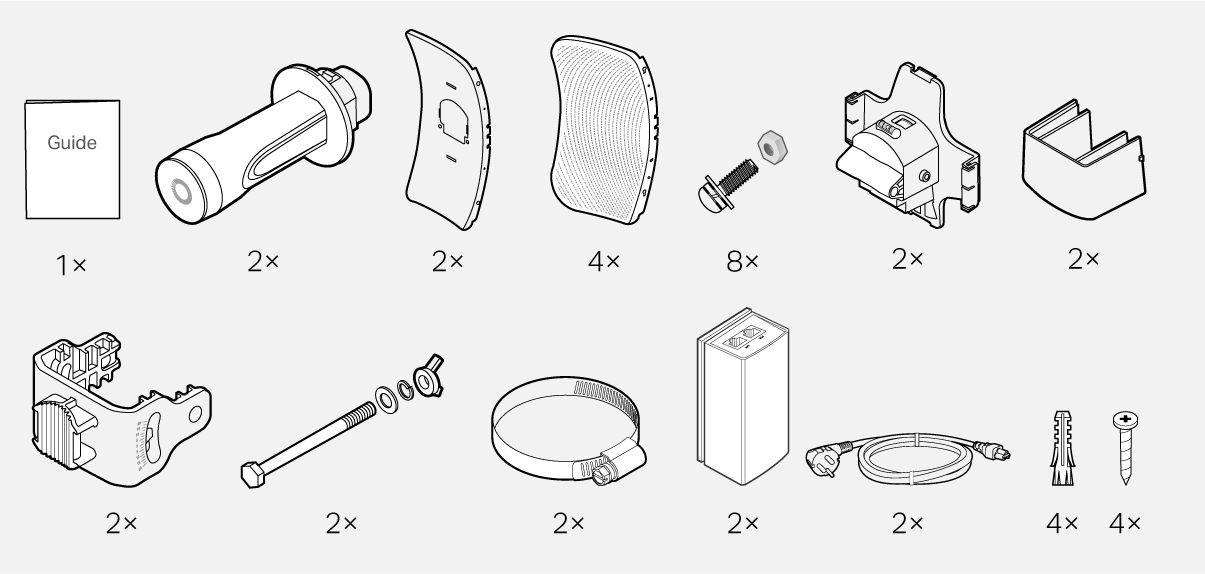
Note: Accessories may vary by region and model.
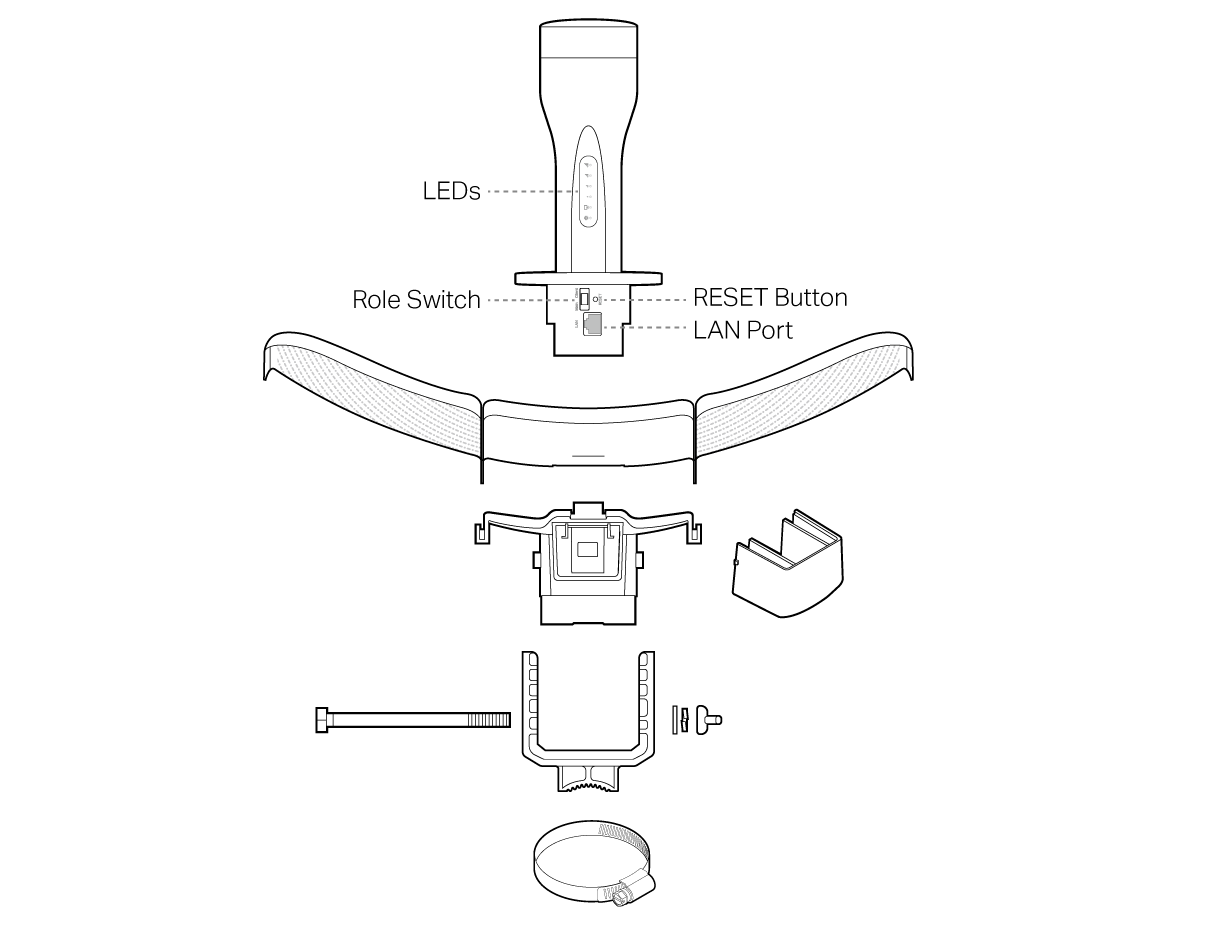
Installation

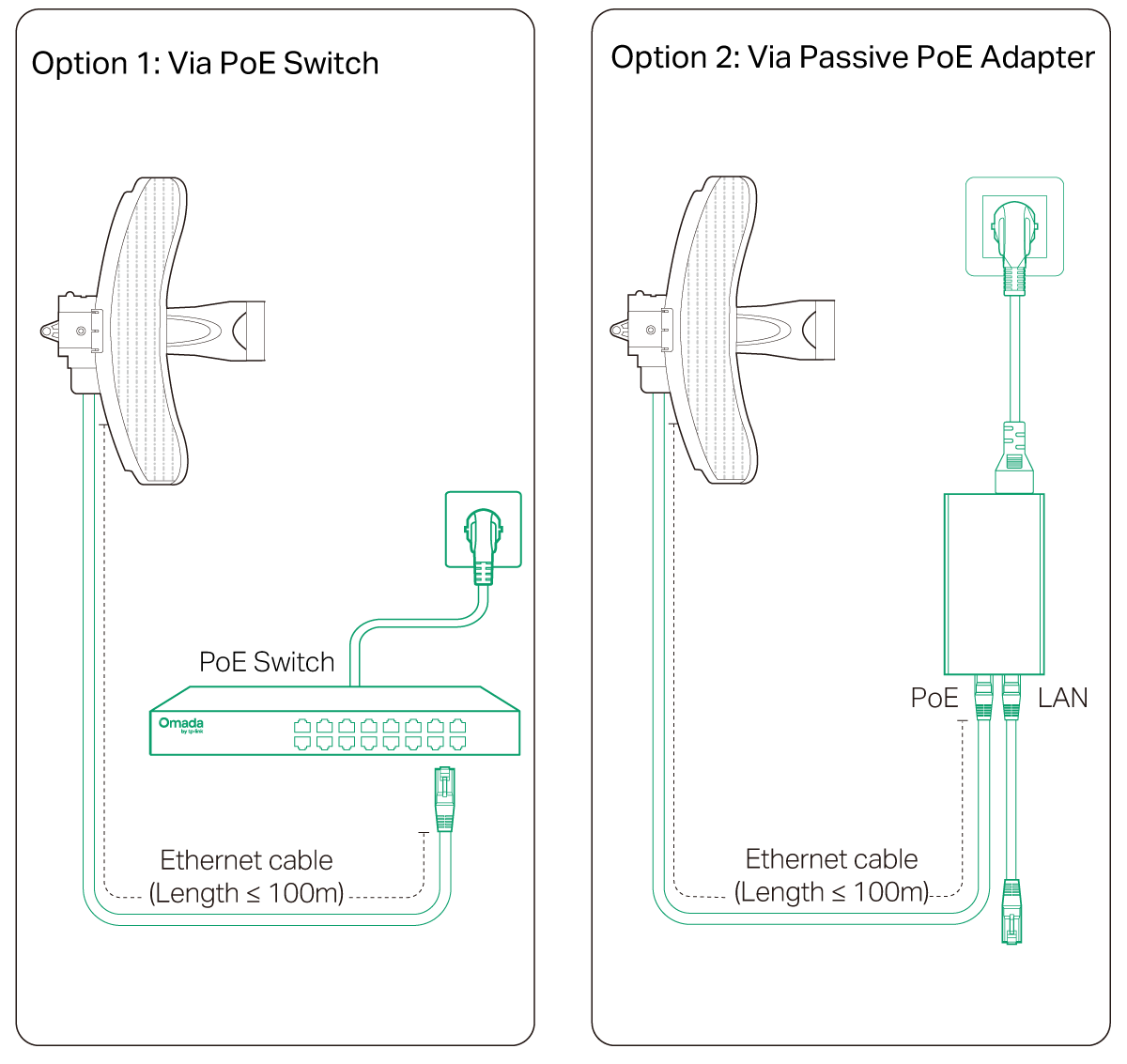
Power On
Auto Pairing
The Main AP and Client AP in the same kit will automatically form a bridge network after powering on.
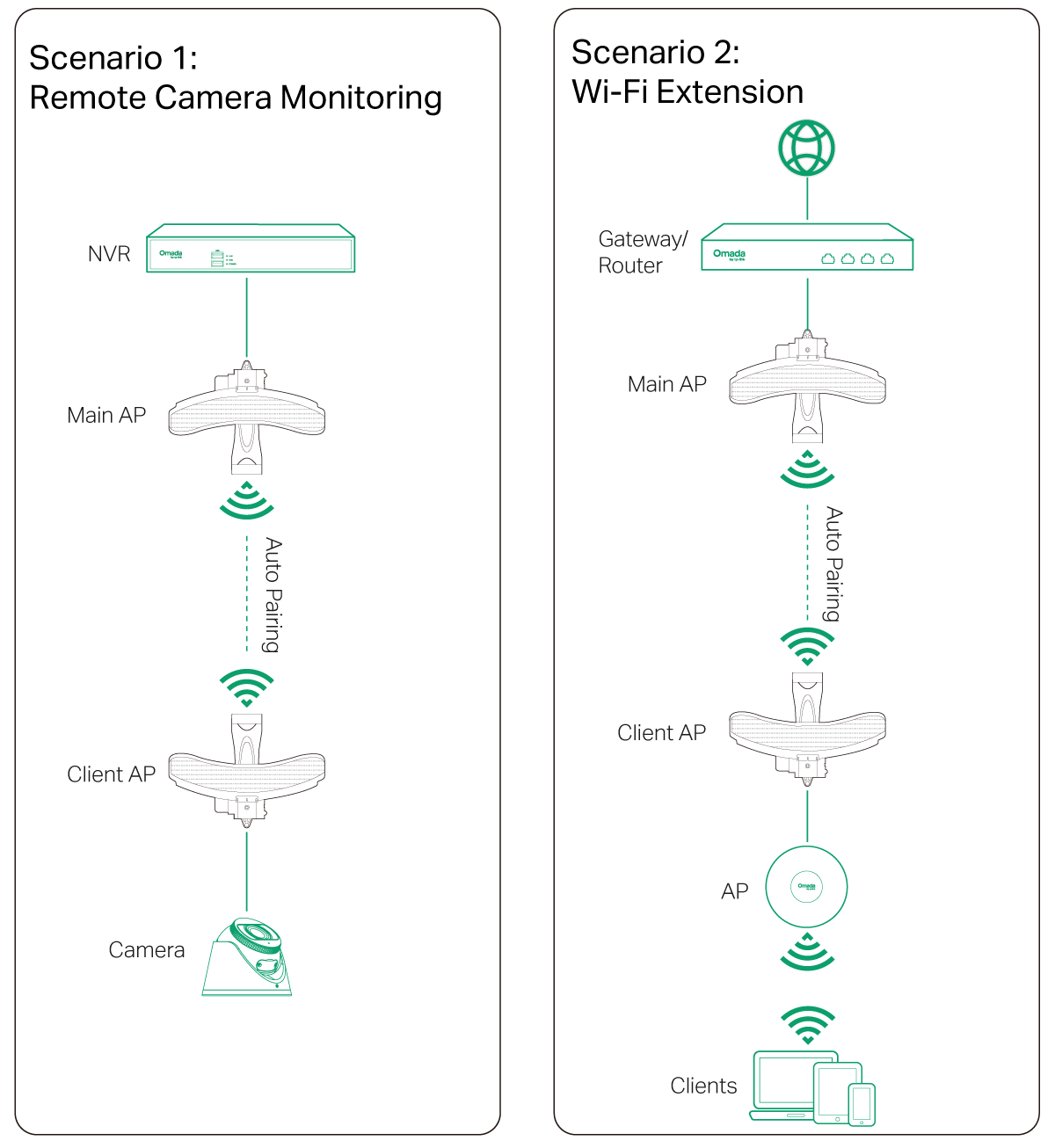
Notes:
1. Check the role switch to ensure you have connected the Main AP and Client AP in the network correctly. You can toggle the role switch to change the AP’s role if needed.
2. The default SSID on the product is only for device access and management. If you need an SSID to access the internet and service networks, refer to the Network Management section to set up the AP.
3. In a network without a DHCP Server, Bridge APs will use the following DHCP fallback IP addresses:
Main AP: 192.168.0.254
Client AP: 192.168.0.253
Network Management
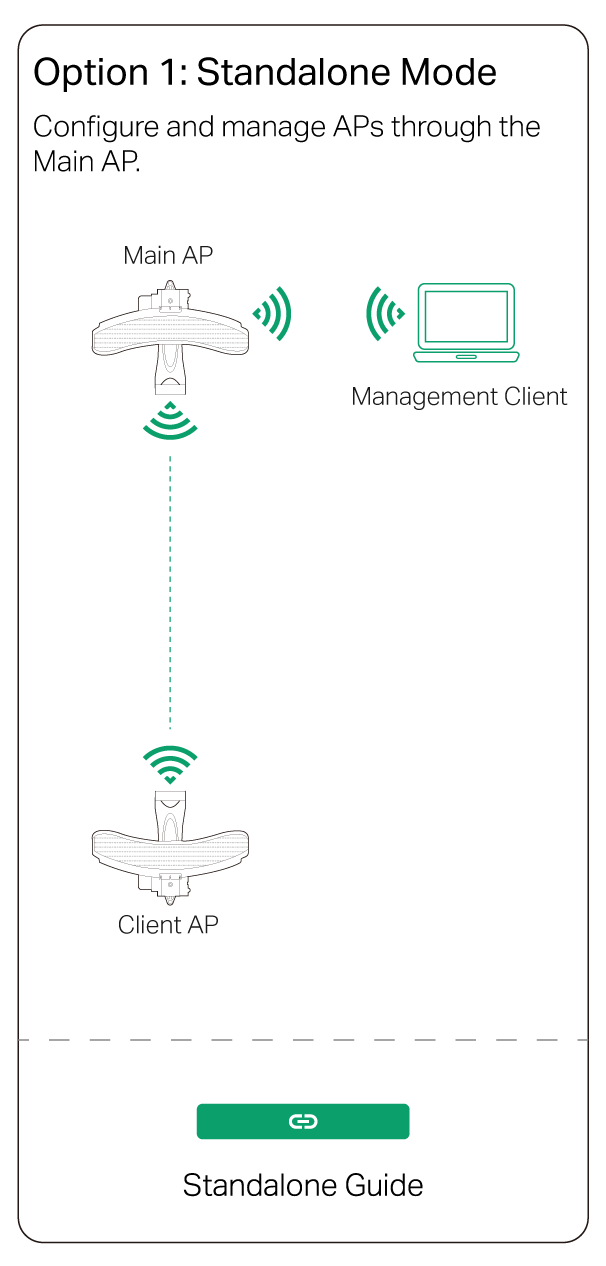
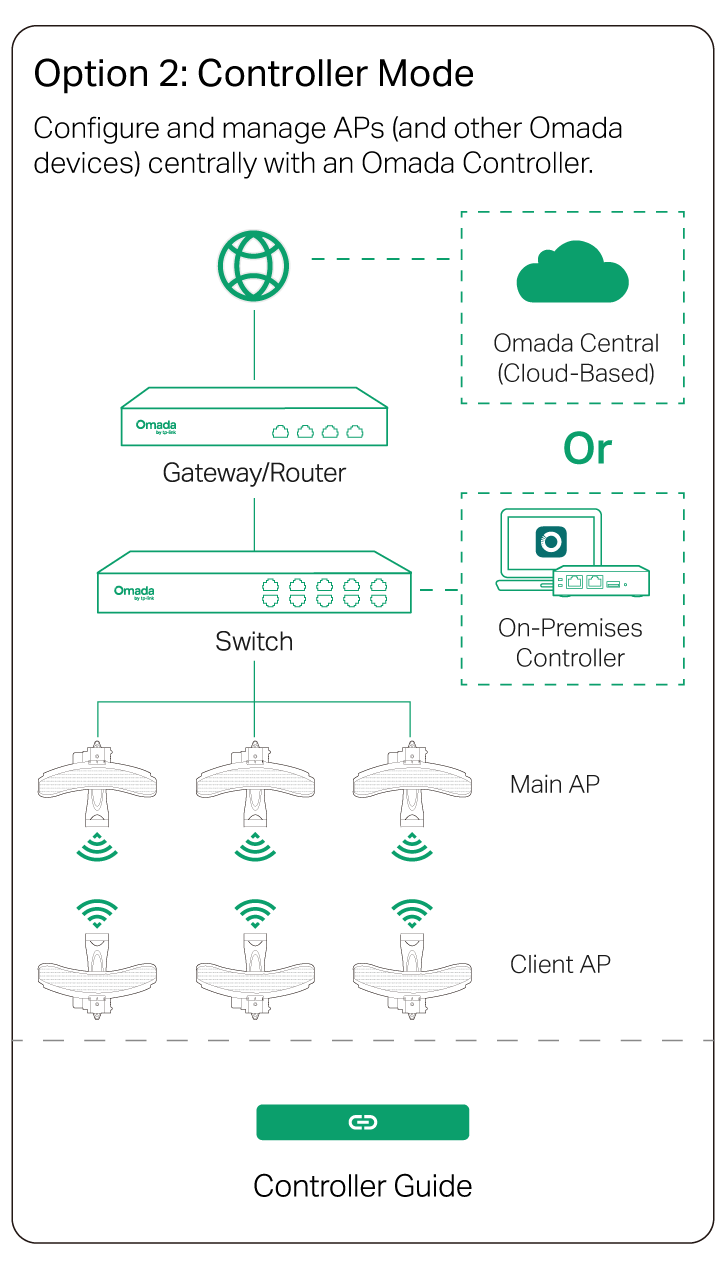
Omada App




Mount the PoE Adapter (optional)
_画板_1_20251214044843b.png)
