Table of Contents

  • Package Contents

  • Mounting

  • Configuration

  • Appendix: Uninstalling the AP

  • EAP725-Wall V2_Installation Guide

    Hardware Installation Guide
    05-29-2026
    228
    Table of Contents

    Package Contents
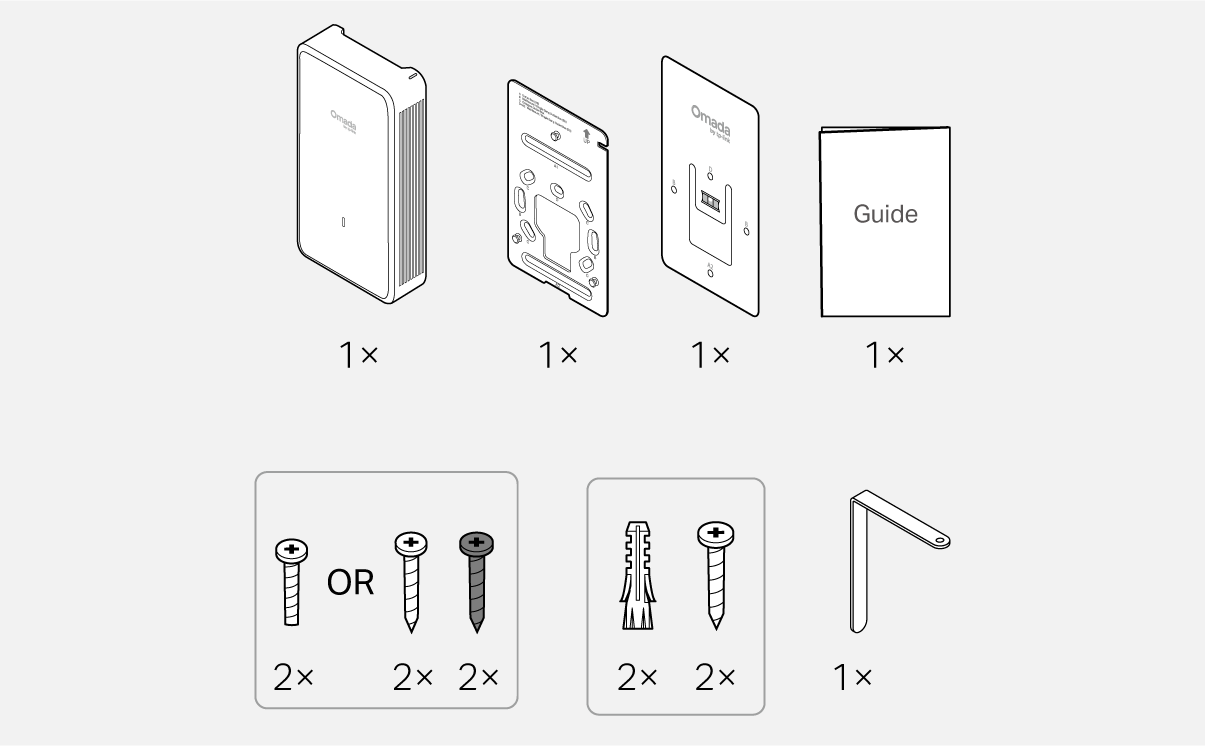
    Packet Contents

    Note: Accessories may vary by region and model.

    1 Mounting

    Note: This equipment shall be installed at a height of less than 2 meters.
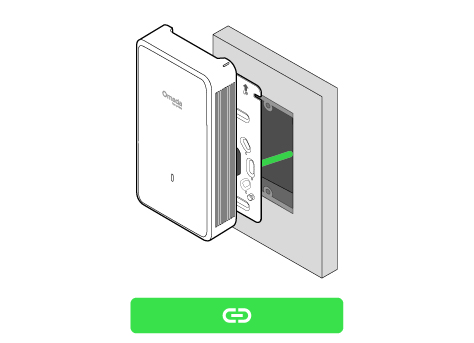
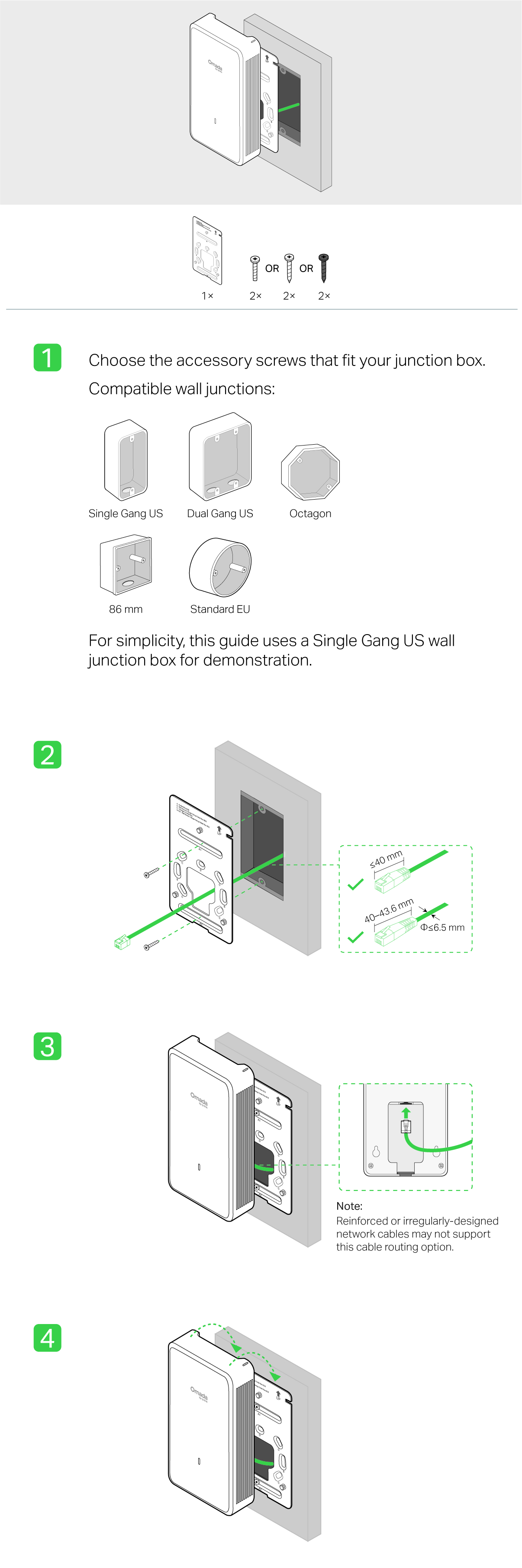
    Option 1 Junction Box Mounting

    Option 2 Wall Mounting (Cable Through Wall)Option 3 Wall Mounting (Cable Along Wall)

    Junction Box Mounting

    Steps - Option 1 Junction Box Mounting
     

    Wall Mounting (Cable Through Wall)

    Steps - Option 2 Wall Mounting (Cable Through Wall)

    Wall Mounting (Cable Along Wall)

    Steps - Option 3 Wall Mounting (Cable Along Wall)

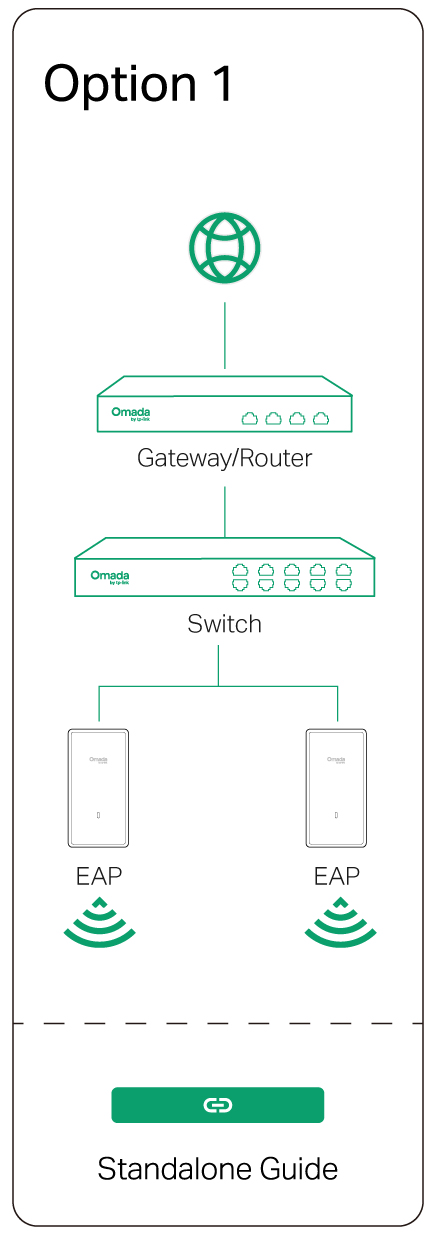
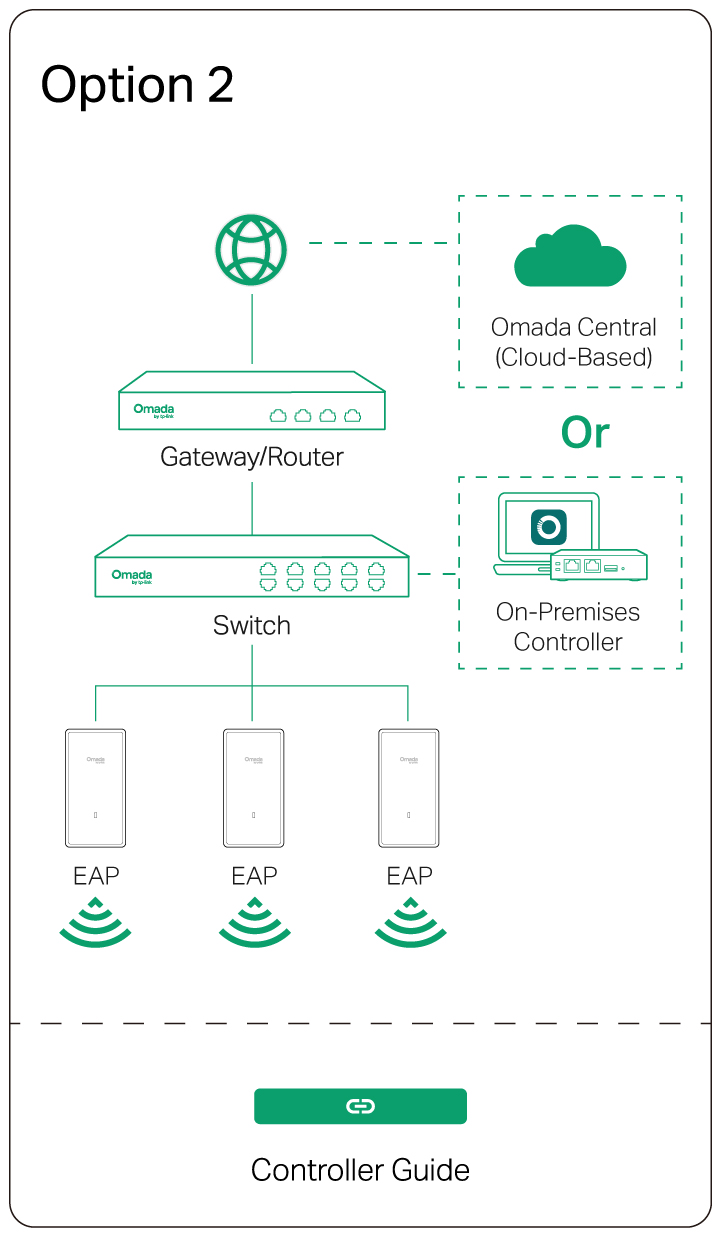
    2 Configuration

    Option 1: Standalone ModeOption 2: Controller Mode


    Omada App

    apple storegoogle storeomada app

    line

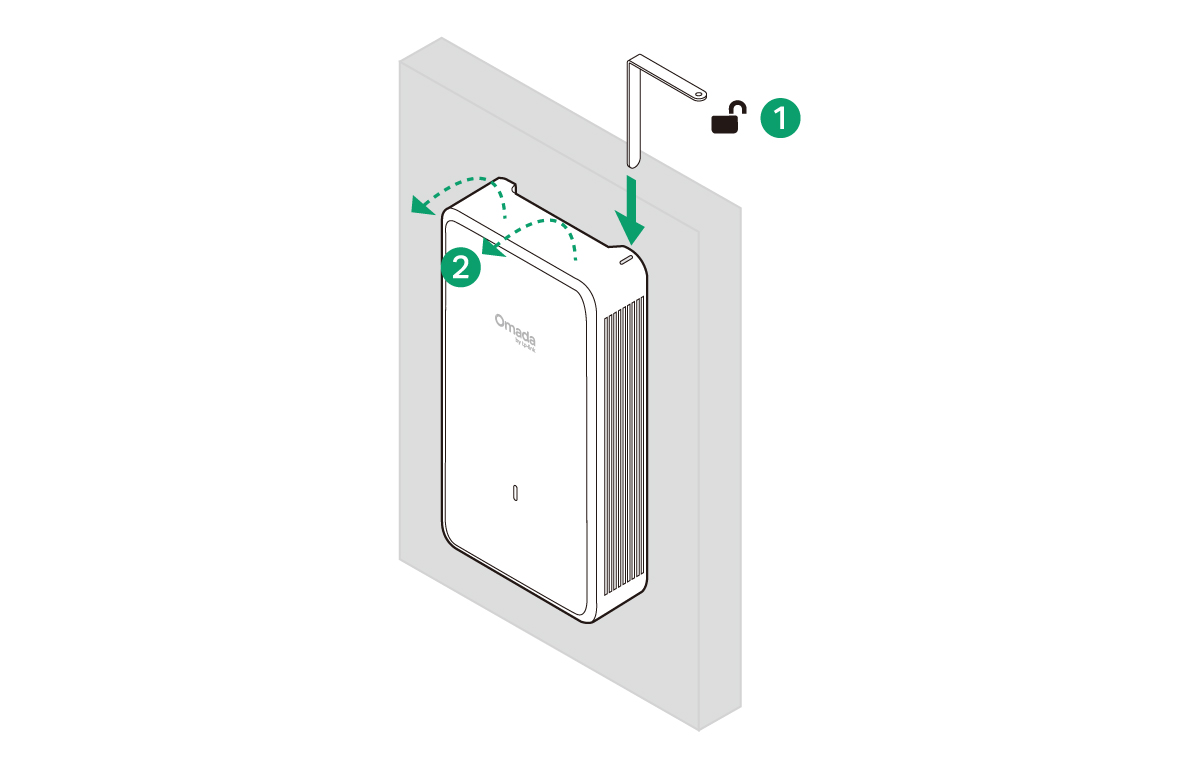
    Uninstalling the AP

    Uninstallation

    Please Rate this Document

    Related Documents