


How to Set the PVID/VLAN ID for the Second Port on EAP


Introduction
In some scenarios, multiple VLANs are configured on a switch, and corresponding VLAN settings are also required on an EAP device connected downstream. For a topology such as Gateway > Switch > EAP (Wall Series), where upstream devices use VLAN 10, you can configure the PVID (VLAN ID) on the EAP’s ports as needed.
Example Topology

Requirements
- Omada EAP-Wall
- Omada Controller v6.2 or greater (for Controller Mode)
Note: This article applies to EAP-Wall series products, for EAP-Ceiling products, the second port is a bridge port and does not support VLAN configuration.
Configuration
Standalone Mode
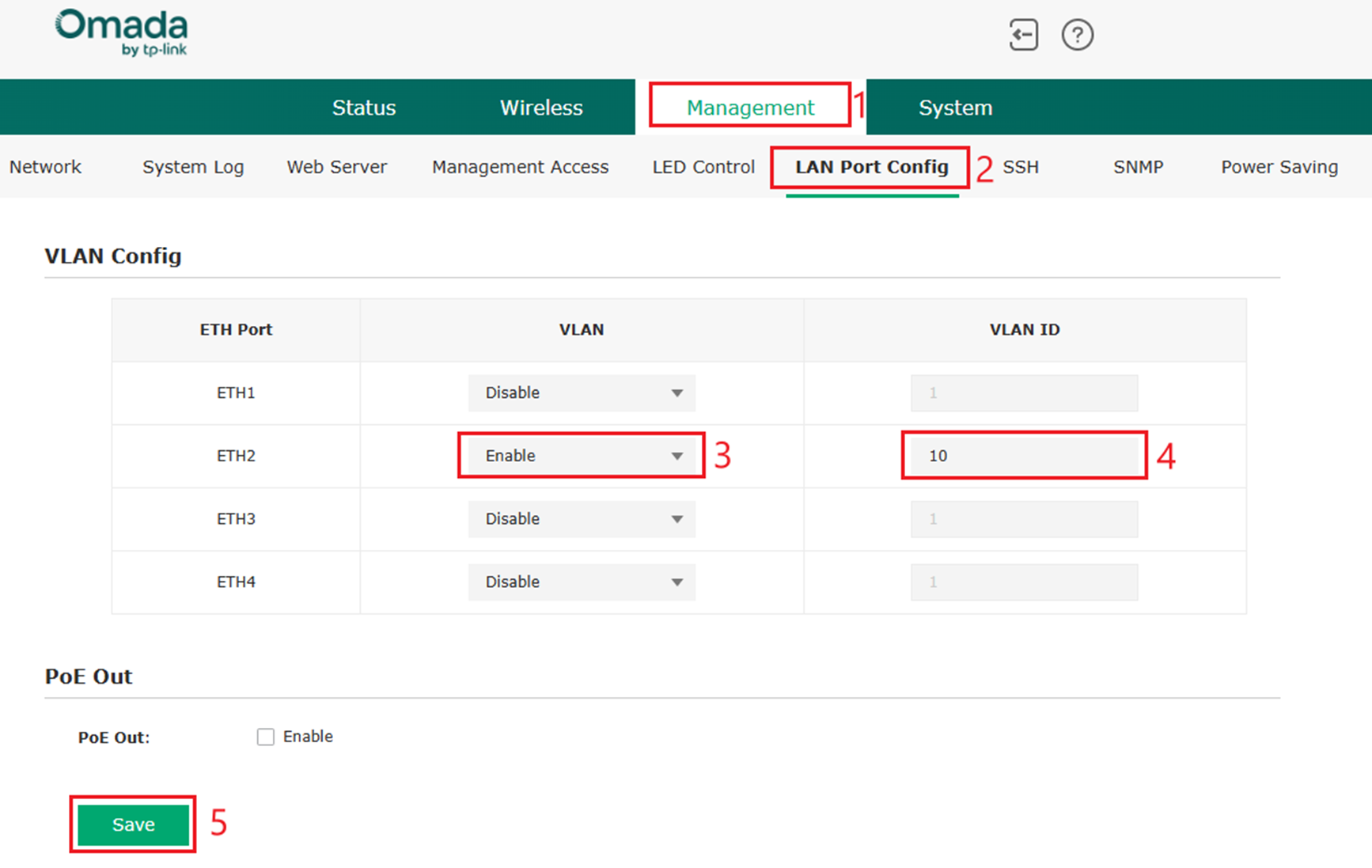
Step 1. After initial device setup, navigate to Management > LAN Port Config. Here you may set the VLAN and VLAN ID of a of an Ethernet Port. In this example, ETH is configured as enabled, with VLAN 10 as the VLAN ID. Select Save to save the configuration.
Controller Mode
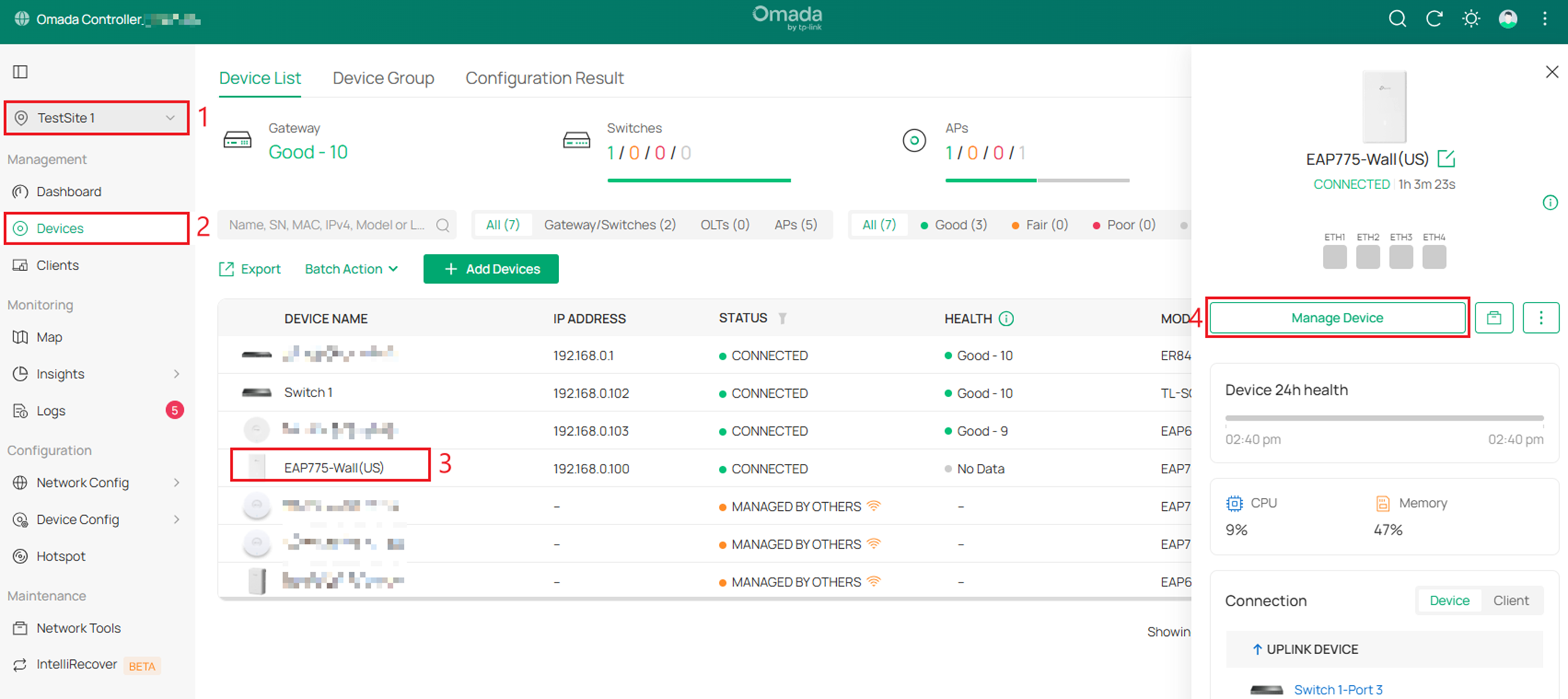
Step 1. Go to Site View > Devices > Select the EAP-Wall Device > Manage Device.
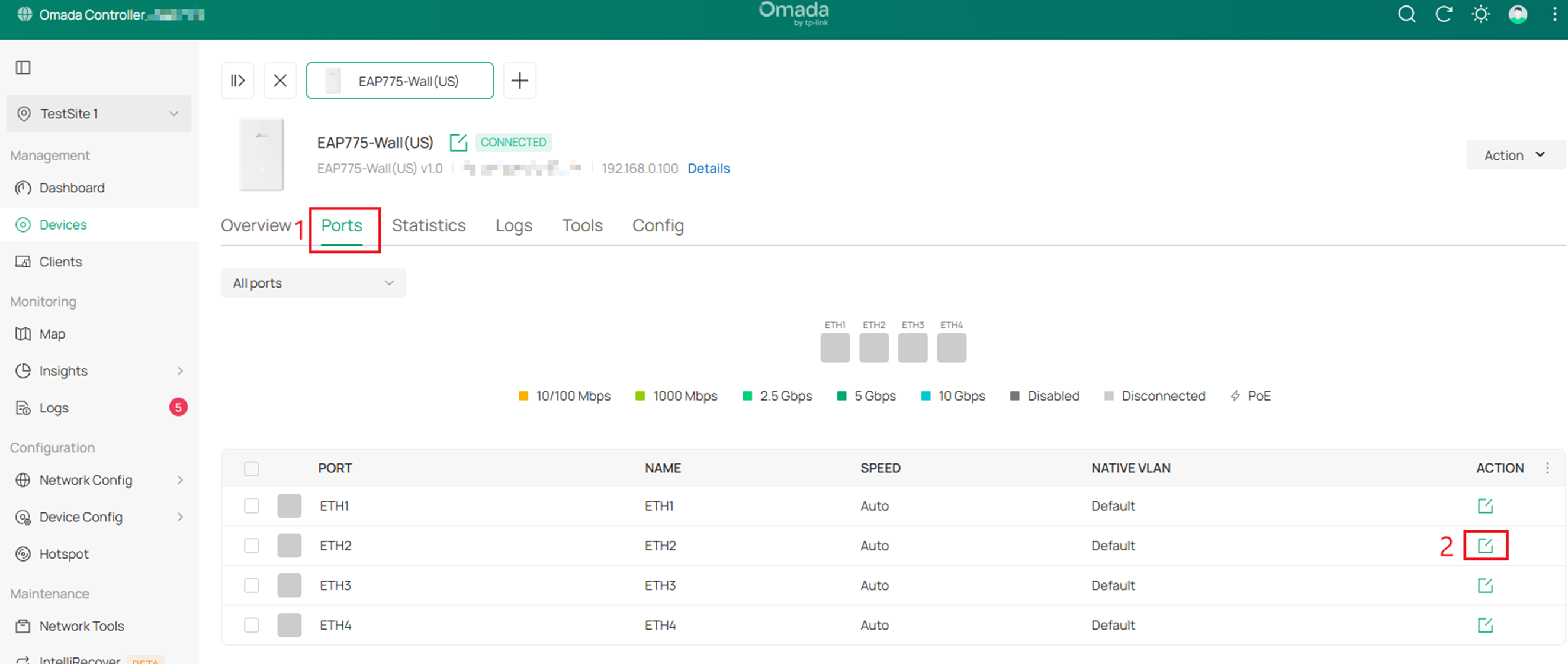
Step 2. Go to Ports > select the Edit button for ETH2.
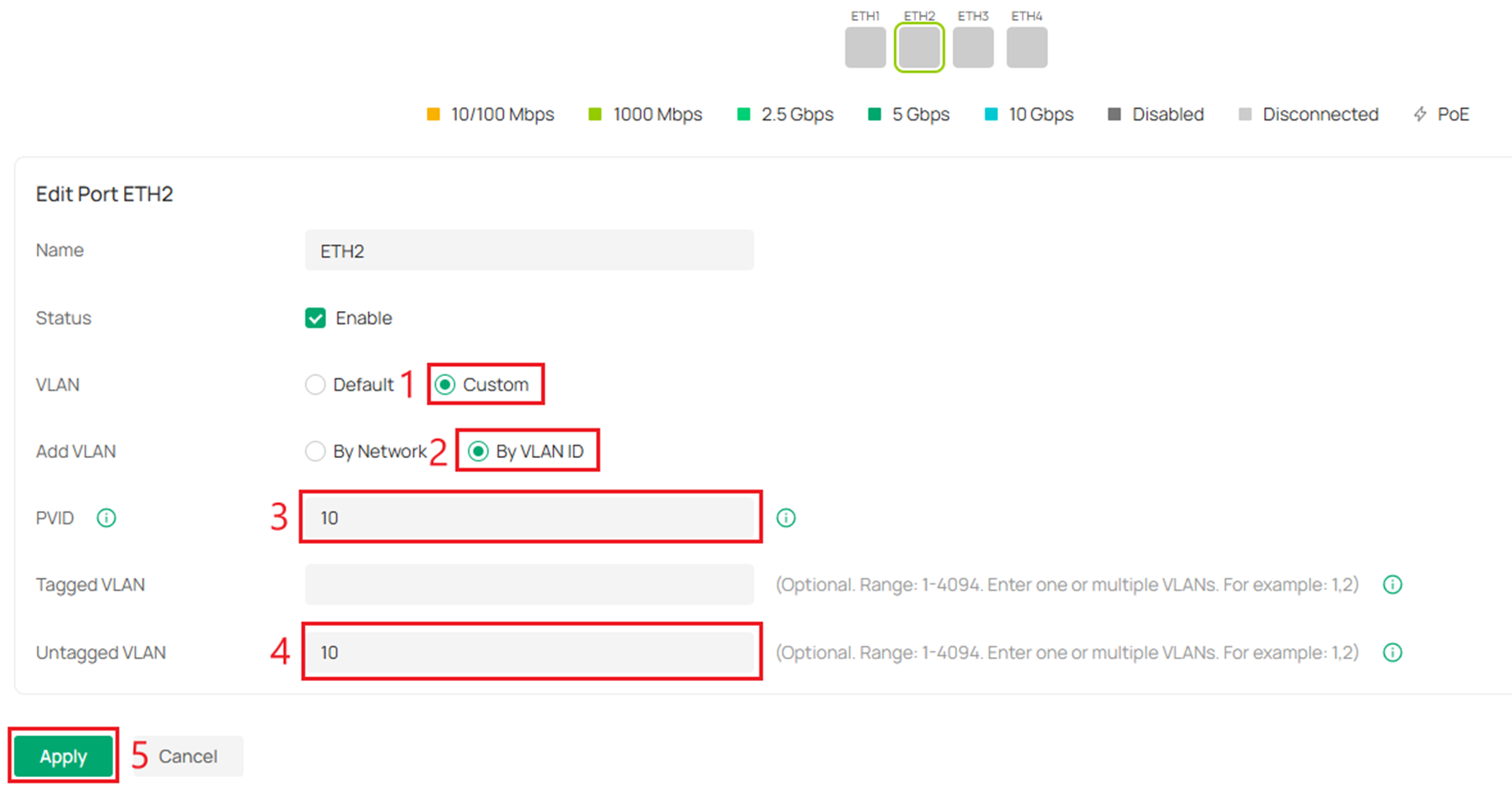
Step 3. Select Custom > By VLAN ID > Enter PVID as 10. Untagged VLAN field will auto complete to be the same as the PVID field. Select Apply. This will complete the configuration.
Verification
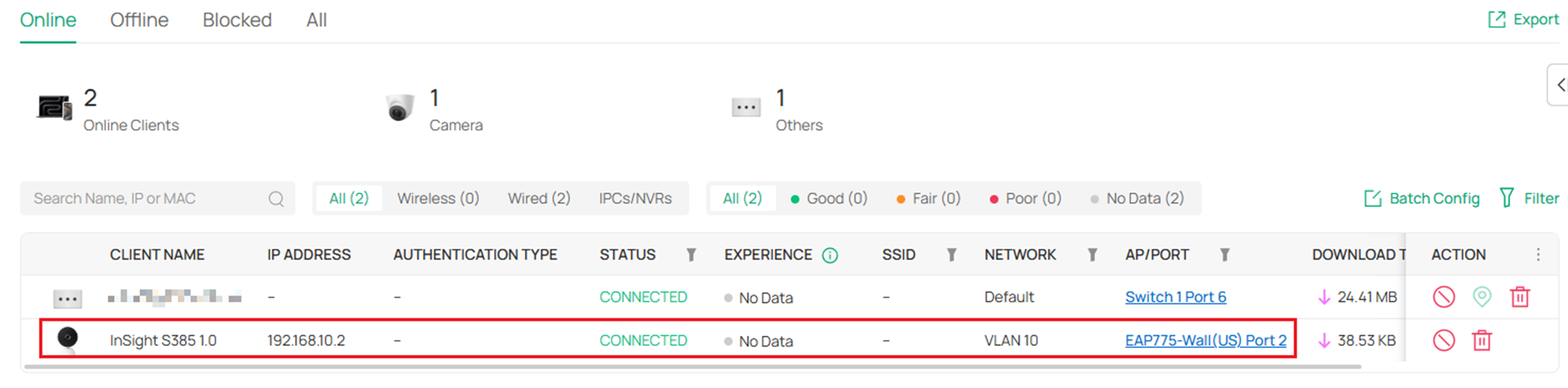
As seen below, the device connected to Port 2 on the EAP775-Wall has a 192.168.10.2 IP Address and on Network VLAN 10. The configuration is successful.
Conclusion
After completing these steps, verify connectivity and VLAN assignment to confirm the configuration is functioning as expected.
QA
Q1: Can I configure a VLAN on the second port of any EAP model?
A1: No. VLAN configuration on the second port is supported only on EAP-Wall series devices. On EAP-Ceiling models, the second port functions as a bridge port and does not support VLAN configuration.
Q2: Can I configure VLANs on other ports of the EAP-Wall models?
A2: Yes. As outlined in this FAQ, certain EAP-Wall models include multiple access ports that can be configured using the same steps described above. In the Port Configuration section, simply select the port you want to configure and assign the appropriate VLAN ID/PVID.
Q3: What VLAN ID should I assign to the EAP port?
A3: The VLAN ID (PVID) should match the VLAN configured on the upstream switch for proper traffic handling. For example, if the switch can transfers VLAN 10 and VLAN20, and you want to put wired client device of EAP-Wall into VLAN10, then configure the EAP port with PVID 10. If you want the switch to transmit data for VLAN 20, then you need to change the number of the ETH1 Port to 20 here, and so on.
To learn more about each function and configuration, please visit Support Home to download or check the manual for your product.
