Catálogo

  • Package Contents

  • Paintable Cover

  • Mounting

  • Configuration

  • Appendix: Uninstalling the AP

  • EAP775-Wall_Installation Guide

    Hardware Installation Guide
    01-19-2026
    2300
    O artigo aplica-se a
    Catálogo

    Omada AP Installation Guide Survey

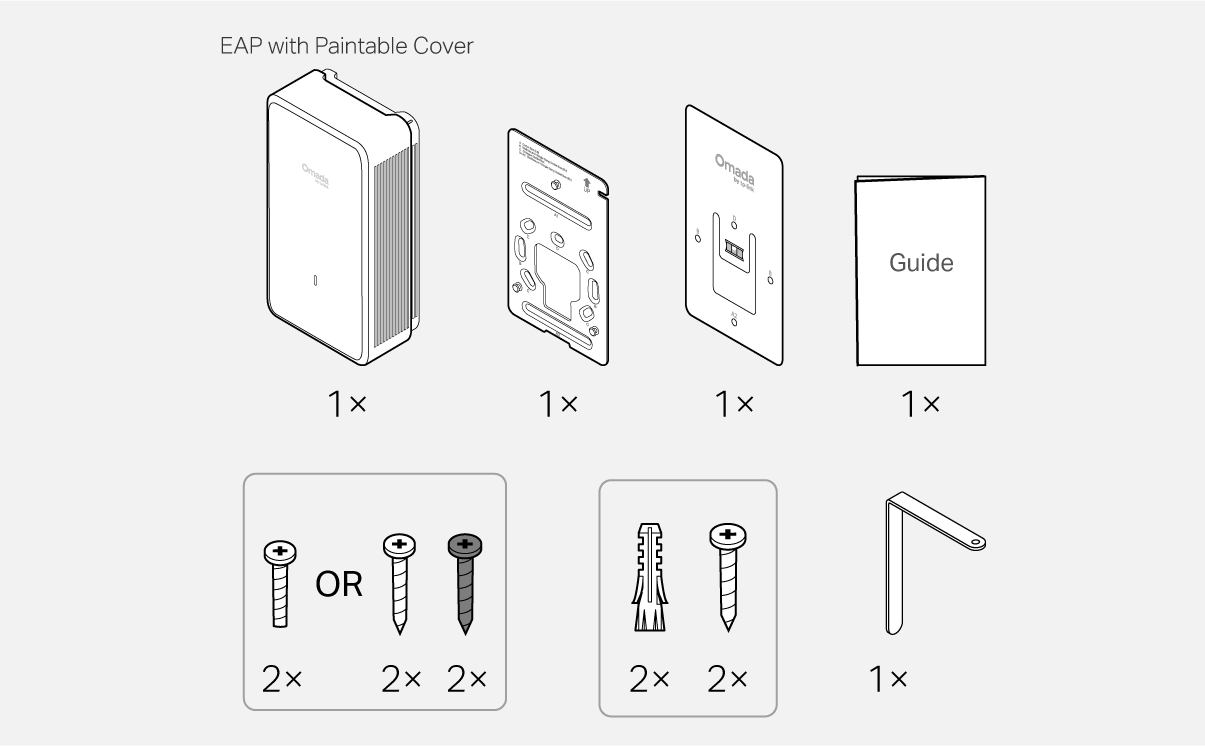
    Package Contents

    Packet Contents

    Note: Accessories may vary by region and model.

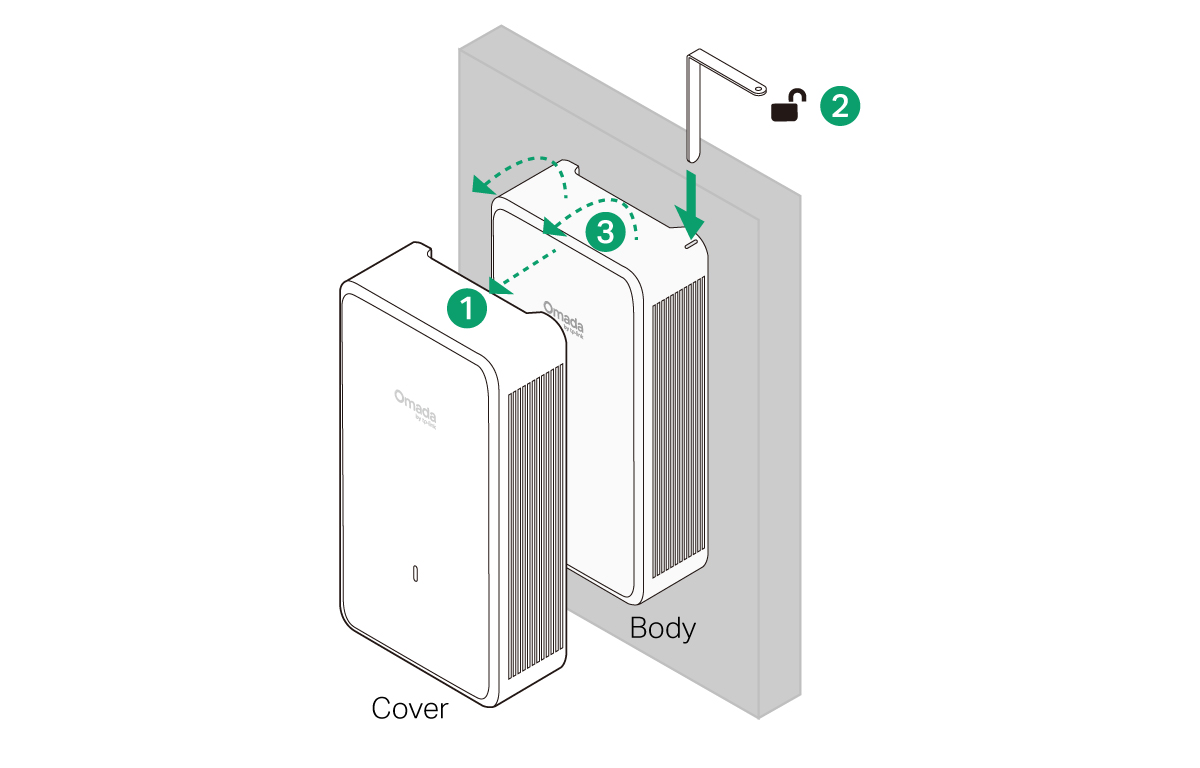
    Paintable Cover

    Notes: 
    1. If you want to paint the cover, remove it from the EAP body before painting. 
    2. To ensure product safety, please use the product with the cover installed.
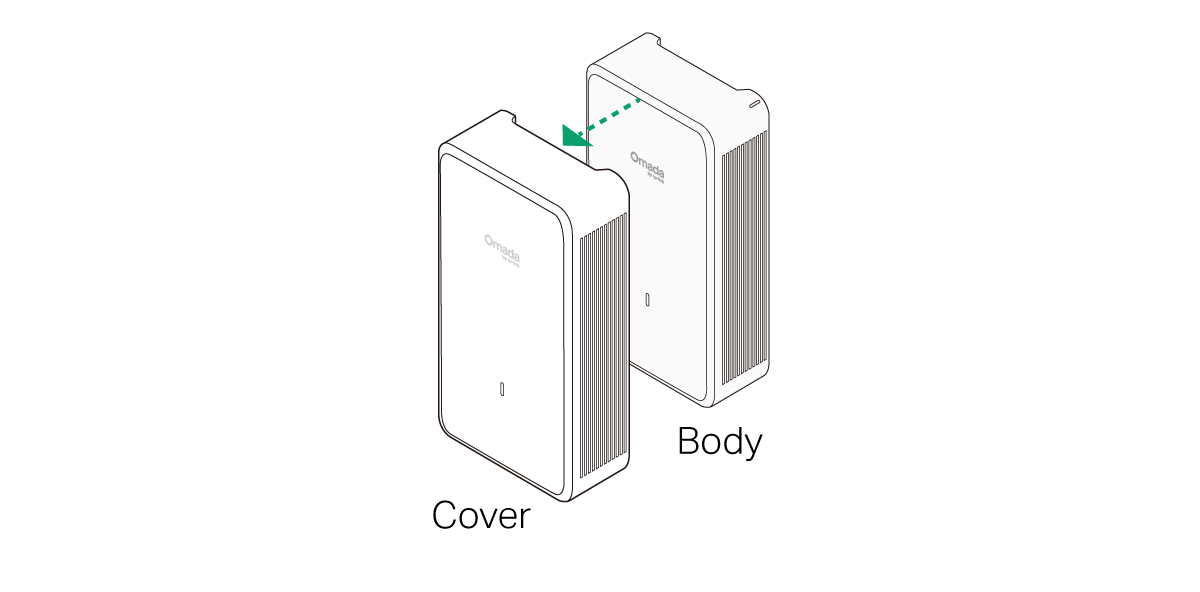
    Paintable Cover

    1 Mounting

    Note: This equipment shall be installed at a height of less than 2 meters.
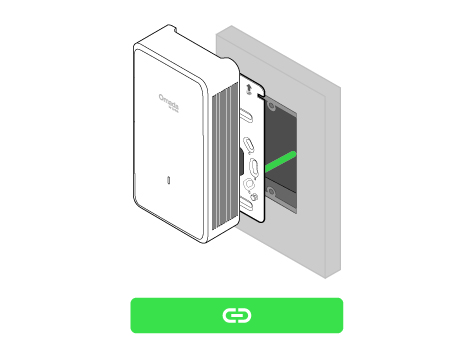
    Option 1 Junction Box Mounting

    Option 2 Wall Mounting (Cable Through Wall)Option 3 Wall Mounting (Cable Along Wall)

    Junction Box Mounting

    Note: To ensure product safety, please use the product with the cover installed.
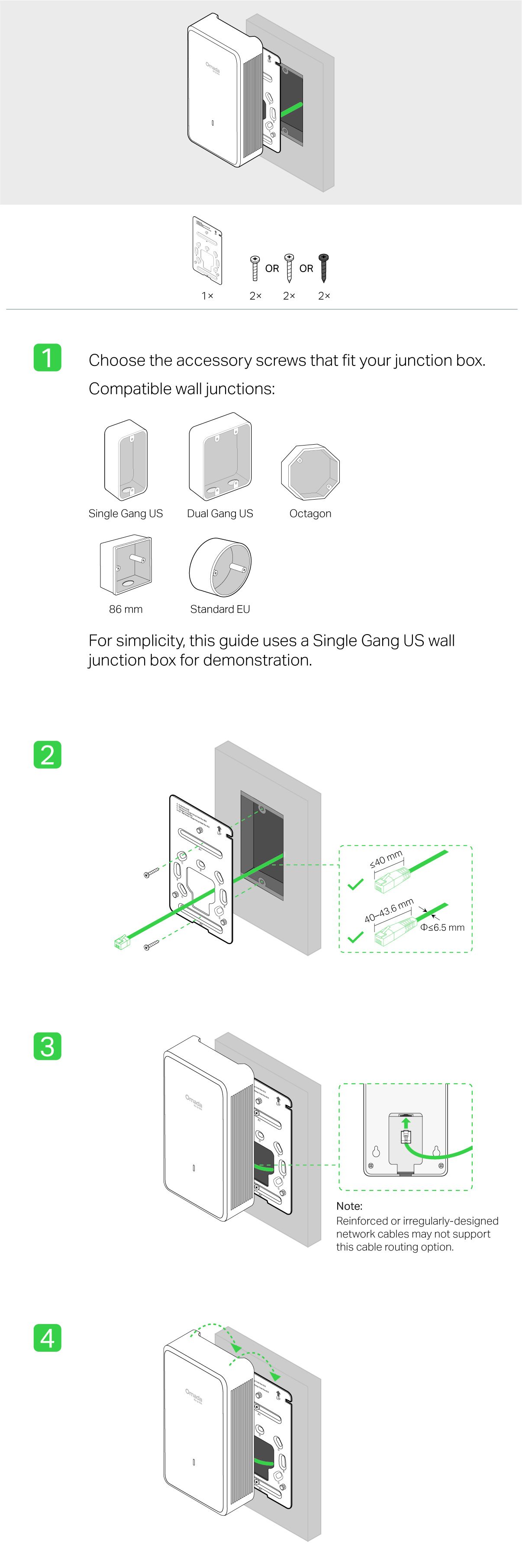
    Steps - Option 1 Junction Box Mounting
     

    Wall Mounting (Cable Through Wall)

    Note: To ensure product safety, please use the product with the cover installed.

    Steps - Option 2 Wall Mounting (Cable Through Wall)

    Wall Mounting (Cable Along Wall)

    Note: To ensure product safety, please use the product with the cover installed.

    Steps - Option 3 Wall Mounting (Cable Along Wall)

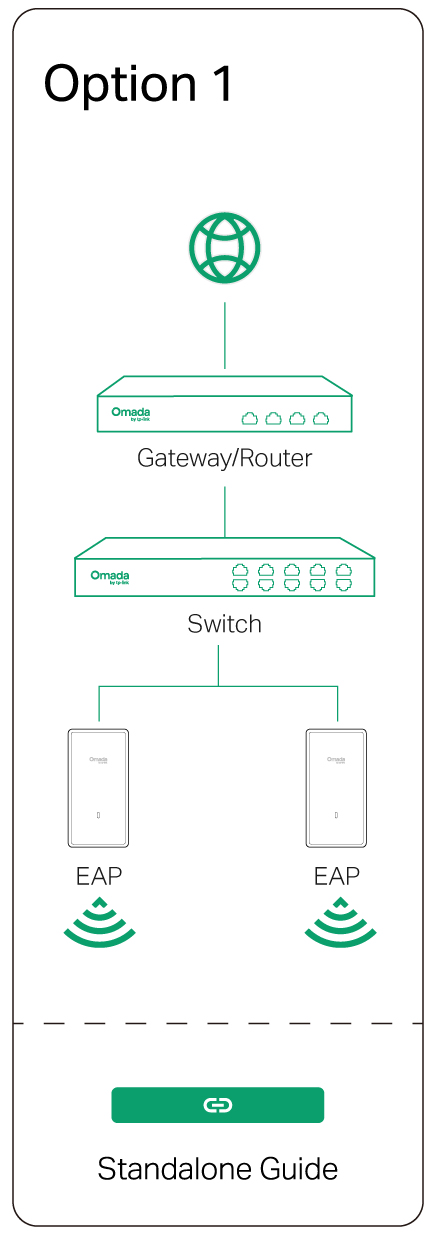
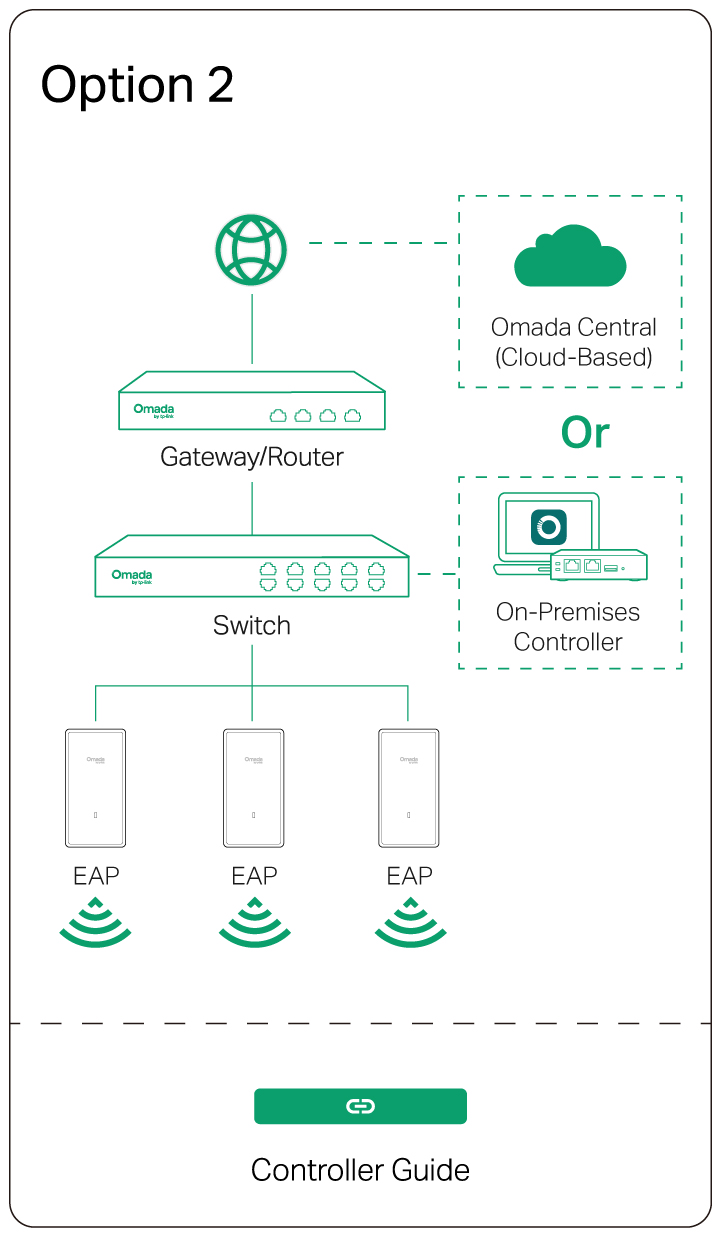
    2 Configuration

    Option 1: Standalone ModeOption 2: Controller Mode


    Omada App

    apple storegoogle storeomada app

    line

    Uninstalling the AP

    Uninstallation

    Avalie este documento

    Documentos Relacionados

    EAP775-Wall_V1_Installation Guide

    Hardware Installation Guide
    11-01-2025
    6091

    EAP775-Outdoor_V1_Installation Guide

    Hardware Installation Guide
    08-21-2026
    3844

    EAP775-Wall_V1_Datasheet

    Datasheet
    06-04-2026
    11366

    Getting Started with AFC

    Configuration Guide
    08-20-2026
    50601

    EAP775-Outdoor(UN)_V1_Datasheet

    Datasheet
    06-23-2026
    3591