


Overview of the Omada Fusion Gateway Architecture and Key Software Components


Content
Supported models and applications
Software architecture components
Application upgrade and version dependencies
Software upgrade architecture and mechanism
Introduction
The Omada Fusion Pro and Fusion Max Gateways integrate networking and video surveillance management into a single platform through three core software components (Omada Fusion Gateways support networking features only): Omada OS, the Network Application, and the Guard Application. Each component performs a distinct role in system management, network operations, and security services. Understanding how these components interact helps administrators select the appropriate management interface, plan deployments, manage upgrades, and troubleshoot issues more efficiently.
Supported models and applications
Different Omada Fusion Gateway models support different application combinations, as shown below.
|
Model |
Omada OS |
Network Application |
Guard Application |
|
Fusion |
√ |
√ |
Not supported |
|
Fusion Pro |
√ |
√ |
√ |
|
Fusion Max |
√ |
√ |
√ |
Software architecture components
The Omada Fusion Gateway software architecture consists of three primary components:
- Omada OS
- Network Application
- Guard Application
Each component performs a distinct role within the platform.
Omada OS
As an all-in-one gateway device, the Omada Fusion Gateway uses Omada OS not only to provide gateway and routing capabilities, but also to serve as the underlying system platform of the device.
Click the tabs at the top of the page to switch between the Network and Guard applications. Each application provides centralized management for a different category of devices.

Omada OS is responsible for essential management functions such as account management, application startup and shutdown, application upgrades, cloud access, backup and restoration, and migration.
Core management functions
- Installation, operation, and version management of the Network Application and Guard Application under Settings > OS & Application.
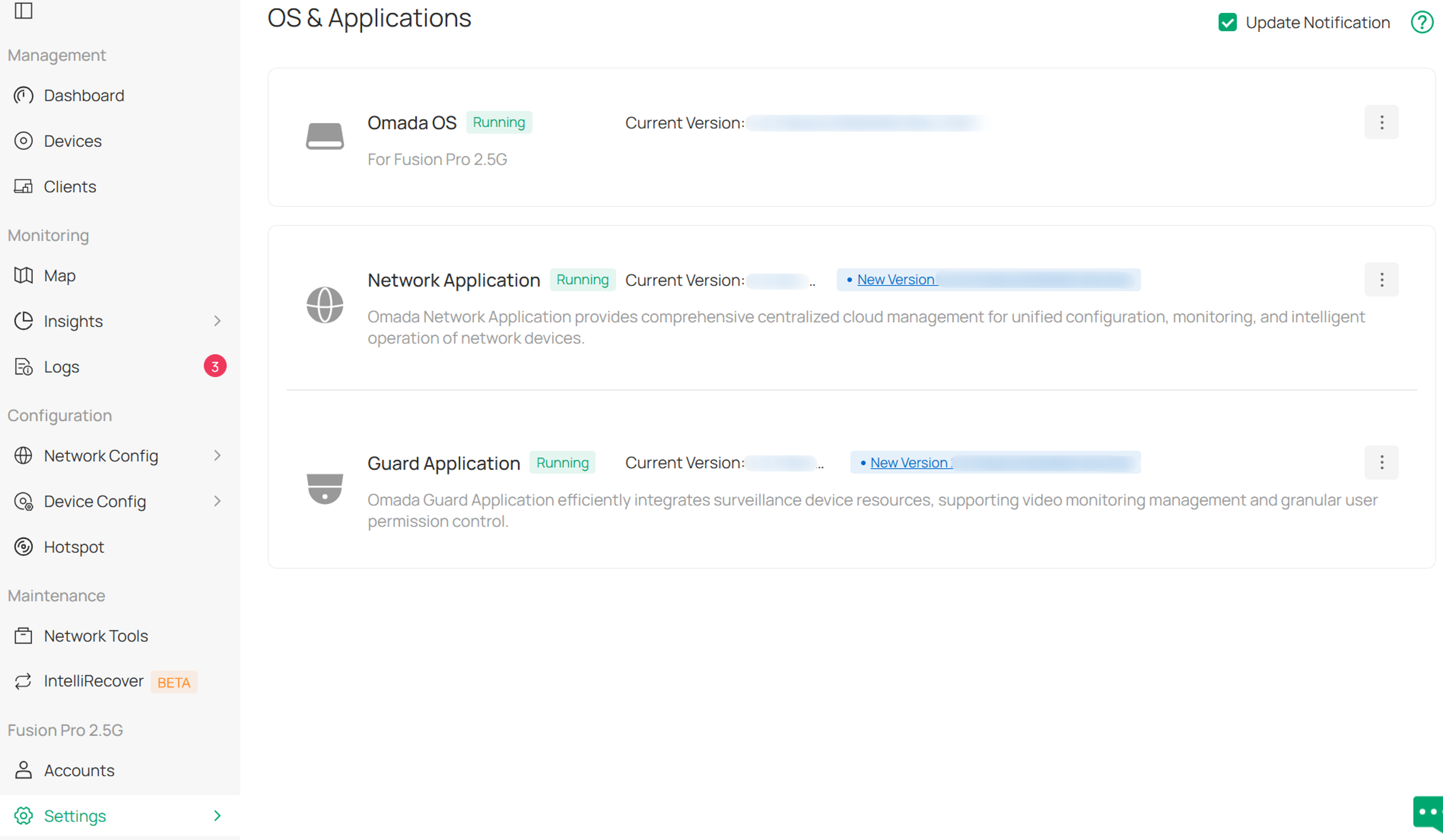
- System and application upgrade management under Settings > OS & Application.
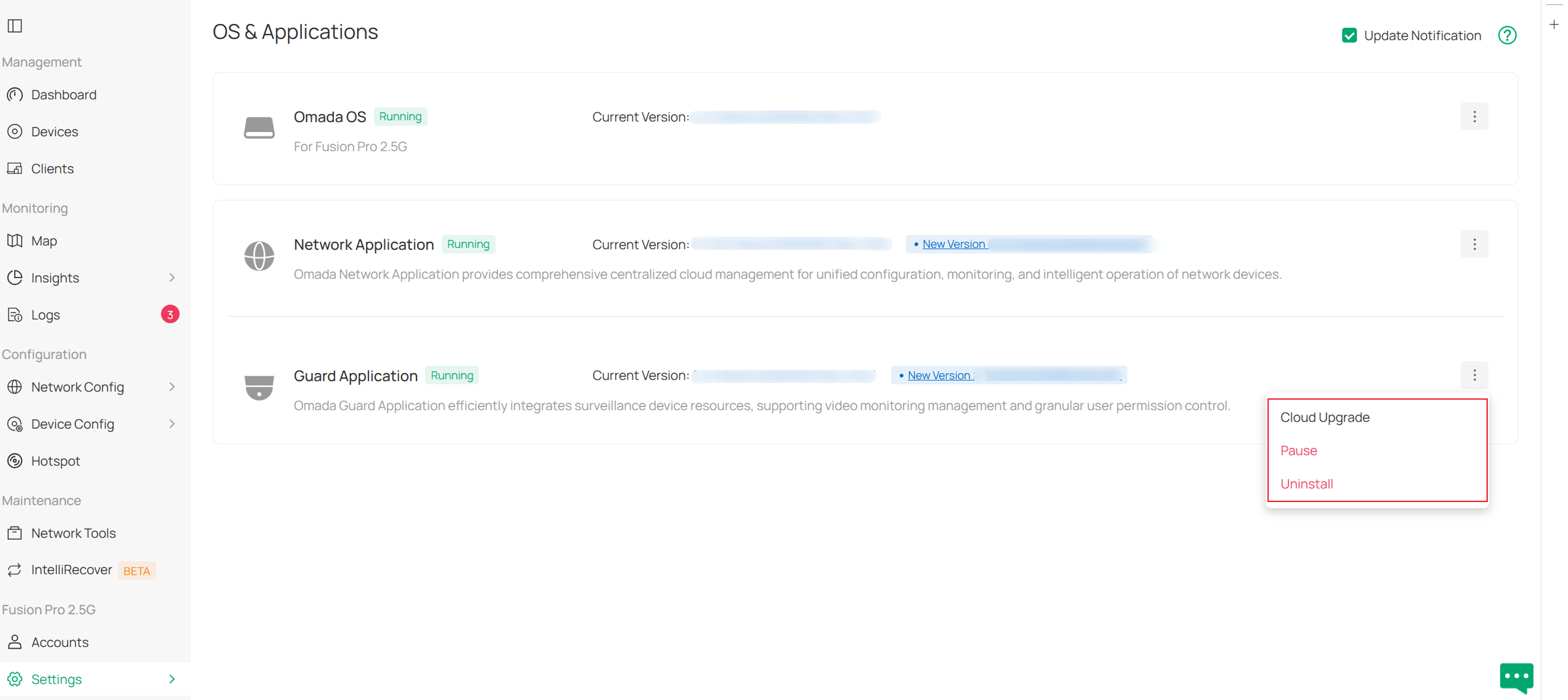
Note: Network (Guard) services are unavailable during the Network (Guard) application upgrade process. After an application upgrade is completed, the corresponding services start automatically and do not require manual recovery.
Application Downgrade:
Downgrades are supported only through manual local firmware upload, and the target firmware version must be lower than the version currently running on the device.
Downgrading the Network or Guard applications is currently not supported. If the uploaded firmware is identified as a downgrade package for the Network or Guard application, an error message is displayed and the downgrade process is terminated.
In the event of an upgrade/downgrade failure, the existing firmware version will be preserved.
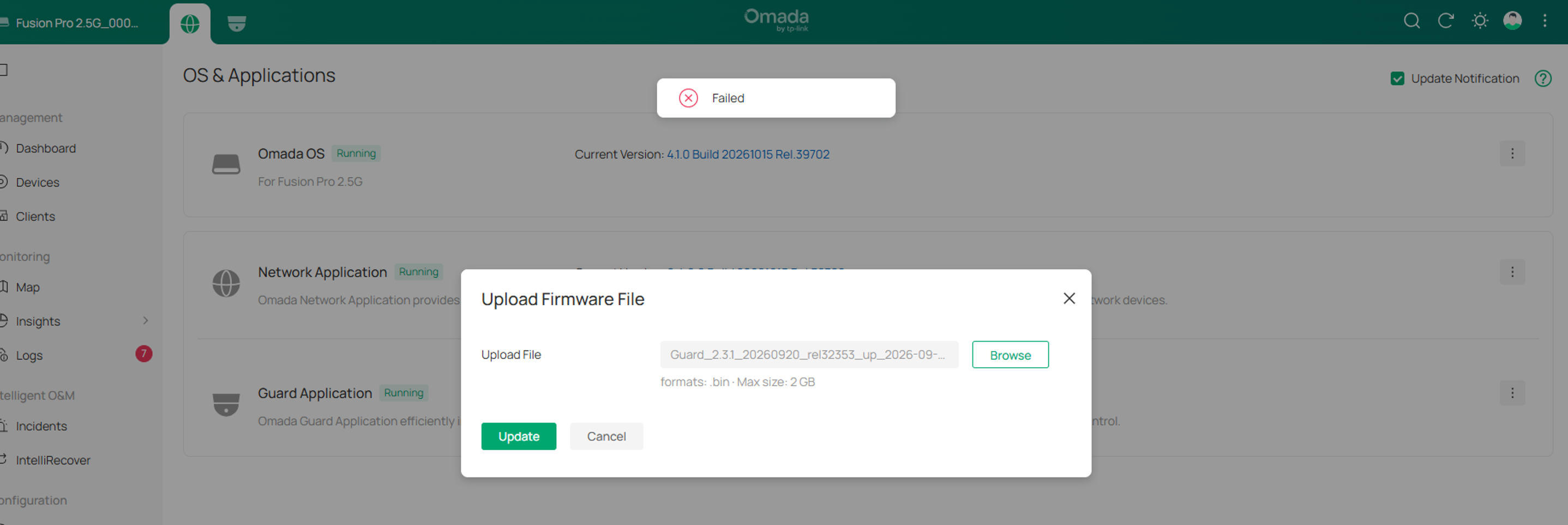
Omada OS Downgrade: Currently, only Omada OS supports firmware downgrade. After clicking Update, upload the target firmware package for validation.
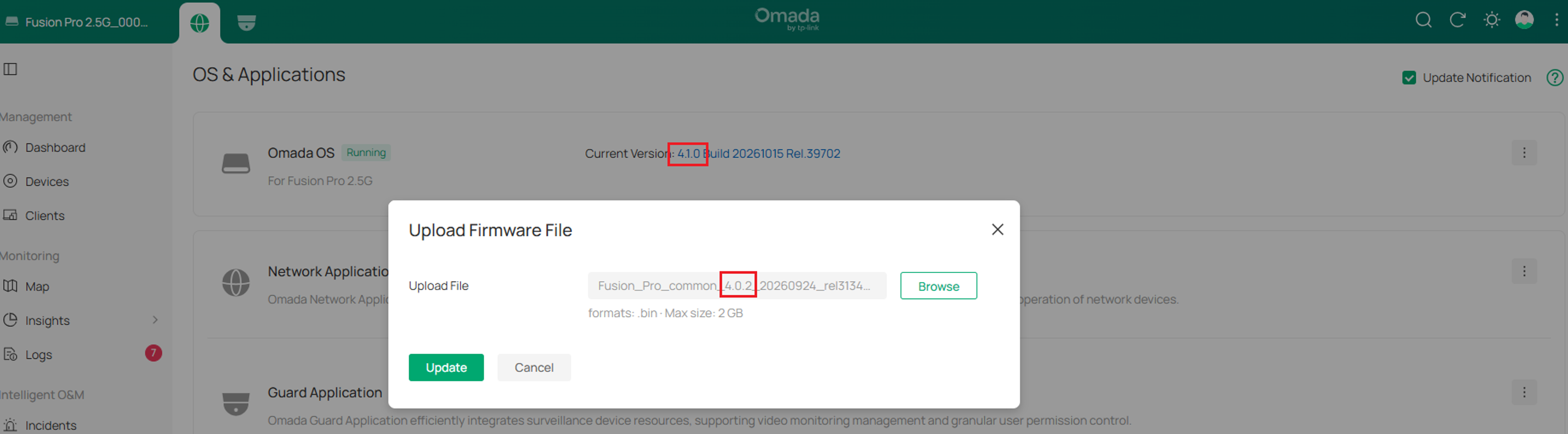
Once the firmware passes validation and is identified as a downgrade package, a confirmation prompt is displayed.
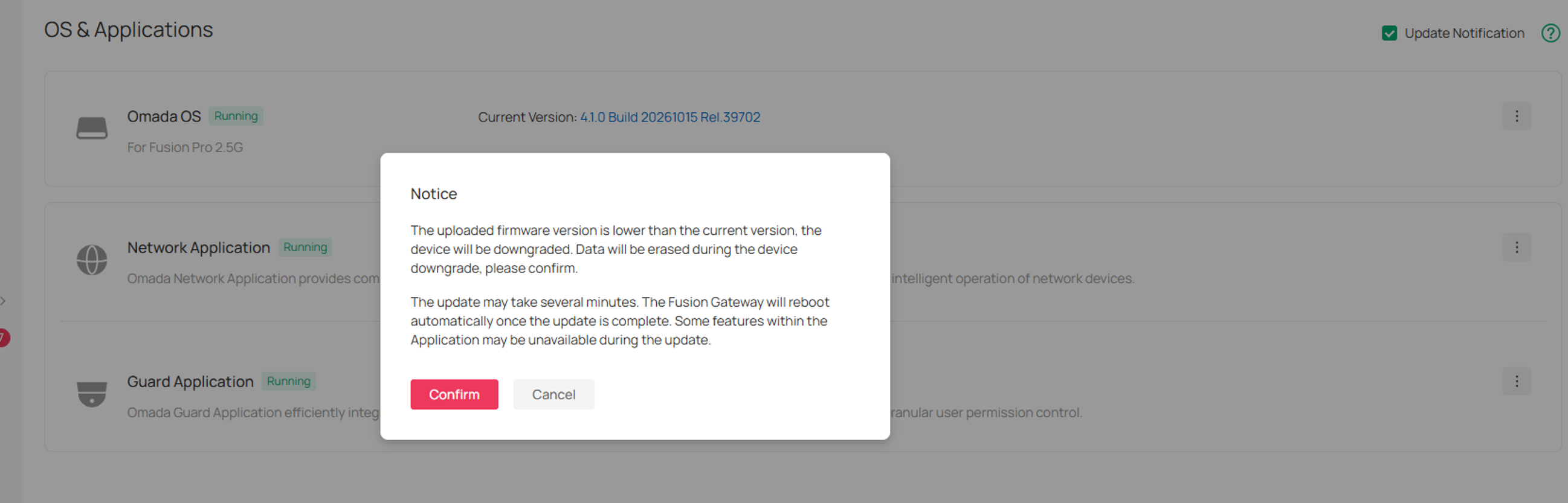
The downgrade process starts after the user confirms the operation.
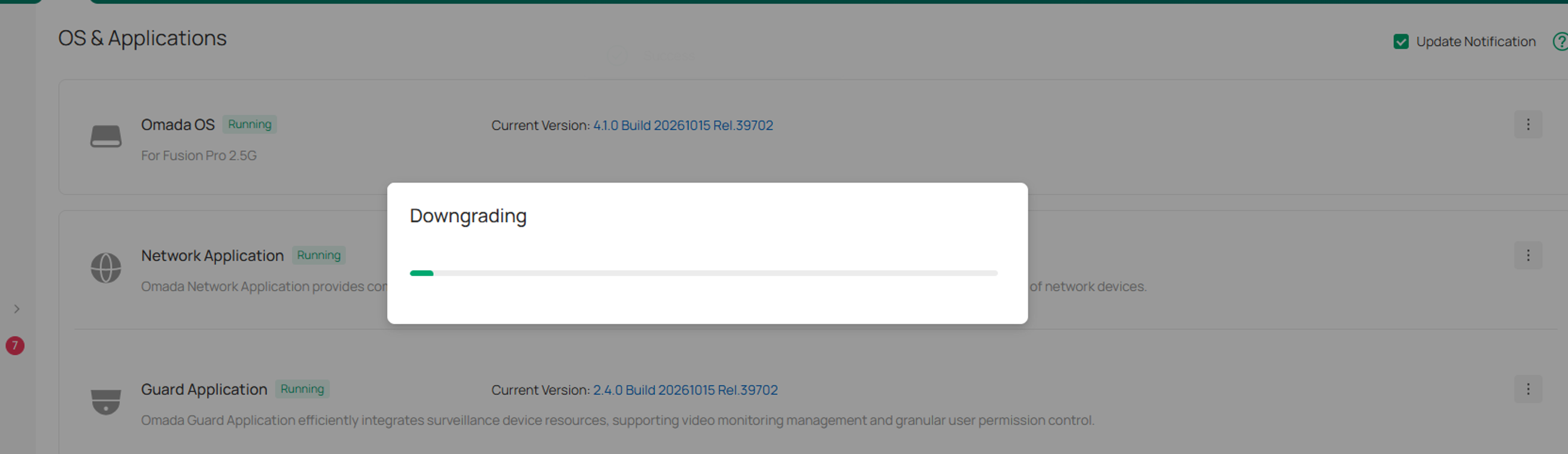
After the downgrade process is completed, the device automatically reboots.
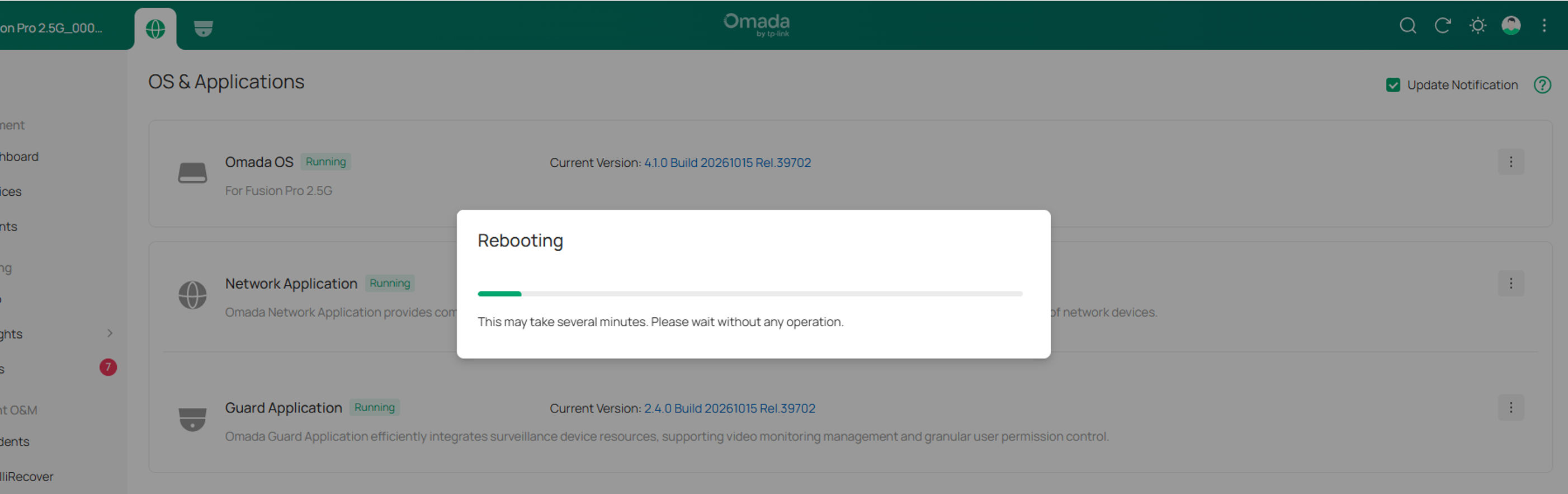
Once the device has restarted successfully, all existing configurations are cleared and the device runs the target firmware version.
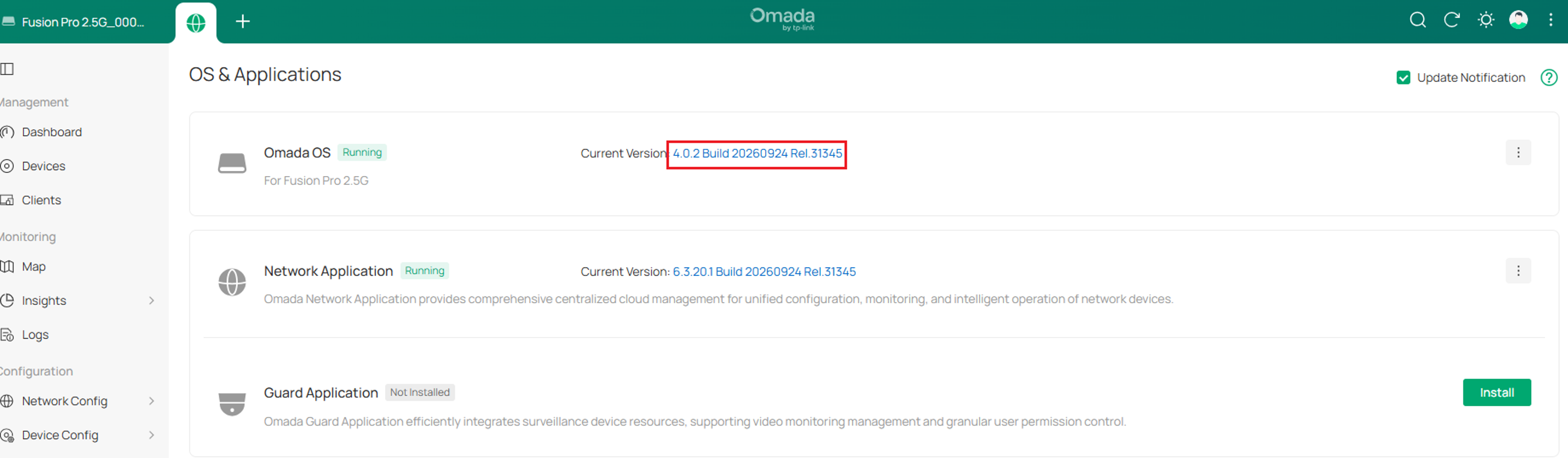
Application Installation:
For Fusion Pro and Fusion Max series gateways, the Network application is pre-installed by default. You may manually install and upgrade the Guard application based on your deployment requirements.
Application Uninstallation:
- Only the Guard application can be uninstalled.
- Uninstalling the Guard application will remove its associated data.
- The Network application is a core system component and cannot be uninstalled.
- If the uninstallation process fails, the system will display the cause of the failure and automatically revert to the previous normal operating state.
Application Pause:
Currently, only the Omada Guard app supports the Pause feature.
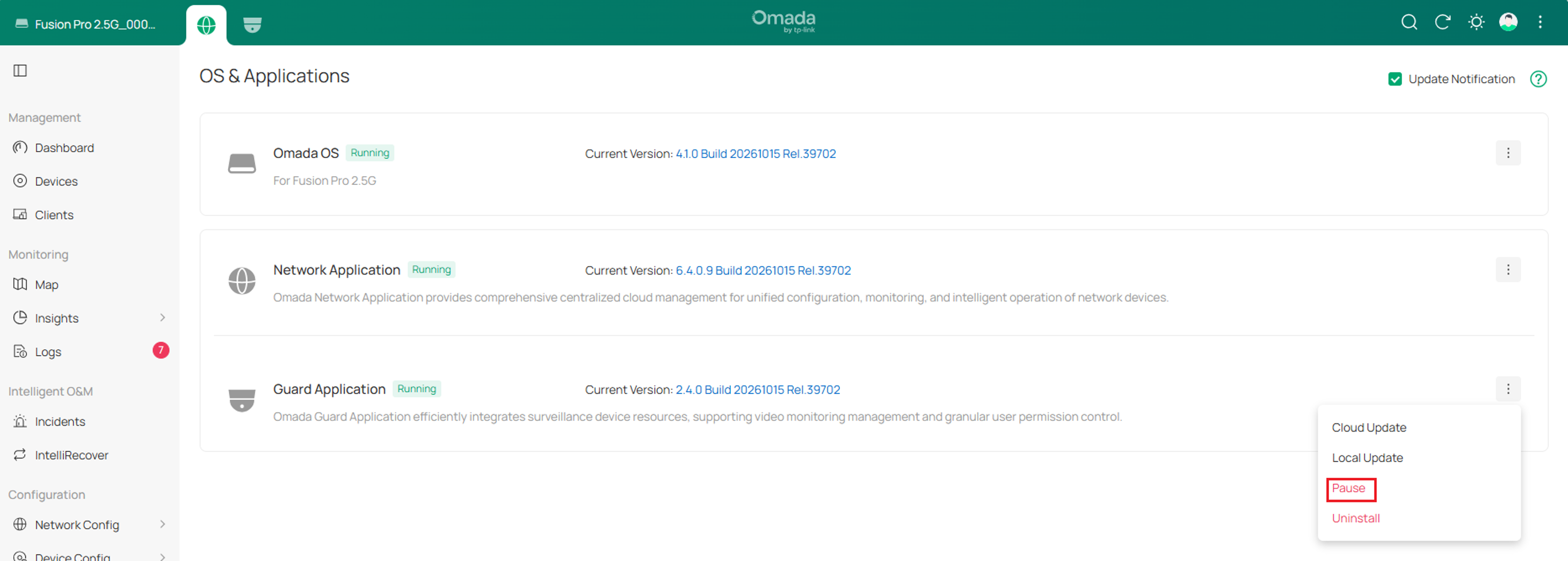
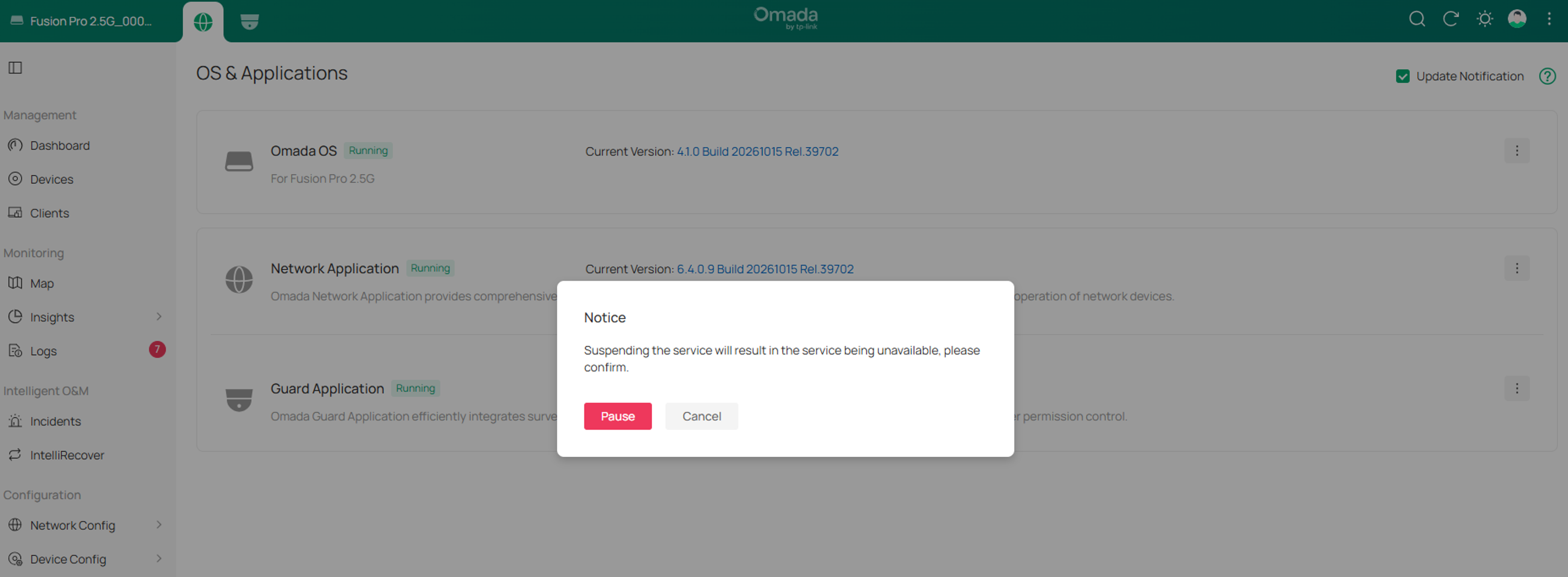
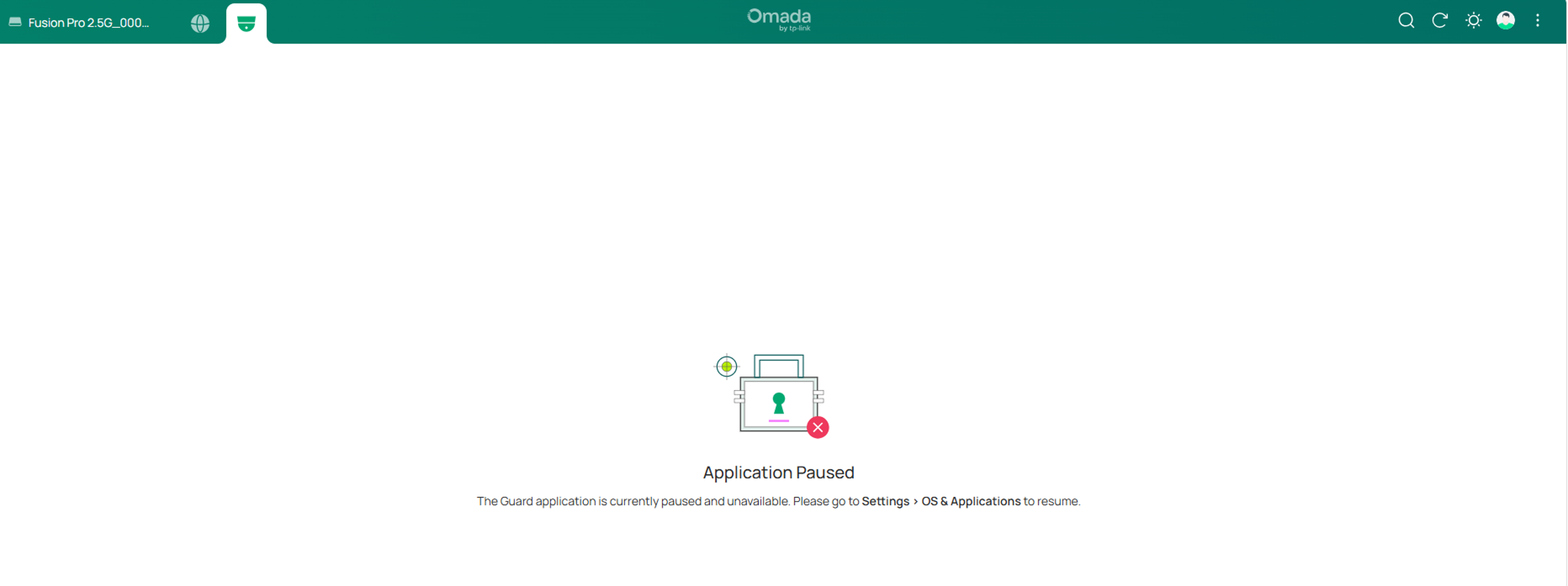
Behavior after the Guard app is paused:
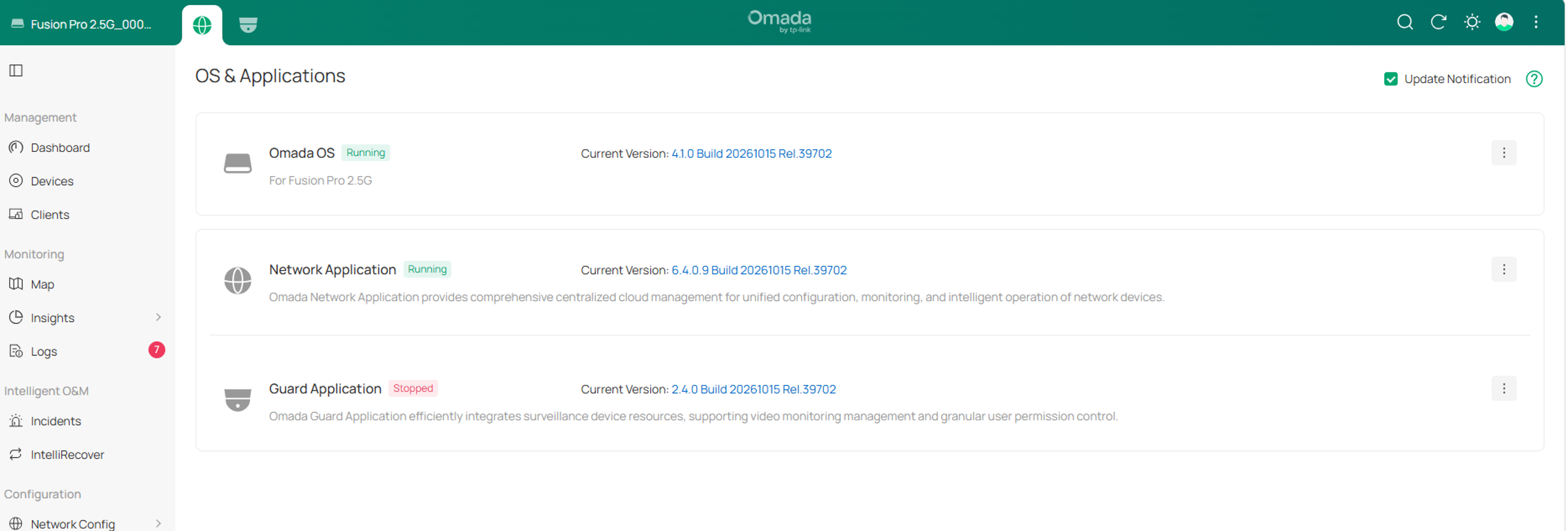
Omada Guard services are unavailable while the application is paused.
After the Omada Guard application is paused, you must manually click Start to resume the app. After resuming the app, it can continue to be used normally.
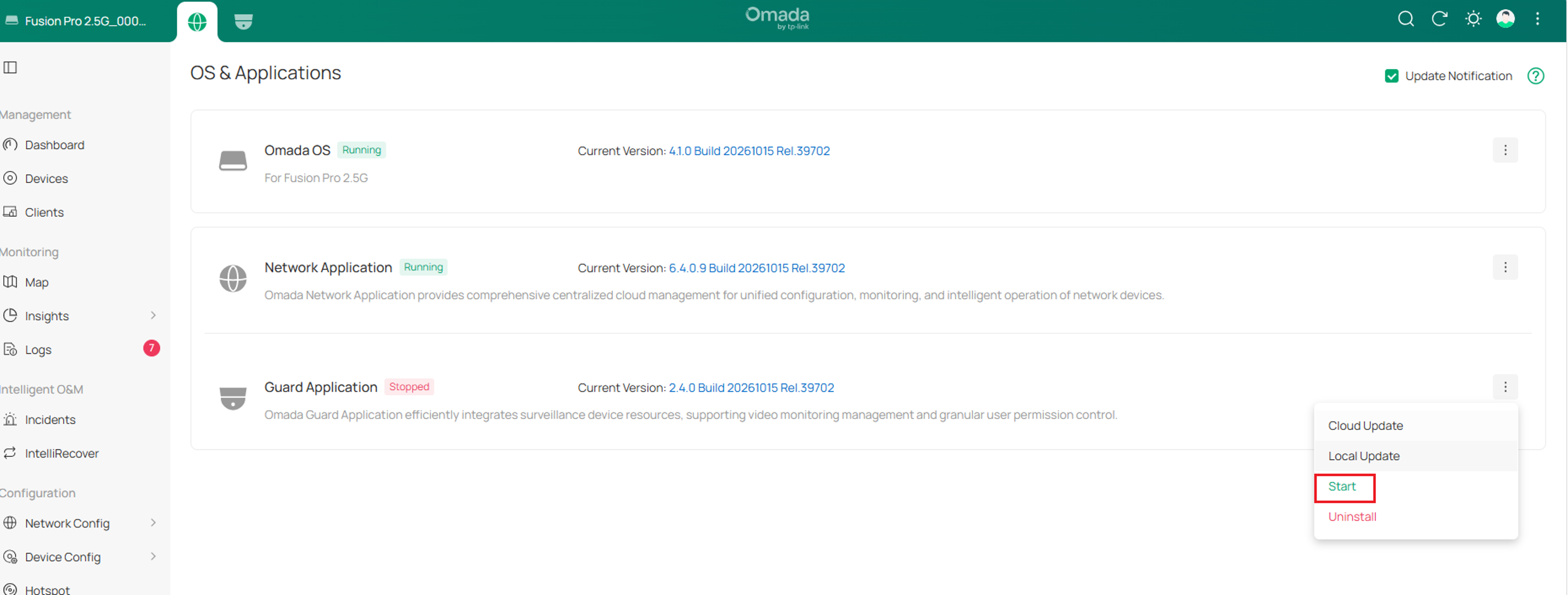
Note: The existing configurations and recordings are preserved during app pause and upgrade operations.
Recordings do not continue during the pause or upgrade process, and recording does not automatically resume from the interruption point after the app starts again.
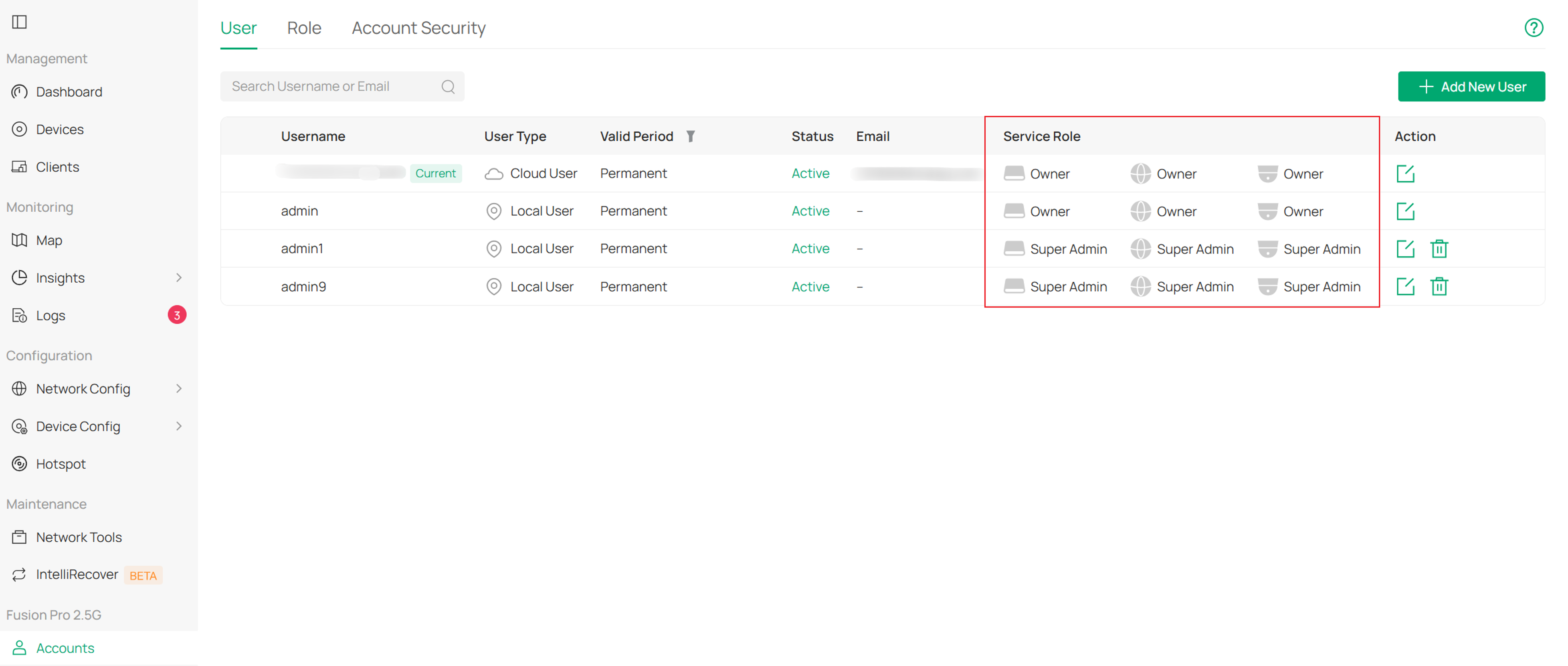
- Account and permission management under Accounts.
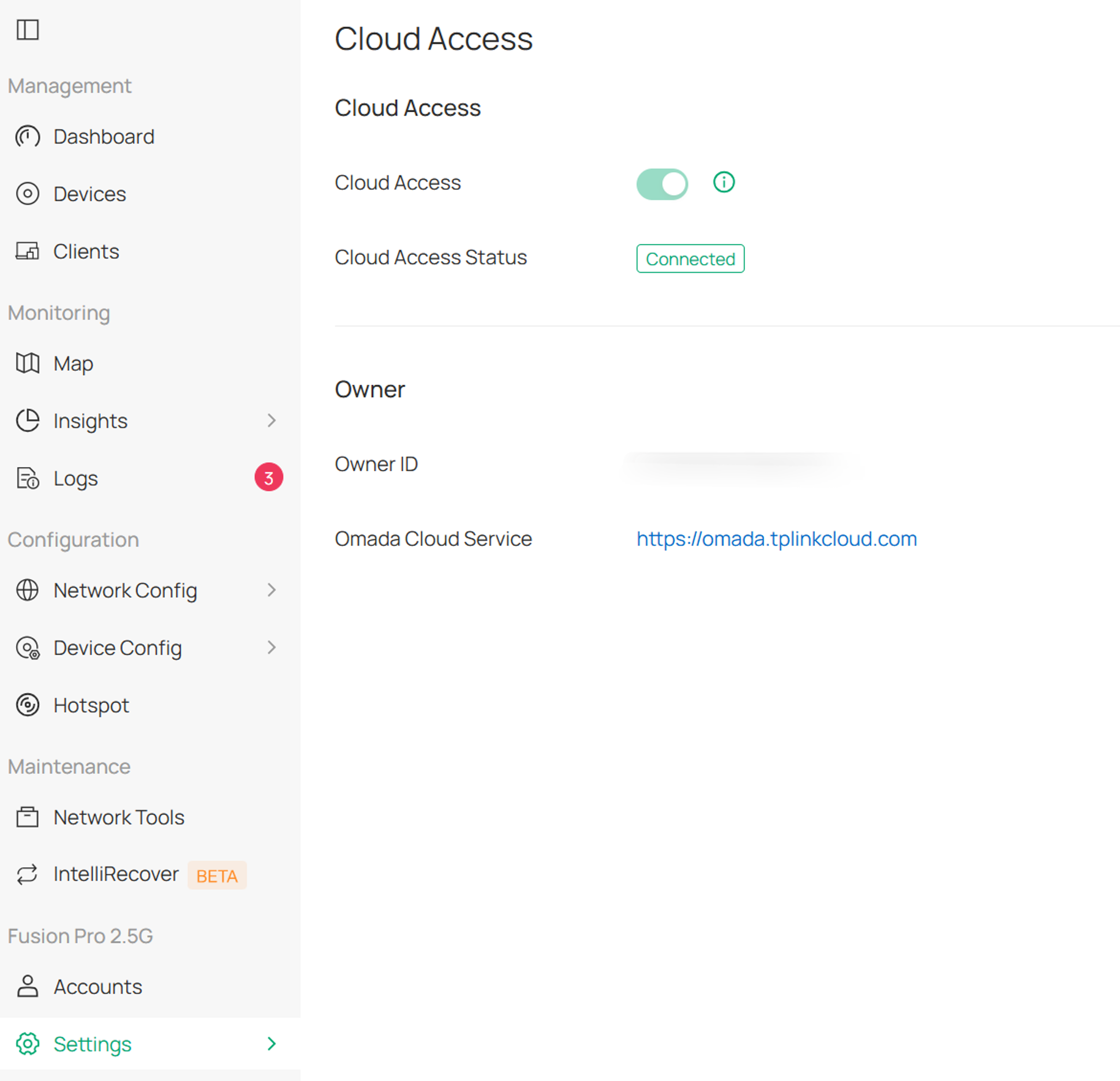
- Cloud connectivity and remote management under Settings > Cloud Access.
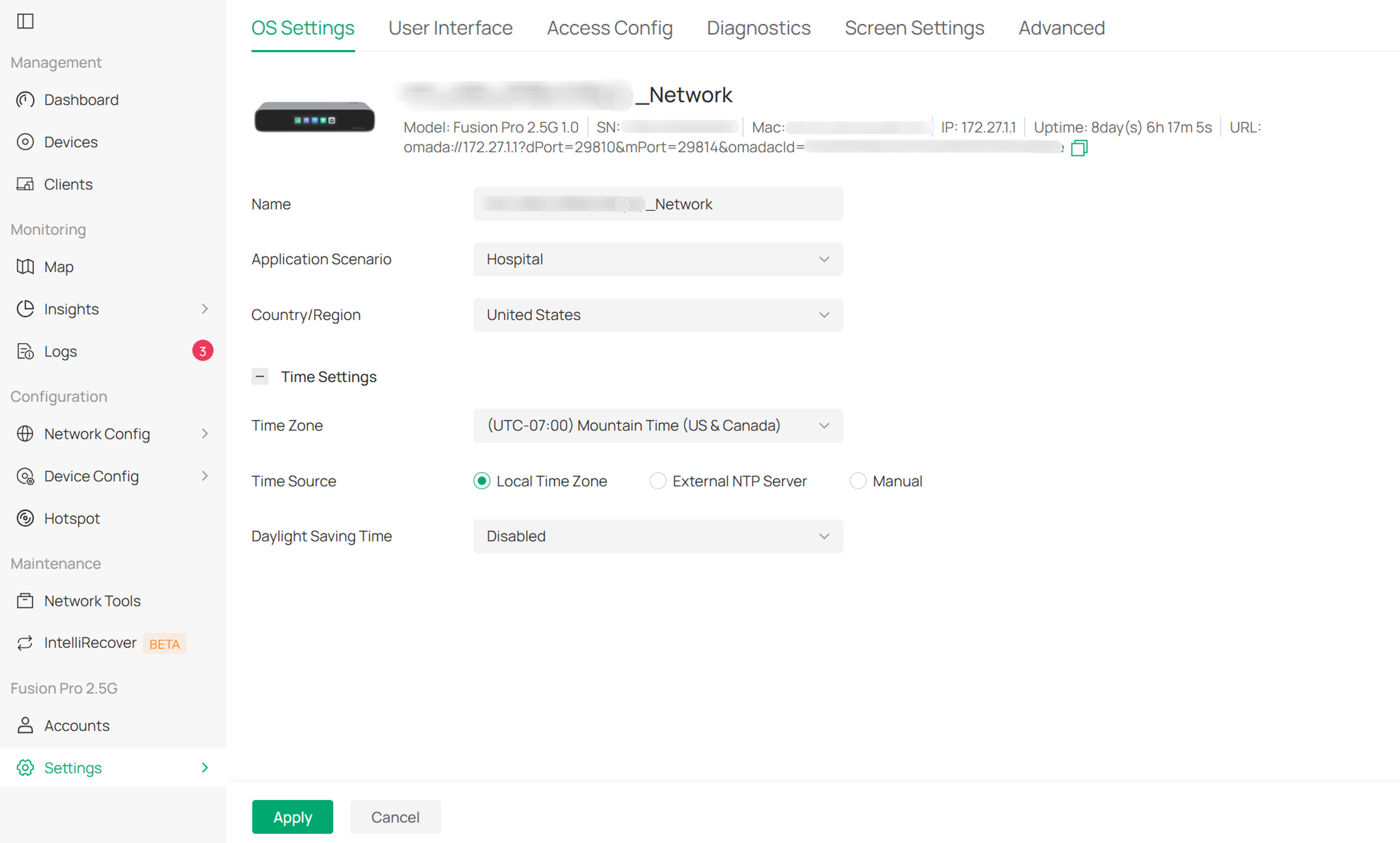
- Configuration of system time, region, and essential system services under Settings > System Settings.
- Configuration backup, restoration, and migration under Settings > Backup & Restore and Migration.
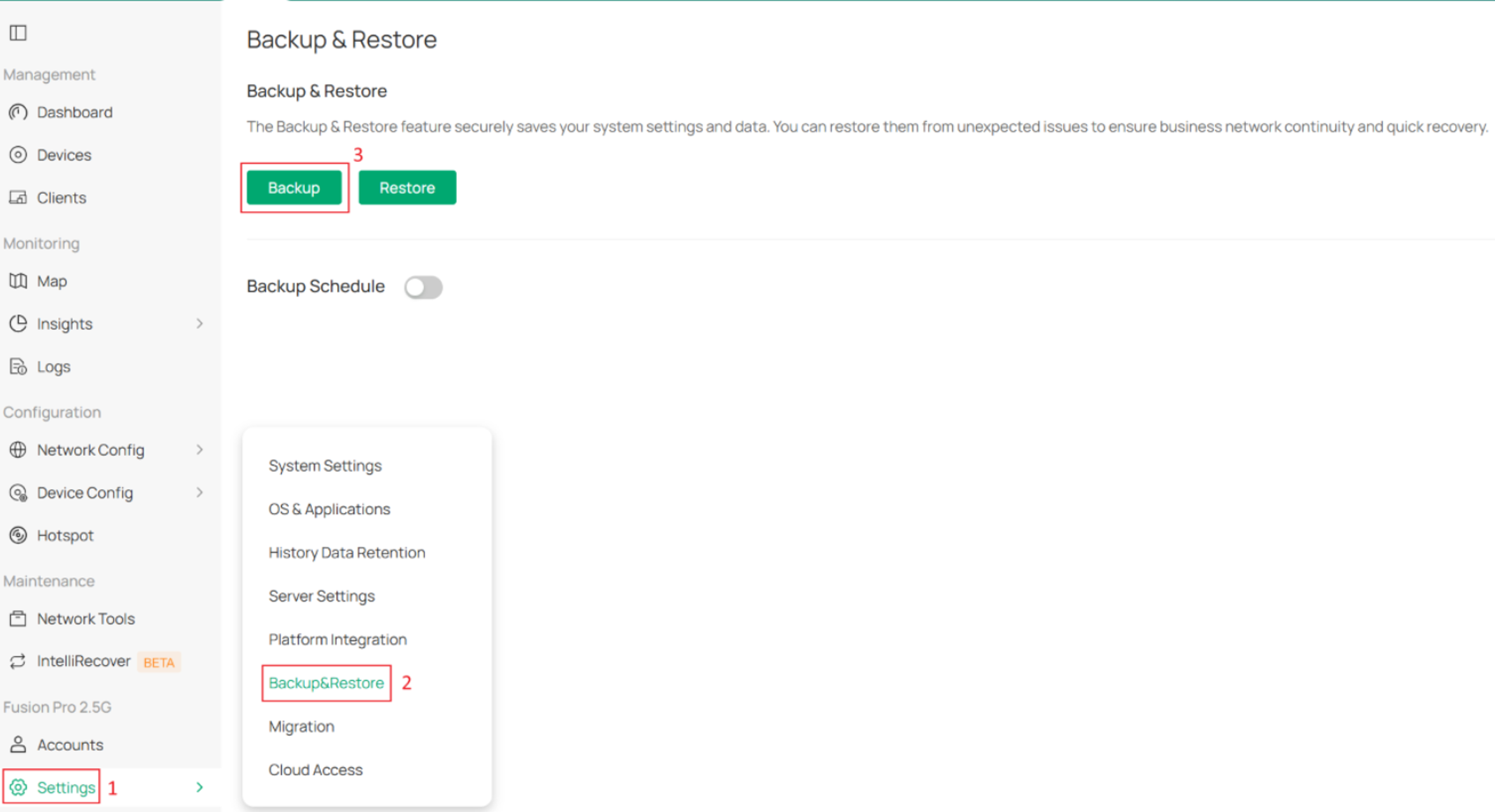
Omada OS provides centralized management of system settings, application versions, upgrades, backup and restoration tasks, migration operations, diagnostics, and account administration.
Functional Scope
Omada OS is responsible for managing the underlying operating system, gateway services, and application lifecycles of the Omada Fusion Gateway.
Network device management and video surveillance management are provided by the Network Application and Guard Application respectively.
Network application
The Network Application is the network management application of the Omada Fusion Gateway. It is responsible for network device adoption, network configuration, operation monitoring, and network security policy management.
Main functions
- Network device management, including the built-in gateway, switches, access points, and other network devices under Omada Network > Devices.
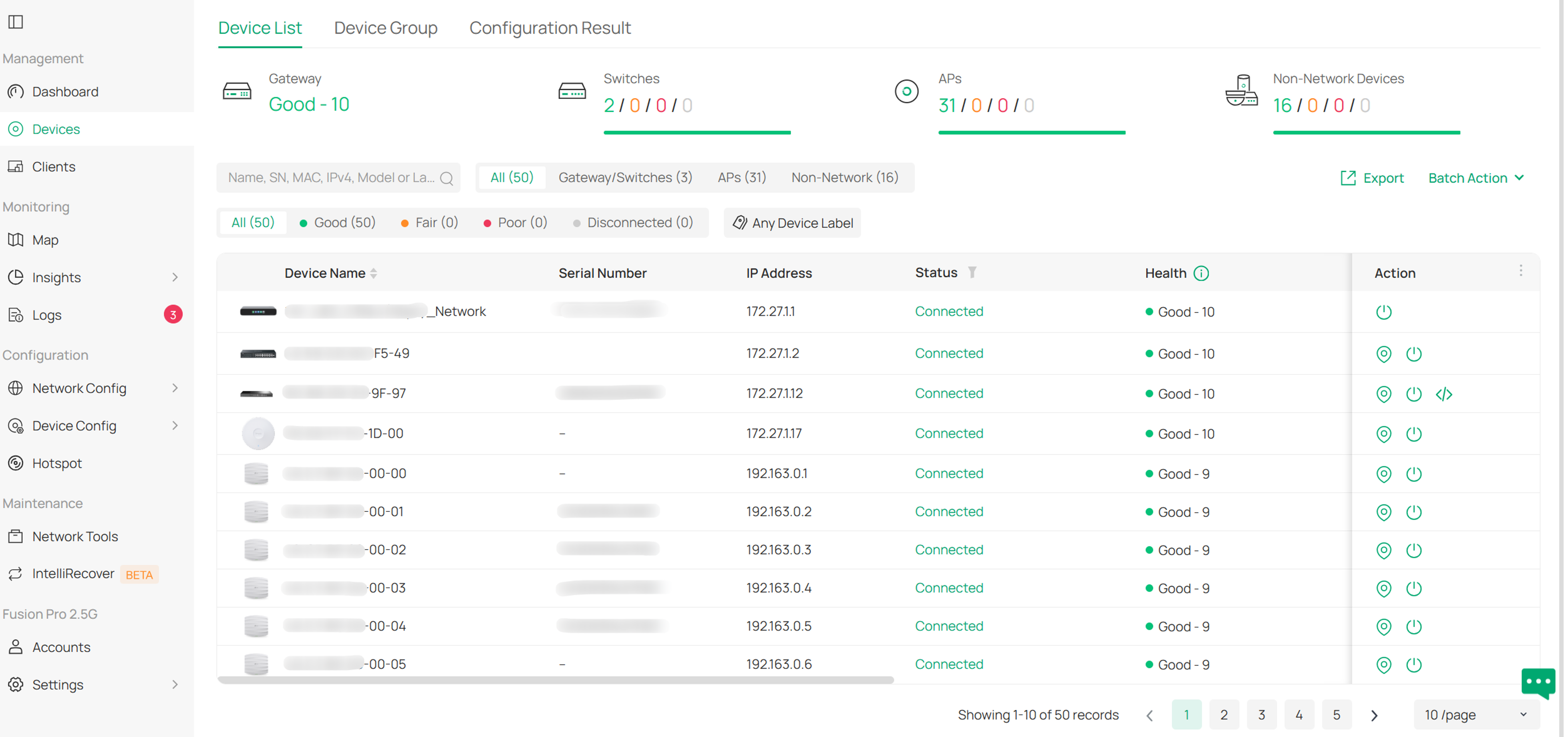
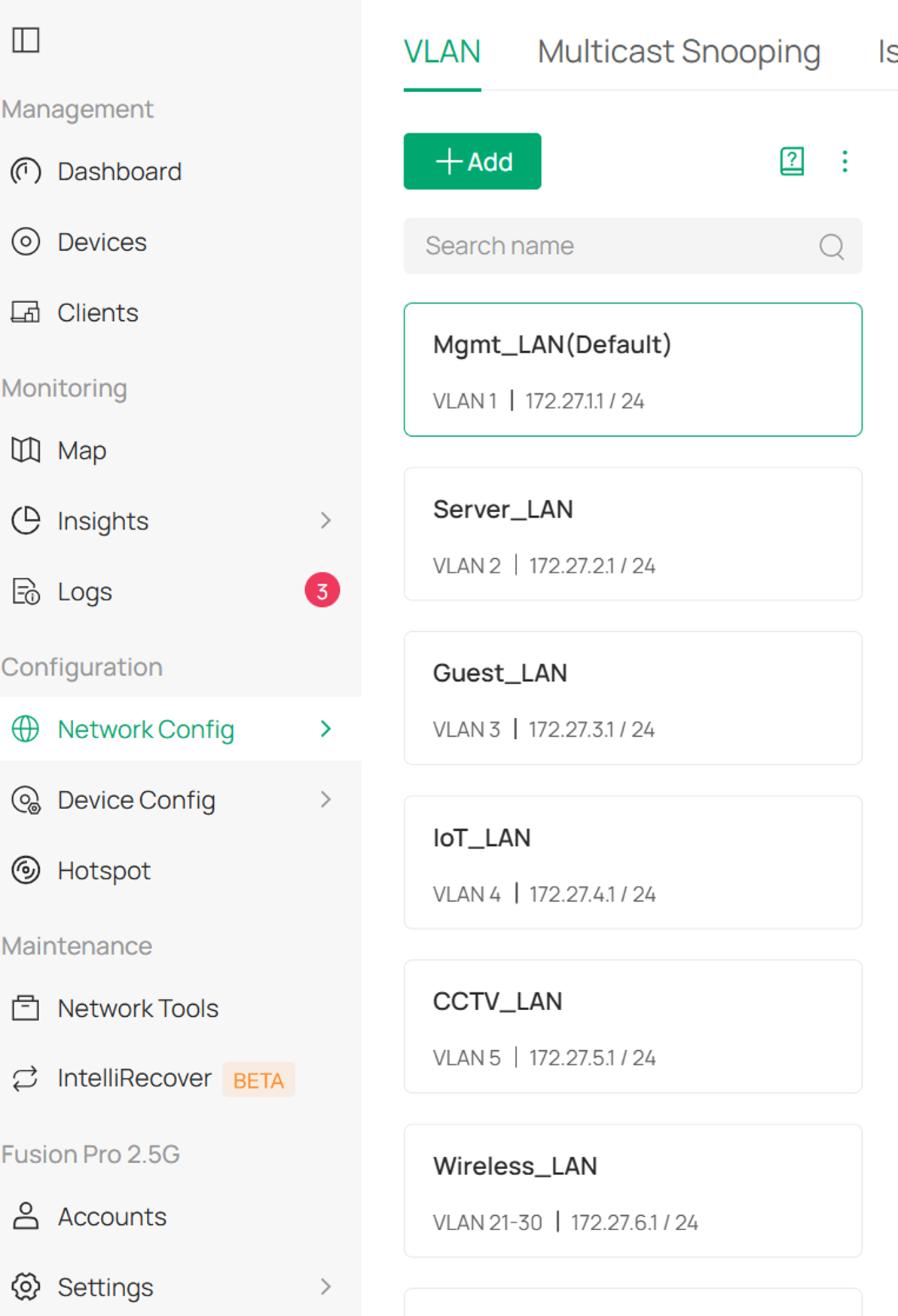
- Wired and wireless network configuration.
Wired Network Configuration under Omada Network > Network Config > LAN.
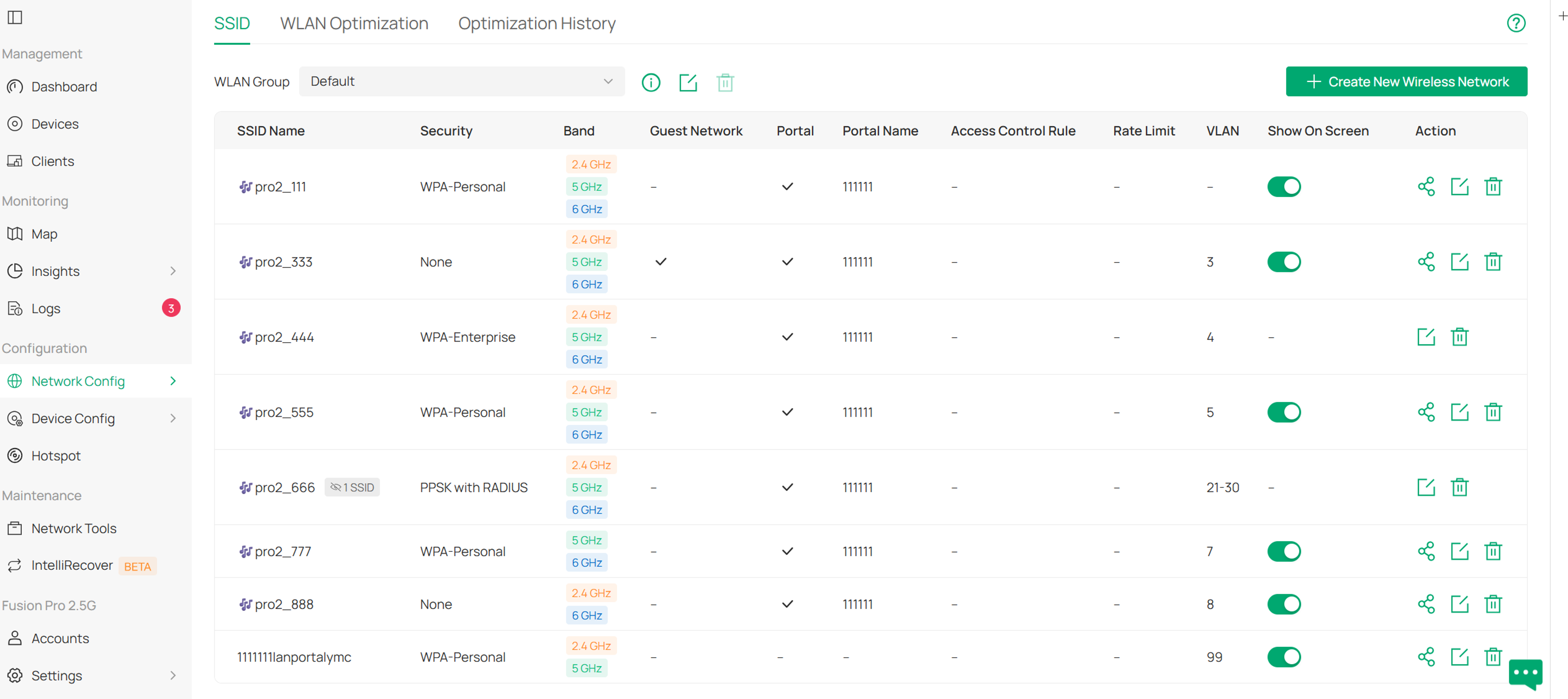
Wireless Network Configuration under Omada Network > Network Config > WLAN.
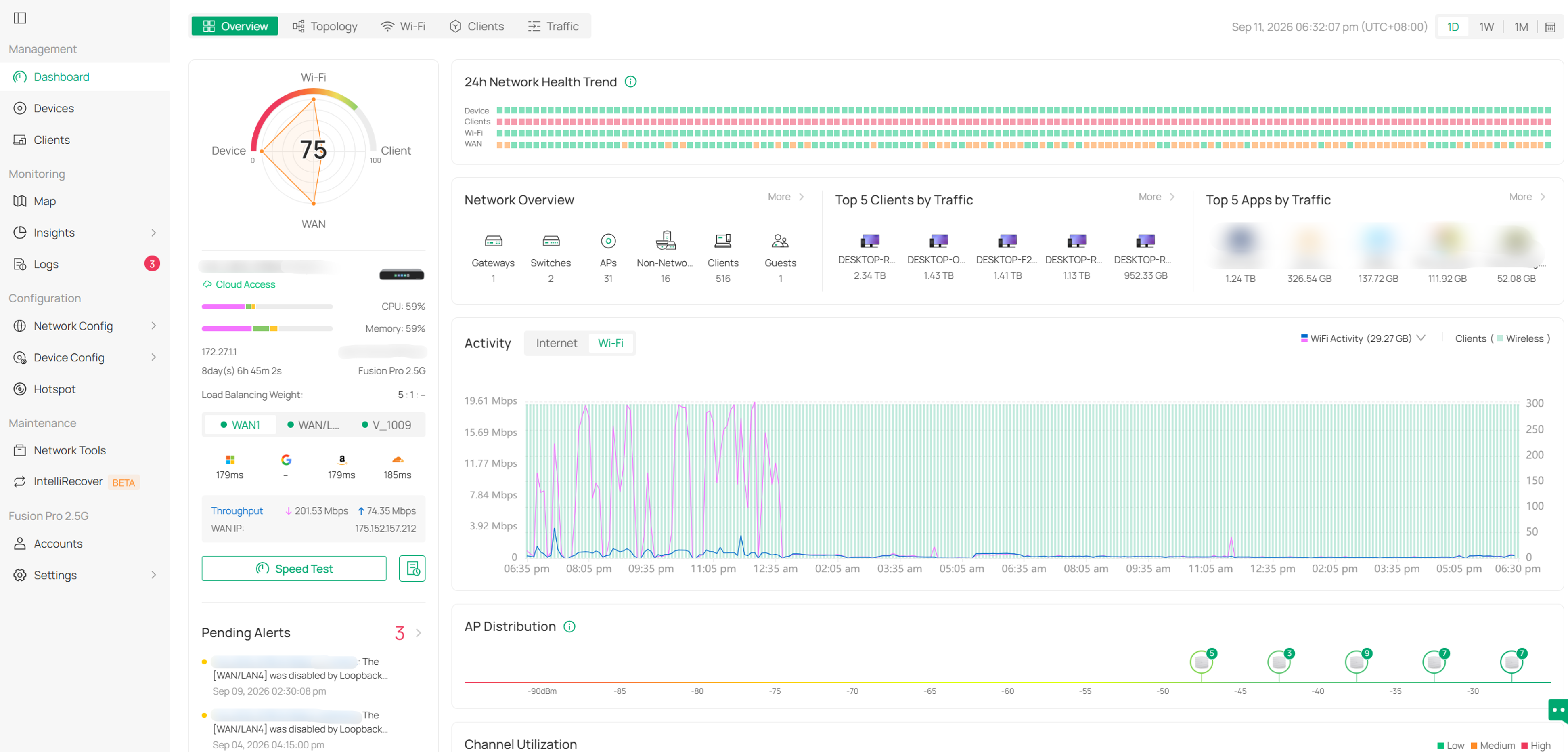
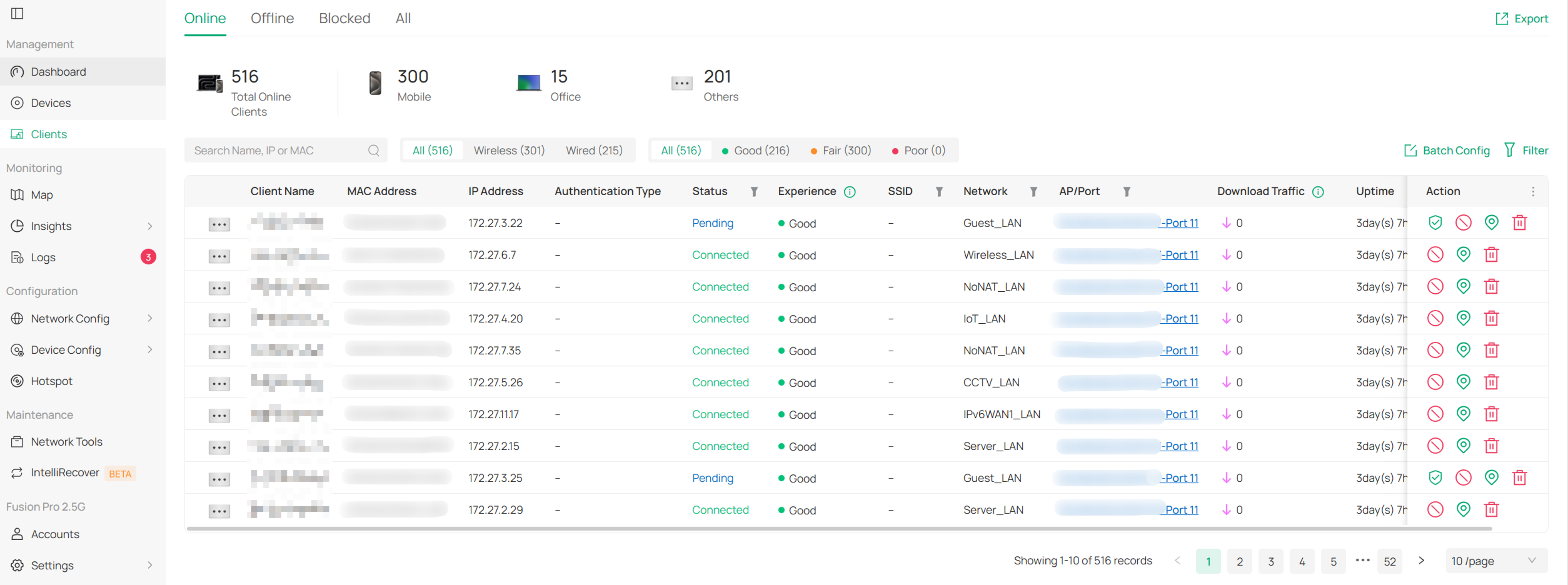
- Monitoring of network, device, and client status.
Network and device monitoring under Omada Network > Dashboard.
Clients monitoring under Omada Network > Clients.
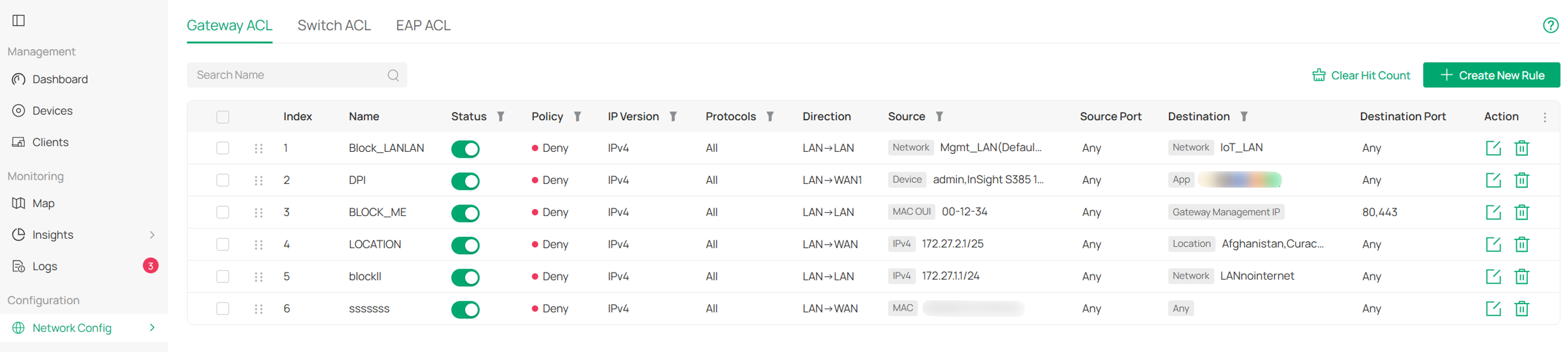
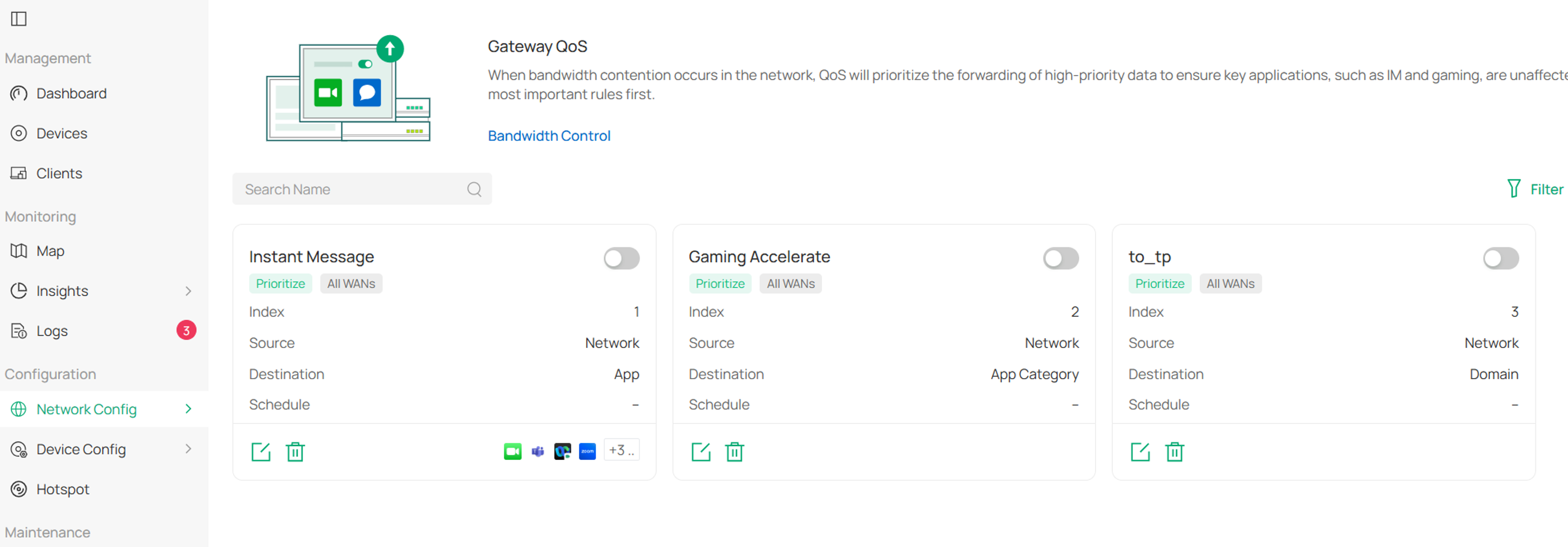
- Network policy configuration, including VLAN, ACL, and QoS.
ACL Configuration under Omada Network > Network Config > ACL.
Gateway QoS Configuration under Omada Network > Network Config > Gateway QoS.
Switch QoS Configuration under Omada Network > Network Config > Switch QoS.
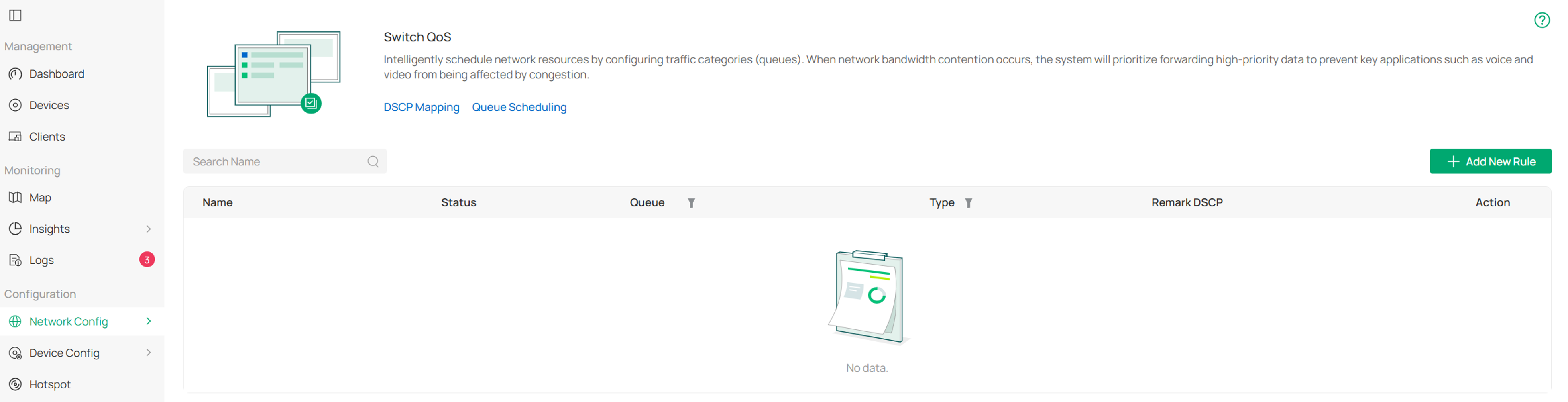
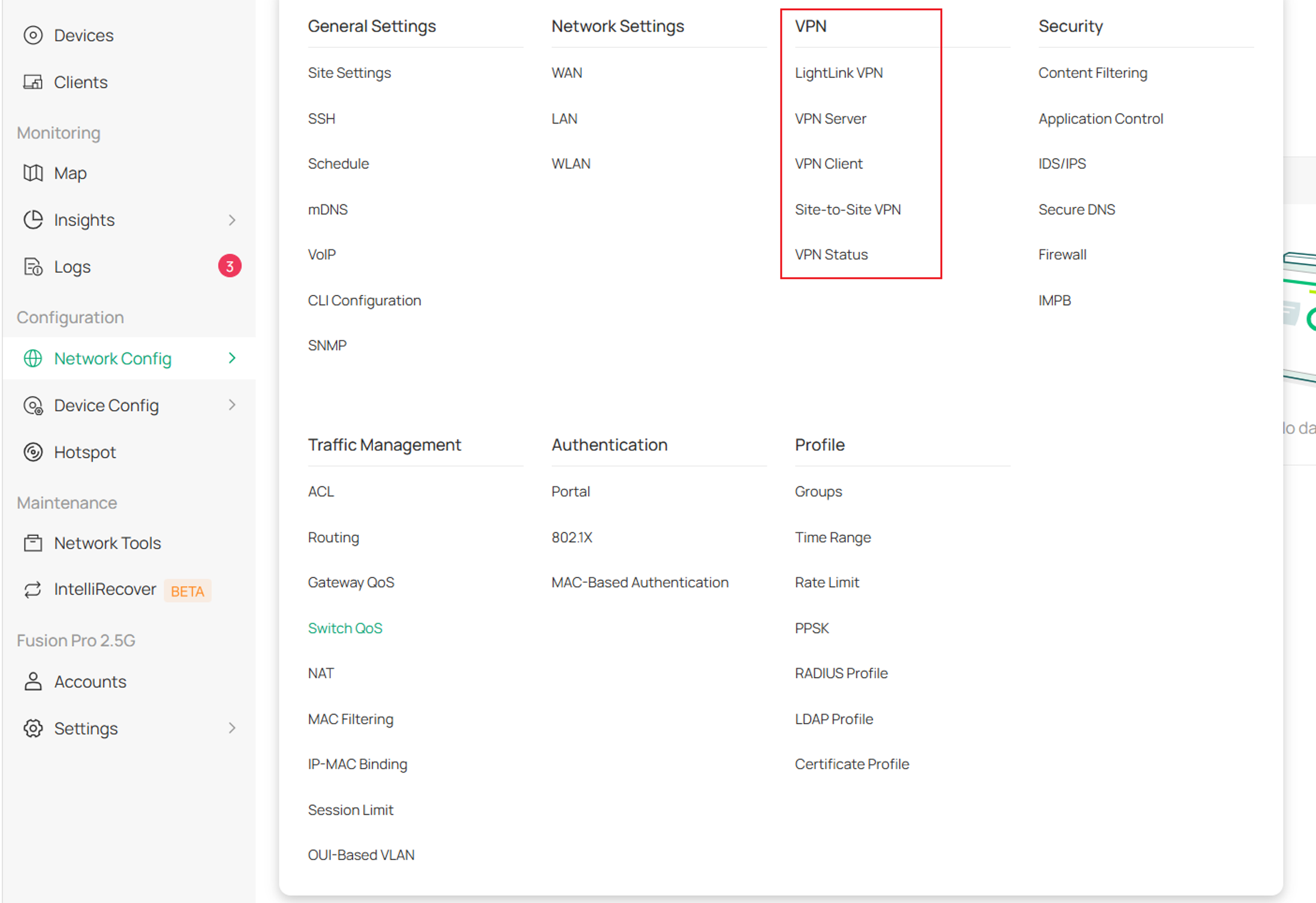
- VPN and remote access management.
VPN Configuration under Omada Network > Network Config > VPN.
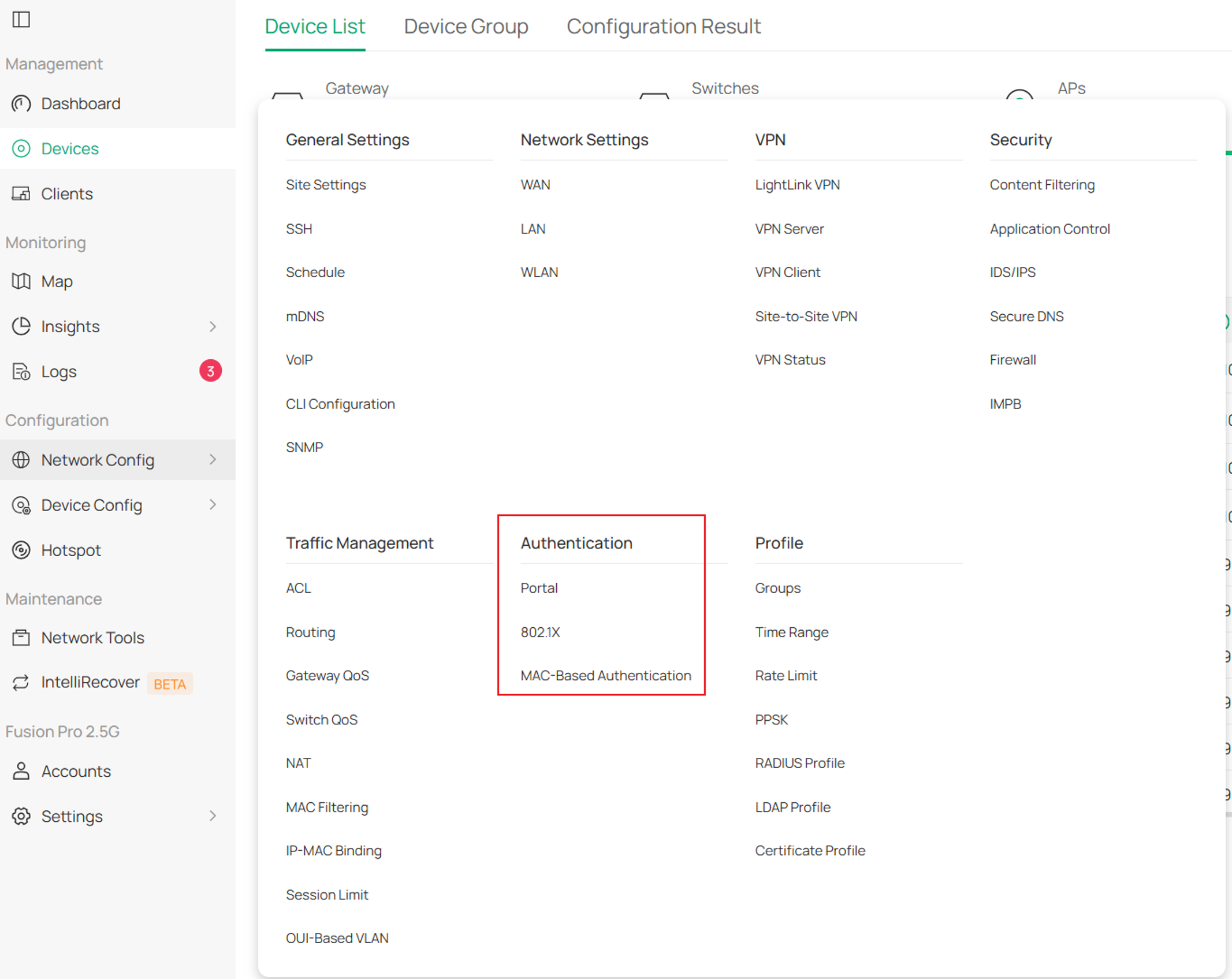
- Authentication, guest network, and portal management.
Authentication includes 802.1X, MAC-Based Authentication and Portal under Omada Network > Network Config > Authentication.
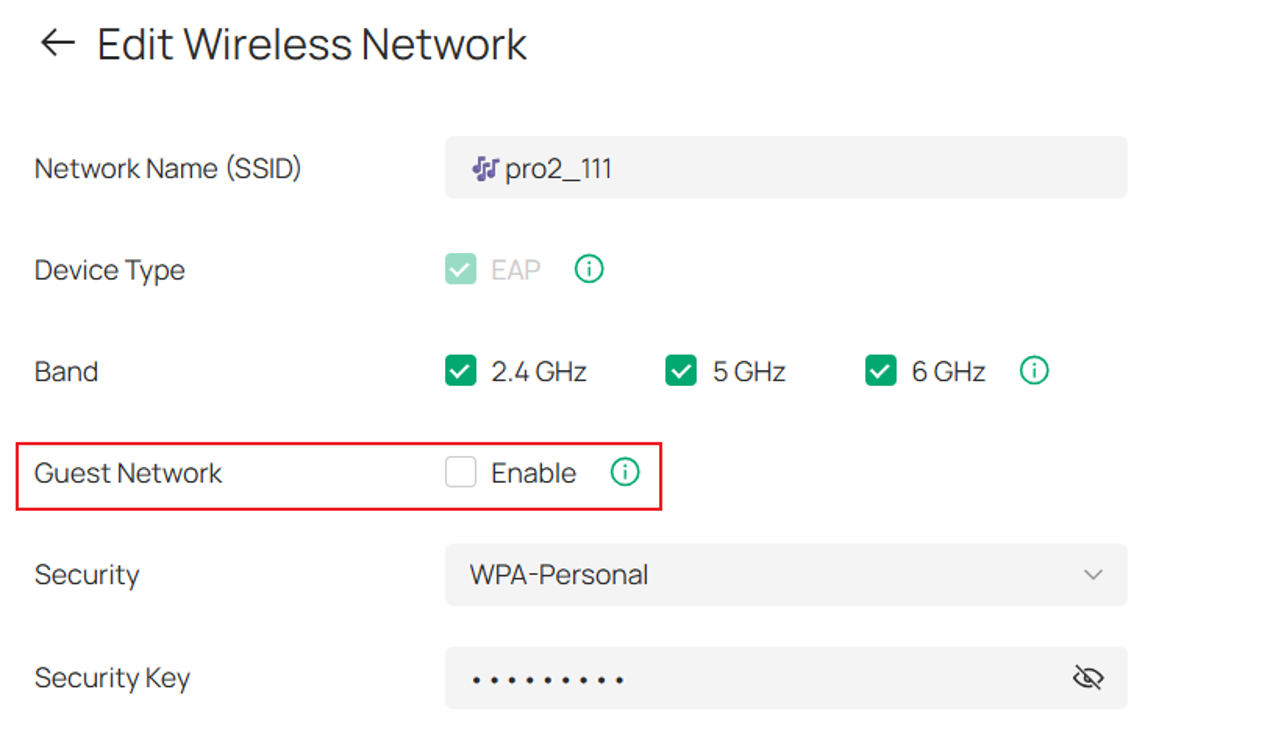
Guest network configuration under Omada Network > Network Config > WLAN.
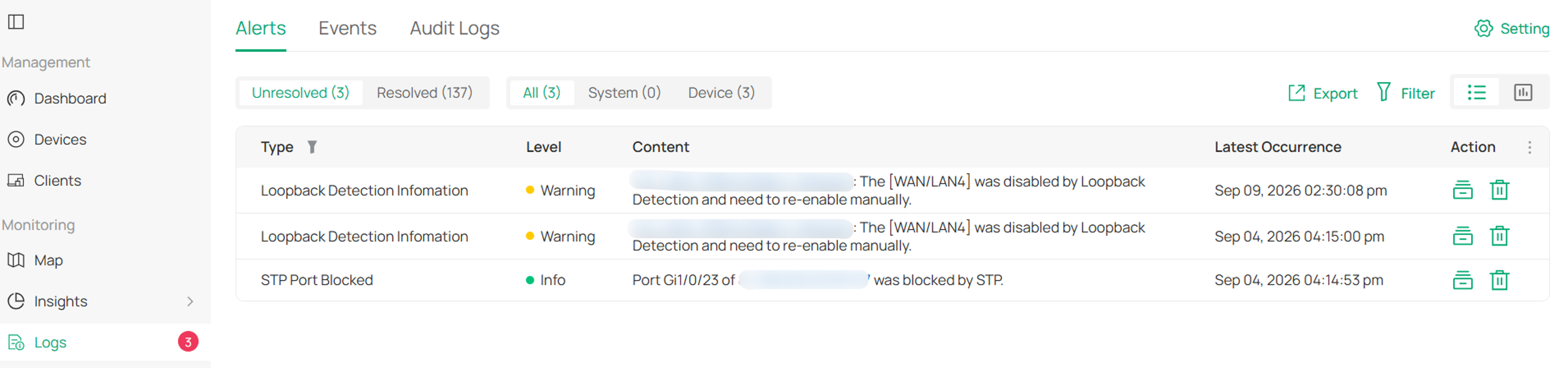
- Network event, alert, and log analysis under Omada Network > Logs.
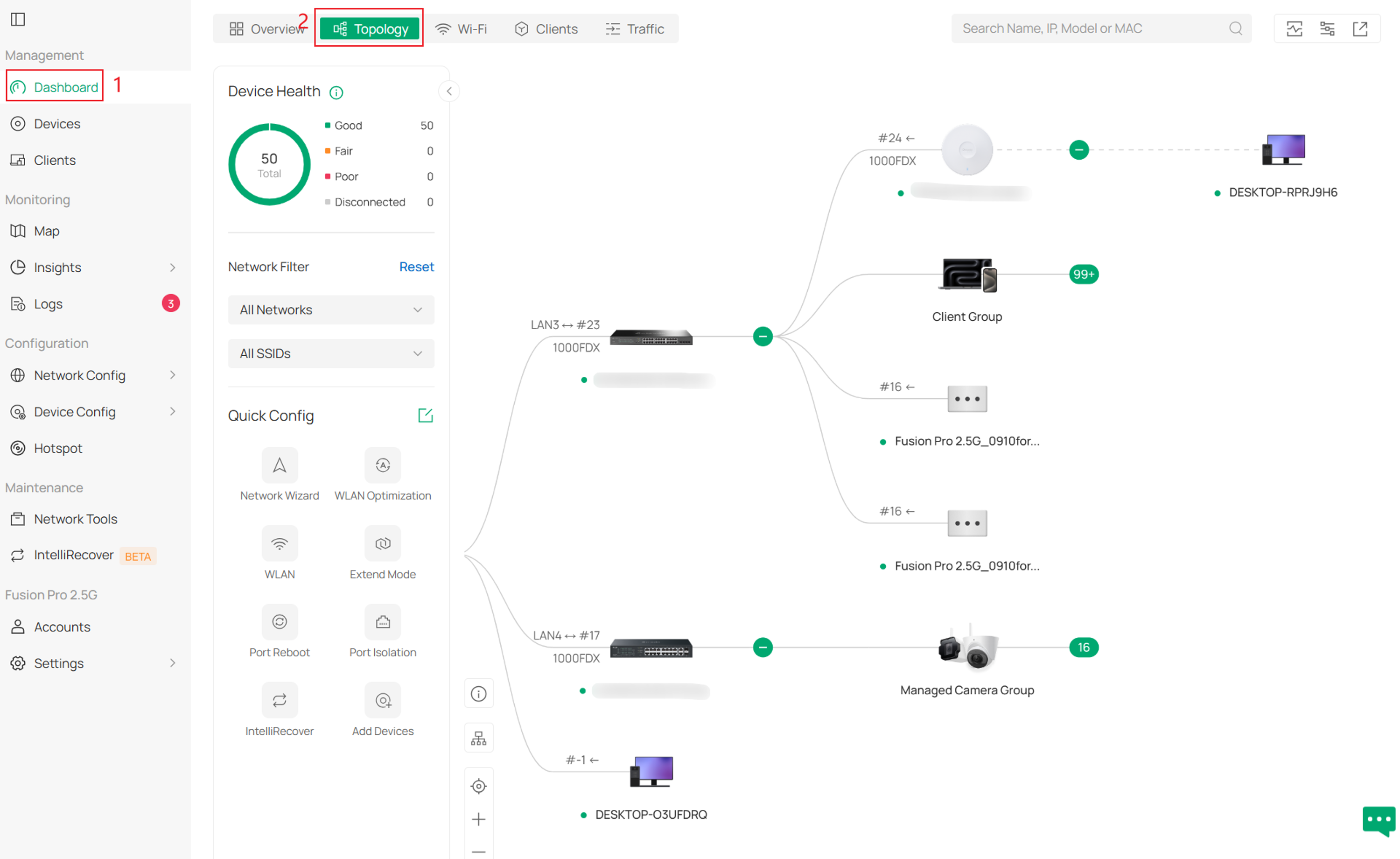
- Network topology, statistical reports, and operation and maintenance analysis.
Topology under Omada Network > Dashboard > Topology.
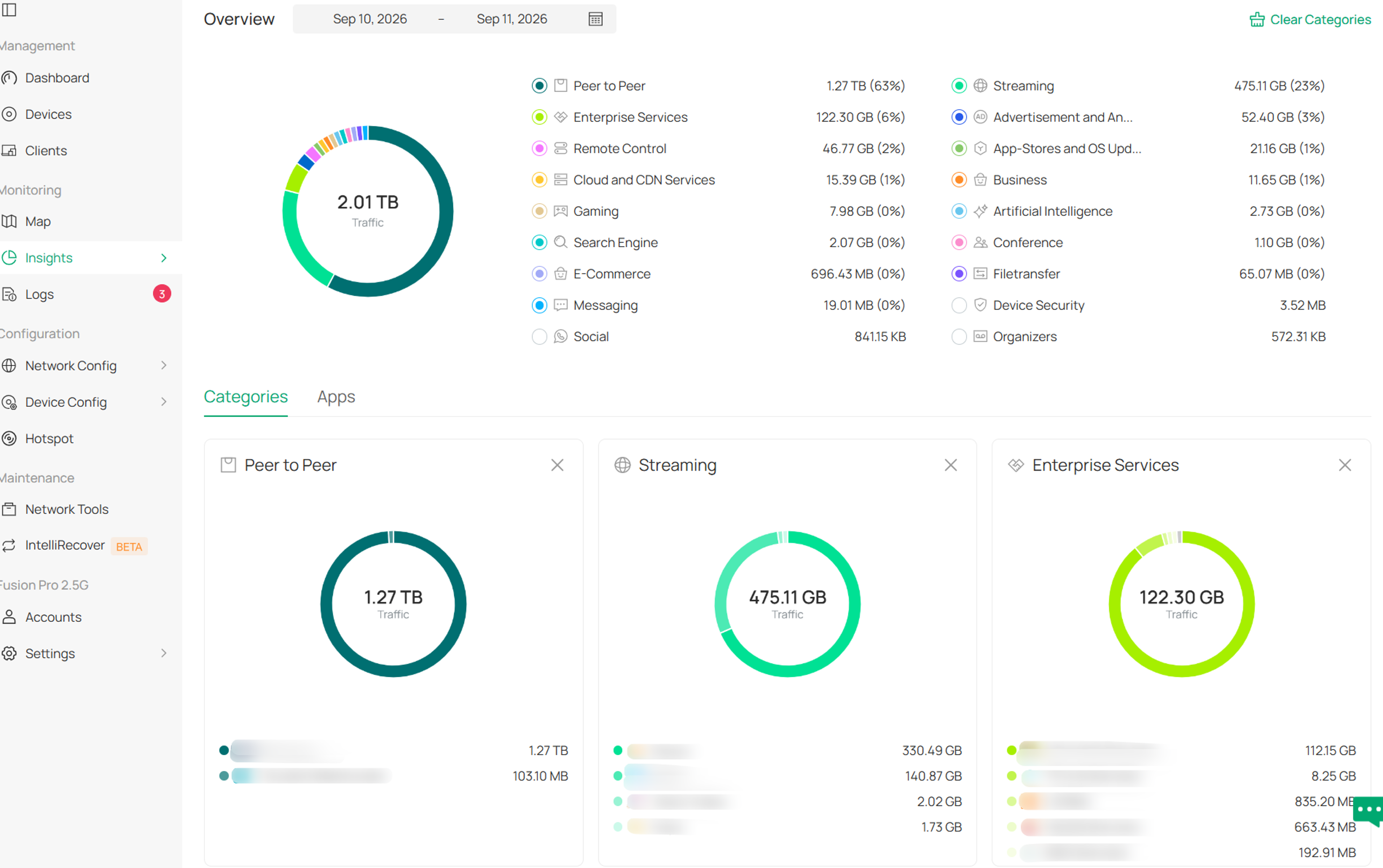
Statistics and reports under Omada Network > Insights.
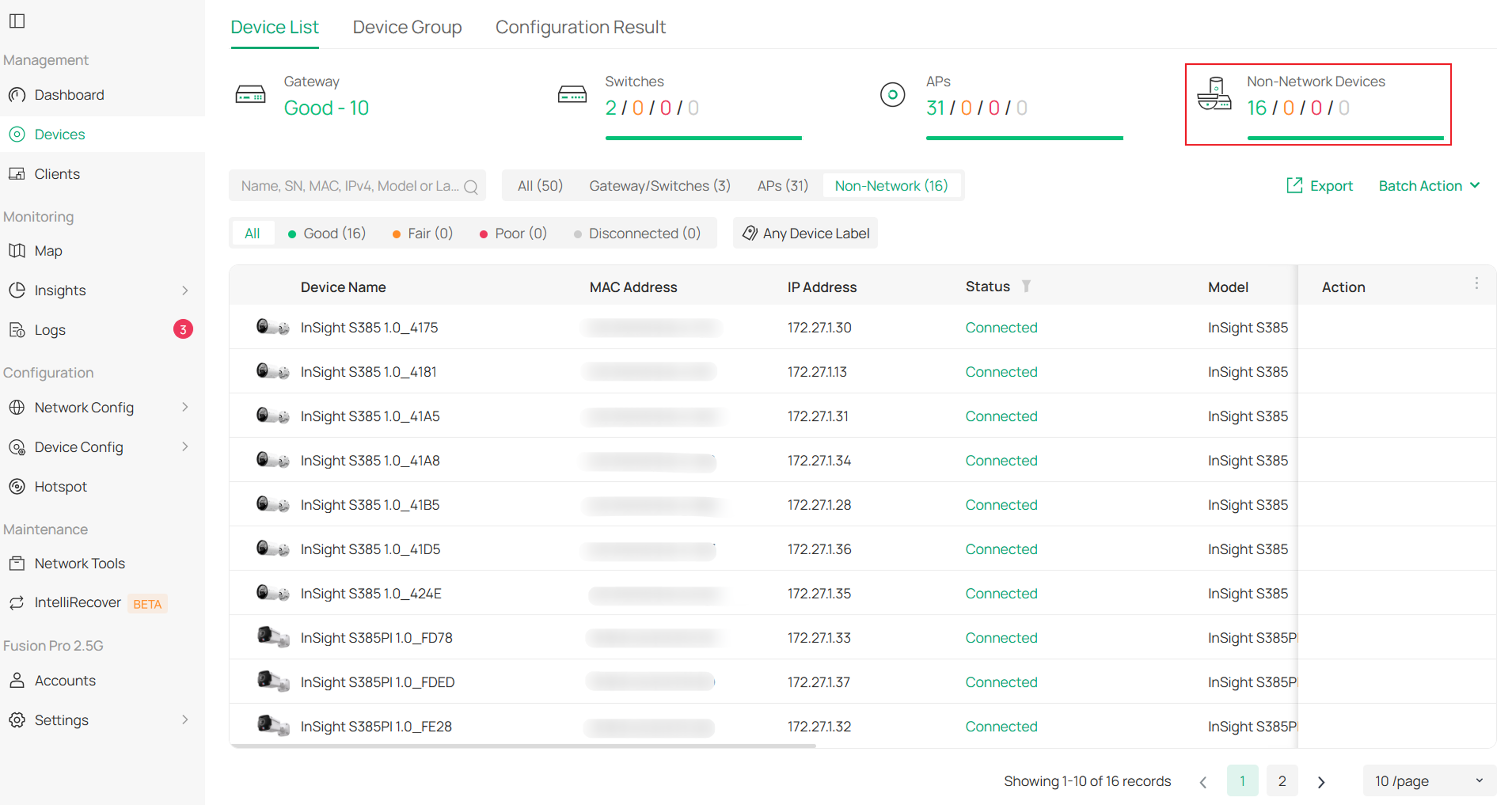
- Network and surveillance integration, including Surveillance Network configuration and the display of basic Guard device information in the device list under Omada Network > Devices.
The Network Application provides centralized management of network infrastructure and services through a single management interface.
Functional Scope
The Network Application is responsible for network device management and network service configuration, including routing policies, wireless management, VPN services, authentication, monitoring, and operational analysis.
Guard application
The Guard Application is the video surveillance and security management application of the Omada Fusion Gateway. It is responsible for security device adoption, video monitoring, event alerts, and intelligent analytics.
Main functions:
- Security device management, including IP cameras, NVRs, and other security devices under Omada Guard > Devices.
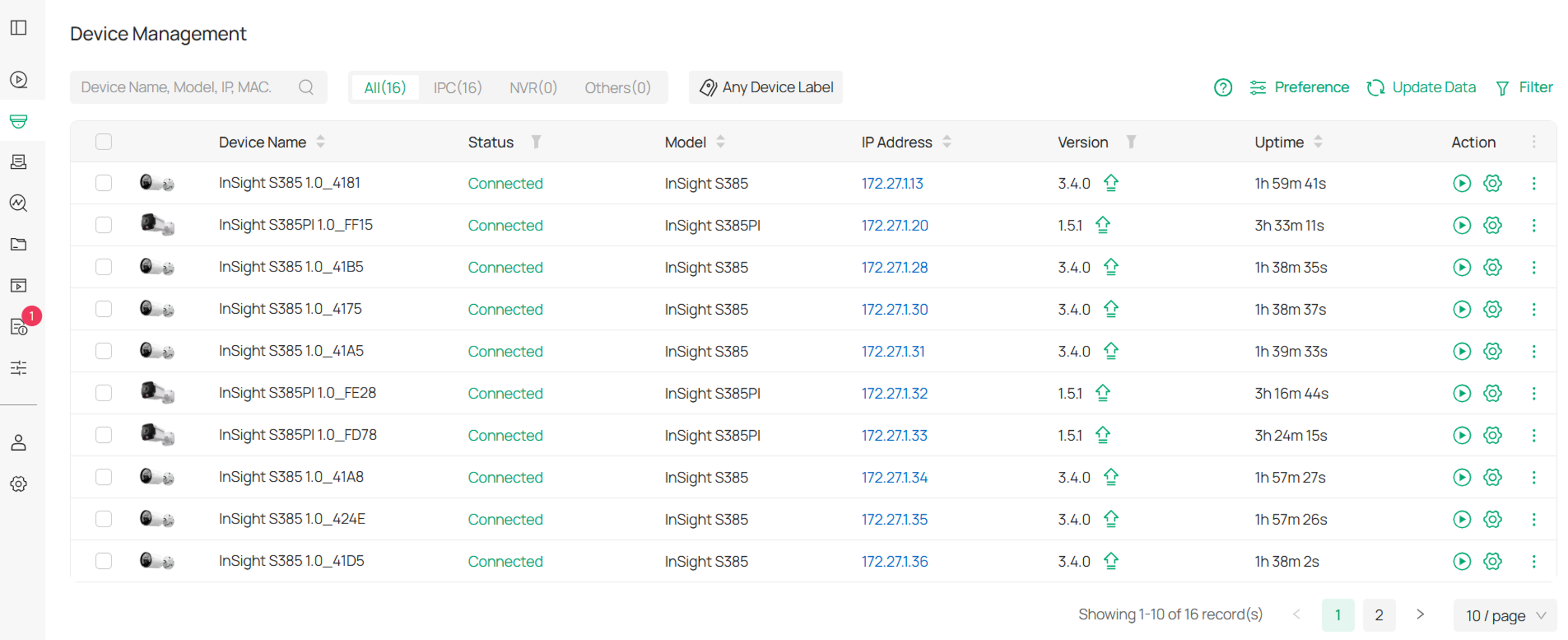
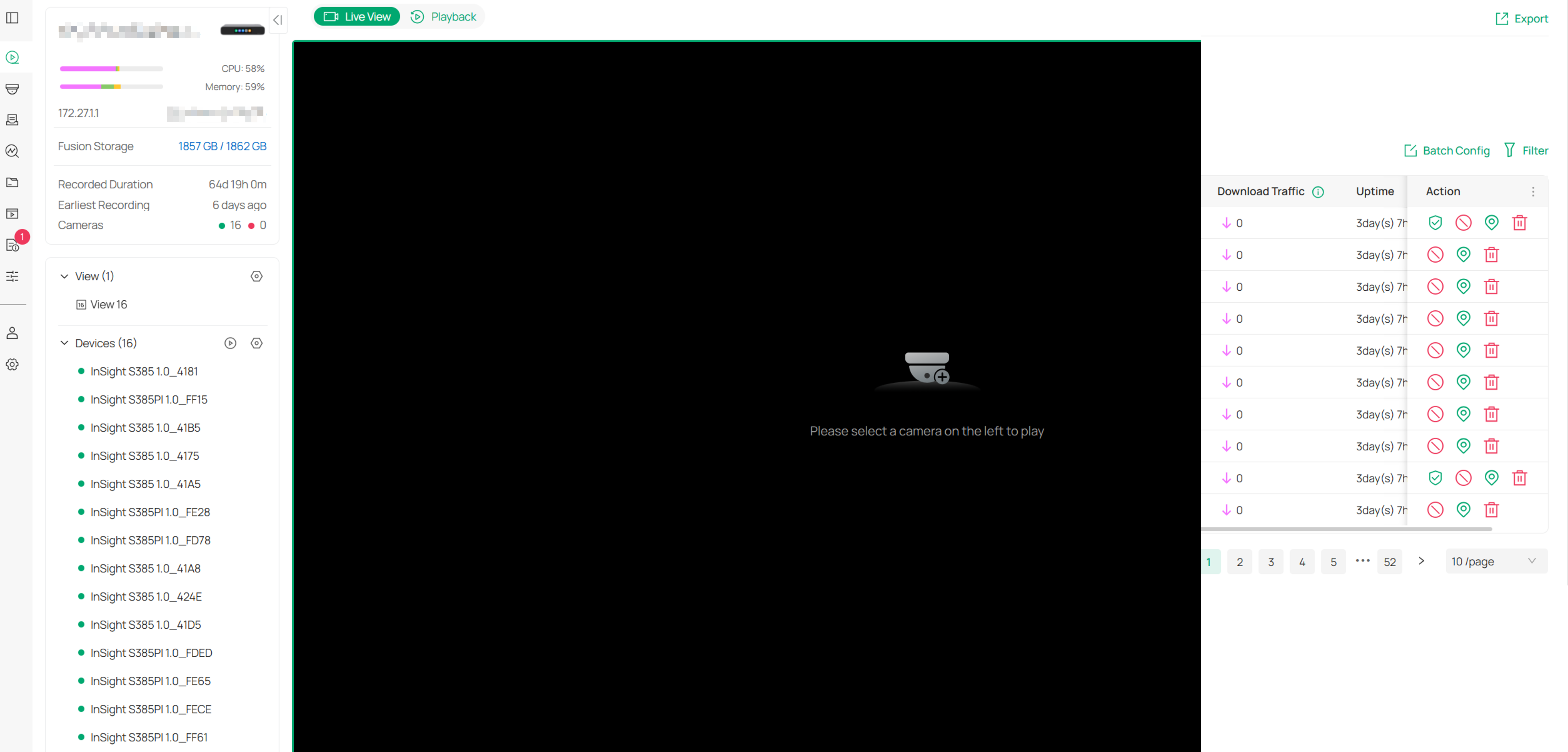
- Live video monitoring and multi-view preview under Omada Guard > Videos.
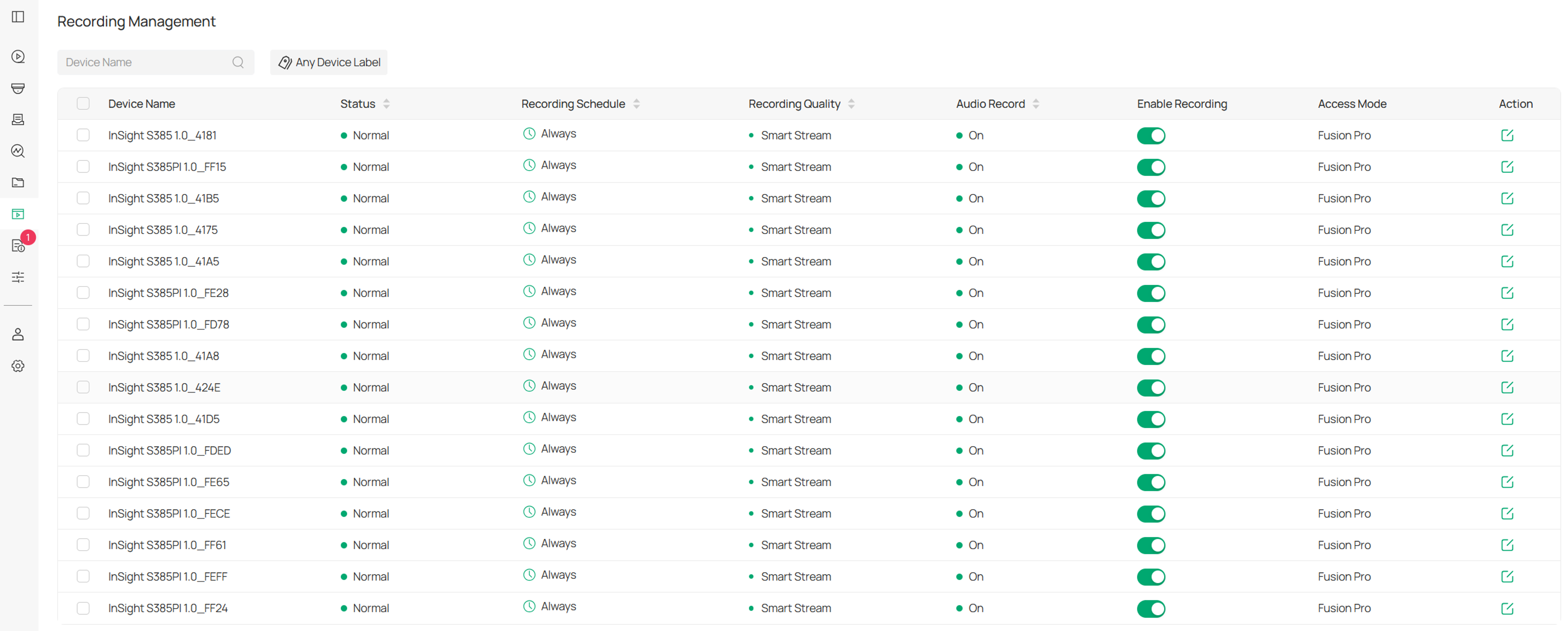
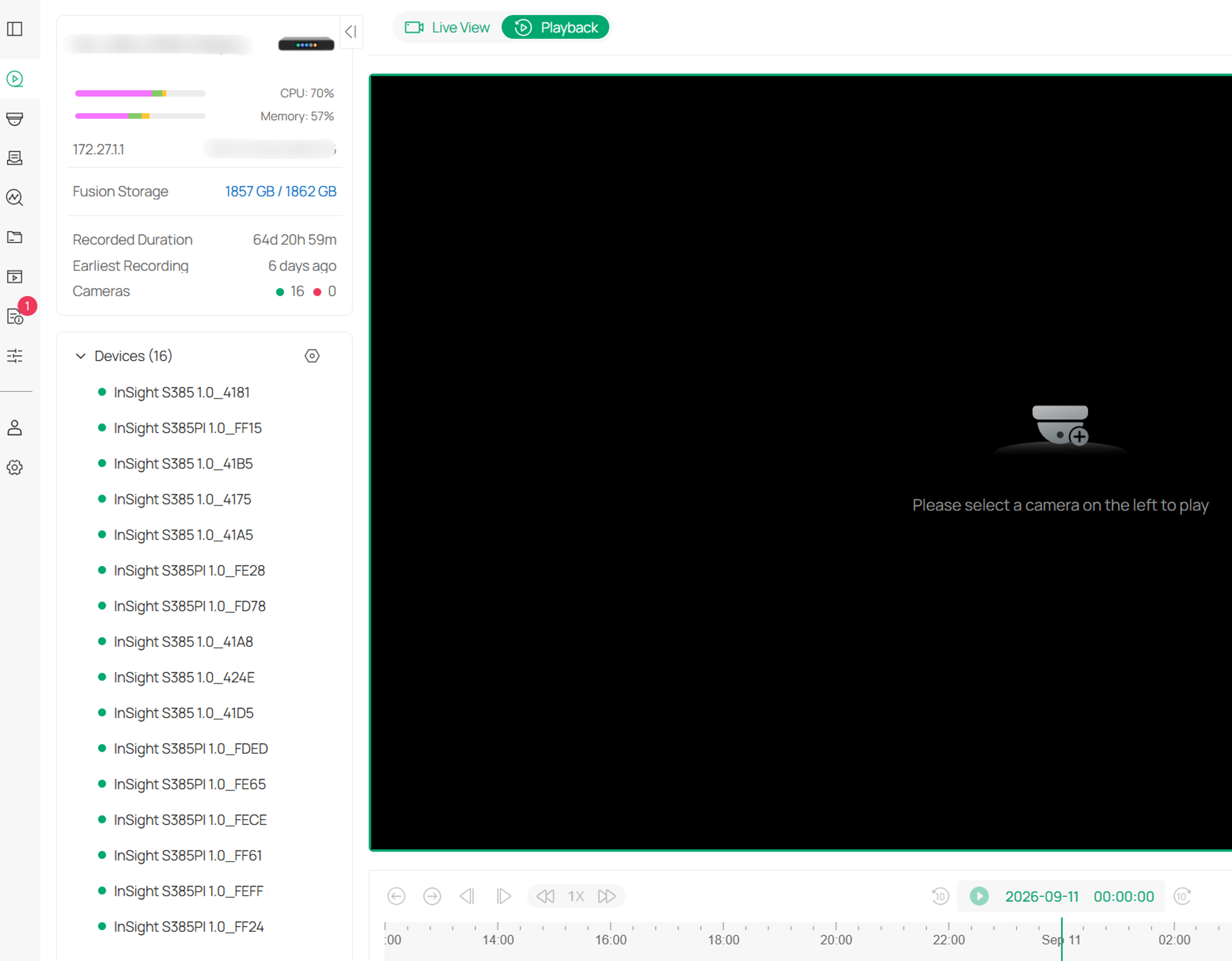
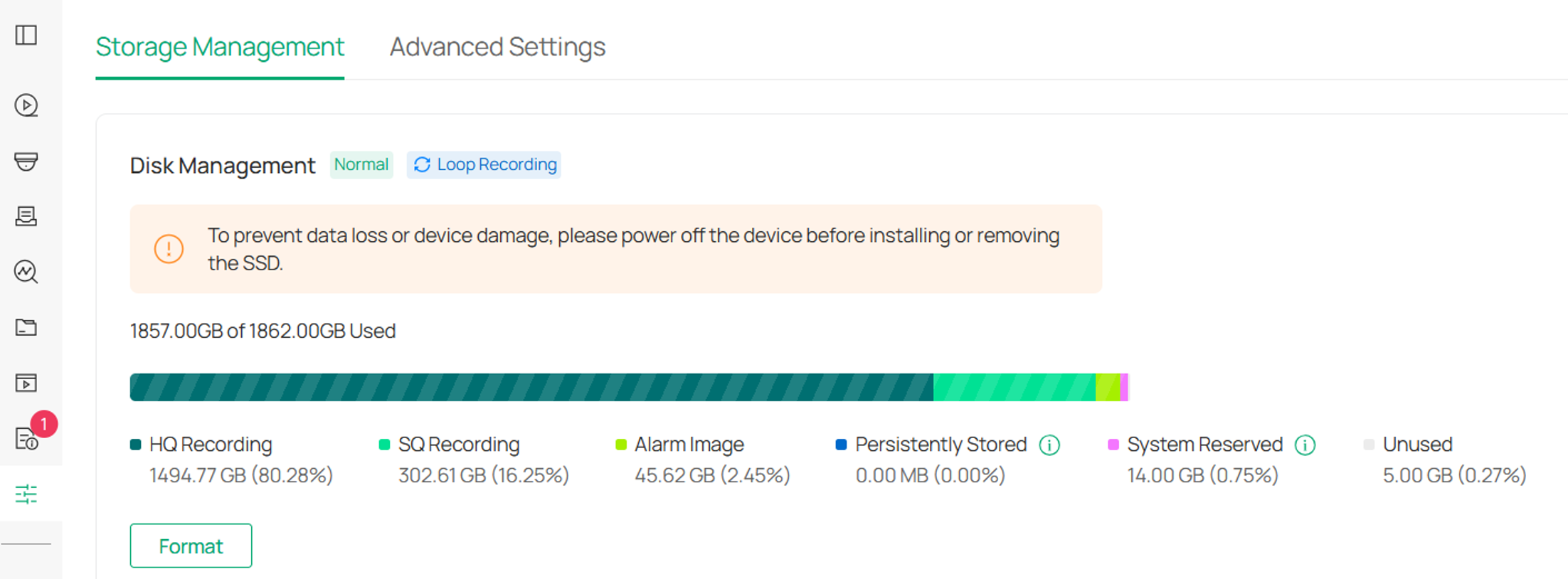
- Video recording, playback, and storage management.
Recording settings under Omada Guard > Recording.
Playback settings under Omada Guard > Videos.
Storage Management under Omada Guard > Guard Config.
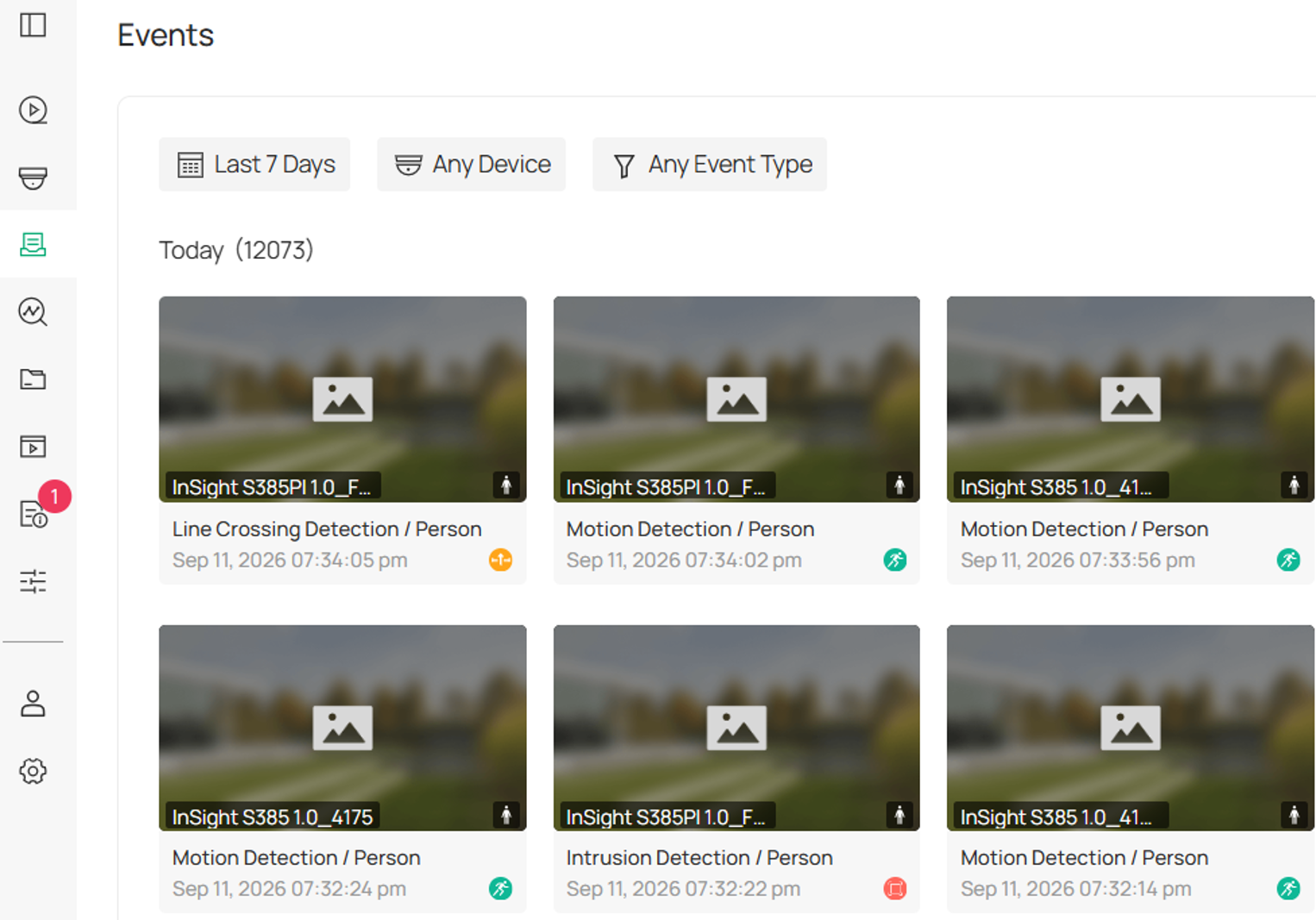
- Security event detection and alert notifications under Omada Guard > Events.
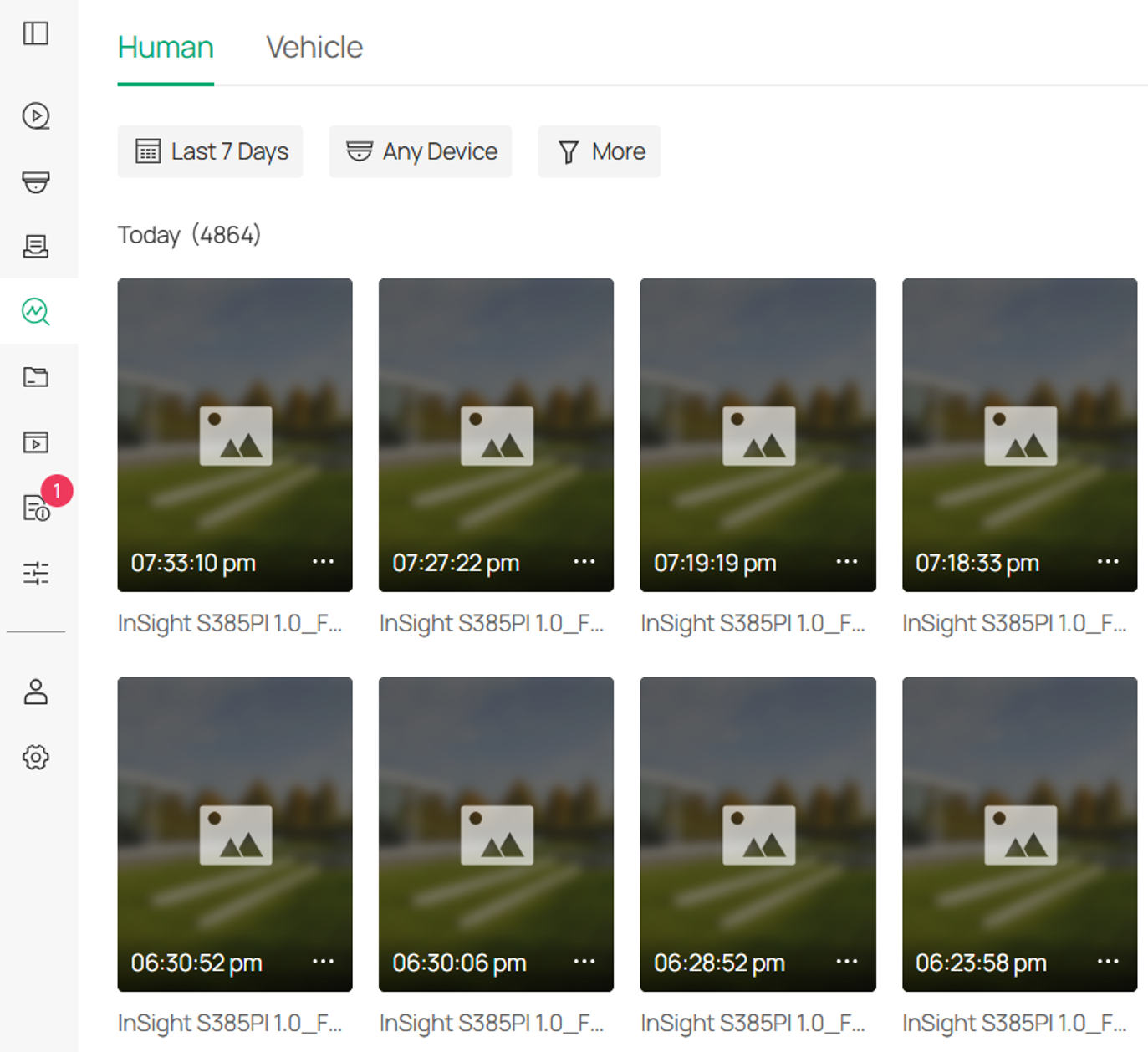
- Intelligent search through AI Search under Omada Guard > Smart Search.
Note: Feature availability depends on supported device models and firmware versions.
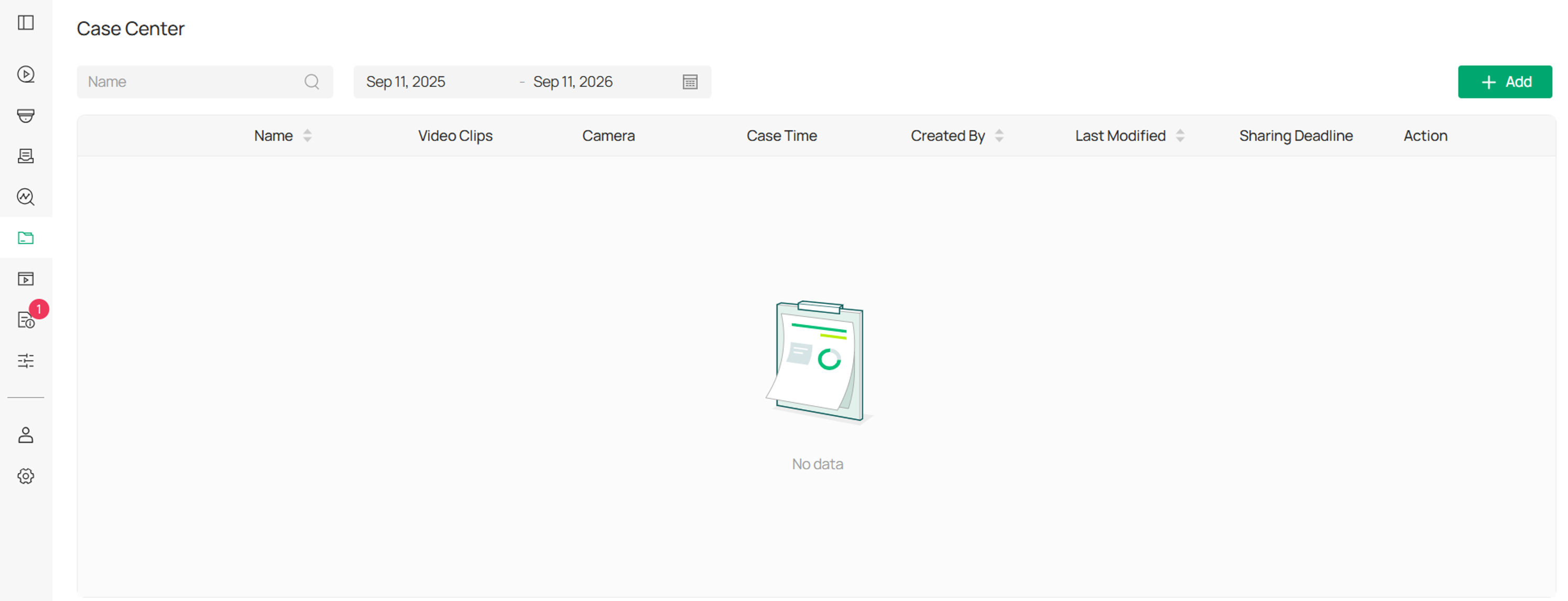
- Case management and security operation and maintenance analysis under Omada Guard > Case Center.
The Guard Application provides centralized management of surveillance devices, recordings, security events, and AI-assisted investigation tools.
Functional Scope:
The Guard Application is responsible for video surveillance and security service management. Network functions, including network device management, network configuration, wireless management, VPN, VLAN, and QoS, are provided by the Network Application.
Application upgrade and version dependencies
Software upgrade architecture and mechanism
Two independent upgrade layers: the Omada Fusion Gateway supports two types of software upgrades.
- Omada OS upgrades
- Application upgrades
Combination of bundled and independent upgrades:
Each Omada Fusion Gateway model has its own corresponding Omada OS firmware.
An Omada OS firmware package includes compatible versions of the applications.
However, the applications can also be upgraded independently of Omada OS.
The Network Application and Guard Application can be upgraded separately through application upgrade packages. Application upgrade packages are not model-specific. The same application upgrade package can therefore be used on different supported Omada Fusion Gateway models.
Version dependencies
Version dependencies may exist between Omada OS and the applications. The release notes for an application upgrade package specify the minimum Omada OS version required for that application version.
Conclusion
The Omada Fusion Gateway uses a layered software architecture in which Omada OS provides the underlying system platform, the Network Application manages networking services, and the Guard Application manages video surveillance services. By separating these responsibilities while maintaining centralized management, the platform simplifies deployment, maintenance, and operations. Understanding the scope of each component, the differences among supported models, and application version dependencies helps ensure effective administration and upgrade planning.
To learn more about each function and configuration, please visit Support Home to download or check the manual for your product.
