


How to Preconfigure WAN Settings on Omada Controller Using Omada App


Contents
Objective
This guide provides instructions for preconfiguring WAN settings on Omada Controller using Omada APP.
Requirements
- Omada APP
- Omada Controller
Introduction
In some scenarios, you may have Omada EAPs and switches but no Omada gateway in the network, and you want to replace the original router with an Omada gateway. You can follow this article to preconfigure WAN settings using Omada APP before adopting the Omada gateway.
Configuration
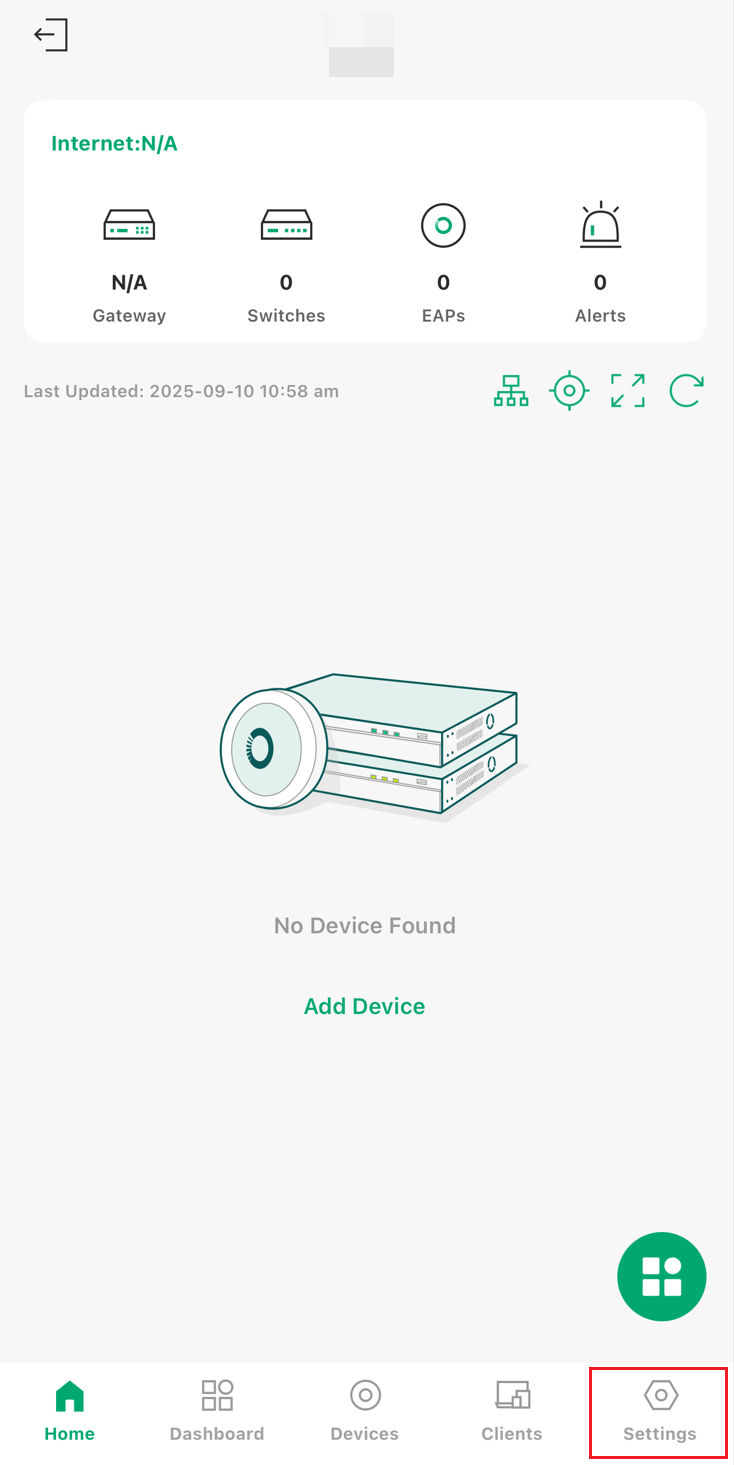
Step 1. Open and login to your Omada APP, then click the lower right icon to enter the Settings.
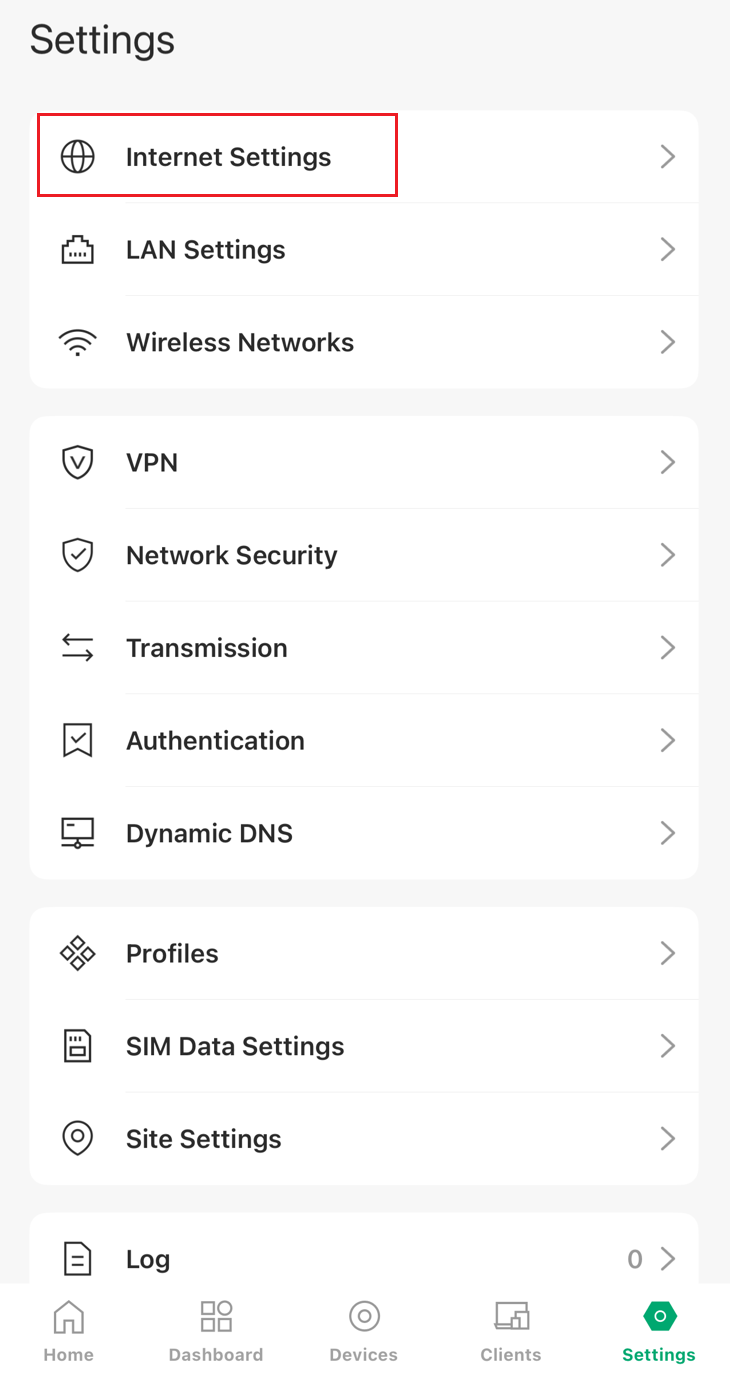
Step 2. Tap on ‘Internet Settings’ to enter WAN configuration.
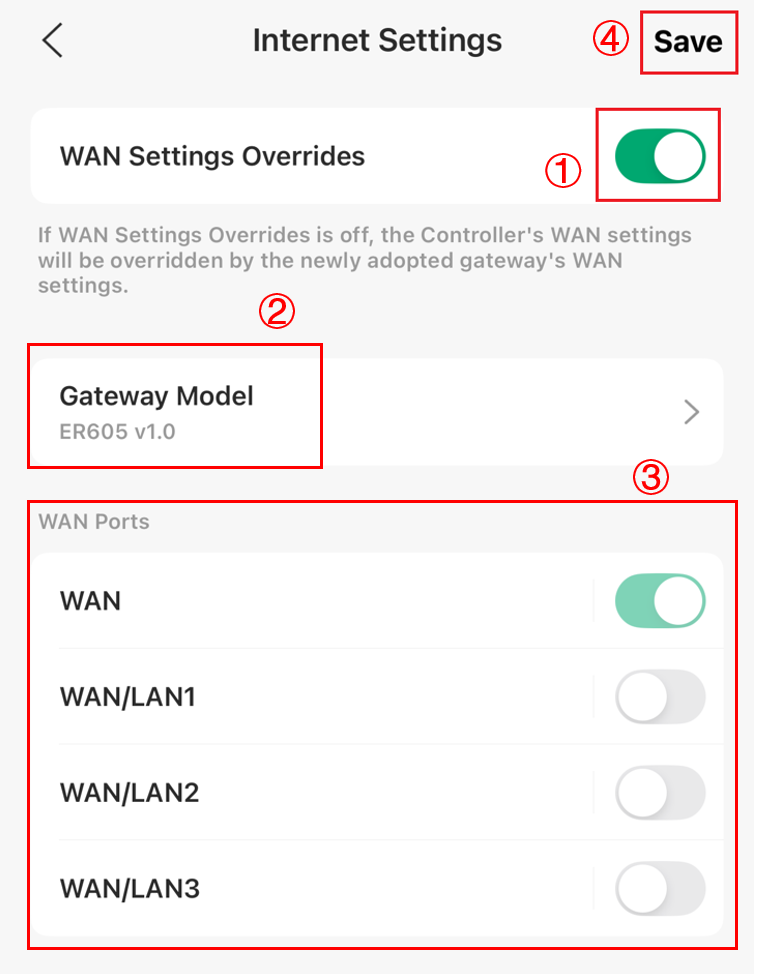
Step 3. Enable the WAN Settings Overrides, then choose the gateway model and the WAN ports. After configuring, tap on ‘Save’ to finish the preconfiguration.
Conclusion
Now you have completed preconfiguration of WAN setting in controller mode through the Omade app.
To learn more about each function and configuration, please visit Support Home to download or check the manual for your product.
