


Support of Omada Pro Devices on Omada Controller V6.2


Contents
Introduction
Starting from Omada Controller V6.2, the Omada Pro devices can be adopted by Omada Controller, also supporting adopting both Omada and Omada Pro devices in the same site.
In Omada Controller V6.2, the following features are supported:
- Discover Omada Pro devices
- Adopt Omada Pro devices
- Add Omada Pro devices to the controller offline
- WAN device model pre-configuration
- Mesh between Omada and Omada Pro devices
The following features are not yet supported and estimated to be supported in Omada Controller V6.3:
- Site Health
- Abnormal Event Report
- Place Omada Pro device in Heat Map
- All other Omada Pro features
Requirements
- Omada Controller V6.2
- Omada Pro Devices
Example
Discover and Adopt Omada Pro Devices
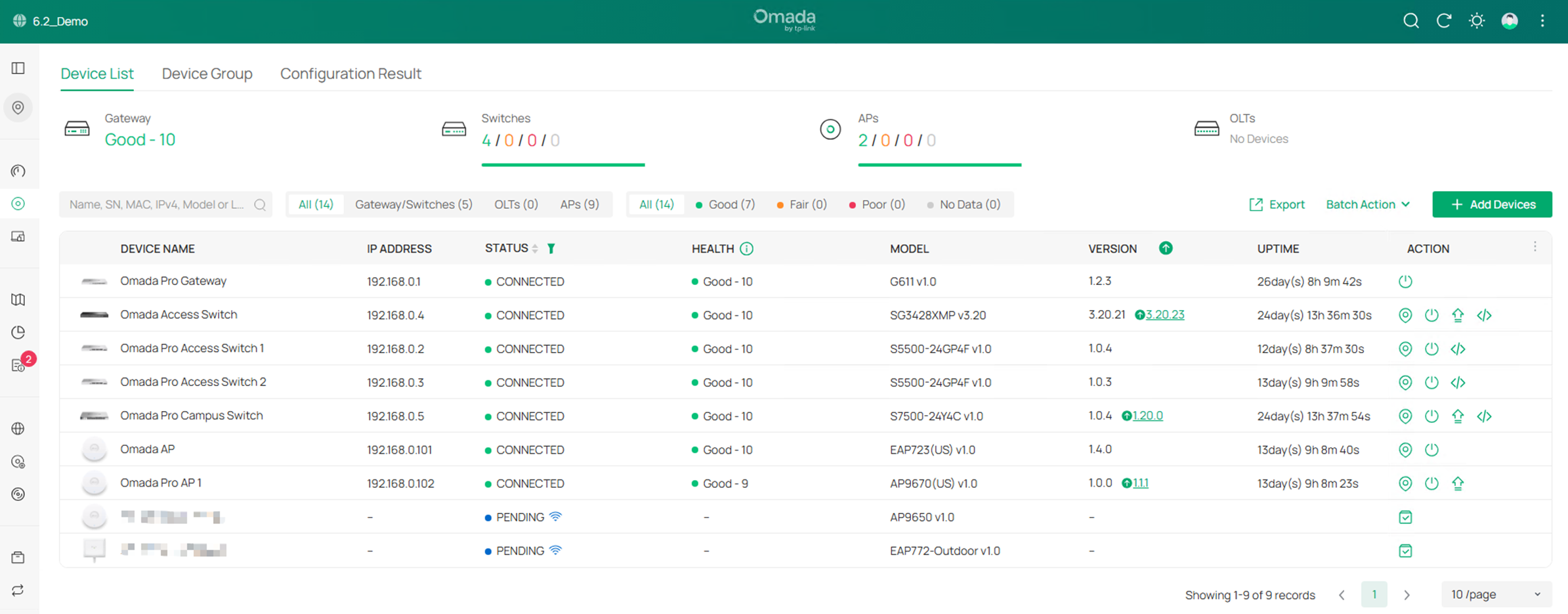
As shown in the example screenshot, the Omada Pro devices could be discovered and adopted to Omada Controller.
Add Omada Pro devices to Omada Controller offline
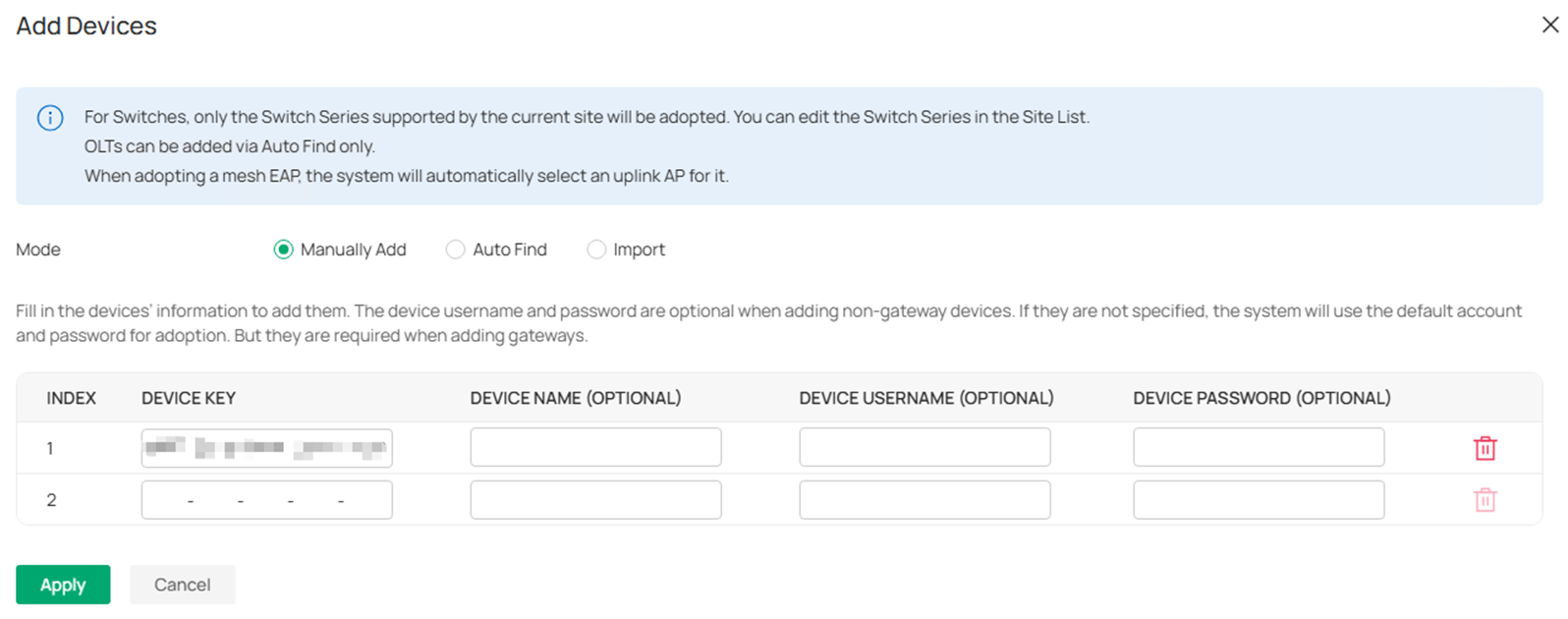
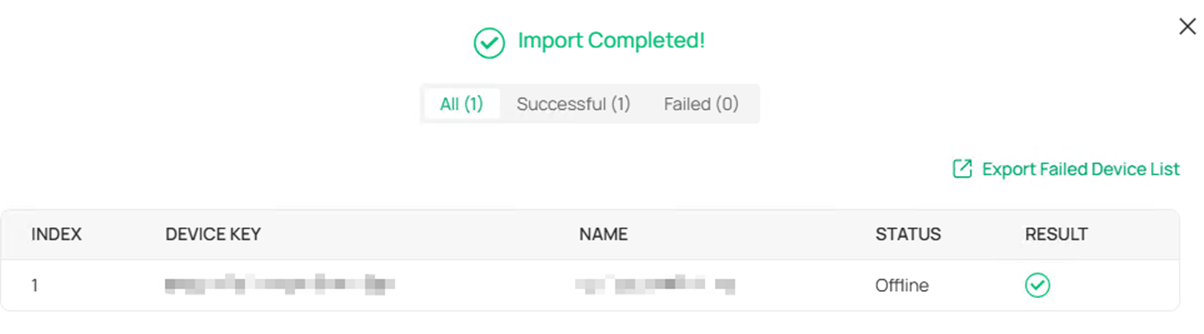
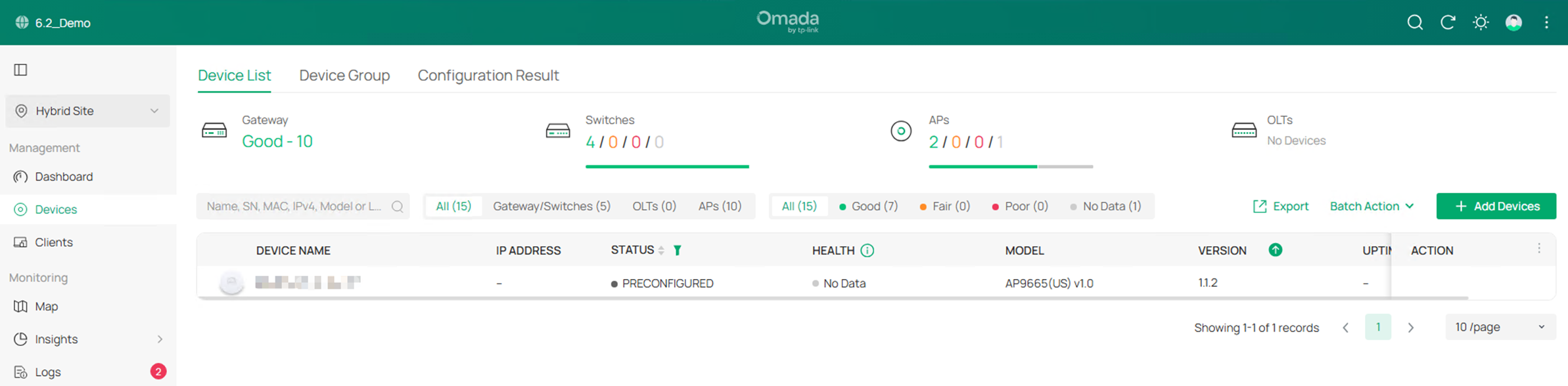
Take an Omada Pro AP as example, in the Devices page, click Add Device and choose Manually Add, enter the Device Key to add the device to Omada Controller offline.
WAN Device Model Pre-configuration
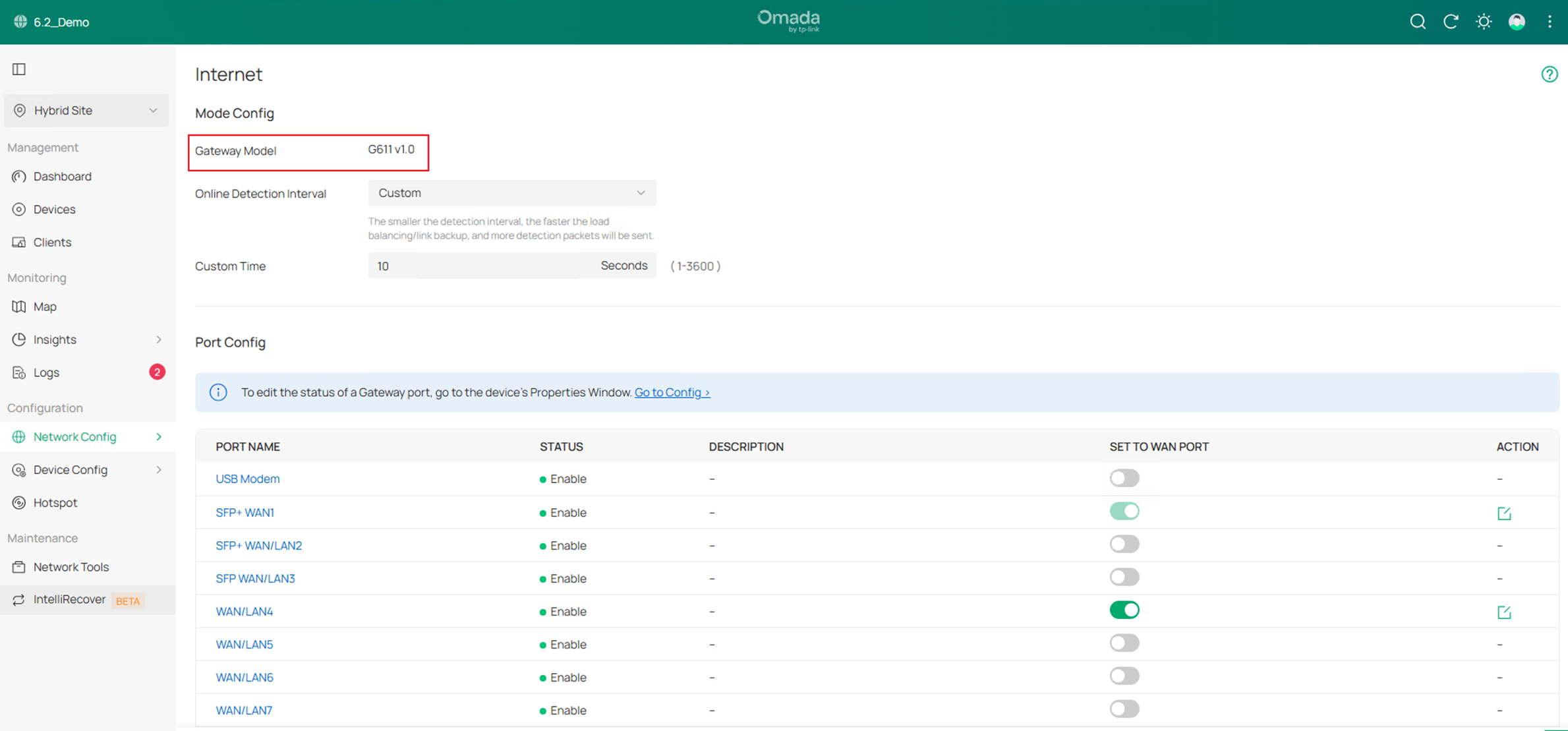
In the demo site, a G611 has been adopted to the controller, in the Internet config page, the Gateway Model could be correctly recognized, and the WAN config will be displayed accordingly.
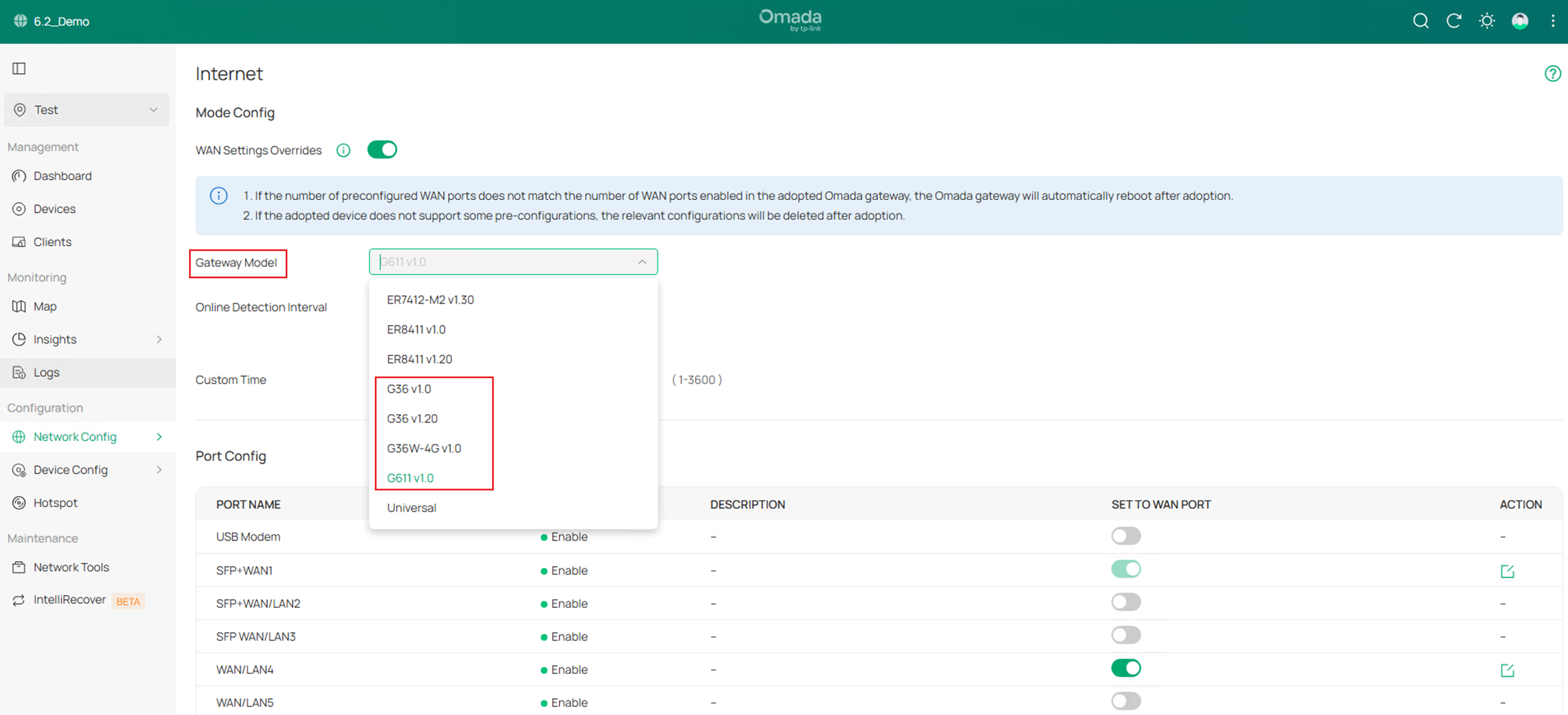
In a site with no gateway adopted, the Omada Pro Gateway models could be selected in the Gateway Model option.
Mesh Between Omada and Omada Pro Devices
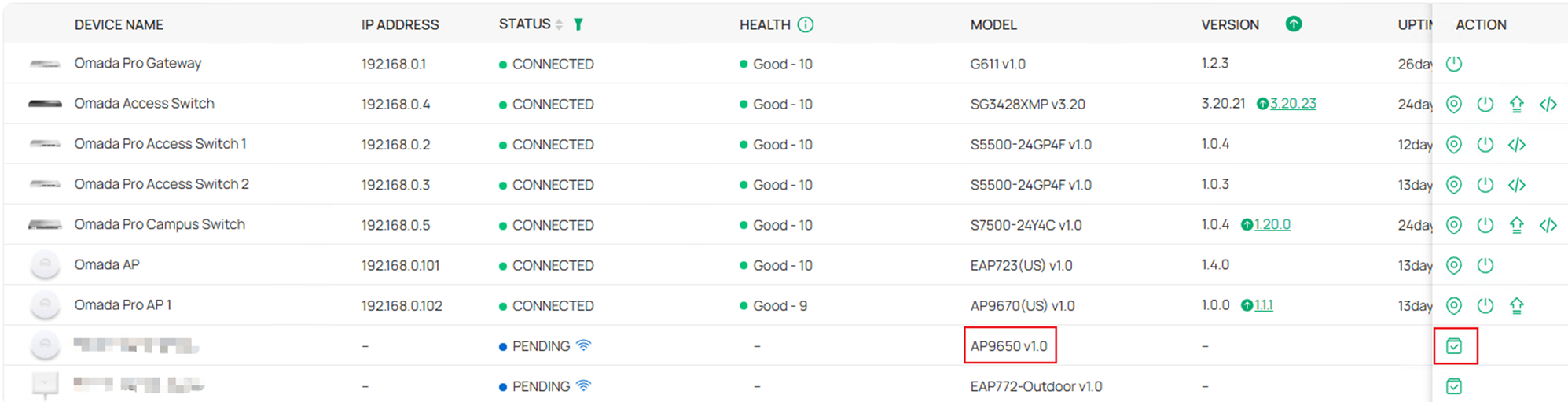
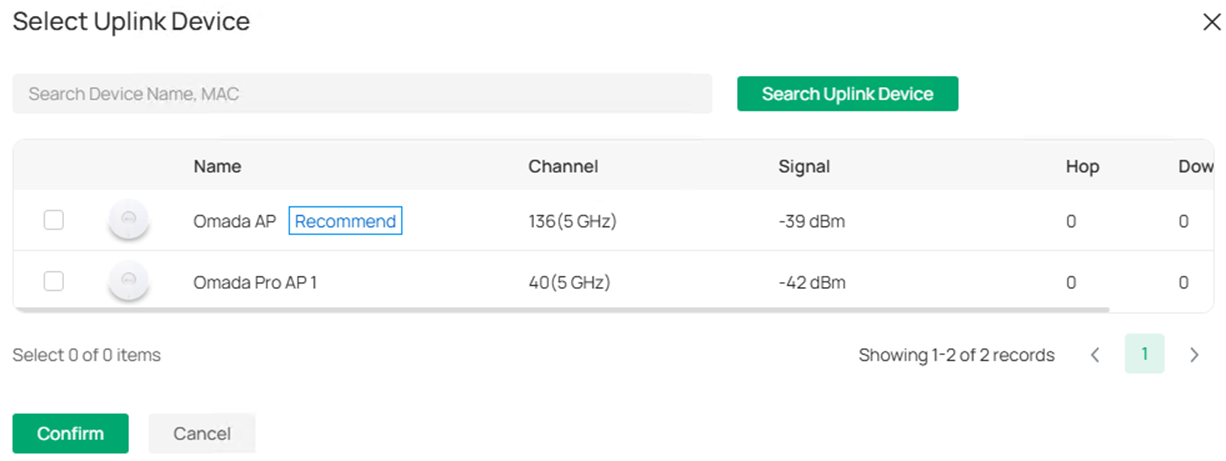
In the example screenshot, after clicking the Adopt button on a pending mesh Omada Pro AP, user could select another adopted AP to mesh, both Omada AP and Omada Pro AP could be selected.
Conclusion
This article introduces the features supported for Omada Pro devices on Omada Controller V6.2.
Get to know more details of each function and configuration please go to Download Center to download the manual of your product.
