How do I find the firmware version of my EAP device?


Follow the steps below to find the firmware version of your EAP device:
Step 1 Power on the EAP and connect to the SSID of the EAP wirelessly.
Tips:
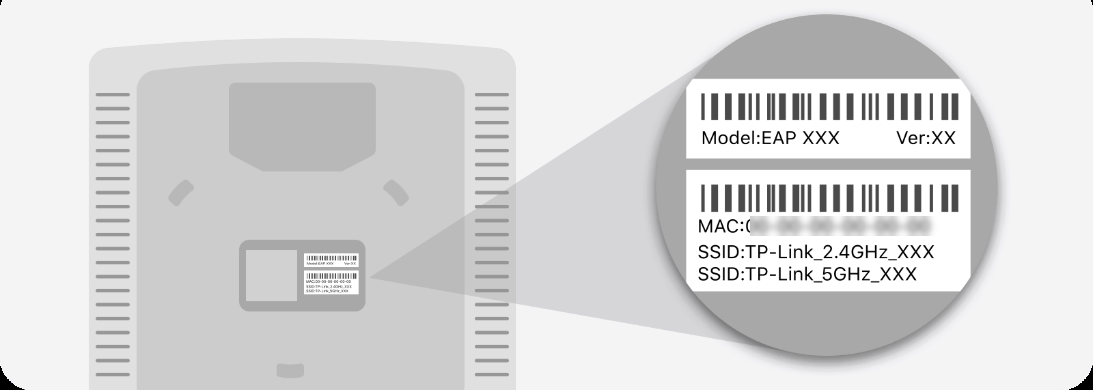
If your EAP is a brand new EAP, use the default SSID (format: TP-Link_2.4GHz/5GHz_XXXXXX) printed on the product label.
Step 2 Launch a web browser and enter http://tplinkeap.net in the address bar.

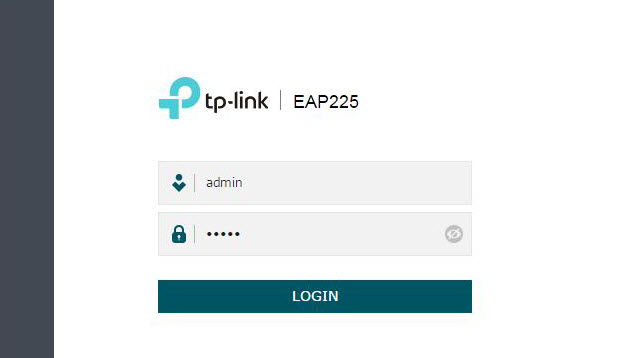
Step 3 Enter the username and password of your EAP to log in.
Note:
If your EAP is a brand new EAP, use the default username and password that are both admin.
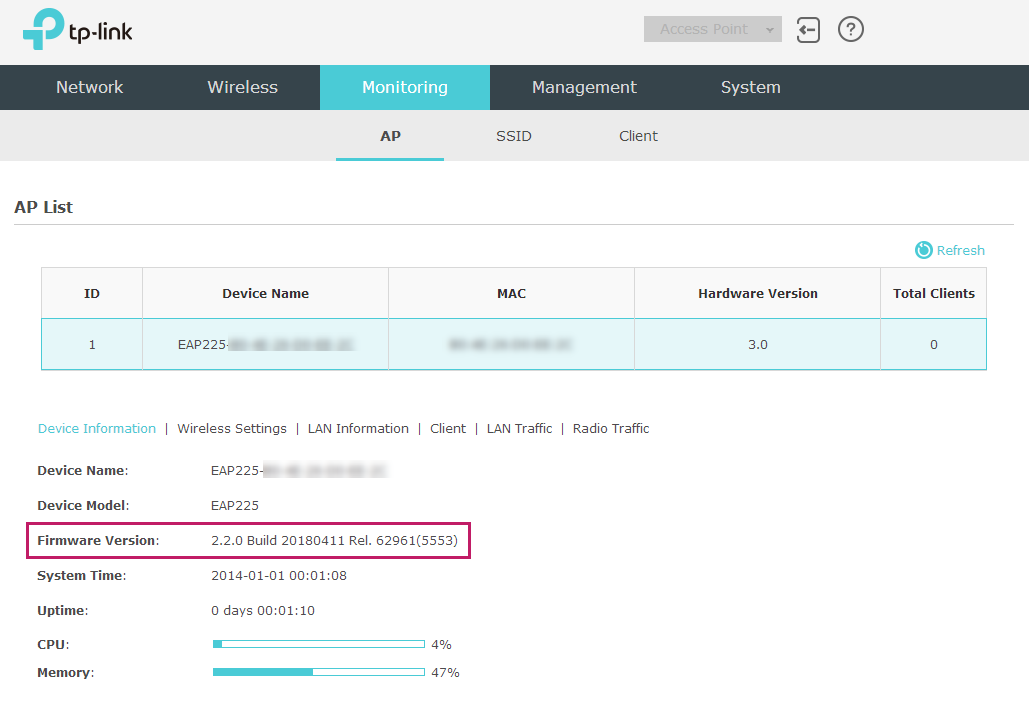
Step 4 Go to the Monitoring > AP > Device Information page. You can view the Firmware Version as the following figure shows. The Build number indicates the released date, the first four digits representing the year, the next two month and last two day. For example, 20180411 means the released date is April 11th, 2018.