


How to Resolve the “The Number of Logs Is Up to the Limit” Alert in Omada Controller


What should you do if you receive the prompt
Introduction
You may receive an alert of “The number of logs is up to the limit.” This article will explain why you get the alert and how to handle it.
Requirements
- Omada Controller (v6.2.10 and above)
Configuration
This prompt appears more often in Omada hardware controllers. Software Controller, such as Windows/Linux versions, generally do not limit the upper limit of logs due to their ample hardware resources.
The maximum number of logs
|
Model |
Maximum number of logs |
|
OC200 series models |
11000 |
|
OC220 series models |
11000 |
|
OC300v1 |
101000 |
|
OC400v1 |
202000 |
|
ER7212PC |
1100 |
Note: The quantity here refers to the total number of Alerts + Events. For Omada Software Controller, it has no limit on the number of logs.
When the number of logs in your controller exceeds the upper limit, you will receive an alert of “The number of logs is up to the limit”.
What should you do if you receive the prompt
Omada SDN Controller will automatically delete the oldest logs. Therefore, you may not worry about that.
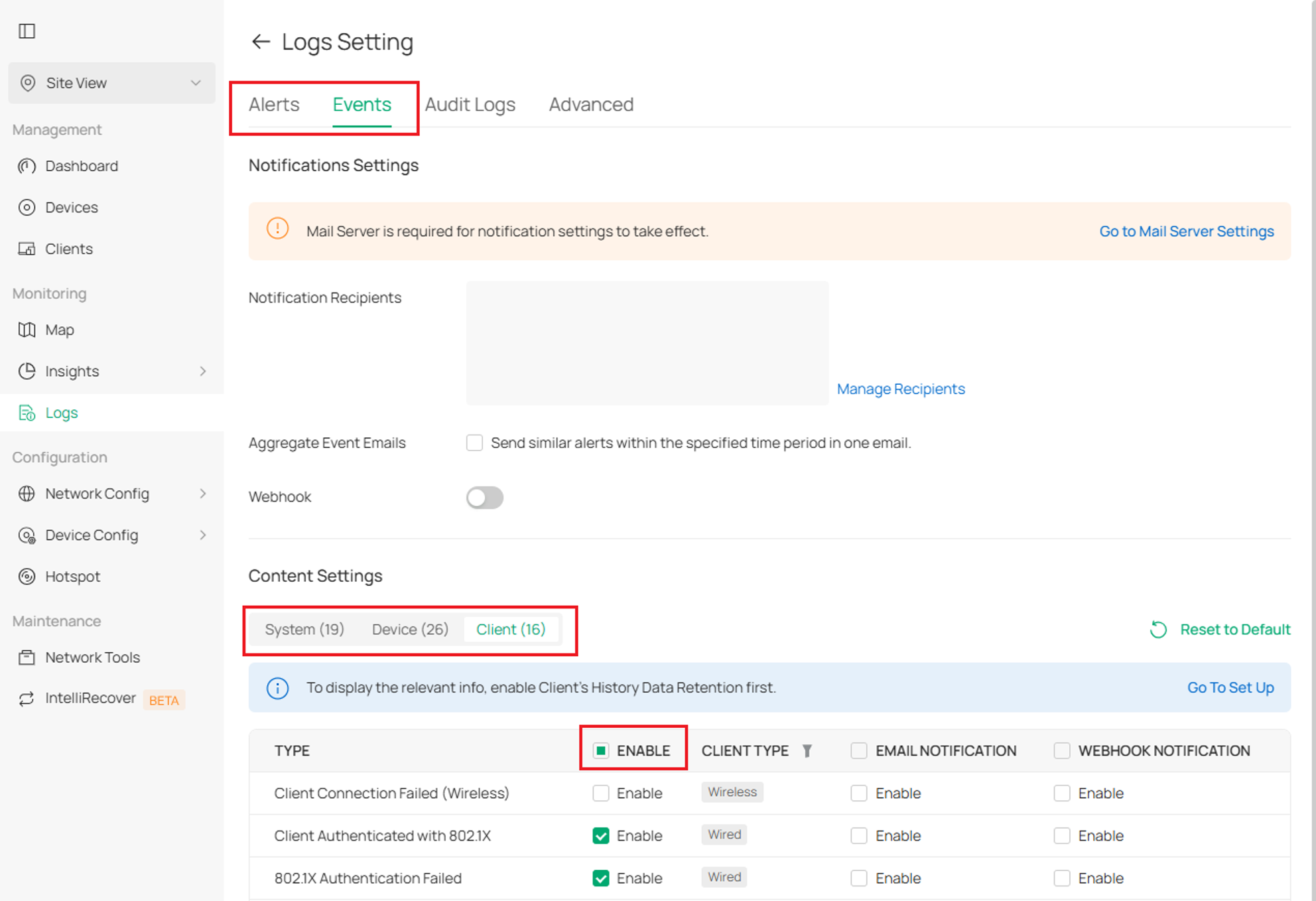
However, if you receive such prompts frequently, you can adjust them according to your actual needs, deciding which logs to report and which to ignore. You can also delete unnecessary logs.
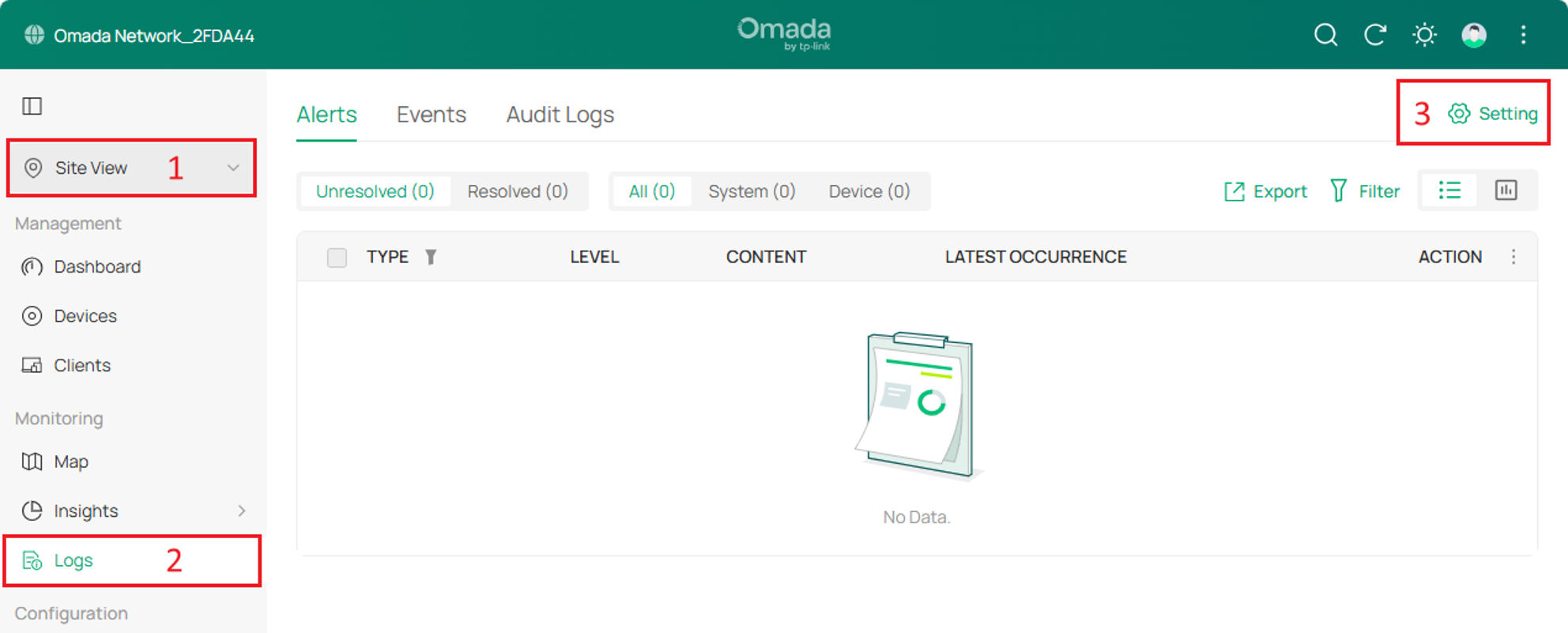
Step 1. Adjust Log-related configurations as needed. The relevant page is located at Site View / Global View > Logs > Settings. Of course, if you are using MSP mode, there may also be relevant levels of logs under the MSP View > Logs > Settings.
You can enable different categories of logs according to your needs, as shown in the example in the figure.
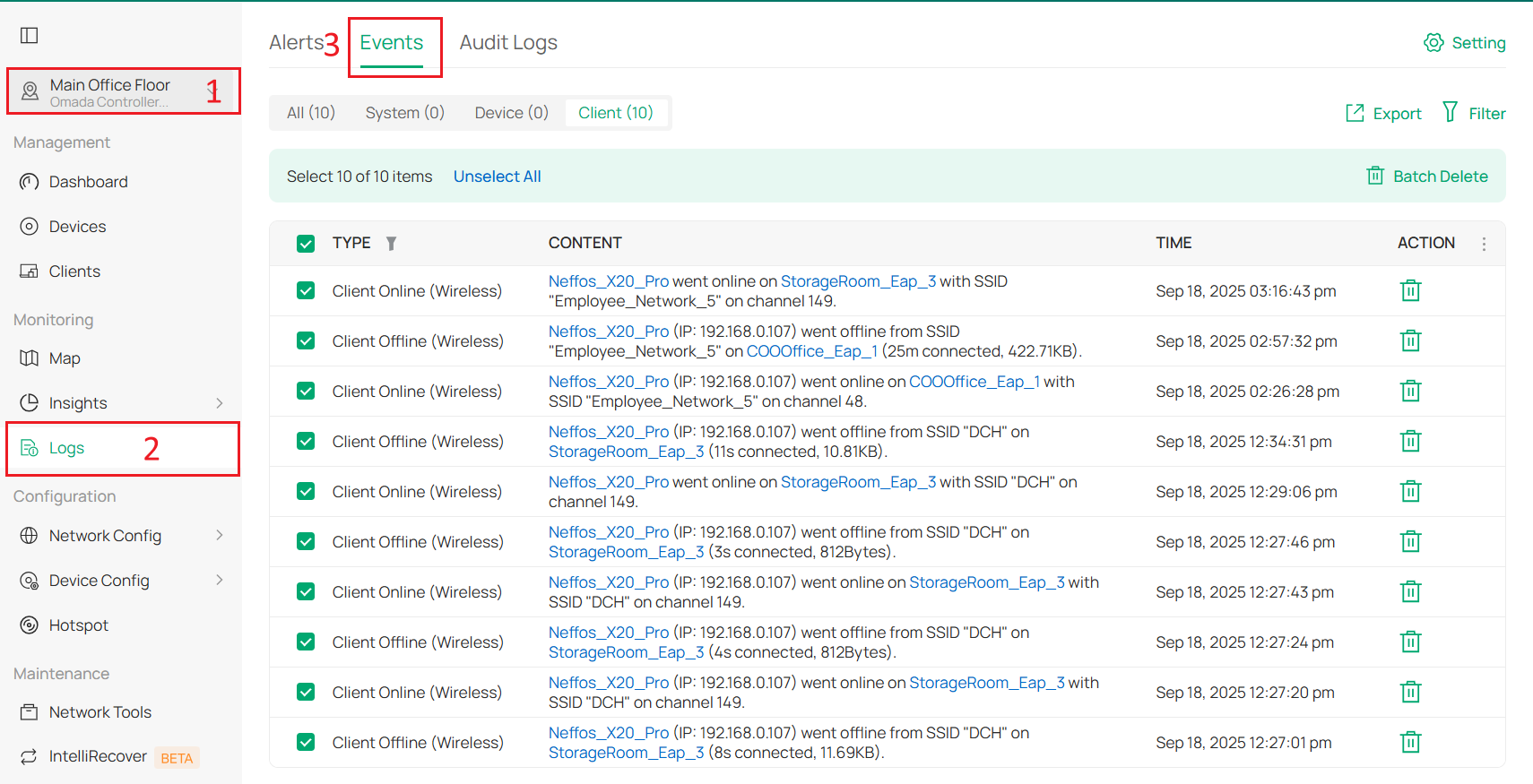
Step 2. Delete existing logs. You can delete entries in Alerts and Events.
Conclusion
This is what can be done when the number of logs reaches the limit.
To learn more about each function and configuration, please visit Support Home to download or check the manual for your product.
