


How to Fix Omada Controller Exit Code Errors on Startup


Contents
Objective
This article shows the solution to the scenario in Windows Controller v5.15.6, which reports exit code –1073741515 while starting.
Requirements
- Software Controller v5.15.6 (Windows_x64bit)
Introduction
In some scenarios, the customer will encounter the error code –1073741515 when starting the Windows Software Controller v5.15.6 after installing it.
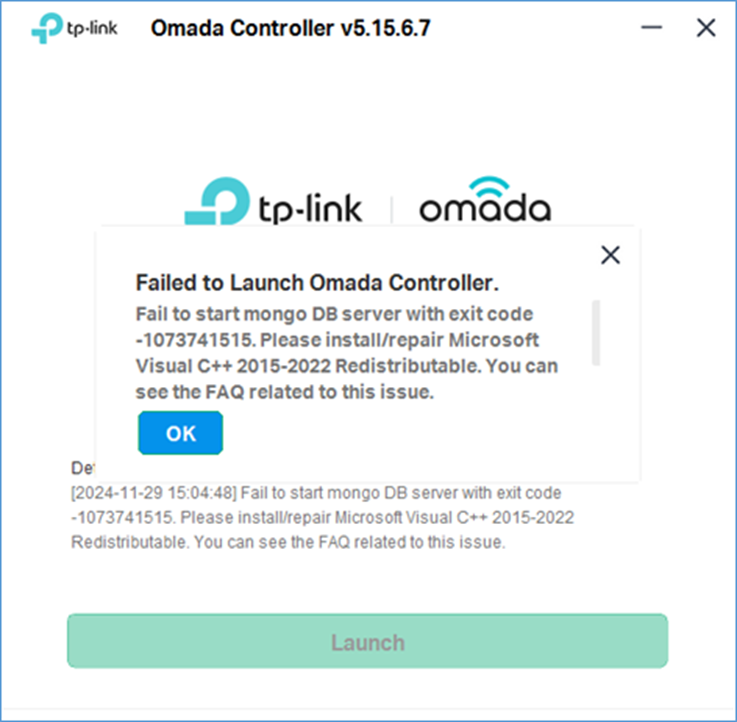
3 factors can lead to this kind of error code:
- System files are missing, resulting in the missing of msvcp140.dll, vcruntime140.dll, and vcruntime140_1.dll files. Configuration
- Customer’s OS doesn’t have the Microsoft Visual C++ 2015-2022 Redistributable runtime library installed
- The version of Customer’s OS is too old
Troubleshooting Steps
Step 1. Go to the installation path for the Windows Software Controller.

Step 2. Go to the folder /bin in the controller’s installation folder and double-click mongod.exe.

Step 3. Confirm whether you got the following error message in the popped-up
- Window name: System Error
- Error Message: The program can't start because MSVCP140.dll/ VCRUNTIME140.dll/ VCRUNTIME140_1.dll is missing from your computer. Try reinstalling the program to fix this problem.
Solution
Step 1. Go to Microsoft Visual C++ Redistributable Page: Latest supported Visual C++ Redistributable downloads | Microsoft Learn

Step 2. Download the Latest Microsoft Visual C++ Redistributable; here, we take version 14 as an example

After installation, you can restart your Software Controller to verify whether this issue has been resolved.
Conclusion
This article provides a solution to the exit code –1073741515 error encountered when starting Windows Software Controller v5.15.6. After following the troubleshooting steps and solution, you can restart the controller to confirm the issue is resolved.
To learn more about each function and configuration, please visit Support Home to download or check the manual for your product.
