


How to Filter Events in Omada Central When Watching Playback


Contents
Introduction
This FAQ describes how to view and filter recorded events during video playback using Omada Central Guard.
Requirements
- Omada Central
- IPC or NVR managed by Omada Guard
- The IPC needs to be installed with an SD card, and the NVR needs to be installed with an HDD.
Configuration
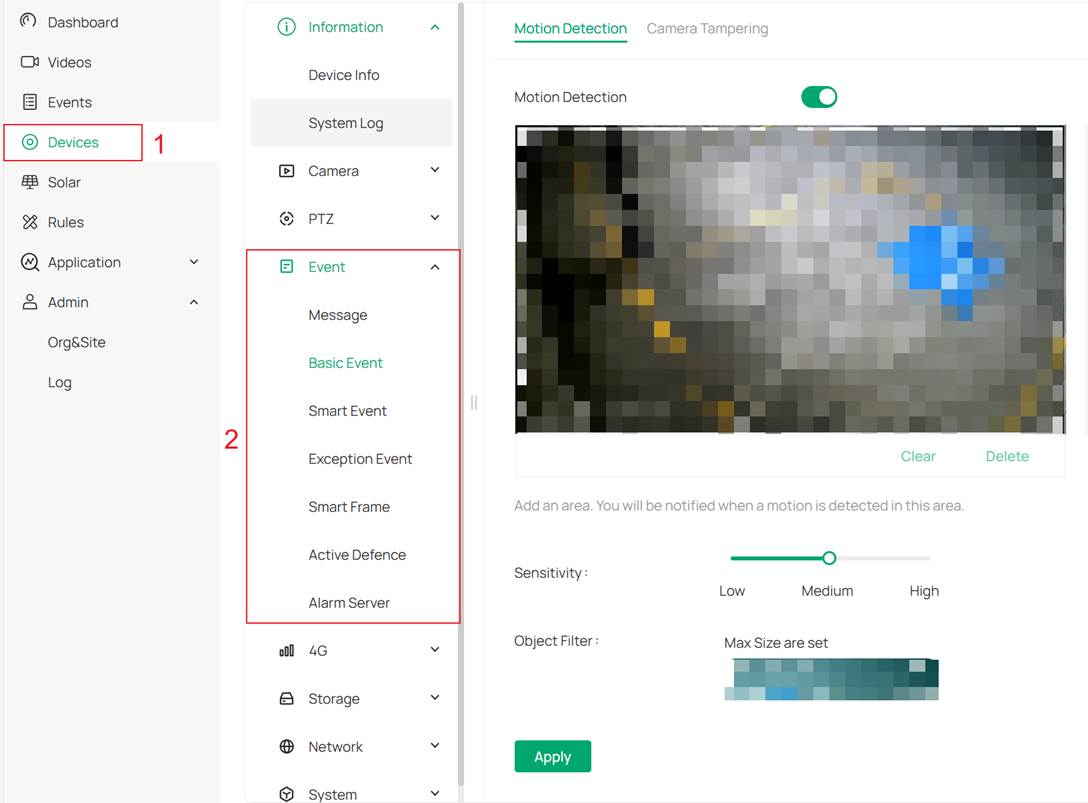
Step 1. Go to Devices > Event, configure events you want your cameras to record.
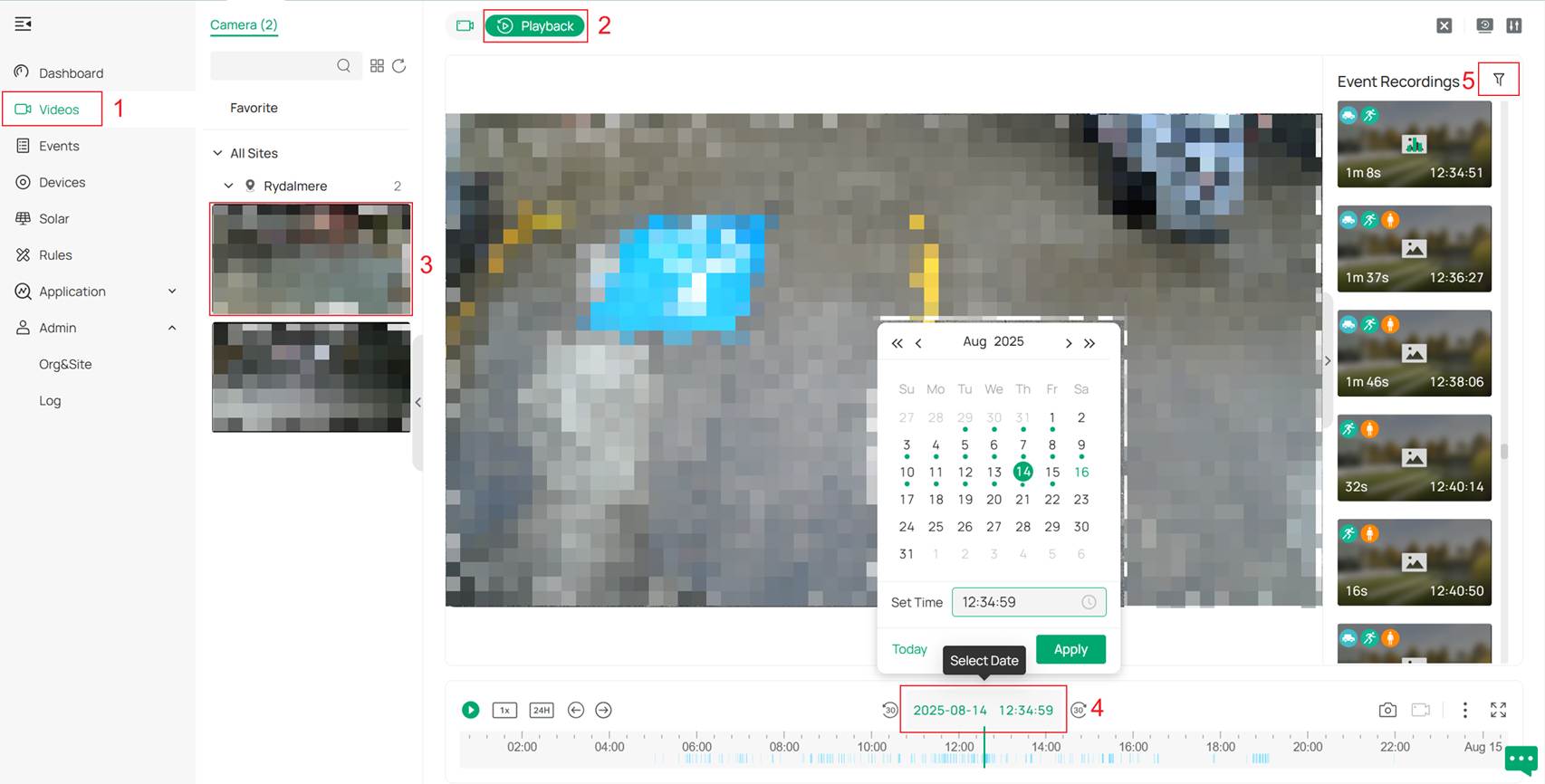
Step 2. After recording the videos, go to Videos > Playback, select the camera you want to view, and playback will begin. At the bottom of the page, you can select the recording date. Then, click the small icon beside the Event Recordings title to start filtering.
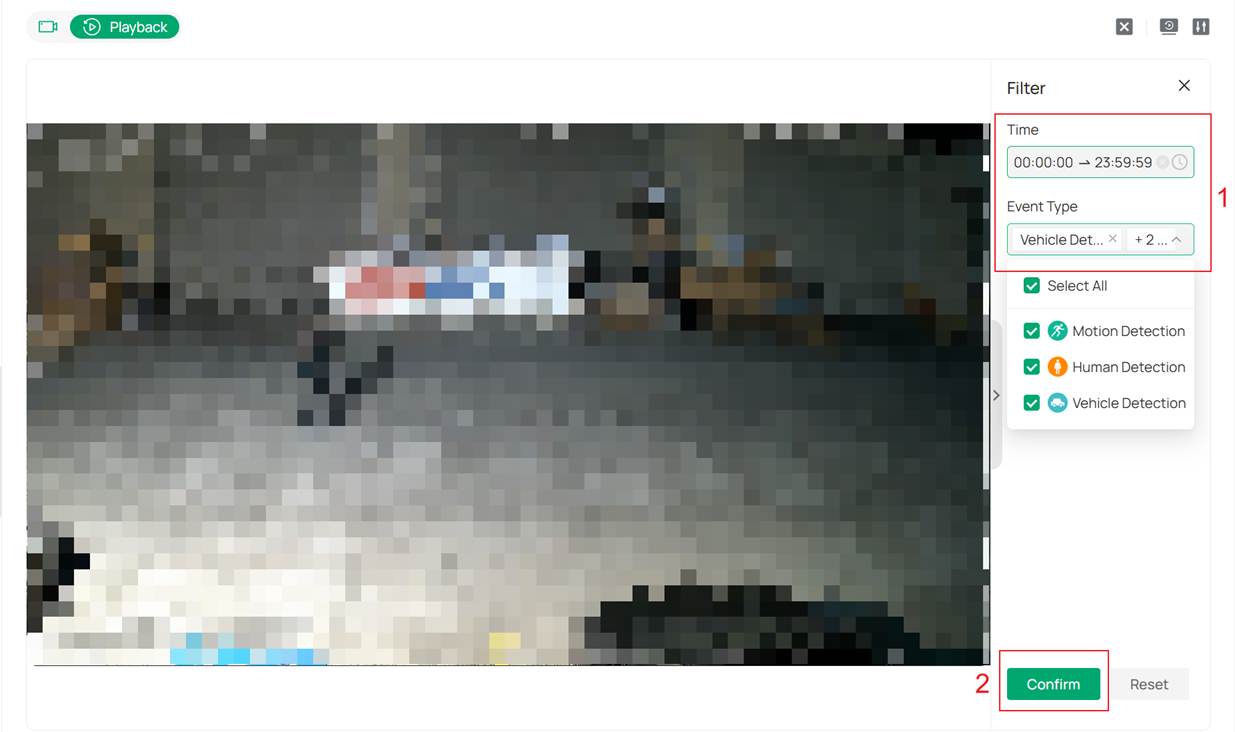
Step 3. In this filter, you can select the time range and the types of recorded events. Multiple types can be selected simultaneously, and the events will be displayed as a union of the selected types.
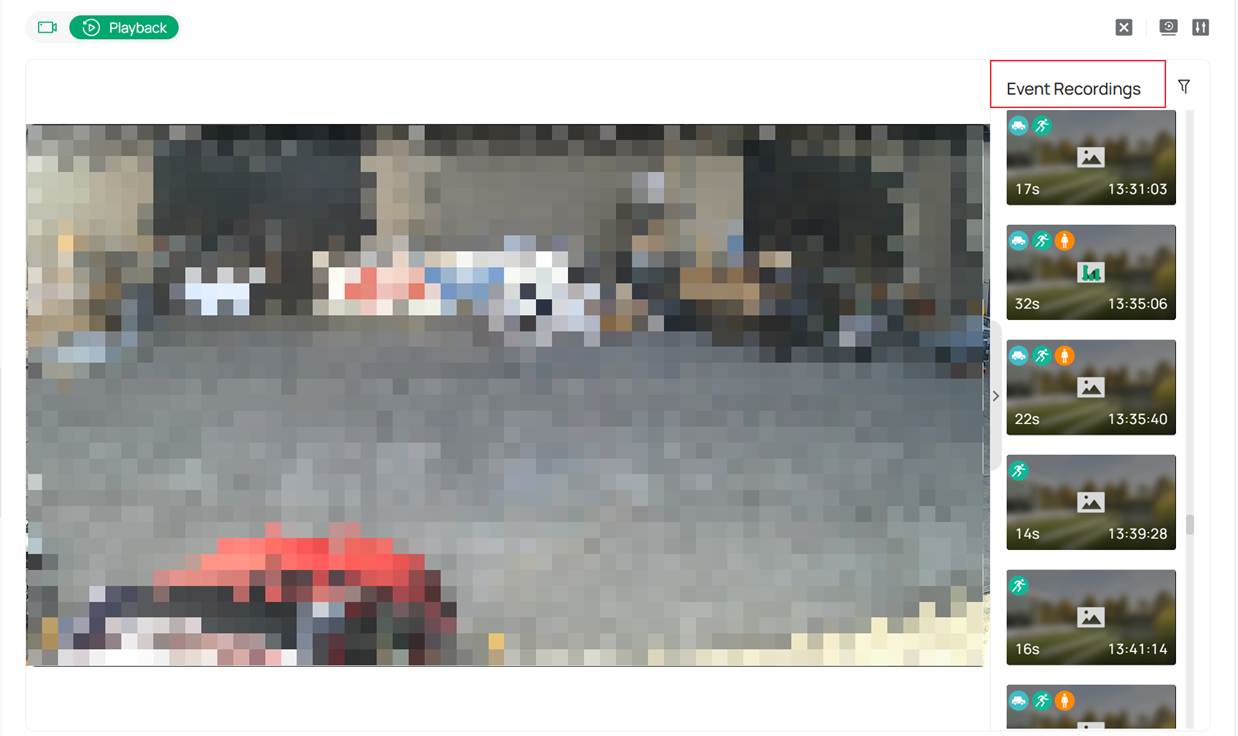
Step 4. Click Confirm, then, in the Event Recording list, you can view the events recorded by your camera.
Conclusion
Now you have successfully filtered the events you want to view using Omada Guard.
To learn more about each function and configuration, please visit Support Home to download or check the manual for your product.
