Contents
Introduction
This article introduces how to use EAP-Bridges with Flex Bridge 5 and outlines important considerations.
Requirements
- Omada Wireless Bridges
- Flex Bridge 5
- PC / Omada App
Configuration
The configuration method for Flex Bridge 5 is the same as for the EAP Bridge KIT. Please refer to: How to establish a point-to-point connection with EAP-Bridge
Get to know more details of each function and configuration please go to Download Center to download the manual of your product.
Conclusion
Now, you can build a network using Flex Bridge 5 and EAP Bridge KIT as needed.
QA
If you already own a Bridge KIT and want to add a Flex Bridge 5 to your existing network, please note the following:
Q1: What is the difference between connecting a Flex Bridge 5 and an EAP-Bridge KIT to a network built with the Bridge KIT?
A1: When Flex Bridge 5 joins the network as a Client AP, it can only be added by scanning and adding it from the Main AP within the Bridge KIT, or by scanning the Main AP and entering credentials. For the EAP-Bridge KIT, units within the same package will automatically build a network upon power-up. Client APs from other packages can join the network via scanning. The latest version of the Bridge KIT also supports a one-click pairing feature for convenient network access.
Q2: When Flex Bridge 5 acts as the Main AP, how many Client APs can it support?
A2: The number of Client APs supported depends on the Main AP's capacity. Flex Bridge 5 supports adding up to 32 client APs.
Q3: When Flex Bridge 5 acts as the Client AP, how many Client APs can EAP-Bridge KIT support?
A3: EAP-Bridge KIT supports adding up to 4 client APs.
Q4: How should the DIP switches on the Flex Bridge 5 be configured?
A4: When the Flex Bridge 5 acts as the Main AP, move the Role DIP switch to M; when it acts as a Client AP, move it to C. Since EAP-Bridge does not support pairing codes, the pairing code switch does not affect network setup between the Flex Bridge 5 and the EAP-Bridge kit.
Q5: When building a network with other EAP-Bridges, does Flex Bridge 5 require additional attention?
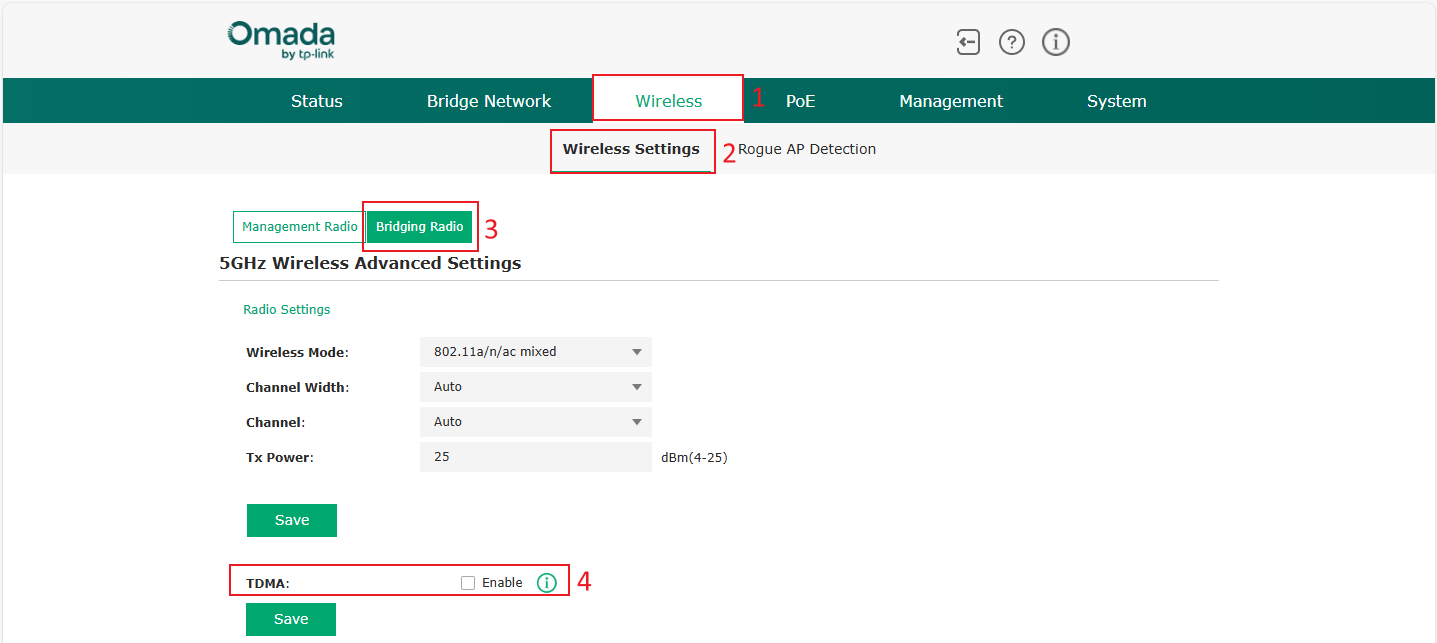
A5: When Flex Bridge 5 acts as the Main AP, TDMA should be disabled to prevent the network configuration failures caused by Client APs that may not support it. When used as a Client AP, it can connect directly to the network.
Note: TDMA is disabled by default.