


An RMA (Return Merchandise Authorization) is the process for returning a defective TP-Link product and receiving a warranty replacement. TP-Link offers four RMA shipping methods for all warranty replacements. All consumer TP-Link RMA requests must be processed through myproducts.tp-link.com. B2B or distribution customers should contact their sales agent for RMA instructions. Advanced RMA options allow customers to receive a replacement unit before returning the defective product, for a convenience fee.
Key Takeaways
- TP-Link offers four RMA shipping methods for warranty replacements: Standard, Advanced Basic, Advanced 2-Day, and Advanced Next-Day.
- With a Standard RMA, you ship the defective unit to TP-Link first at your own expense. TP-Link ships the replacement at no additional charge after receiving it.
- Advanced RMA options allow TP-Link to ship the replacement unit before receiving the defective product. A convenience fee applies depending on the shipping speed chosen: $14.99 for Advanced Basic, $24.99 for Advanced 2-Day, and $49.99 for Advanced Next-Day.
- All Advanced RMA options include a prepaid return label in the box with the replacement product.
- Customers who choose an Advanced RMA must return the defective unit within 25 days of the RMA request, or they will be charged the full price of the replacement device.
TP-Link Shipping Methods Explained
Standard:
With a standard RMA, a customer will ship their defective unit to TP-Link first. After receiving the product, TP-Link will ship the replacement product at no additional charge.
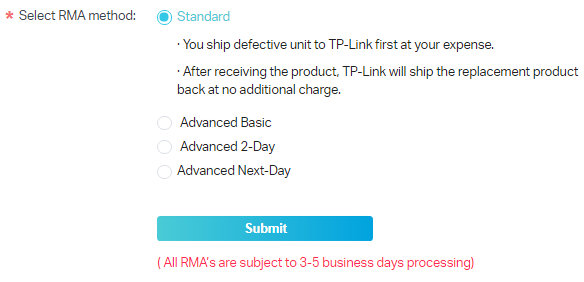
Note: Customers will be required to cover the cost of shipping the defective unit to TP-Link.
Advanced Basic:
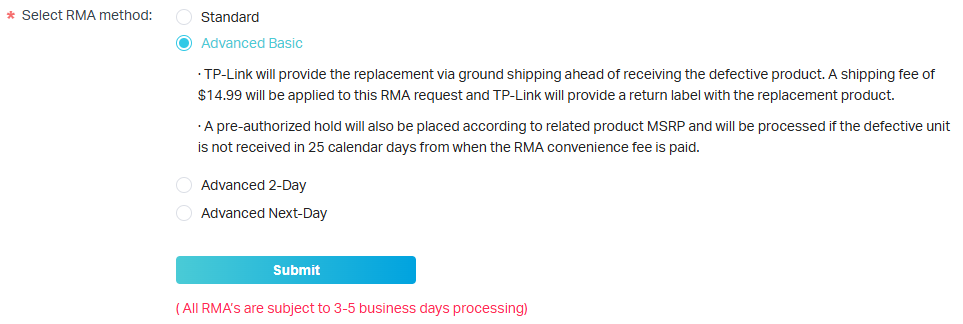
With Advanced Basic RMAs, TP-Link will provide a replacement before receiving the defective product. A replacement will be sent via ground shipping. There is a $14.99 fee for all Advanced Basic RMAs. A return label will be provided in the box with the replacement product. Customers will be required to return the defective unit within 25 days of the RMA being requested, or will be charged the full price of the replacement device.
Advanced 2-Day:
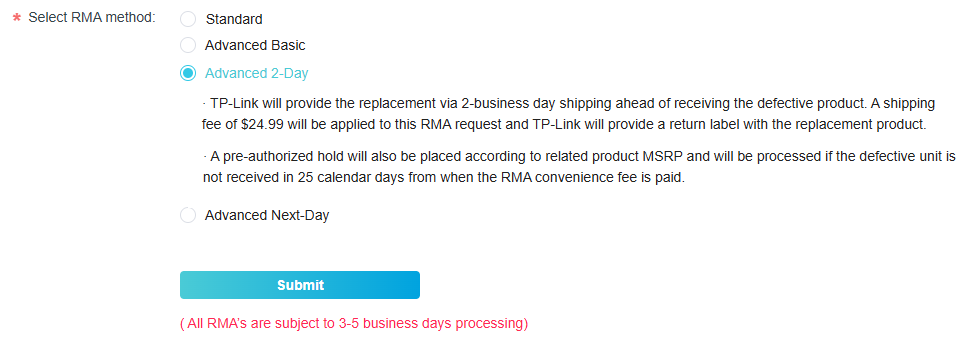
With Advanced 2-Day RMAs, TP-Link will provide a replacement before receiving the defective product. A replacement will be sent via 2-Day delivery. There is a $24.99 fee for all Advanced 2-Day RMAs. A return label will be provided in the box with the replacement product. Customers will be required to return the defective unit within 25 days of the RMA being requested or will be charged the full price of the replacement device.
Advanced Next-Day:
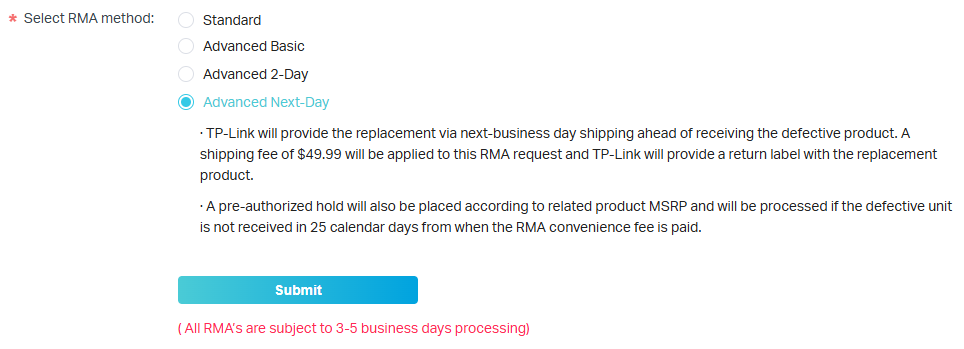
With Advanced Next-Day RMAs, TP-Link will provide a replacement before receiving the defective product. A replacement will be sent via Next-Day delivery. There is a $49.99 fee for all Advanced Next-Day RMAs. A return label will be provided in the box with the replacement product. Customers will be required to return the defective unit within 25 days of the RMA being requested, or will be charged the full price of the replacement device.
Explaining TP-Link Advanced RMA Fees and Process
When you process an Advanced RMA with TP-Link, you are asking TP-Link to send you the replacement unit before we receive the defective unit. This is the reason why we charge the convenience fee between $14.99 and $49.99, depending on the method of shipment chosen.
We also provide a free return label with the replacement unit. Also, as stipulated in our policy, if we do not receive the defective unit within 25 days of the RMA submission, we will charge you (the customer) the cost of the replacement item. When you pay the convenience fee, a pre-authorization hold is also placed on your card for the full cost of the replacement unit, including applicable tax.
This hold is not an actual charge. It will only be charged if TP-Link does not receive your defective unit within 25 days. If you return the unit on time, the hold is released, and the funds are returned to your available credit.
Your PayPal receipt may show the full amount as charged, but this is not accurate. To see exactly what is charged on the day of your transaction, check step 9 of How to Submit a Request for a Replacement Product on the TP-Link Product Registration System before completing payment.
- All RMAs, regardless of RMA type, are subject to a 3-5 business day processing period
- TP-Link does not recommend using a debit card for Advanced RMA payments. The pre-authorization hold will reduce your available balance immediately and may remain for up to 25 days.
