Table of Contents

  • Package Contents

  • Installation

  • Power On

  • Configuration

  • Appendix: Uninstalling the AP

  • EAP727_Multi-model_Installation Guide

    Hardware Installation Guide
    08-31-2026
    3259
    This Article Applies to
    Table of Contents

    Omada AP Installation Guide Survey

    Note: EAP727 is used as an example throughout the guide. Images may differ from your actual product.

    Package Contents
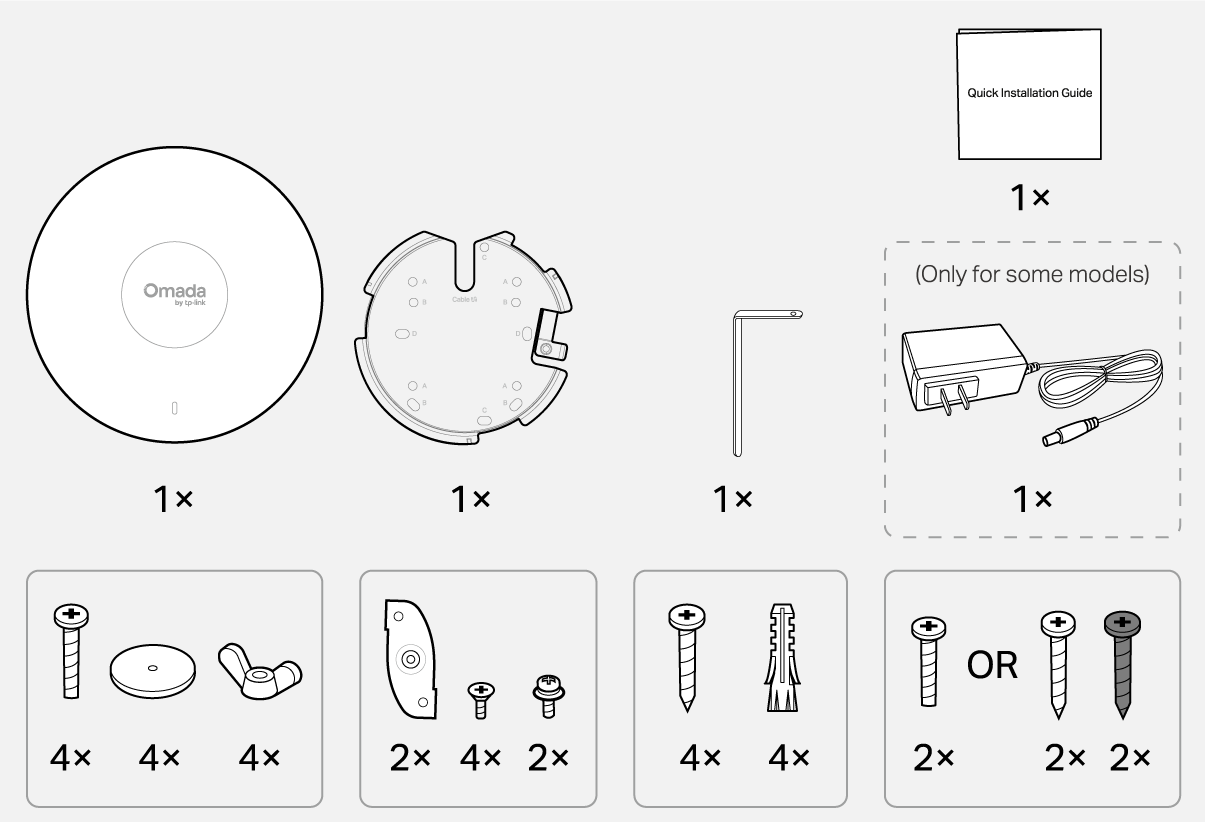
    package contents

    Note: Accessories may vary by region and model.

    1 Installation

    Ceiling Mount (On a tile)Ceiling Mount (on a T bar)

    Wall MountingJunction Box Mounting

    Ceiling Mounting (on a Tile)

    Ceiling Mounting (on a Tile)

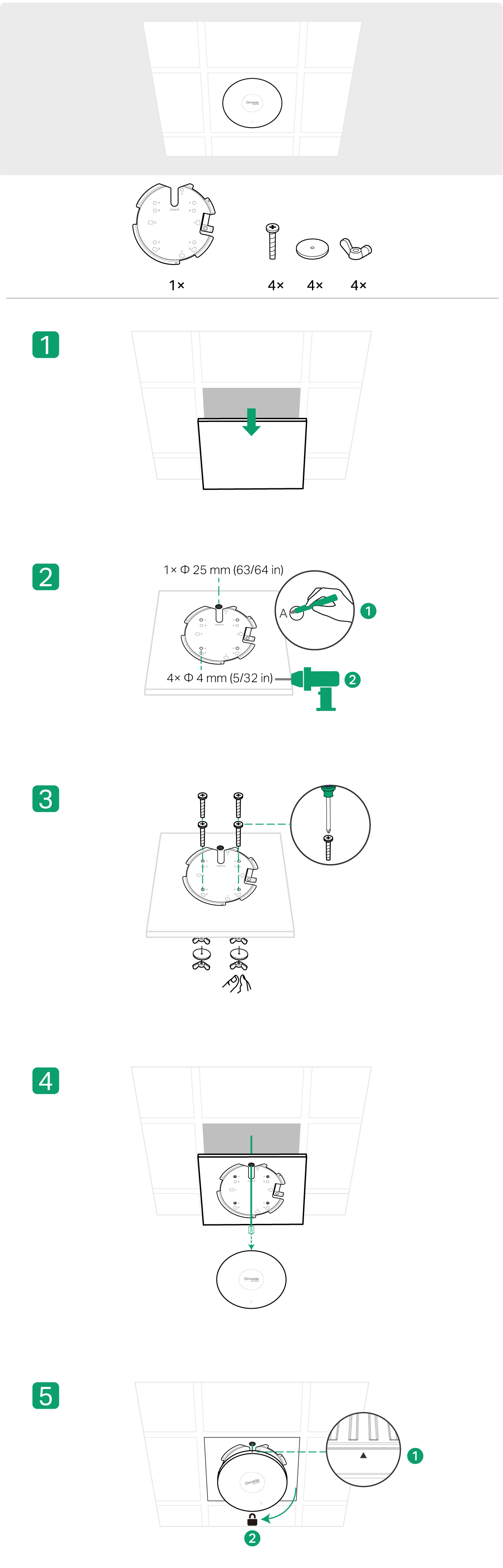
    Ceiling Mounting (on a T-bar)
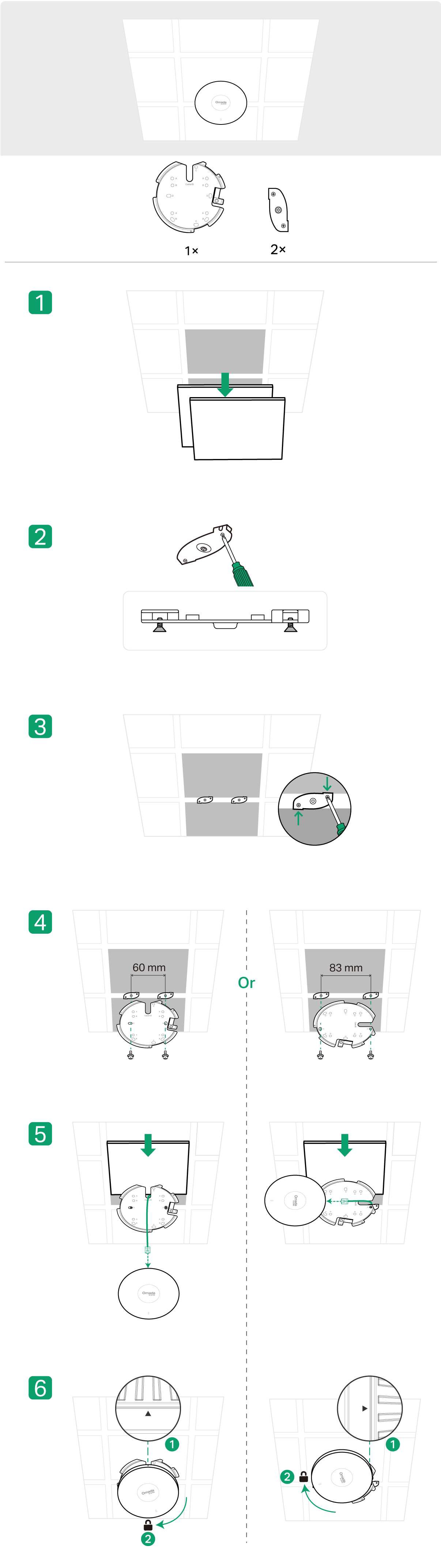
    Ceiling Mounting (on a T-bar)

    Wall Mounting
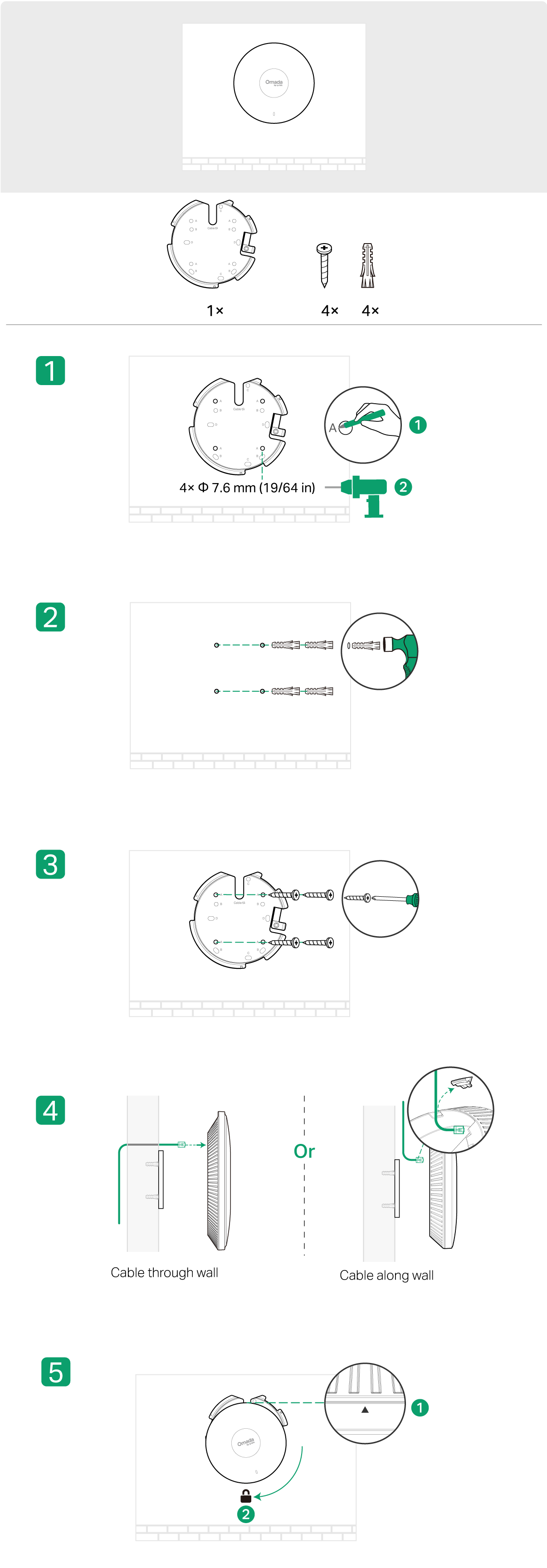
    Wall Mounting

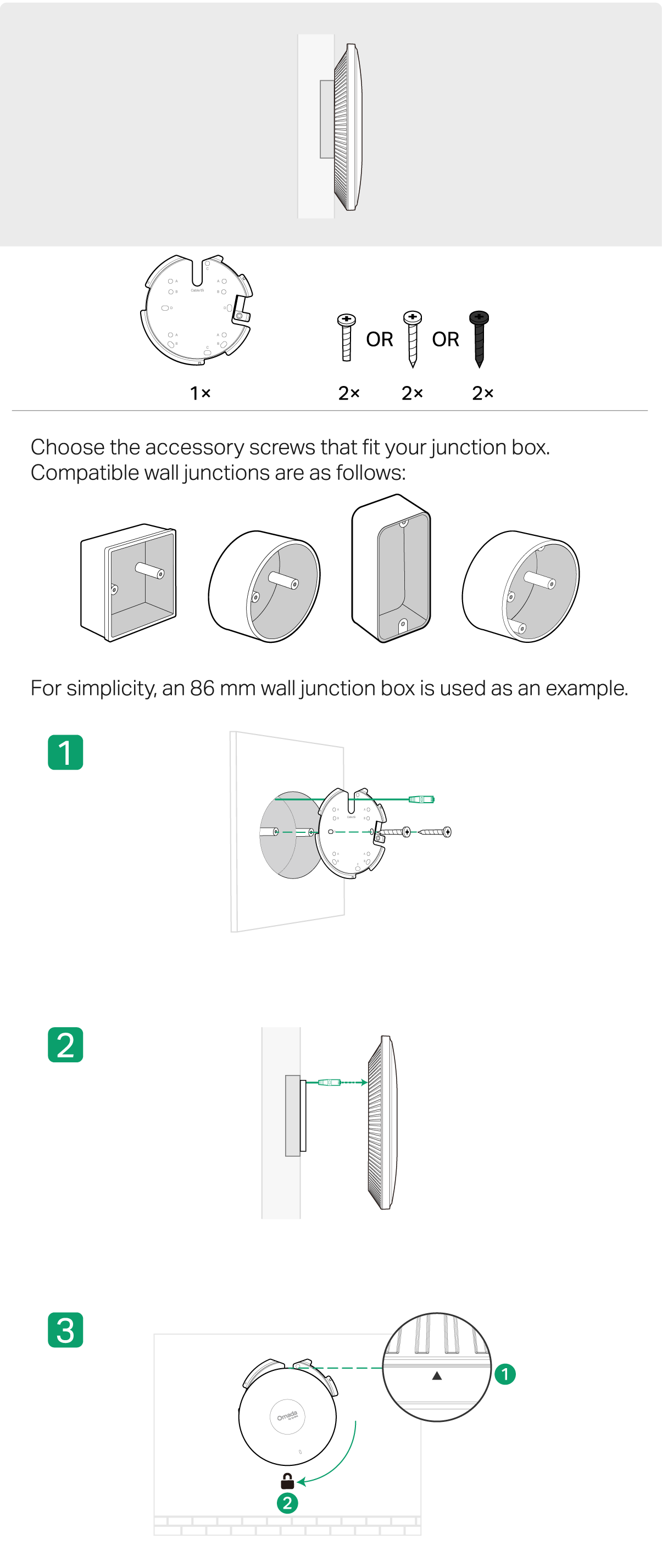
    Junction Box Mounting

    junction box mounting

    2 Power On

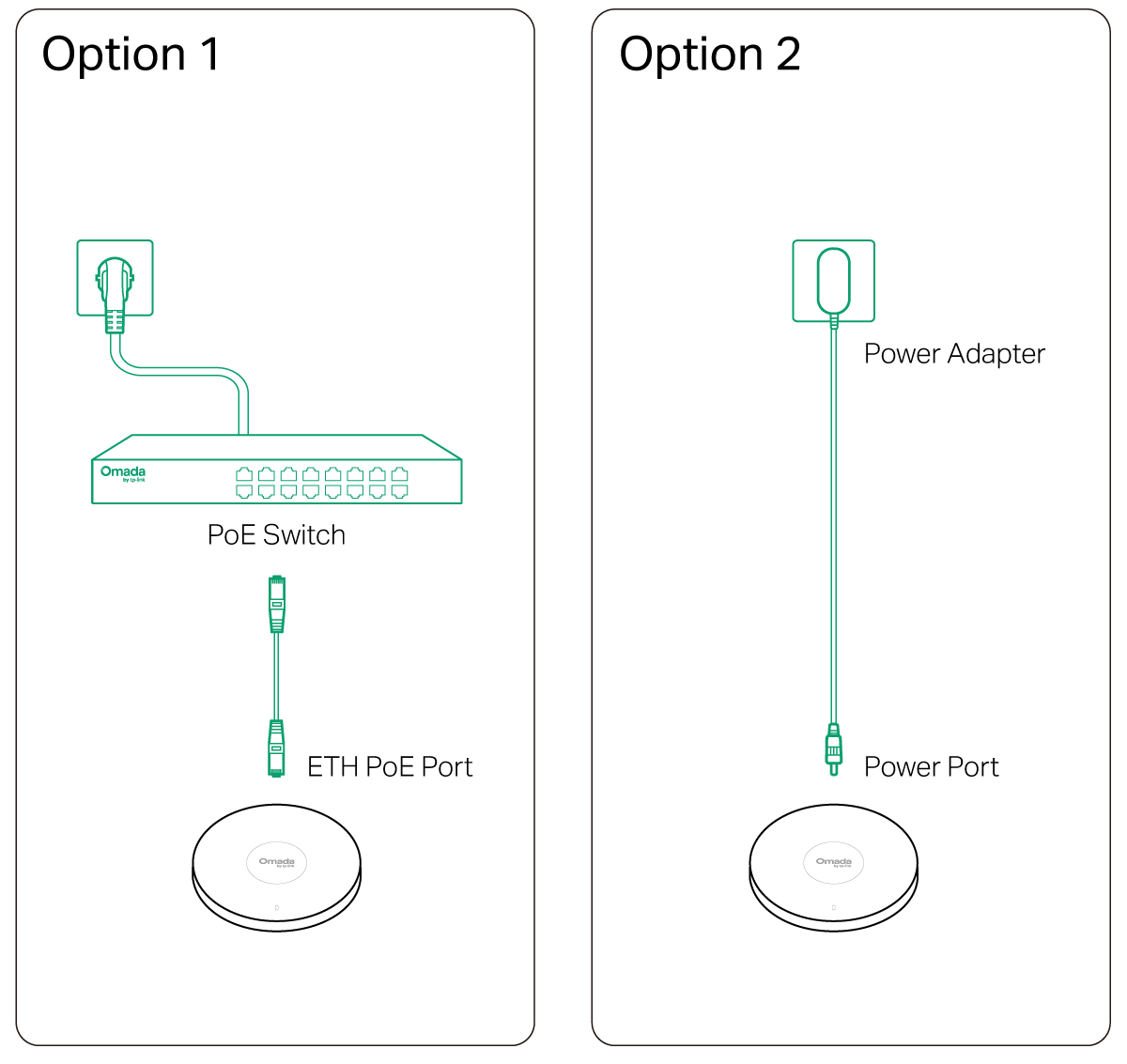
    Power On

    3 Configuration

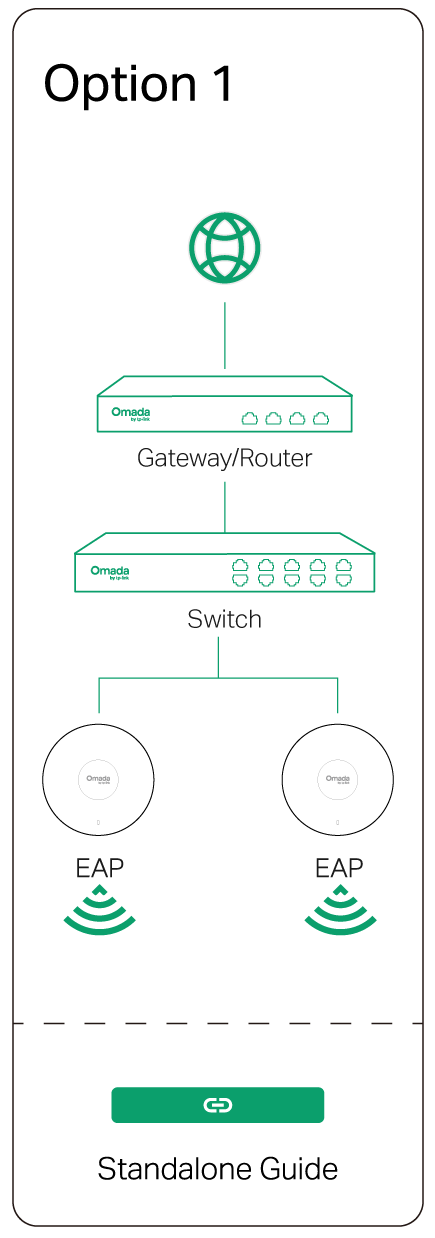
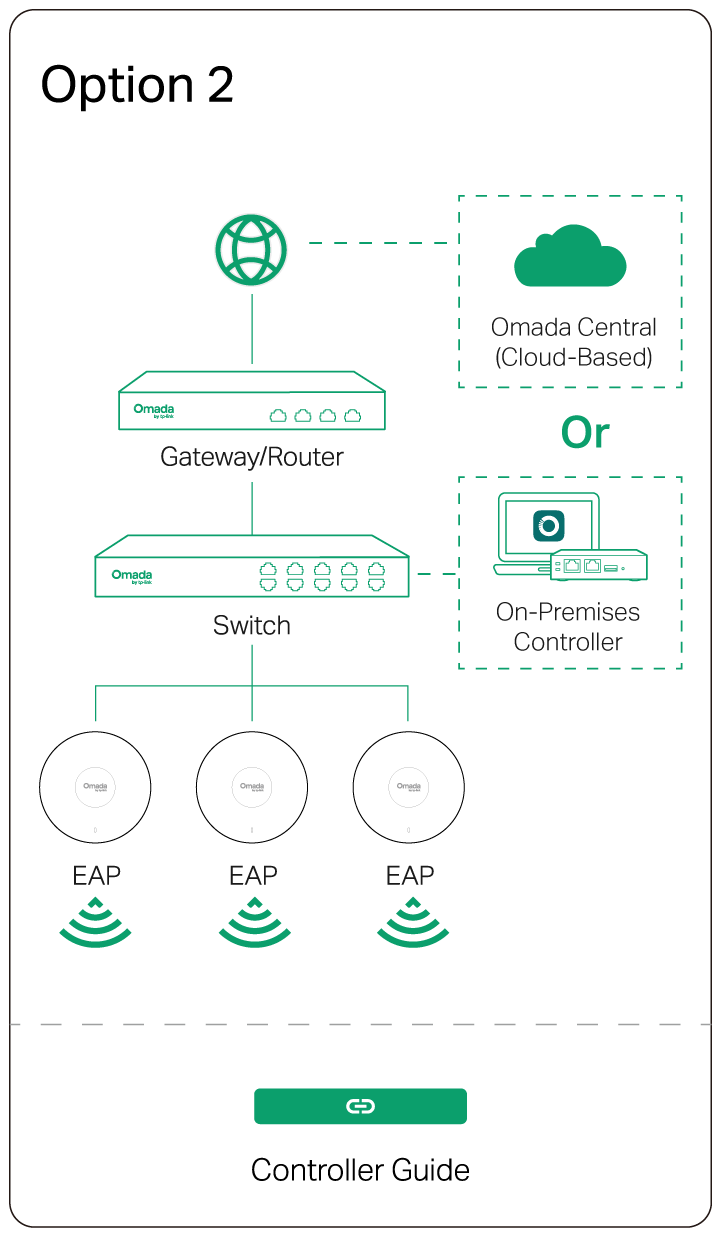
    Omada App

    apple storegoogle storeomada app


    line

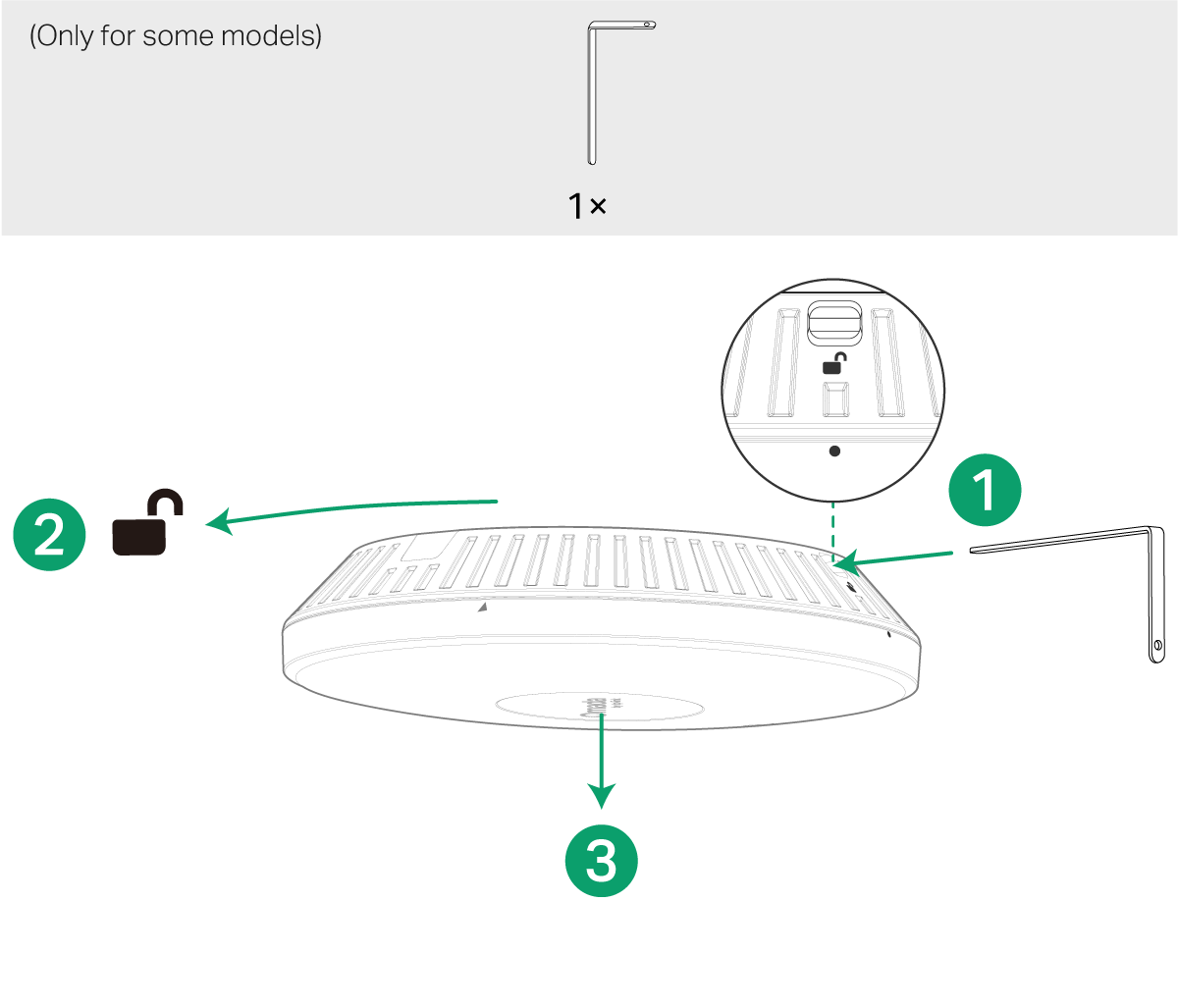
    Uninstalling the AP

    uninstall the ap

    Please Rate this Document

    Related Documents

    EAP720_Multi-model_Installation Guide

    Hardware Installation Guide
    07-14-2025
    9835

    SG3210X_Multi-model_Installation Guide

    Hardware Installation Guide
    01-18-2025
    10858

    EAP650(UN)_V2_Multi-model_Installation Guide

    Hardware Installation Guide
    02-26-2025
    8709

    EAP211-Bridge KIT_Multi-model_Intallation Guide

    Hardware Installation Guide
    07-20-2025
    11367

    1000Base-BX WDM Bi-Directional SFP Module_Installation Guide

    Hardware Installation Guide
    05-31-2023
    11991