EAP668-Outdoor HD_V1.20_Installation Guide


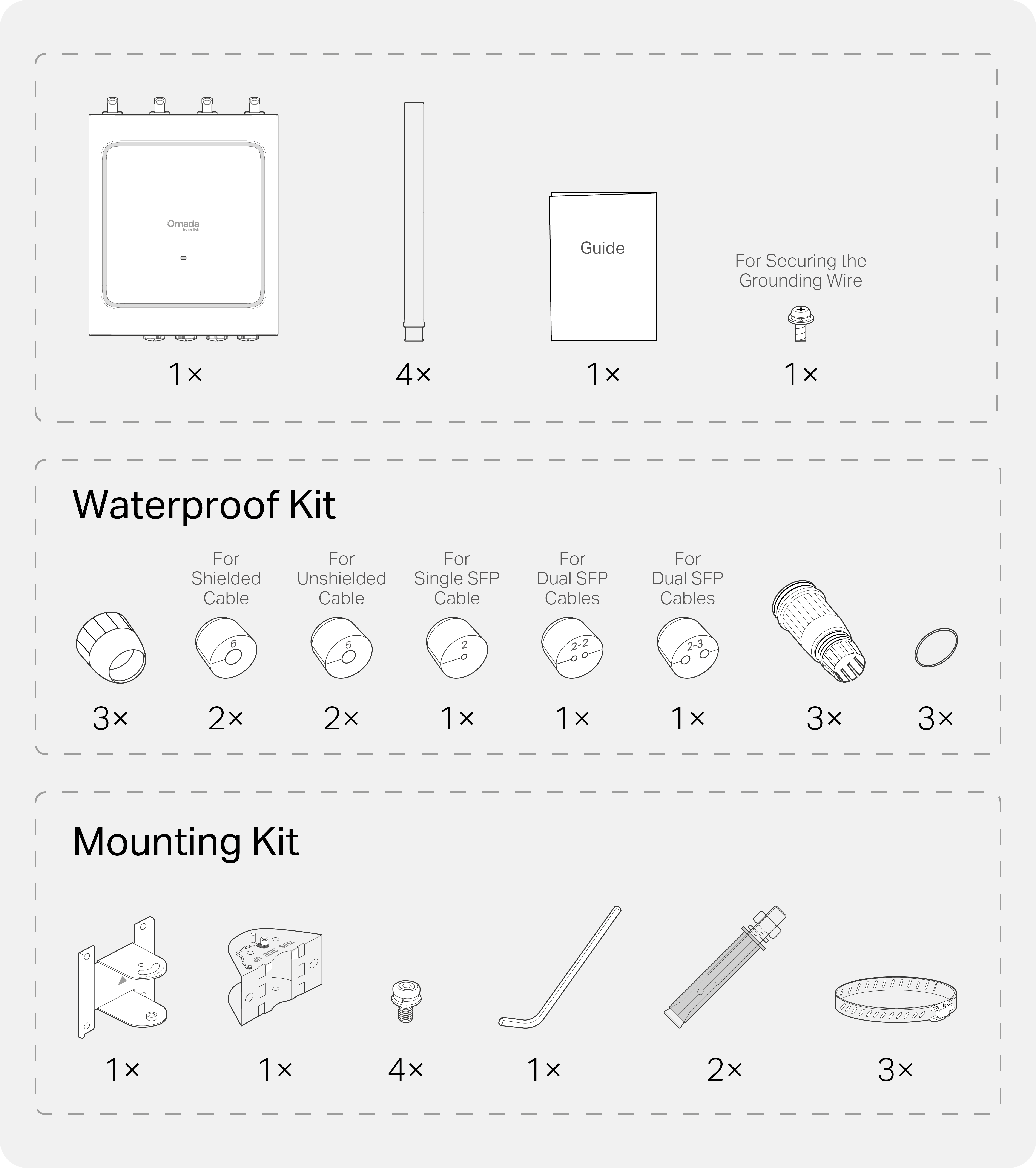
Package Contents
1 Installation
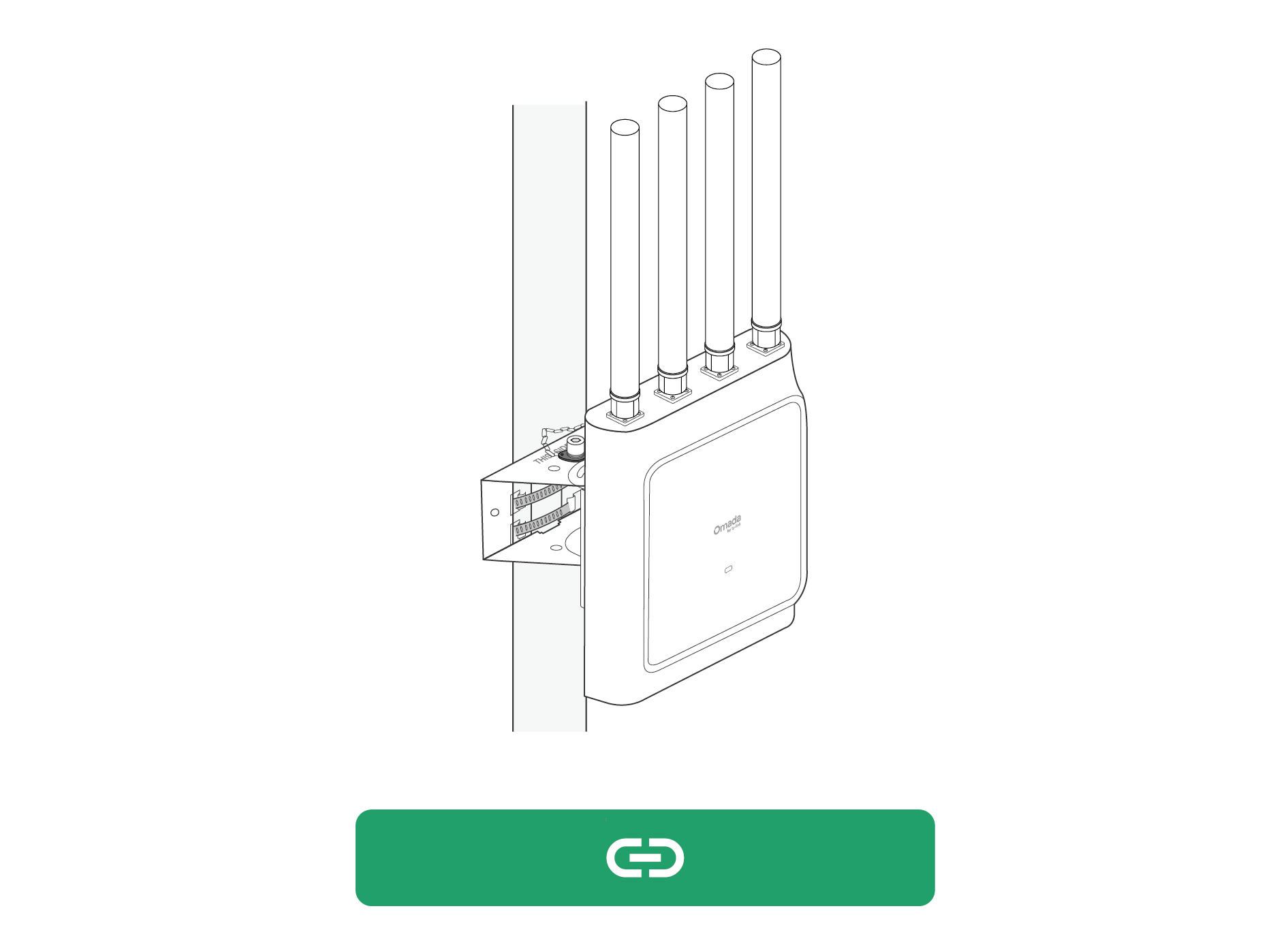
Pole Mounting

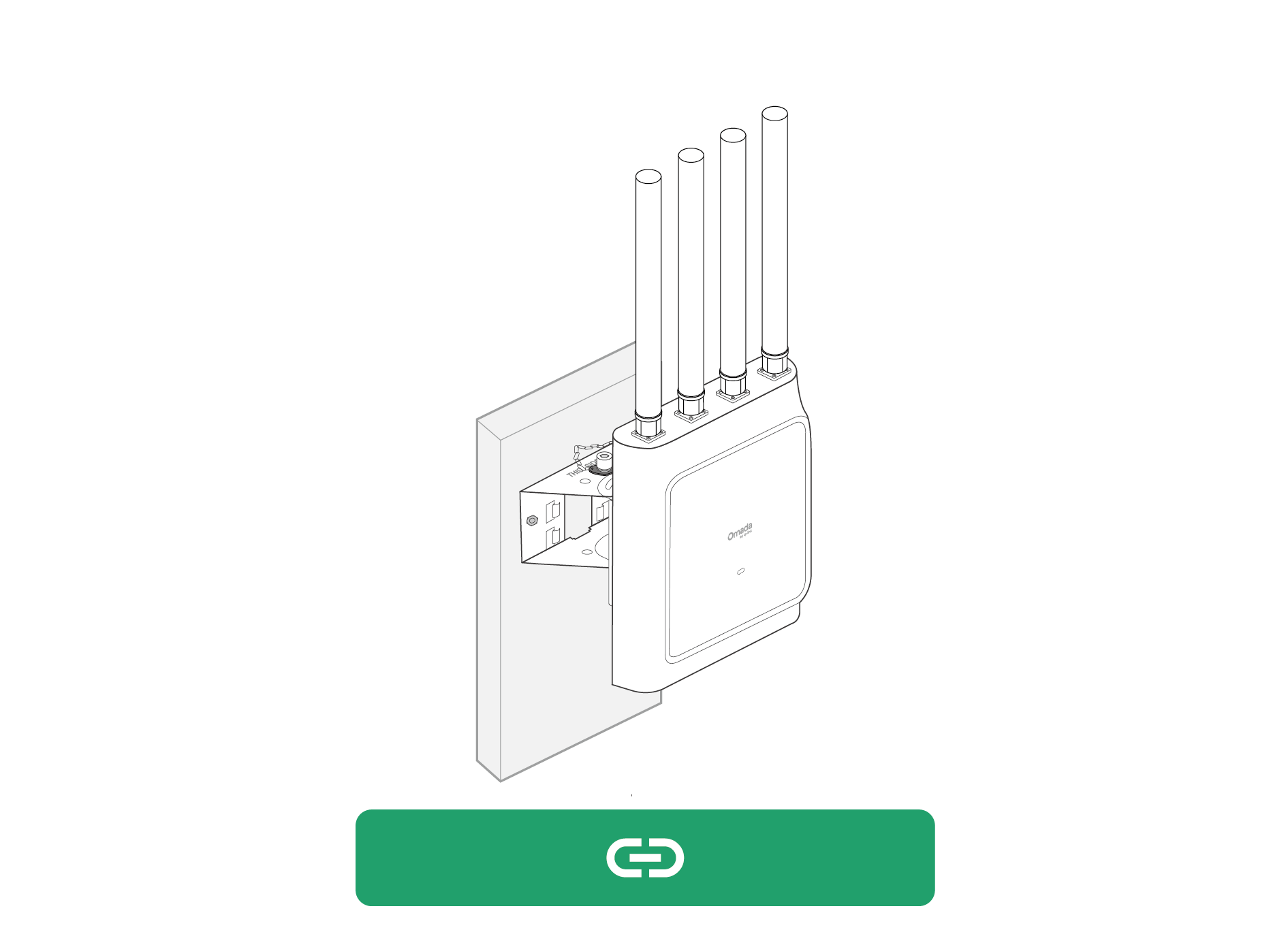
Wall Mounting

Tips:
1. The included mounting kit supports horizontal rotation of ±45°.
2. For additional rotation options, you can purchase optional AP mount accessories as needed. For more information, go to https://www.omadanetworks.com/business-networking/omada-accessory-ap-accessory/
2 Hardware Connection
Waterproof
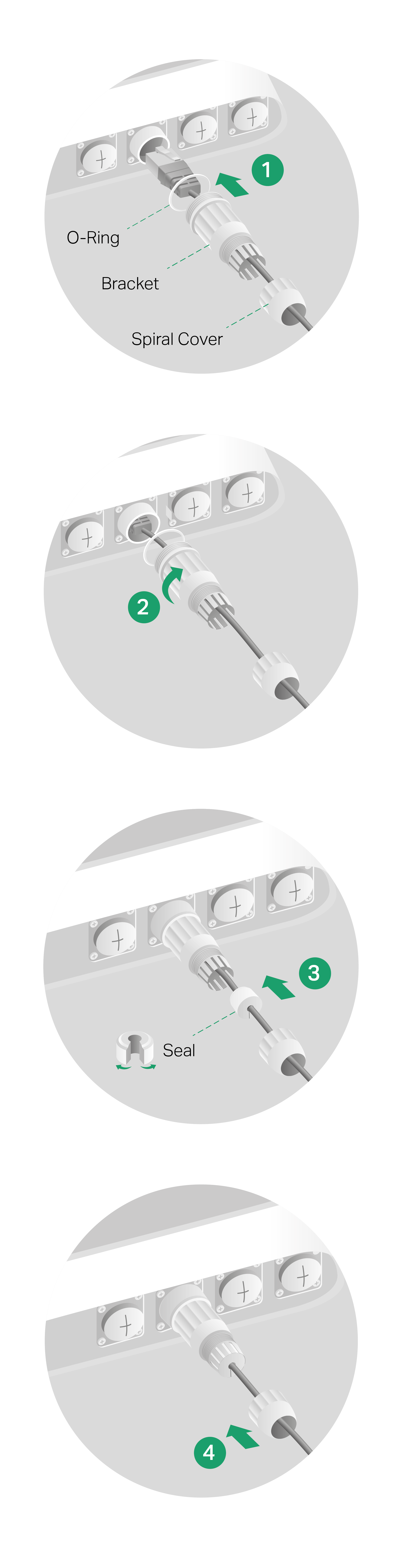
Caution: To maintain proper waterproofing, select the correct seal based on the actual cable type and outer diameter.
Grounding
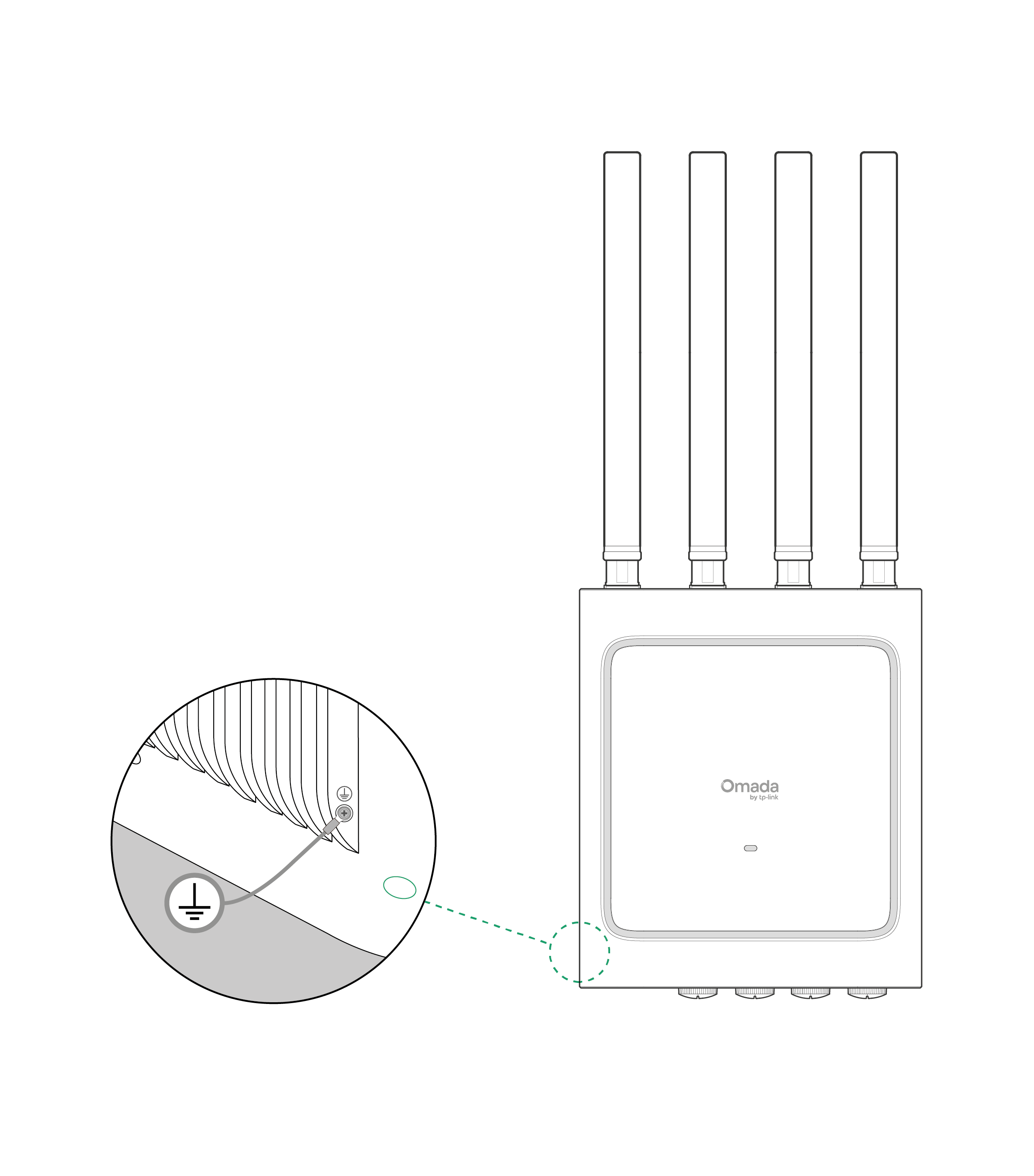
Caution:
1. Connect the protective earthing terminal to the installation's protective earthing conductor before powering on the device.
2. The product must be installed by a qualified professional.
3. The grounding connection should be in accordance with the requirements of local electrical code.
4. The required size of the grounding wire should be at least 18AWG.
5. The grounding conductor in contact with the protective earthing terminal should be copper tinned.
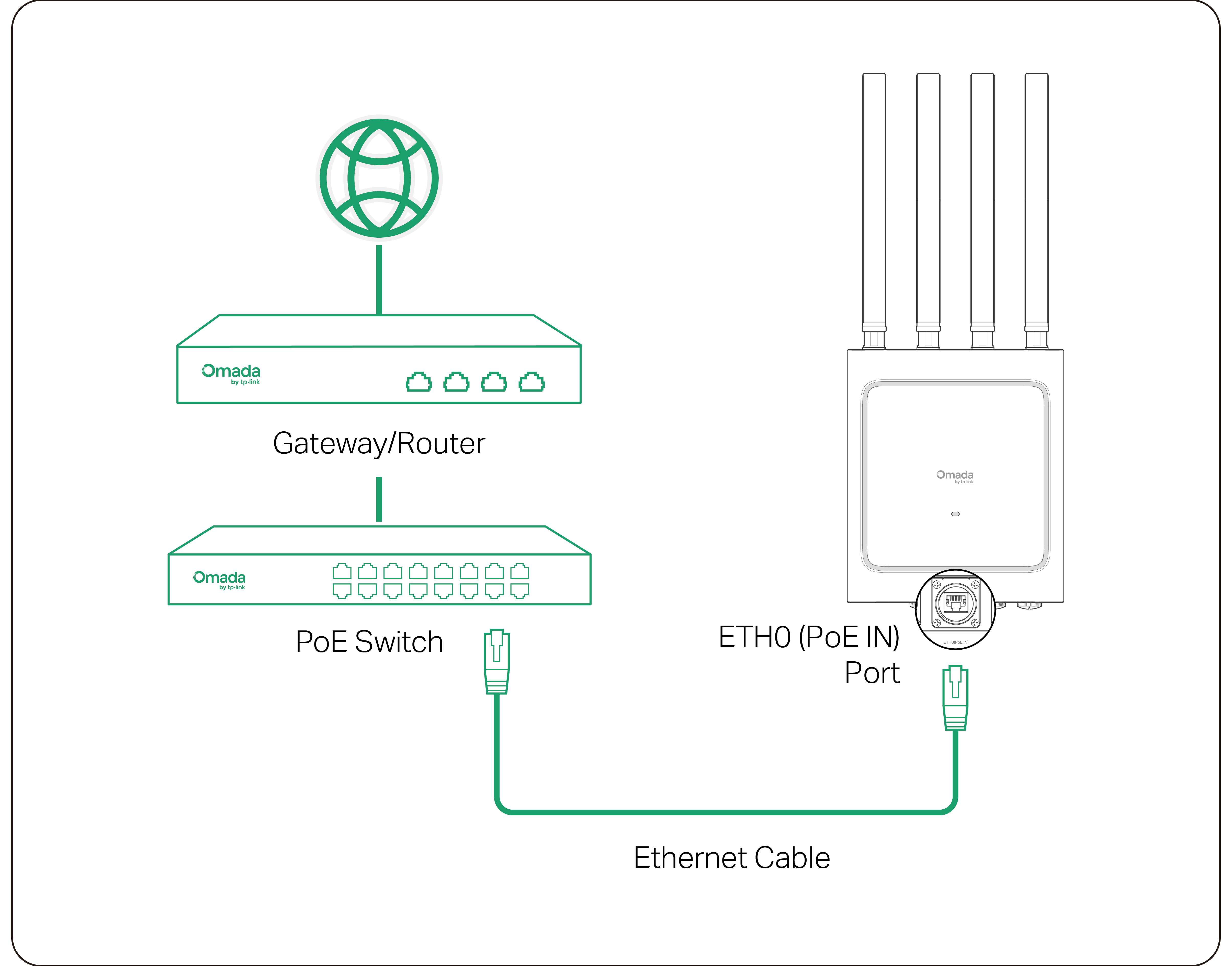
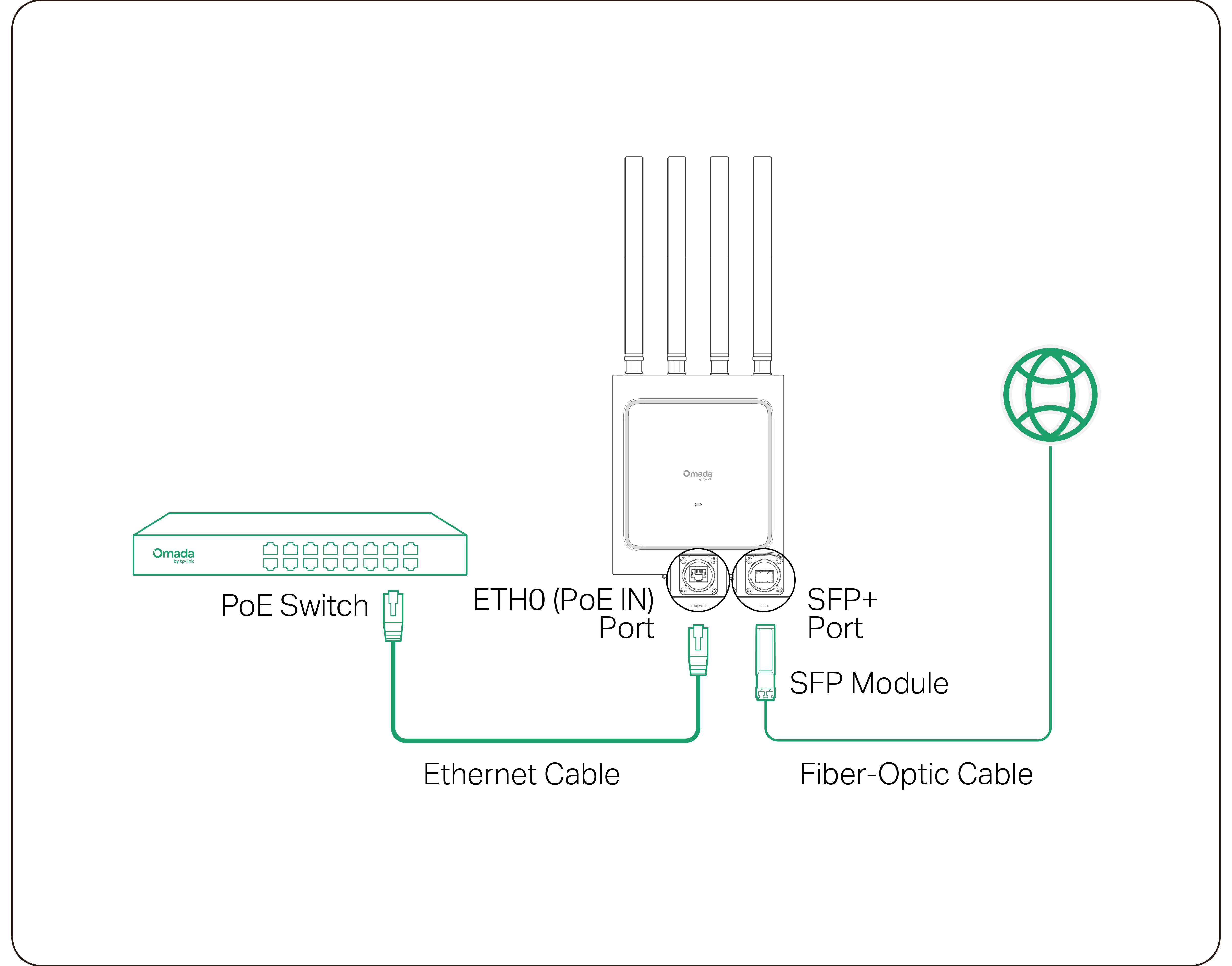
Connect to Network
Option 1: Connect via Ethernet
Option 2: Connect via Fiber Network
3 Configuration
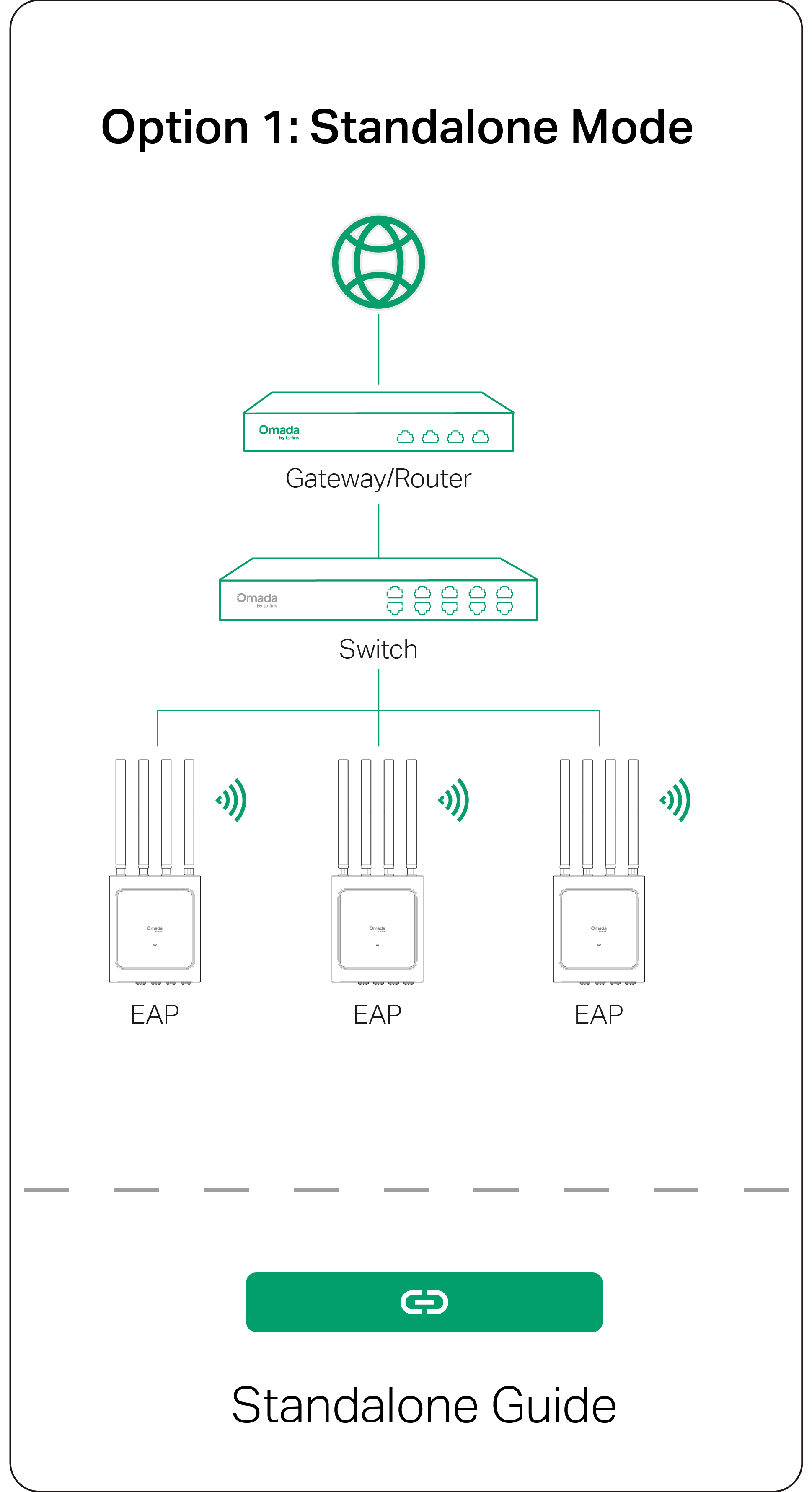
Omada App