


Contents
Introduction
In traditional local deployments, when a third-party system (such as a government NMS, an MSP platform, or an SI integration) needs to manage many local controllers or a large number of sites via Open API, it typically faces a key pain point: each local controller must be configured with its own access credentials (token / API key / session). At scale (dozens to thousands of local controllers), this approach leads to high operational overhead and increased security risk—manual configuration effort, scattered credentials that are hard to rotate, and inconsistent permission control.
To address this, we introduce a One Access Token approach. A third-party system only needs to obtain and use an account-level API Key to access all on-premises controllers with Cloud Access enabled. One API Key gives you access to all local controllers under your account. No need to configure API Keys on each local controller individually. Perfect for MSPs, system integrators, and enterprises managing large-scale deployments.
This approach provides the following value:
- Simplified onboarding: one token replaces per-controller credential setup.
- Unified management: centralized authentication and consistent access control across all authorized local controllers.
- Lower integration barrier: requests are authenticated and routed by a lightweight gateway, while keeping the underlying Open API structure and parameters as unchanged as possible.
- Improved security and operations: centralized token lifecycle management (create, enable, rotate, revoke), plus audit logs, rate limiting, and optional email address allowlists.
This document explains, in a simple and practical way, how to use a single access token to discover accessible local controllers and Open API requests to the target controller, enabling scalable centralized management for large local deployments.
Requirements
- Hardware Controller/Software Controller (Compatible with Controller v6.2.0 and above)
- Enable Cloud Access
Configuration
Step 1. Visit https://omada.tplinkcloud.com and log in with your TP-Link ID.
Note: The account-level Open API functionality is currently controlled by a whitelist. If you need to use this feature, please contact technical support and provide your TP-Link ID to obtain whitelist permissions.
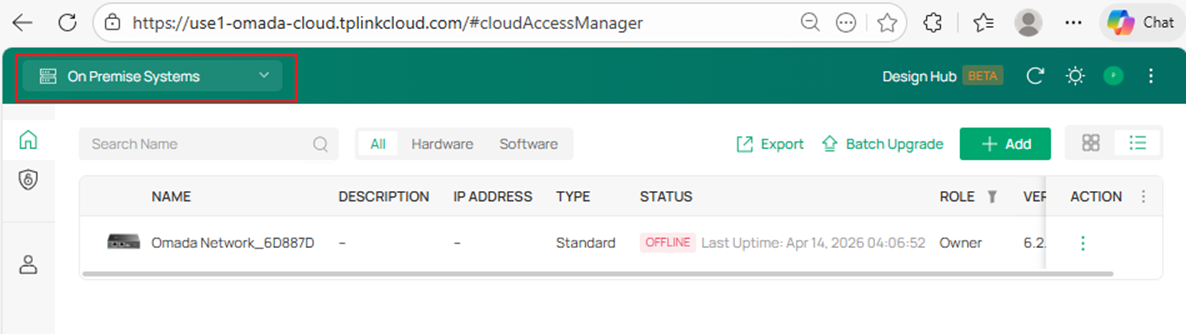
Step 2. Select On Premise Systems.
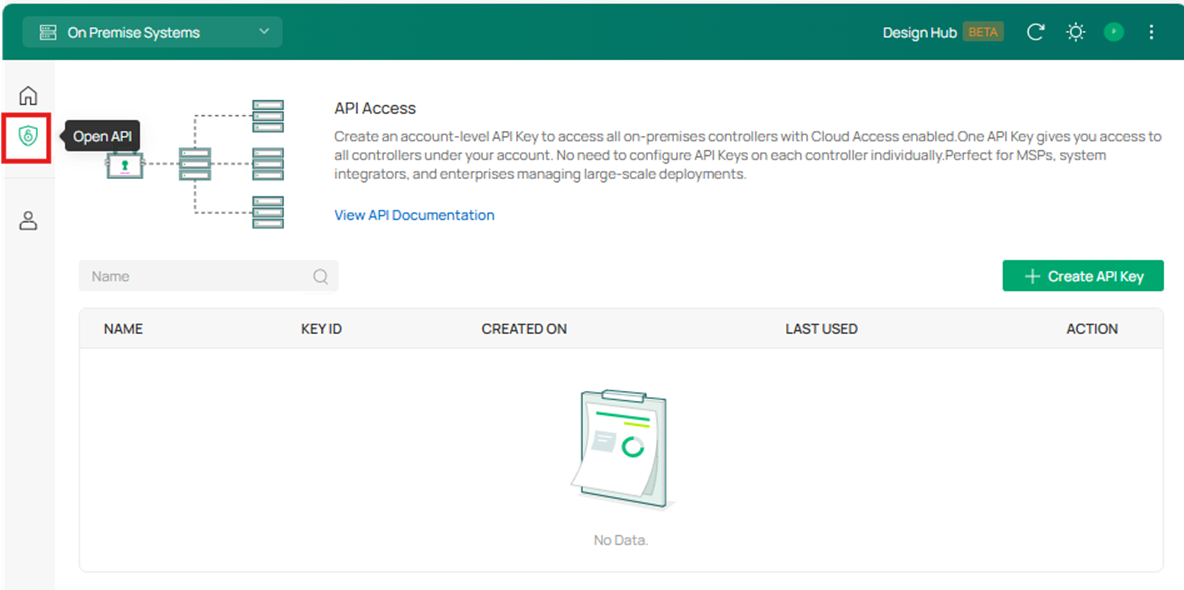
Step 3. Click Open API on the left to enter the API Key configuration page.
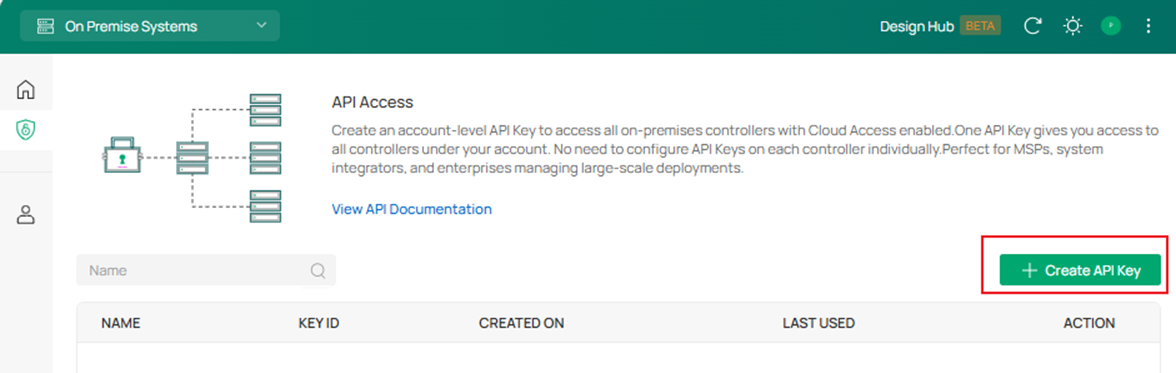
Step 4. Click Create API Key to create an account-level API Key firstly.
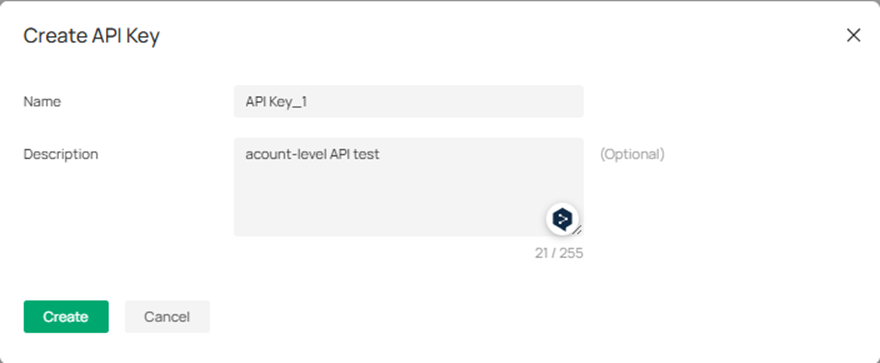
Step 5. Enter the name and description of this account-level API Key.
Step 6. After creation, the generated API Key and API Secret will be displayed.
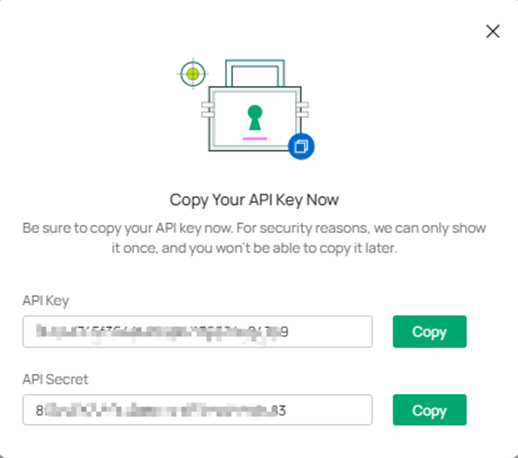
Note: Be sure to copy your API Key and API Secret now. For security reasons, we can only show it once, and you won’t be able to copy it late.
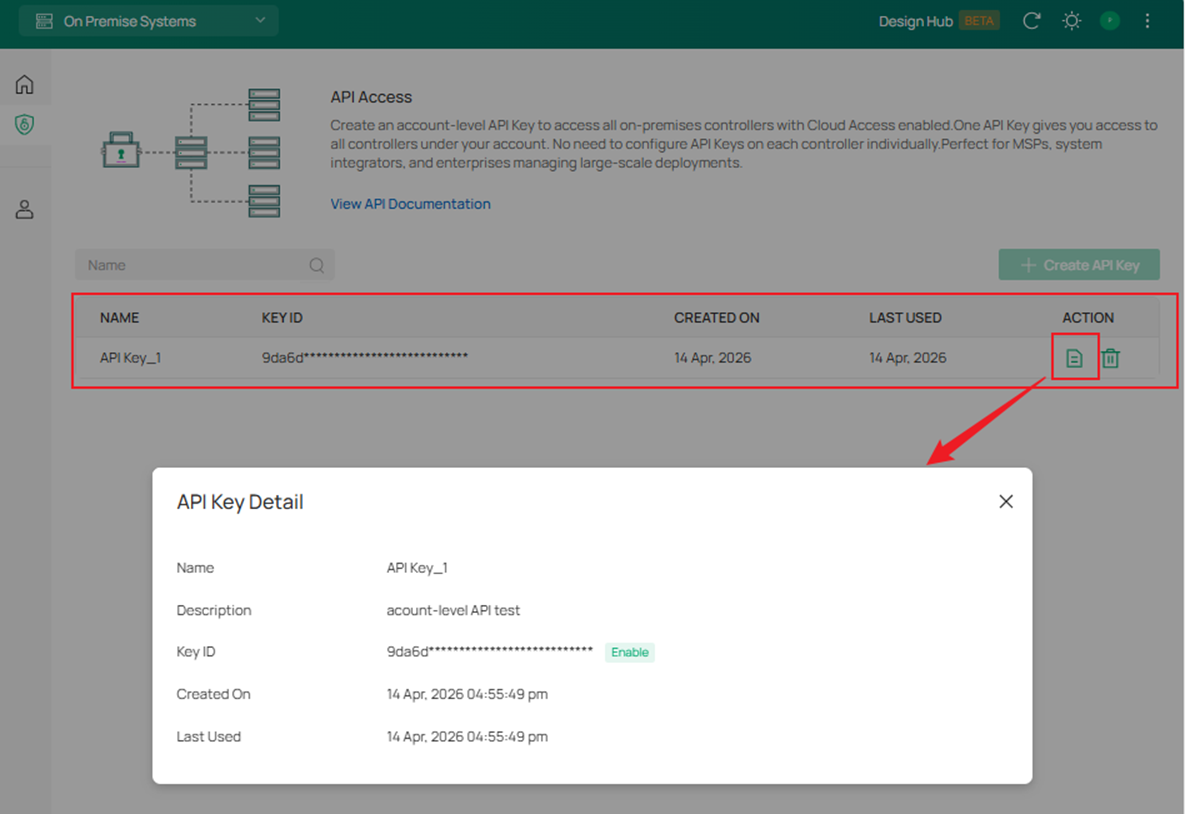
Then, you can see the API Key entry on the following page, and click View to check the detailed information of the API Key.
Notes:
1. Currently, only a single API Key can be configured under each account, with a permanent validity period by default and no expiration time set.
2. The default permissions of the account-level API Key are consistent with those of the current user within the controller.
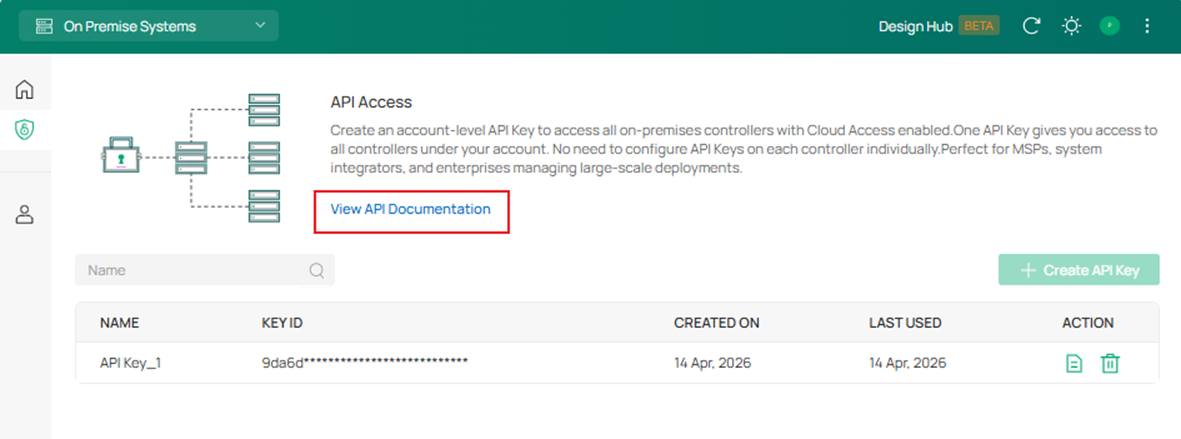
Step 7. Finally, please read the Open API documentation for further authentication, interface calls and other operations. The Open API document link is as follows:
Conclusion
You have learnt how to How to access Open API of all local Controllers with one access Token.
Get to know more details of each function and configuration, please go to Download Center to download the manual of your product.
