


Content
Capacity Notification Scenarios on Hardware Controller v6.3
Capacity Notification Scenarios on Fusion Gateway
Introduction
Omada Hardware Controllers and Omada Integrated Gateways are designed to manage a finite number of devices and sites. To maintain optimal performance and user experience, each model is assigned a Recommended Capacity and a Maximum Managed Capacity.
The following table summarizes the supported capacities for each model. This article also describes the capacity-related notifications that may appear when the managed scale exceeds the recommended capacity and explains how these notifications should be interpreted.
|
Model |
Sites (Max) |
Gateways (Max) |
APs (Max) |
Switches (Max)* |
OLTs (Max)* |
Maximum Capacity (Total) |
Recommended (Total) |
|
OC200 |
100 |
10 |
100 |
20 |
2 |
130 |
25 |
|
OC220 |
100 |
10 |
100 |
20 |
2 |
130 |
40 |
|
OC300 |
100 |
100 |
500 |
100 |
5 |
700 |
160 |
|
OC400 |
100 |
100 |
1000 |
200 |
10 |
1300 |
500 |
|
ER7212PC |
100 |
2 |
22 Total |
Not Supported |
22+2 |
22+2 |
|
|
Fusion Gateway |
1 |
1 |
130 Total |
Not Supported |
130+1 |
30 |
|
|
* The number of supported switches decreases by 5 for each OLT added. |
|||||||
Requirements
Requires Omada Controller version 6.3 or later, including the following:
- Omada Hardware Controller (OC200/OC220/OC300/OC400)
- Fusion Gateway
- ER7212PC
Capacity Notification Rules
The controller may display a recommendation notification when the managed device count exceeds the recommended specification.
Capacity Notification Scenarios on Hardware Controller v6.3
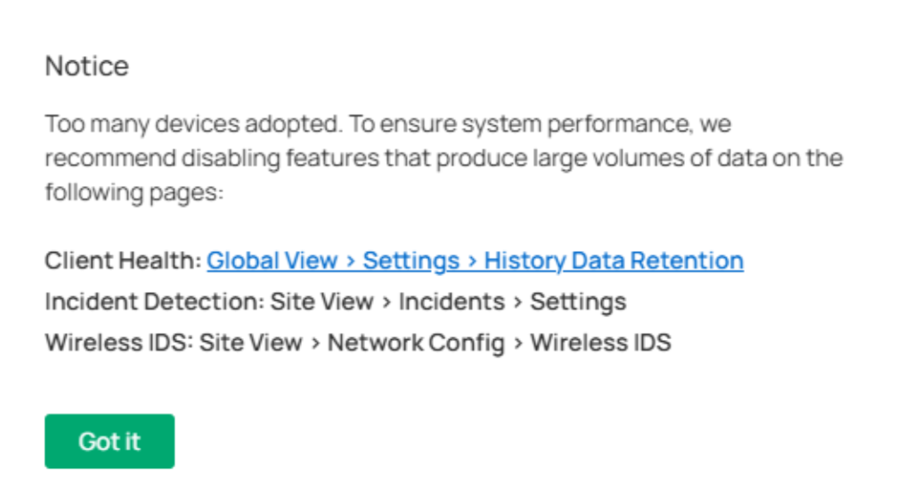
Scenario #1: Device Adoption Exceeds Recommended Specification
When adopting a new Omada device causes the total managed device count to exceed the recommended specification, a notification will be displayed.

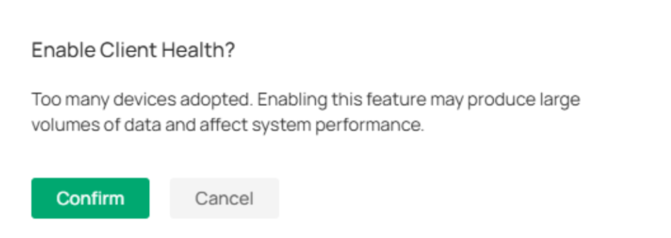
Scenario #2: Enabling Feature After Capacity Exceeds Recommended Specification
When the controller is already managing more devices than the recommended specification and the user attempts to enable certain functions, a notification will be displayed.n
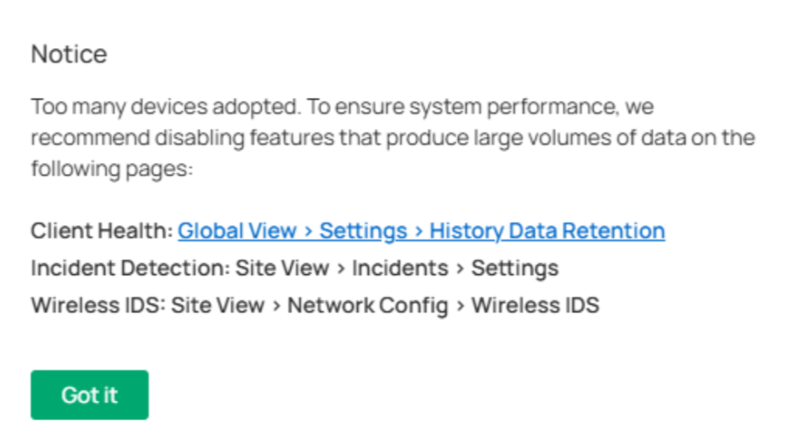
Scenario #3: Capacity Exceeds Recommended Specification After Backup & Restore
After restoring a backup file, the managed device count may exceed the recommended specification. In this case, the controller will display a notification.
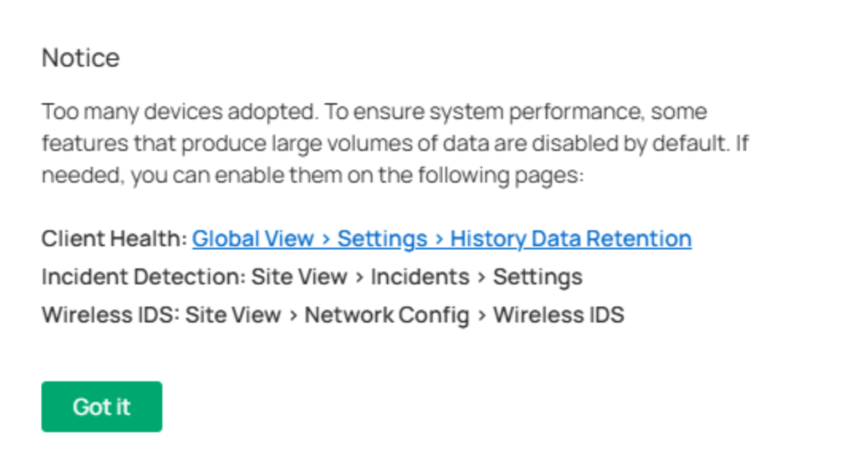
Scenario #4: Capacity Exceeds Recommended Specification After Controller Upgrade
After upgrading the controller software, a notification may be displayed if the managed device count exceeds the recommended specification.
Capacity Notification Scenarios on Fusion Gateway
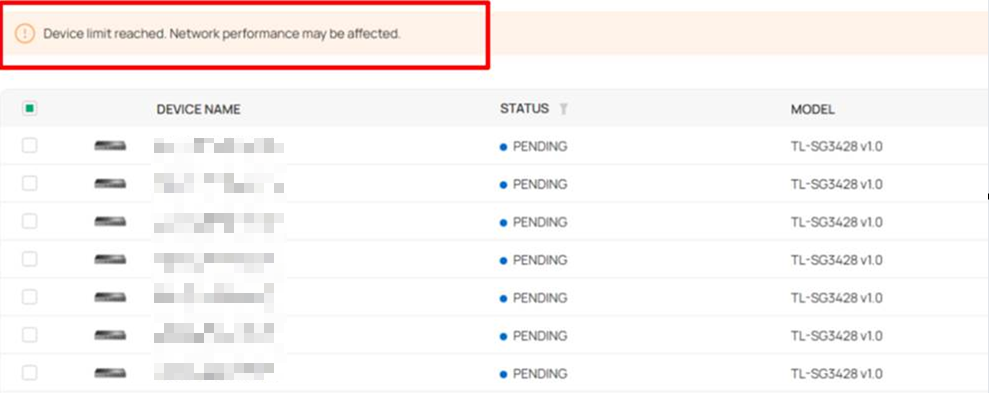
For Fusion Gateway, the notification is currently displayed only on the device adoption page.
Conclusion
The recommended specification is intended to provide the best management experience and controller performance. While the controller can continue to operate beyond the recommended specification, performance may be impacted as the managed device count increases.
QA
Q1: What is the difference between Recommended Specification and Maximum Specification?
A1: Recommended Specification is the device quantity recommended for optimal performance and user experience. Maximum Specification is the software-supported upper limit for device management. Operating beyond the recommended specification may result in reduced performance, such as slower page loading, delayed configuration delivery, or longer data processing times.
Q2: What devices are counted in the specification?
A2: Only Omada managed devices are counted. Omada Gateway, Switch, AP and Other managed devices. Client devices are not included in the calculation.
Q3: Are different device types counted separately?
A3: The maximum managed capacity is defined separately for each device type, while the recommended capacity is currently shown as a single total across all device types.
Q4: What should I do if my deployment is approaching or exceeding the maximum capacity?
A4: We recommend planning a controller upgrade or migration when the managed device count approaches the recommended capacity, especially for deployments that require long-term growth or advanced management features. Operating significantly beyond the recommended capacity, or approaching the maximum supported capacity, may impact controller performance and management experience.
In these scenarios, consider migrating to a higher-capacity solution such as a higher-tier Omada Hardware Controller, Omada Software Controller, or Cloud-Based Controller.
To learn more about the differences between Omada Controller deployment options and choose the most suitable solution for your network scale, please refer to Omada Controller Comparison: Cloud-Based vs. Hardware vs. Software vs. Integrated Gateways | Omada Network Support
For detailed migration steps, please refer to How to migrate Omada Controller with the Migration feature | Omada Network Support
To learn more about each function and configuration, please visit Support Home to download or check the manual for your product.
