


Contents
Introduction
This article explains how to view WAN connection status on the Dashboard > Overview page of Fusion 2.5G and Fusion G+ gateways. Available information includes WAN IP addresses, uptime over the past 24 hours, upload and download rates, throughput graphs, and latency readings.
These details help network administrators monitor WAN connectivity and traffic and troubleshoot network issues. The layout varies slightly between single-WAN and multi-WAN configurations. Refer to the Requirements section below for supported hardware and firmware versions.
Requirements
- Fusion Gateways running firmware compatible with Omada Controller v6.4 or later.
Viewing WAN Status
Navigate to Dashboard > Overview.
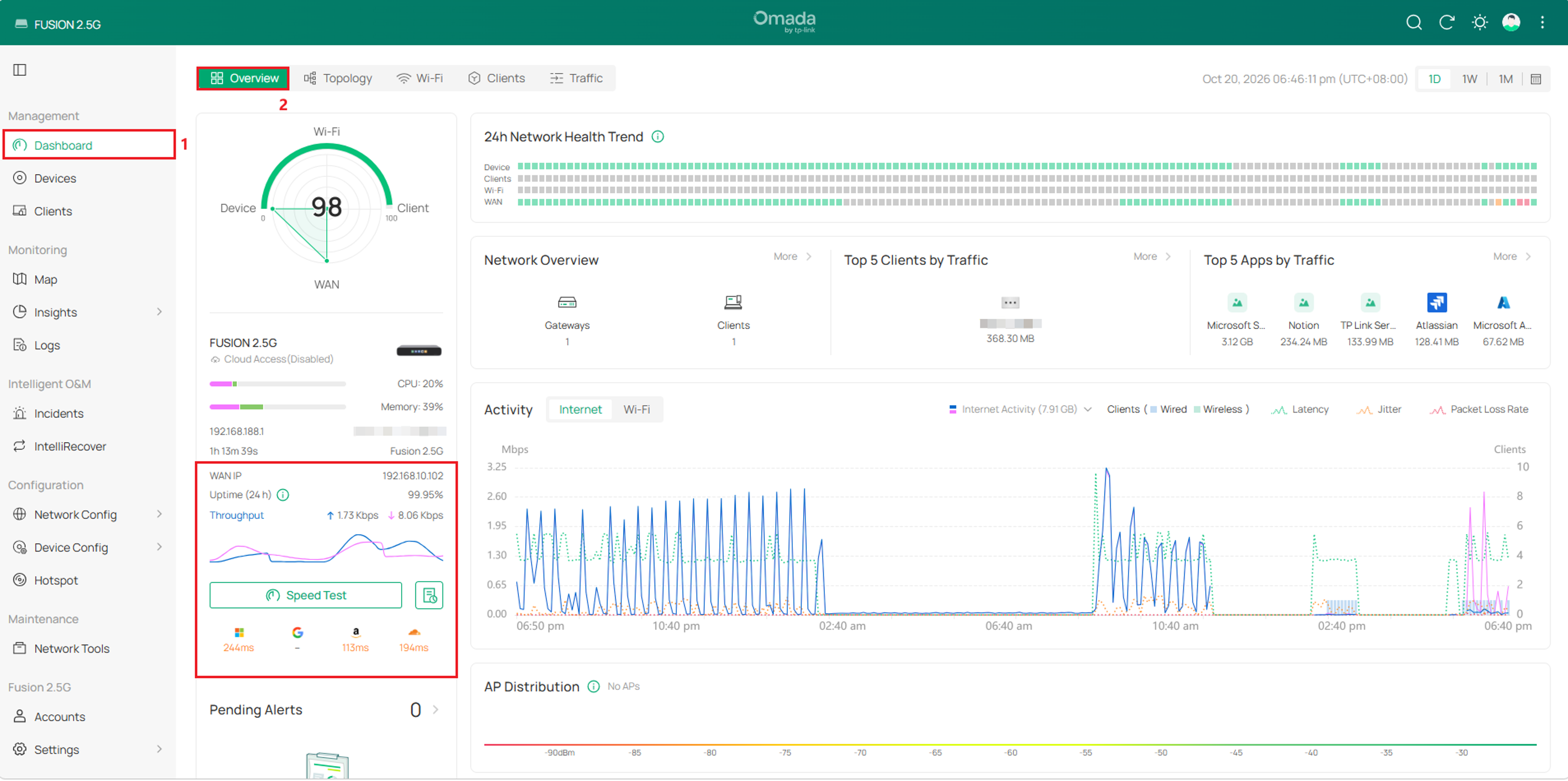
The following fields provide an overview of WAN connection status and traffic.
|
Item |
Description |
|
WAN IP |
Displays the IP address assigned to the WAN interface. |
|
Uptime (24 h) |
Displays the percentage of time the WAN connection was online during the past 24 hours. |
|
Throughput |
Displays upload and download rates. The values update dynamically along with the throughput graph. |
|
Throughput graph |
Displays changes in upload and download rates as line graphs. |
|
Latency |
Displays latency information in milliseconds (ms). |
Conclusion
The updated Overview page provides a consolidated view of WAN connection status. Users can check connection availability, monitor traffic, and view latency information directly from the dashboard.
To learn more about each function and configuration, please visit Support Home to download or check the manual for your product.
QA
Q1: Are there any plans to support this enhancement on other Fusion gateways?
A1: Yes, please stay tuned
