Omada Pro Logo official website Vigi Logo official website
Contact Us
  • Contact Support
Log In
avatar

    Messages Messages Bookmarks Bookmarks Account Settings Account Settings
    Morocco / Français
    Omada logo
    • Products

      Products

      • Routeurs Fusion
        • Fusion Pro Series
          Fusion Pro Series
        • Fusion Series
          Fusion Series
      • Wireless
        • WiFi 7
          WiFi 7
        • Ceiling Mount
          Ceiling Mount
        • Wall Plate
          Wall Plate
        • Desktop
          Desktop
        • Outdoor
          Outdoor
        • Wireless Bridge
          Wireless Bridge
        • View All
          View All
      • Switches
        • Campus
          Campus
        • Aggregation
          Aggregation
        • Access Max
          Access Max
        • Access Pro
          Access Pro
        • Access Plus
          Access Plus
        • Access
          Access
        • Agile
          Agile
        • Industrial
          Industrial
        • View All
          View All
      • Gateways
        • Wired Gateways
          Wired Gateways
        • WiFi Gateways
          WiFi Gateways
        • Integrated Gateways
          Integrated Gateways
        • View All
          View All
      • Controllers
        • Cloud-Based
          Cloud-Based
        • Hardware
          Hardware
        • Software
          Software
        • View All
          View All
      • Accessories
        • Power & PoE
          Power & PoE
        • Media Converters
          Media Converters
        • Modules et Cables
          Modules et Cables
        • Mounting & Brackets
          Mounting & Brackets
        • View All
          View All

      Management Platforms

      • Management Systems
        • Cloud-Based
          Cloud-Based
        • Hardware
          Hardware
        • Software
          Software
        • View All
          View All
      • Cloud Portal
    • Solutions
      Solutions Home

      By Scenarios

      • Small and Mid-Sized Offices
      • Small-Sized Chain Restaurants/Stores
      • WiFi for Farms/Ranches/Parking Lots
      • High-Density WiFi

      By Technology

      • WiFi 7
      • PPSK Solution
      • PtP & PtMP Wireless Bridges
      • Multi-Gigabit Solution
      • PoE Switches for Surveillance

      Case Studies

      Case Studies

      Omada Powers Shift4’s POS Solution over 20,000 Sites in the US

      Parcourir
    • Learn and Train

      Learn

      • FAQs
      • Setup Videos
      • Configuration Guides
      • Case Studies

      Train

      • Training Introduction
      • For Learners
      • For Instructors
    • Support
      Support Home

      Documents

      • Hardware Installation Guide
      • Knowledgebase
      • Datasheet
      • Reference Guide
      • View All

      Downloads

      • Software Download
      • Firmware Download
      • GPL Code
      • MIBs Files
      • View All

      Bulletins

      • Security Vulnerability
      • EOL/EOM/EOS Notification
      • View All

      Contact Support

      • Email Support
      • Call Support
      • Warranty Services

      Tools

      • Omada Emulators
      • Omada App
      • Compatibility List
    • Community
    • Where to Buy
    Search
    1. Home>
    2. Product Support>
    3. SG5428XF>
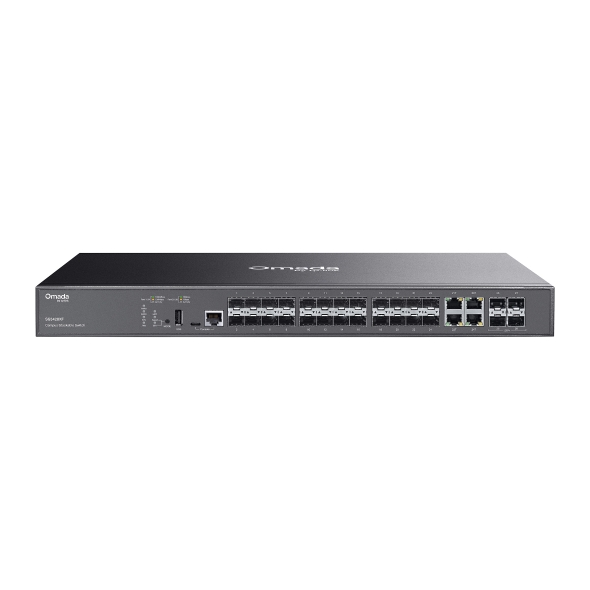
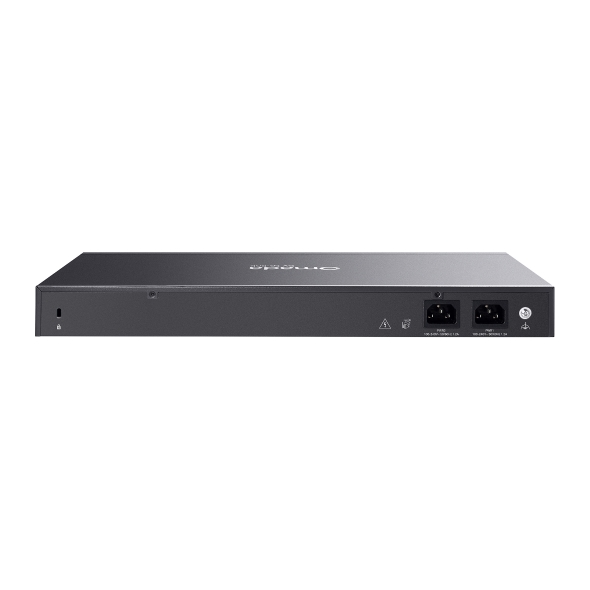
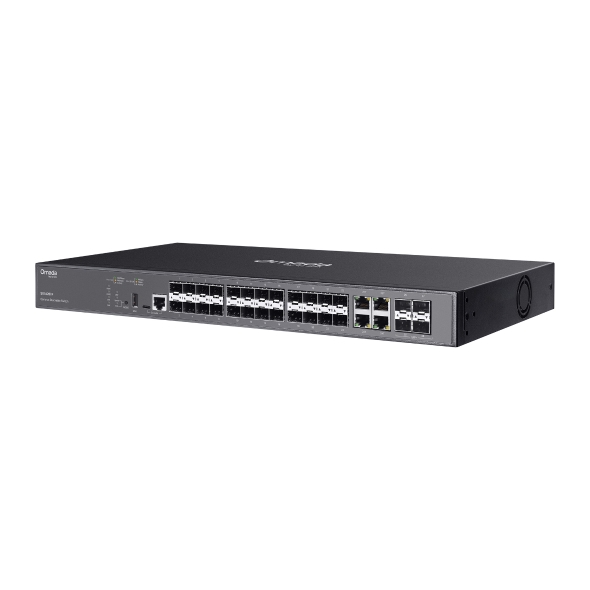
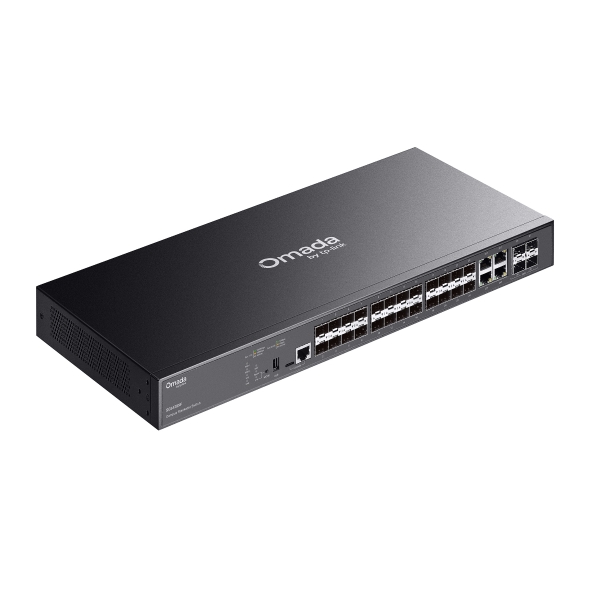
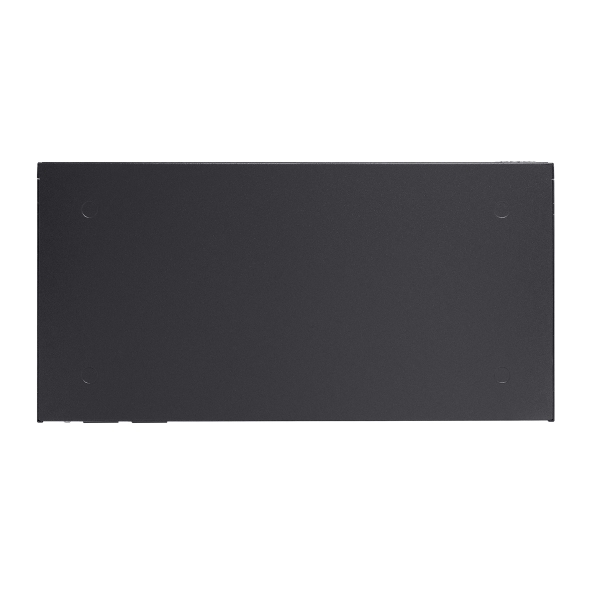
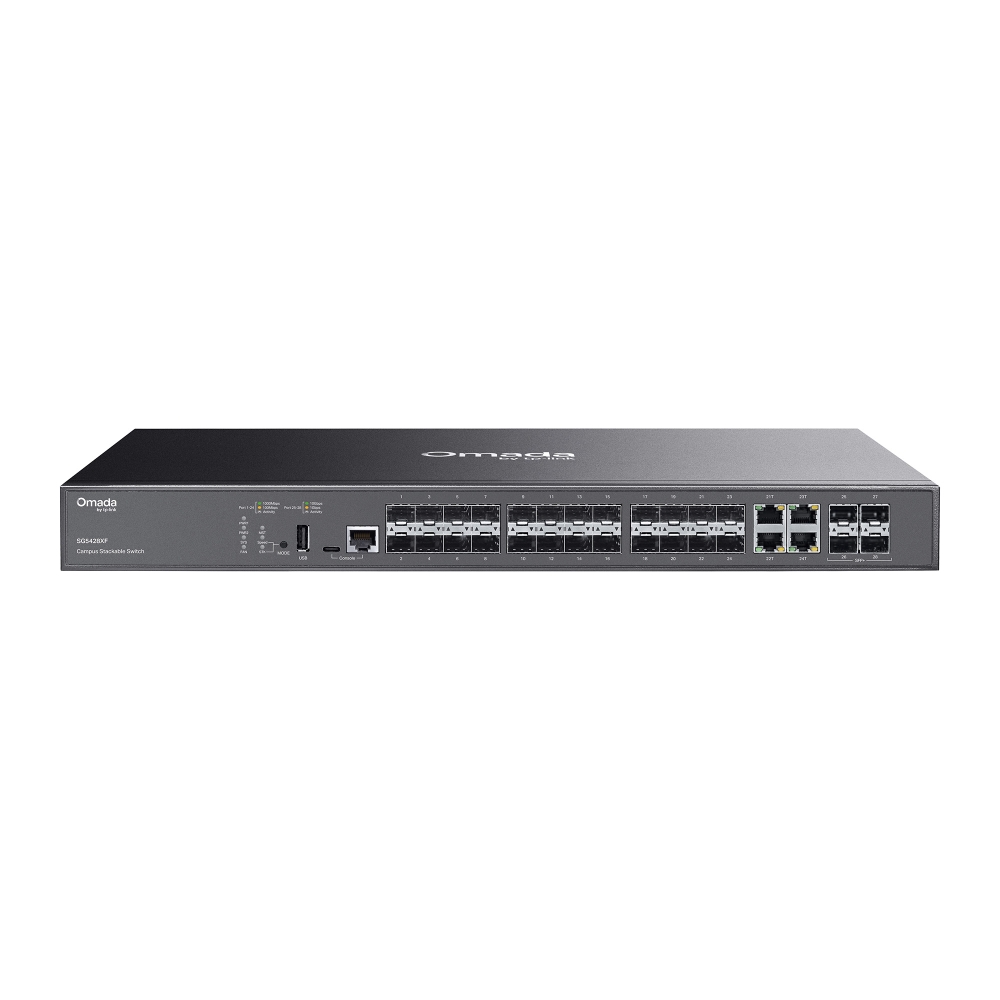
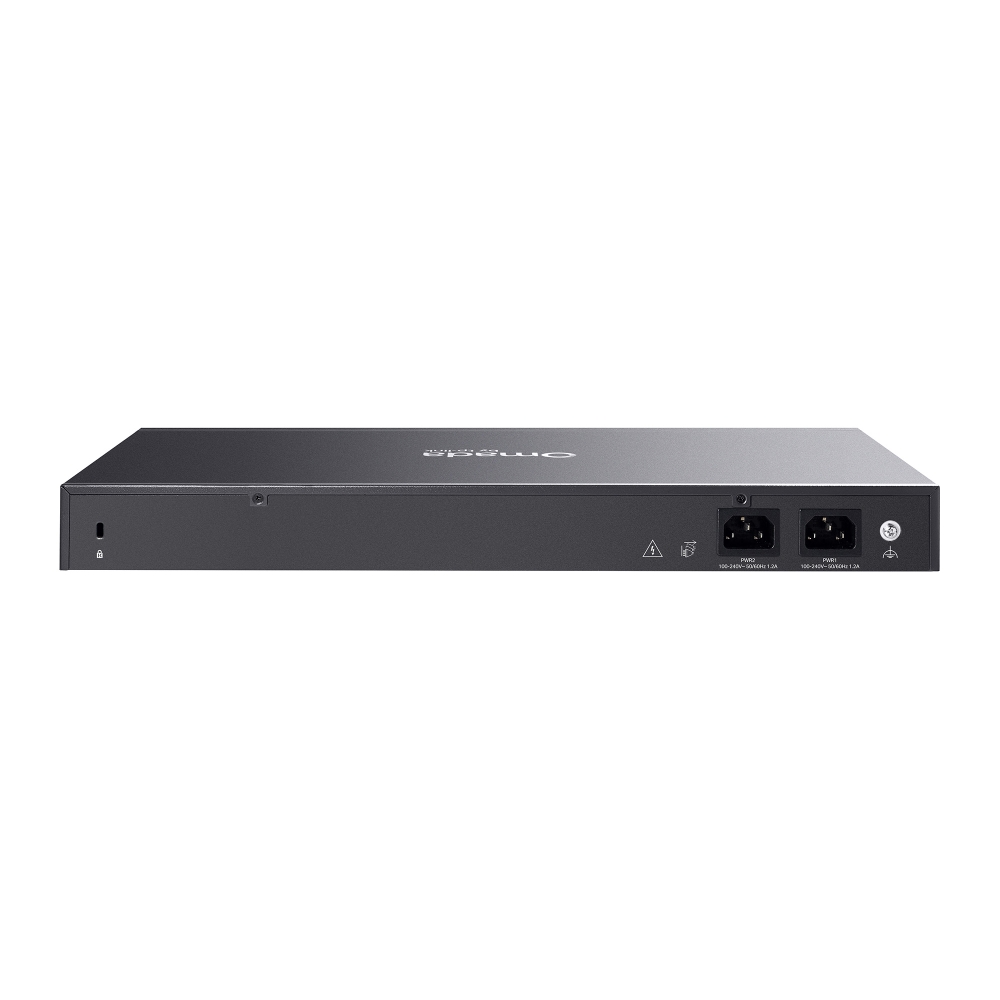
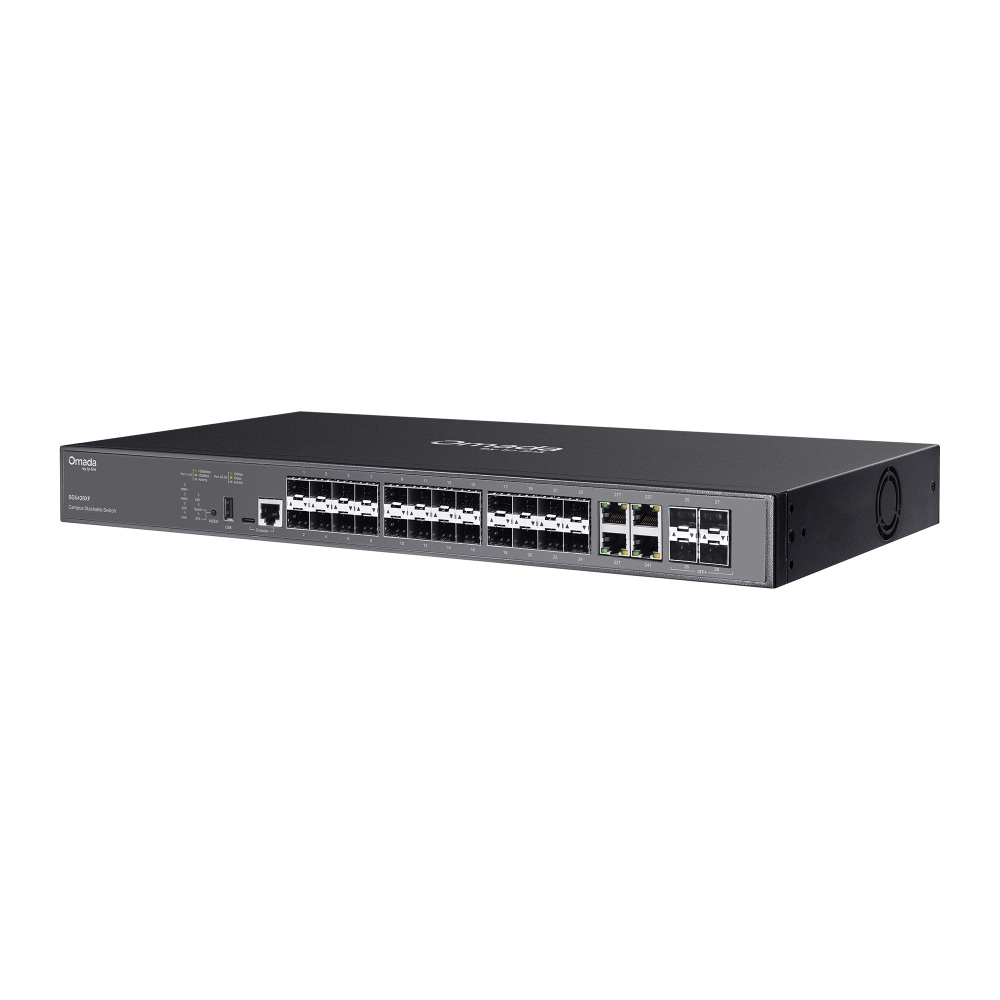
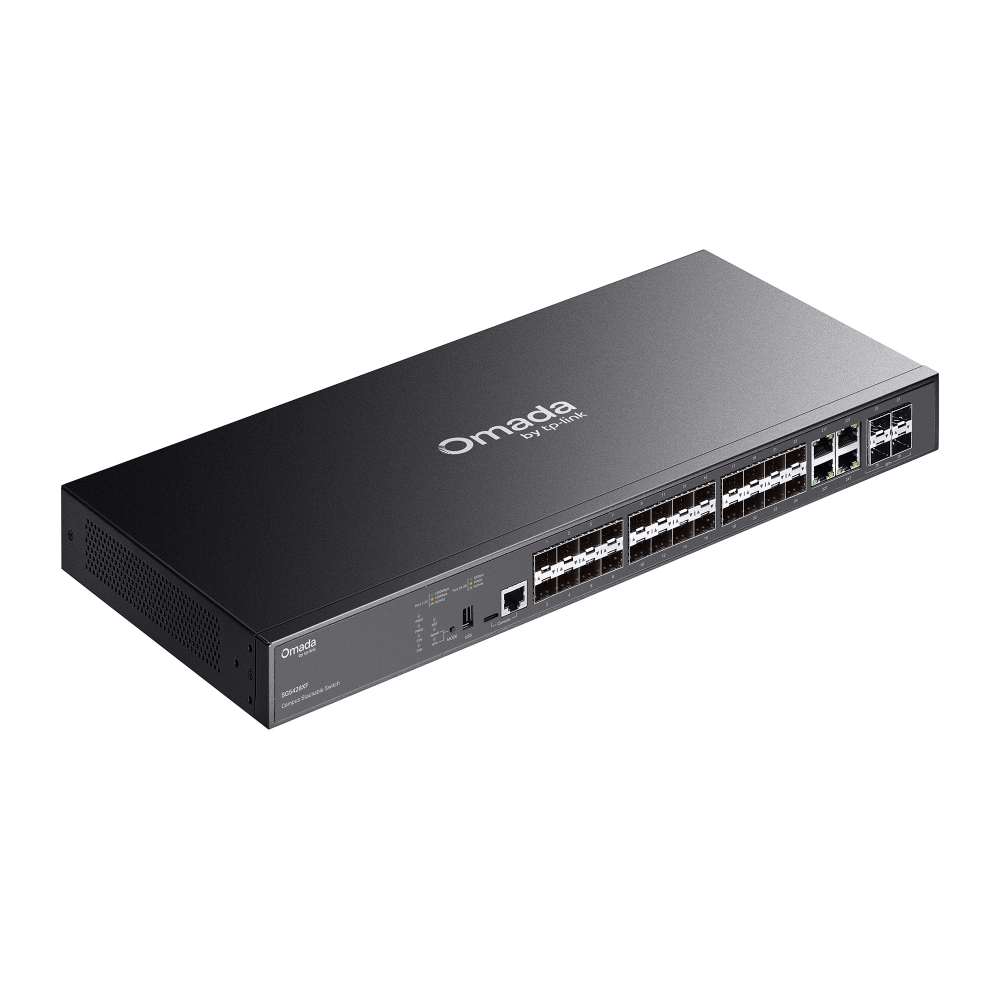
    Switch managé L3 Lite Stackable SFP 24 ports Omada Campus avec 4 emplacements 10G
    Switch managé L3 Lite Stackable SFP 24 ports Omada Campus avec 4 emplacements 10G
    Switch managé L3 Lite Stackable SFP 24 ports Omada Campus avec 4 emplacements 10G
    Switch managé L3 Lite Stackable SFP 24 ports Omada Campus avec 4 emplacements 10G
    Switch managé L3 Lite Stackable SFP 24 ports Omada Campus avec 4 emplacements 10G
    Switch managé L3 Lite Stackable SFP 24 ports Omada Campus avec 4 emplacements 10G
    Switch managé L3 Lite Stackable SFP 24 ports Omada Campus avec 4 emplacements 10G
    Switch managé L3 Lite Stackable SFP 24 ports Omada Campus avec 4 emplacements 10G
    Switch managé L3 Lite Stackable SFP 24 ports Omada Campus avec 4 emplacements 10G
    Switch managé L3 Lite Stackable SFP 24 ports Omada Campus avec 4 emplacements 10G
    Switch managé L3 Lite Stackable SFP 24 ports Omada Campus avec 4 emplacements 10G
    Switch managé L3 Lite Stackable SFP 24 ports Omada Campus avec 4 emplacements 10G
    Switch managé L3 Lite Stackable SFP 24 ports Omada Campus avec 4 emplacements 10G
    Switch managé L3 Lite Stackable SFP 24 ports Omada Campus avec 4 emplacements 10G
    Switch managé L3 Lite Stackable SFP 24 ports Omada Campus avec 4 emplacements 10G

    /5Download

    SG5428XF

    Switch managé L3 Lite Stackable SFP 24 ports Omada Campus avec 4 emplacements 10G

    How to Find the Hardware Version on Your TP-Link Device
    IMPORTANT:  Model and hardware version availability varies by region. Please refer to your TP-Link regional website to determine product availability.
    Vx.0 = Vx.6/Vx.8/Vx.9(eg:V1.0=V1.6/V1.8/V1.9)
    Vx.x0 = Vx.x6/Vx.x8/Vx.x9 (eg:V1.20=V1.26/V1.28/V1.29)
    Vx.30 = Vx.32/Vx.33 (eg:V3.30=V3.32/V3.33)
    • 20 emplacements SFP Gigabit, 4 ports combinés RJ45/SFP Gigabit
    • 4 emplacements SFP+ 10 Gbit/s
    • Stackables
    • Gestion centralisée dans le Cloud
    • 20 emplacements SFP Gigabit, 4 ports combinés RJ45/SFP Gigabit
    • 4 emplacements SFP+ 10 Gbit/s
    • Stackables
    • Gestion centralisée dans le Cloud
    • Documents
    • Videos
    • Downloads
    • Tools
    • Bulletins
    • Community

    Filter By TypeReset

    • checkbox

      Fiche produit

    • checkbox

      Guide d'installation

    • checkbox

      Base de connaissance

      checkbox
    • checkbox

      Note de mise à jour

    • checkbox

      Guide de référence

      checkbox
    • checkbox

      Autres

    Filter By TagReset

    • Controller
    • Gateway
    • Vlan
    • ACL
    • Standalone
    • Mesh
    • CLI
    • VPN
    • App
    • Online
    • Reset
    • Authentication
    • Portal
    • Wireless
    • API

    How to Understand and Troubleshoot LED Indicators on Omada Switches

    Learn what Omada switch LED indicators mean and troubleshoot abnormal Power, port, and PoE LED indicators.

    Troubleshooting Guide
    10-13-2026
    4382

    What to Do When an Omada Switch Becomes Disconnected in the Omada Controller

    Learn how to access, configure, and restore Omada switches disconnected from the Omada Controller using SSH, WebUI, and Remote Access.

    Troubleshooting Guide
    09-16-2026
    17369

    IPTV Technical White Paper

    4.1: Supports all L2+/L3 switches and EAPs. 4.2 Solution 1: Recommended with SX3 series switches or above. Supports all GPON APs and DS-P7001-01/04/08/16 OLTs. 4.2 Solution 2: Supports all L2+/L3 switches, GPON APs, and DS-P7001-01/04/08/16 OLTs. 4.3: Supports all L3 switches and EAPs.

    Technical White Paper
    08-25-2026
    11554

    How to Adopt an Omada Switch into an Omada Controller

    Adopt an Omada Switch into a Hardware, Software, or Cloud-Based Controller using the web interface or Omada App for centralized network management.

    Configuration Guide
    08-21-2026
    28219

    Best Practices for Deploying Sonos on an Omada Network

    Sonos device causing loops in the Omada Network? Follow this best practice guide to configure the Omada devices to work with your Sonos speakers.

    Troubleshooting Guide
    10-15-2026
    31185

    Copper SFP Module Deployment Guidelines for Omada All-Fiber Switches

    Copper SFP modules generally consume more power and generate more heat than optical modules. Due to their higher operating temperature, copper modules should be installed according to the recommended port placement guidelines to ensure adequate thermal dissipation and stable operation. Typically, when setting up all-fiber switches, a bunch of copper SFP modules may be put into use. This article will introduce the recommended copper SFP modules when setting up Omada all-fiber-ports switches.

    Configuration Guide
    06-26-2026
    13186

    How to Configure MAC Flapping on Omada Managed Switches

    MAC flapping is a network monitoring feature that detects when the same MAC address is learned on different switch ports within a short period of time. This behavior typically indicates issues such as network loops, misconfigured link aggregation, virtualization migration, or unauthorized device connections.

    Configuration Guide
    06-19-2026
    25390

    Omada Switch OUI-Based VLAN Configuration Guide

    Configure OUI-Based VLAN on supported Omada switches to automate device identification, VLAN assignment, port membership, and traffic prioritization through Controller or CLI.

    Configuration Guide
    08-06-2026
    42631

    How to Use an Omada Controller to Manage Omada Devices Across Different Subnets Over the Internet

    In enterprise networks, devices are often deployed across different subnets, making it common for Omada devices and the Omada Controller to reside in separate network segments. Supporting device adoption and management across subnets enables centralized control without changing existing network designs. This article introduces different methods for adopting devices across subnets using Omada products.

    Configuration Guide
    06-23-2026
    64194

    How to Configure Spanning Tree on Omada Controller

    Spanning Tree Protocol (STP) is a Layer 2 Protocol that prevents loops in the network.

    Configuration Guide
    07-30-2026
    52557
    • Total 28 items
    • 1
    • 2
    • 3

    No results found.

    Filter By TypeReset

    • checkbox

      Firmware

    • checkbox

      Logiciel

      checkbox
    • checkbox

      Fichiers MIBs

    • checkbox

      Code GPL

    • checkbox

      Déclaration de conformité

      checkbox

    No results found.

    Other Tools

    Omada App

    Omada App

    Filter By TypeReset

    • checkbox

      Vulnérabilité de sécurité

    • checkbox

      Notification EOL/EOM/EOS

    • checkbox

      Autres

    No results found.

    No results found.

    SubscriptionTP-Link prend votre vie privée au sérieux. Pour plus de détails sur la politique de confidentialité de TP-Link, veuillez consultez la page suivante Politique de confidentialité de TP-Link .

    Email Error

    Je souhaite recevoir la newsletter TP-Link France afin de découvrir ses nouveautés produits et ses offres promotionnelles.

    En cochant cette case, je confirme avoir pris connaissance de notre Politique de confidentalité.

    reCaptcha not verified

    Suivez nous

    • TP-Link Omada facebook
    • TP-Link Omada youtube
    • TP-Link Omada linkedin
    • TP-Link Omada twitter
    About
    • Corporate Profile
    • Contact Us
    • Privacy Policy
    Press
    • News
    • Blog
    • Security Advisory
    Partners
    • Partner Program
    Learning Center
    • Technology Trends
    TP-Link Omada Omada Pro VIGI
    Morocco / Français

    ©2026 TP-Link Morocco and its affiliated companies. All rights reserved.

    Ce site Web utilise des cookies pour améliorer la navigation sur le site Web, analyser les activités en ligne et offrir aux utilisateurs la meilleure expérience sur notre site Web. Vous pouvez vous opposer à tout moment à l'utilisation de cookies. Vous pouvez obtenir plus d'informations dans notre politique de confidentialité .

    Your Privacy Choices

    Ce site Web utilise des cookies pour améliorer la navigation sur le site Web, analyser les activités en ligne et offrir aux utilisateurs la meilleure expérience sur notre site Web. Vous pouvez vous opposer à tout moment à l'utilisation de cookies. Vous pouvez obtenir plus d'informations dans notre politique de confidentialité .

    Cookies basiques

    Ces cookies sont nécessaires au fonctionnement du site Web et ne peuvent pas être désactivés dans vos systèmes.

    TP-Link

    SESSION, JSESSIONID, accepted_local_switcher, tp_privacy_banner, tp_privacy_base, tp_privacy_marketing, tp_top-banner, tp_popup-bottom, tp_popup-center, tp_popup-right-middle, tp_popup-right-bottom, tp_productCategoryType

    Youtube

    id, VISITOR_INFO1_LIVE, LOGIN_INFO, SIDCC, SAPISID, APISID, SSID, SID, YSC, __Secure-1PSID, __Secure-1PAPISID, __Secure-1PSIDCC, __Secure-3PSID, __Secure-3PAPISID, __Secure-3PSIDCC, 1P_JAR, AEC, NID, OTZ

    Zendesk

    OptanonConsent, __cf_bm, __cfruid, _cfuvid, _help_center_session, _pendo___sg__.<container-id>, _pendo_meta.<container-id>, _pendo_visitorId.<container-id>, _zendesk_authenticated, _zendesk_cookie, _zendesk_session, _zendesk_shared_session, ajs_anonymous_id, cf_clearance

    Cookies d'analyse et marketing

    Les cookies d'analyse nous permettent d'analyser vos activités sur notre site Web pour améliorer et ajuster les fonctionnalités de notre site Web.

    Les cookies marketing peuvent être définis via notre site Web par nos partenaires publicitaires afin de créer un profil de vos intérêts et pour vous montrer des publicités pertinentes sur d'autres sites Web.

    Google Analytics & Google Tag Manager

    _gid, _ga_<container-id>, _ga, _gat_gtag_<container-id>

    Google Ads et DoubleClick

    test_cookie, _gcl_au