Omada Pro Logo official website Vigi Logo official website
Contact Us
  • Contact Support
Log In
avatar

    Messages Messages Bookmarks Bookmarks Account Settings Account Settings
    Morocco / Français
    Omada logo
    • Products

      Products

      • Wireless
        • WiFi 7
          WiFi 7
        • Ceiling Mount
          Ceiling Mount
        • Wall Plate
          Wall Plate
        • Outdoor
          Outdoor
        • View All
          View All
      • Switches
        • Access Plus
          Access Plus
        • Access
          Access
        • View All
          View All
      • Gateways
        • Wired Gateways
          Wired Gateways
        • WiFi Gateways
          WiFi Gateways
        • Integrated Gateways
          Integrated Gateways
        • View All
          View All
      • Controllers
        • Cloud-Based
          Cloud-Based
        • Hardware
          Hardware
        • Software
          Software
        • View All
          View All
      • Accessories
        • Media Converters
          Media Converters
        • Modules/Cables
          Modules/Cables
        • PoE Adapters
          PoE Adapters
        • Rackmount Accessories
          Rackmount Accessories
        • View All
          View All

      Management Platforms

      • Management Systems
        • Cloud-Based
          Cloud-Based
        • Hardware
          Hardware
        • Software
          Software
        • View All
          View All
      • Cloud Portal
    • Solutions
      Solutions Home

      By Scenarios

      • Small and Mid-Sized Offices
      • Small-Sized Chain Restaurants/Stores
      • WiFi for Farms/Ranches/Parking Lots
      • High-Density WiFi

      By Technology

      • WiFi 7
      • PPSK Solution
      • PtP & PtMP Wireless Bridges
      • Multi-Gigabit Solution
      • PoE Switches for Surveillance

      Case Studies

      Case Studies

      Omada Powers Shift4’s POS Solution over 20,000 Sites in the US

      Parcourir
    • Learn and Train

      Learn

      • FAQs
      • Setup Videos
      • Configuration Guides
      • Case Studies

      Train

      • Training Introduction
      • For Learners
      • For Instructors
    • Support
      Support Home

      Documents

      • Hardware Installation Guide
      • Knowledgebase
      • Datasheet
      • Reference Guide
      • View All

      Downloads

      • Software Download
      • Firmware Download
      • GPL Code
      • MIBs Files
      • View All

      Bulletins

      • Security Vulnerability
      • EOL/EOM/EOS Notification
      • View All

      Contact Support

      • Email Support
      • Call Support
      • Warranty Services

      Tools

      • Omada Emulators
      • Omada App
      • Compatibility List
    • Community
    Search
    1. Home>
    2. Product Support>
    3. TL-R605>
    Routeur SafeStream VPN Multi-WAN Gigabit
    Routeur SafeStream VPN Multi-WAN Gigabit
    Routeur SafeStream VPN Multi-WAN Gigabit
    Routeur SafeStream VPN Multi-WAN Gigabit
    Routeur SafeStream VPN Multi-WAN Gigabit
    Routeur SafeStream VPN Multi-WAN Gigabit
    Routeur SafeStream VPN Multi-WAN Gigabit
    Routeur SafeStream VPN Multi-WAN Gigabit
    Routeur SafeStream VPN Multi-WAN Gigabit
    Routeur SafeStream VPN Multi-WAN Gigabit
    Routeur SafeStream VPN Multi-WAN Gigabit
    Routeur SafeStream VPN Multi-WAN Gigabit
    Routeur SafeStream VPN Multi-WAN Gigabit
    Routeur SafeStream VPN Multi-WAN Gigabit
    Routeur SafeStream VPN Multi-WAN Gigabit
    Routeur SafeStream VPN Multi-WAN Gigabit
    Routeur SafeStream VPN Multi-WAN Gigabit
    Routeur SafeStream VPN Multi-WAN Gigabit
    Routeur SafeStream VPN Multi-WAN Gigabit
    Routeur SafeStream VPN Multi-WAN Gigabit
    Routeur SafeStream VPN Multi-WAN Gigabit
    Routeur SafeStream VPN Multi-WAN Gigabit
    Routeur SafeStream VPN Multi-WAN Gigabit
    Routeur SafeStream VPN Multi-WAN Gigabit

    /8Download

    TL-R605

    V1

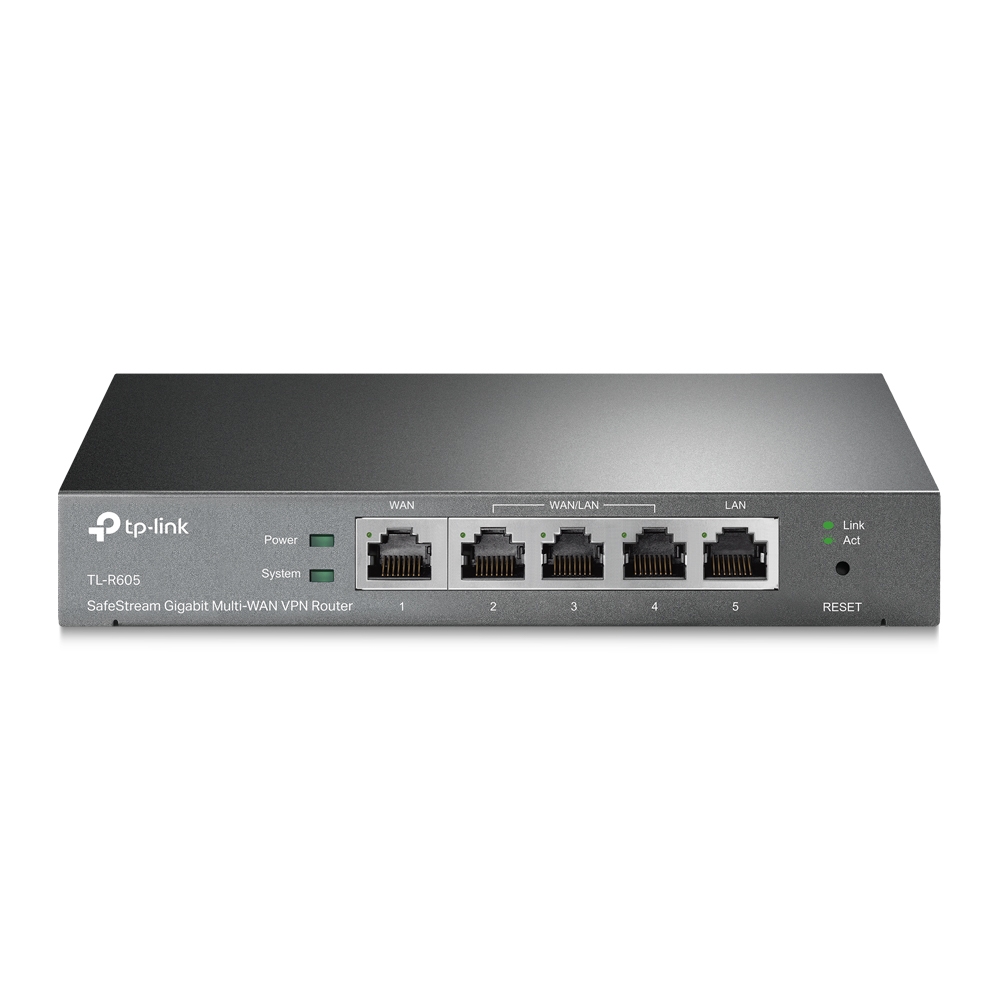
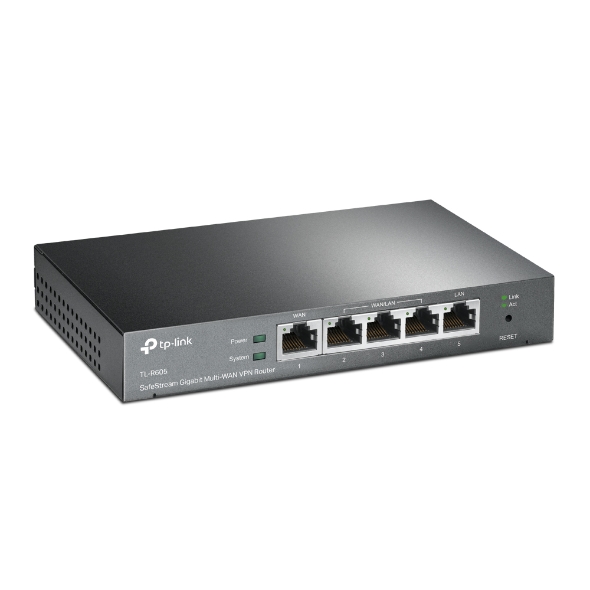
    Routeur SafeStream VPN Multi-WAN Gigabit

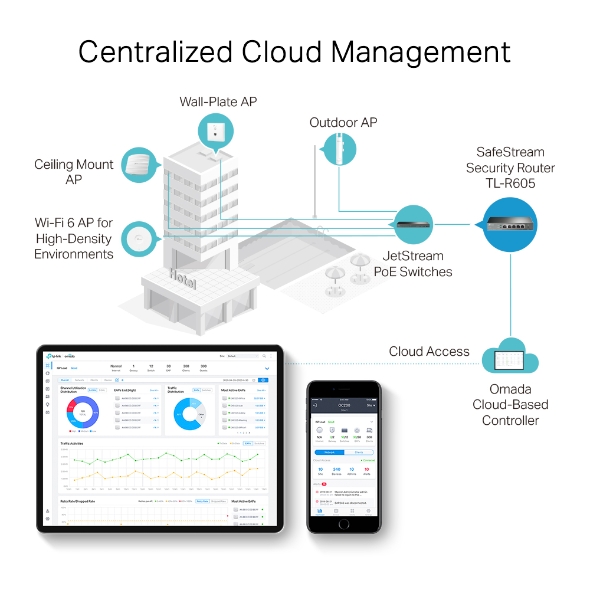
    • Administration centralisée Cloud 
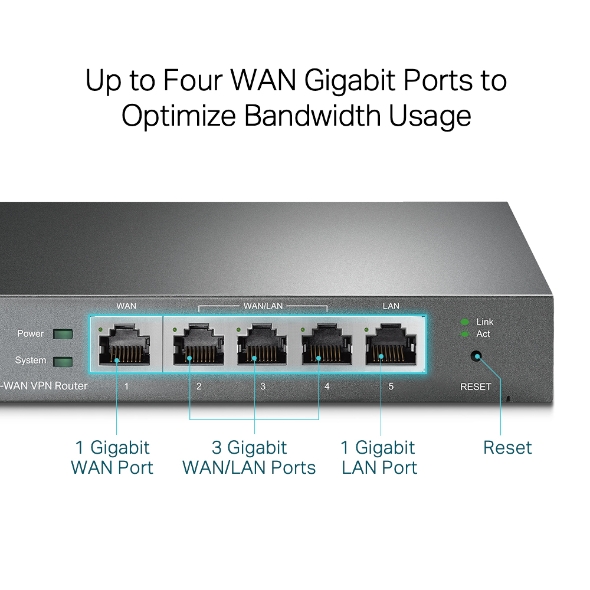
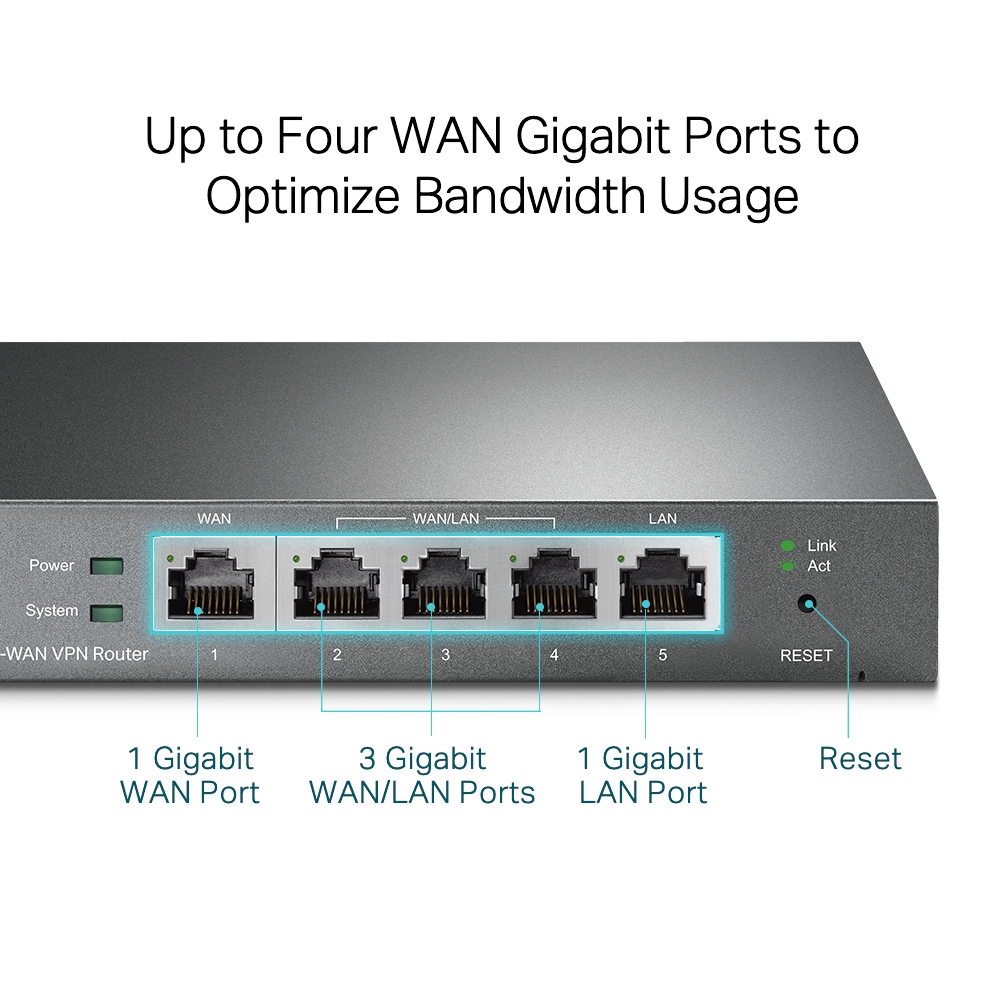
    • 5 ports Gigabit 
    • 1× WAN + 3× WAN/LAN + 1× LAN
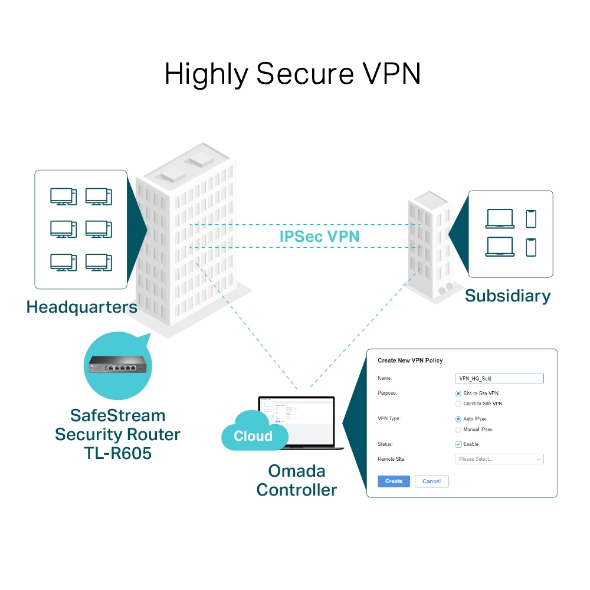
    • VPN Haute Sécurité
    • Multi-WAN Load Balance
    • Administration centralisée Cloud 
    • 5 ports Gigabit 
    • 1× WAN + 3× WAN/LAN + 1× LAN
    • VPN Haute Sécurité
    • Multi-WAN Load Balance
    • Documents
    • Videos
    • Downloads
    • Tools
    • Bulletins
    • Community

    Filter By TypeReset

    • checkbox

      Fiche produit

    • checkbox

      Guide d'installation

    • checkbox

      Base de connaissance

      checkbox
    • checkbox

      Note de mise à jour

    • checkbox

      Guide de référence

      checkbox
    • checkbox

      Autres

    Filter By TagReset

    • Controller
    • Gateway
    • Vlan
    • ACL
    • Standalone
    • Mesh
    • CLI
    • VPN
    • App
    • Online
    • Reset
    • Authentication
    • Portal
    • Wireless
    • API

    How to Fix Black Screens, Lag, Distortion, or Pixelation on IPTVs

    This article provides a detailed overview of common causes and troubleshooting methods for IPTV issues such as black screens, lag, image distortion, and pixelation. Based on the practical configuration of TP-Link Omada devices, it offers a systematic, multi-layered diagnostic approach and recommended settings to help you restore video playback quality.

    Troubleshooting Guide
    11-08-2025
    2914

    How to Troubleshoot Slow Channel Switching, Missing Channels, and More in IPTV

    This guide introduces common causes and step-by-step troubleshooting for issues such as slow channel switching, missing channels, and multi-device viewing failures in IPTV. It outlines diagnostic methods by device type (e.g., terminal, AP, access/aggregation/core switches, gateway) and provides recommended configuration values and validation approaches.

    Troubleshooting Guide
    11-07-2025
    2497

    How to configure VLAN with Omada Network v6

    We are aware that significant changes regarding LAN settings have been made from Omada Controller v5 to Omada Network v6. This article introduces how to configure the VLAN feature with newest Omada Network v6 to help you establish a better understanding of the workflow of how to configure VLAN with Omada Network v6.

    Configuration Guide
    10-27-2025
    6895

    How to Preconfigure WAN Settings on Omada Controller using Omada APP

    This guide provides instructions for preconfiguring WAN settings on Omada Controller using Omada APP.

    FAQ
    10-24-2025
    3073

    How to separate a large amount of VLAN via Bridge VLAN and SSID VLAN (with VLAN Pool)

    Bridge VLAN is a feature that allows multiple VLANs to share a single Layer 3 interface and DHCP pool to reduce gateway resource usage. SSID VLAN binds a specific SSID to one or multiple VLANs for straightforward traffic isolation. By combining Bridge VLAN and SSID VLAN, you can meet the requirements of the apartment or hotel room network design without creating a large number of Layer 3 interfaces.

    Configuration Guide
    10-09-2025
    4945

    How to find IP address of my Omada Devices

    By default, Omada devices use dynamic IP addresses. Whether connected to the internet or not, devices such as EAPs or switches should automatically obtain an IP address as long as they are connected to a local network or a DHCP server. There are different ways to find the IP address of an Omada device. Whether the device is in standalone mode or controller mode, you can also use the Omada APP or Discover Utility to find it.

    Configuration Guide
    10-07-2025
    8773

    How to Set Up PPTP & L2TP VPN Server with Omada Gateway Using Omada APP

    PPTP is the simplest and most basic type of VPN. L2TP is a more secure VPN protocol built on top of PPTP. Omada Gateway supports acting as a server for both VPN types and offers multiple configuration methods. This document introduces how to configure PPTP and L2TP VPN servers via the Omada App in Controller Mode.

    FAQ
    10-03-2025
    4422

    How to set up Site-to-Site Auto IPsec VPN Tunnels on Omada Gateway via Omada Controller using Omada APP

    FAQ
    10-03-2025
    3516

    The differences and similarities between Load Balancing and Link Backup

    WAN load balancing and WAN link backup can distribute network data traffic and switch data links according to the online/offline status of WAN ports in multi-WAN scenarios, providing a solid foundation for building efficient and reliable network systems.

    FAQ
    Online
    08-19-2024
    13487

    How to configure IPv6 Access Control on Omada Gateway

    This article describes how to configure IPv6 access control to block access to the internal network, allow access to the internal network from internet and block access to the internet.

    Configuration Guide
    ACL
    08-02-2024
    10923
    • Total 48 items
    • 1
    • 2
    • 3
    • 4
    • 5

    No results found.

    Filter By TypeReset

    • checkbox

      Firmware

    • checkbox

      Logiciel

      checkbox
    • checkbox

      Fichiers MIBs

    • checkbox

      Code GPL

    • checkbox

      Déclaration de conformité

      checkbox

    Other Tools

    Filter By TypeReset

    • checkbox

      Vulnérabilité de sécurité

    • checkbox

      Notification EOL/EOM/EOS

    • checkbox

      Autres

    No results found.

    No results found.

    SubscriptionTP-Link prend votre vie privée au sérieux. Pour plus de détails sur la politique de confidentialité de TP-Link, veuillez consultez la page suivante Politique de confidentialité de TP-Link .

    Email Error

    Je souhaite recevoir la newsletter TP-Link France afin de découvrir ses nouveautés produits et ses offres promotionnelles.

    En cochant cette case, je confirme avoir pris connaissance de notre Politique de confidentalité.

    reCaptcha not verified

    Suivez nous

    • TP-Link Omada facebook
    • TP-Link Omada youtube
    • TP-Link Omada linkedin
    • TP-Link Omada twitter
    About
    • Corporate Profile
    • Contact Us
    • Privacy Policy
    Press
    • News
    • Blog
    • Security Advisory
    Partners
    • Partner Program
    Learning Center
    • Technology Trends
    TP-Link Omada Omada Pro VIGI
    Morocco / Français

    ©2025 TP-Link Morocco and its affiliated companies. All rights reserved.

    Ce site Web utilise des cookies pour améliorer la navigation sur le site Web, analyser les activités en ligne et offrir aux utilisateurs la meilleure expérience sur notre site Web. Vous pouvez vous opposer à tout moment à l'utilisation de cookies. Vous pouvez obtenir plus d'informations dans notre politique de confidentialité .

    Your Privacy Choices

    Ce site Web utilise des cookies pour améliorer la navigation sur le site Web, analyser les activités en ligne et offrir aux utilisateurs la meilleure expérience sur notre site Web. Vous pouvez vous opposer à tout moment à l'utilisation de cookies. Vous pouvez obtenir plus d'informations dans notre politique de confidentialité .

    Cookies basiques

    Ces cookies sont nécessaires au fonctionnement du site Web et ne peuvent pas être désactivés dans vos systèmes.

    TP-Link

    SESSION, JSESSIONID, accepted_local_switcher, tp_privacy_banner, tp_privacy_base, tp_privacy_marketing, tp_top-banner, tp_popup-bottom, tp_popup-center, tp_popup-right-middle, tp_popup-right-bottom, tp_productCategoryType

    Youtube

    id, VISITOR_INFO1_LIVE, LOGIN_INFO, SIDCC, SAPISID, APISID, SSID, SID, YSC, __Secure-1PSID, __Secure-1PAPISID, __Secure-1PSIDCC, __Secure-3PSID, __Secure-3PAPISID, __Secure-3PSIDCC, 1P_JAR, AEC, NID, OTZ

    Zendesk

    OptanonConsent, __cf_bm, __cfruid, _cfuvid, _help_center_session, _pendo___sg__.<container-id>, _pendo_meta.<container-id>, _pendo_visitorId.<container-id>, _zendesk_authenticated, _zendesk_cookie, _zendesk_session, _zendesk_shared_session, ajs_anonymous_id, cf_clearance

    Cookies d'analyse et marketing

    Les cookies d'analyse nous permettent d'analyser vos activités sur notre site Web pour améliorer et ajuster les fonctionnalités de notre site Web.

    Les cookies marketing peuvent être définis via notre site Web par nos partenaires publicitaires afin de créer un profil de vos intérêts et pour vous montrer des publicités pertinentes sur d'autres sites Web.

    Google Analytics & Google Tag Manager

    _gid, _ga_<container-id>, _ga, _gat_gtag_<container-id>

    Google Ads et DoubleClick

    test_cookie, _gcl_au