


Contents
Introduction
TP-Link ID provides a unified authentication service, allowing you to use a single email address to log in to TP-Link Community, Omada Cloud, the Training system, and manage TP-Link products with TP-Link Apps such as Aginet, Omada, VIGI, Deco, Tether, Kasa, and Tapo. You can unbind the TP-Link account from devices by removing them via the Guard app. After unbinding, you can re-register the Omada devices to another account (TP-Link ID).
Requirements
- Omada Guard devices
- Omada Guard App
Configuration
Step 1. Log in to the Omada Guard App. Select the organization and navigate to the Device page.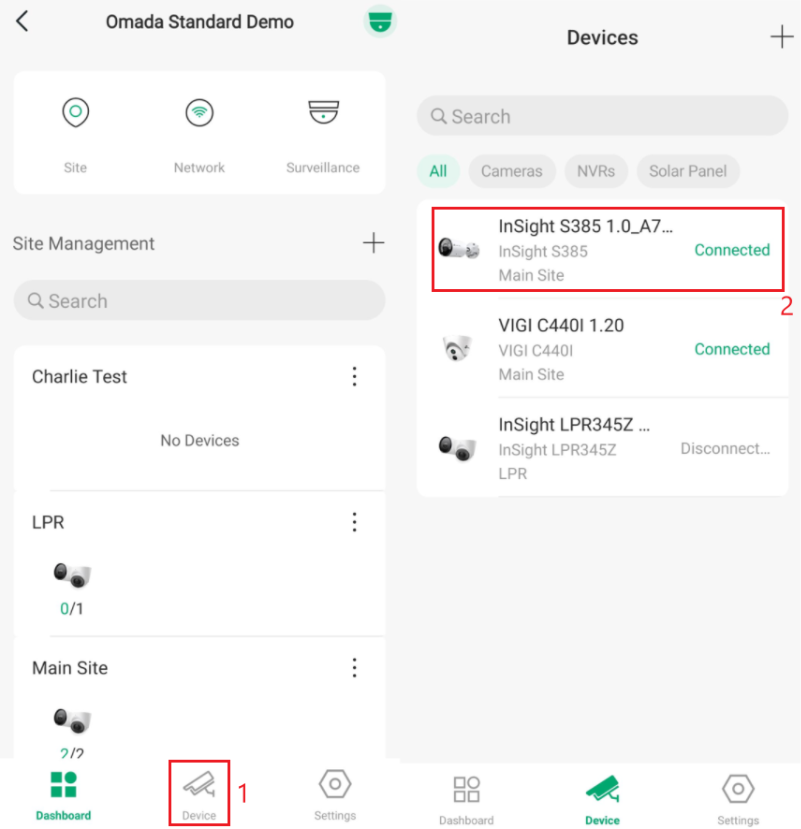
Step 2. Scroll to the bottom of the Device Page. Tap Remove Device at the bottom and confirm the removal. The device will be removed from your TP-Link account.
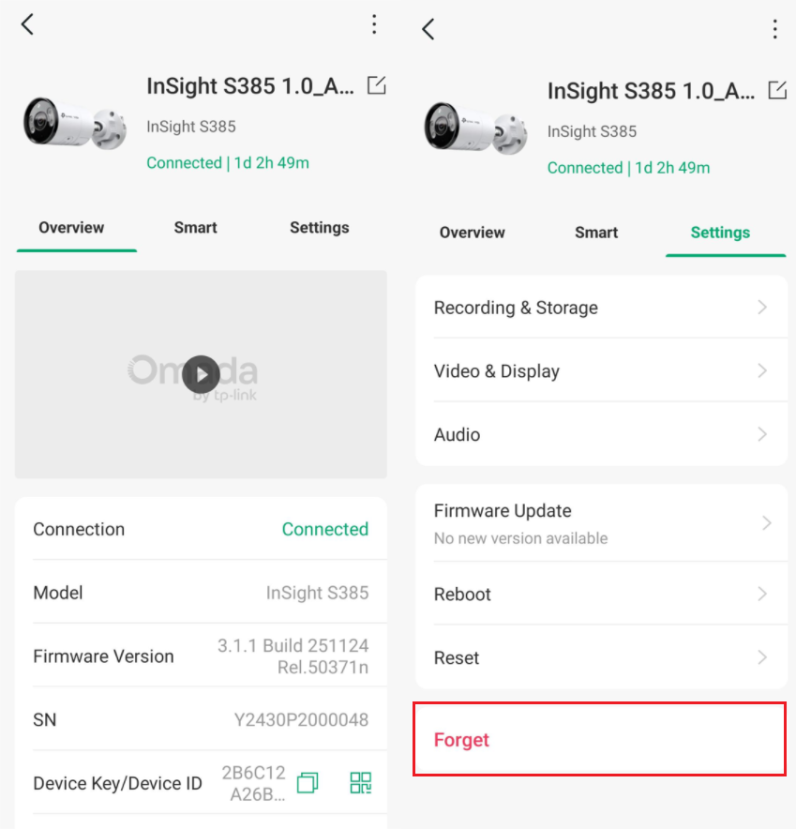
If you only need to unbind the TP-Link ID, the unbinding step is now complete. But if you still need to delete your TP-Link ID from the cloud, please follow this link: How Can I Delete My TP-Link Cloud Account?
Verification
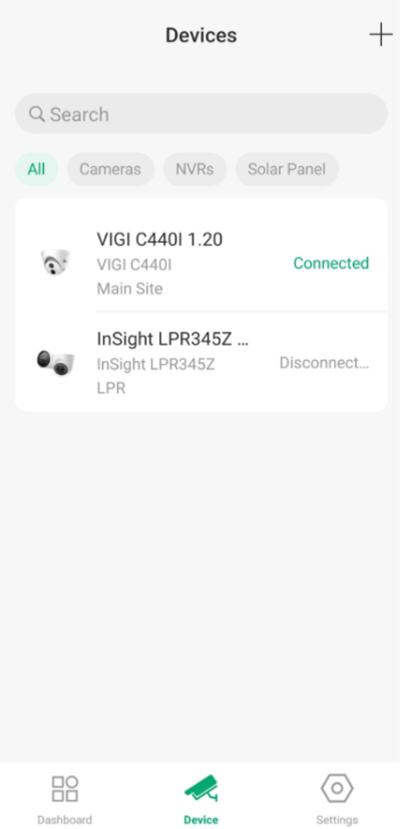
To verify that the device has been removed successfully, return to the Device page in the Omada Guard App. The device should no longer appear in the device list.
Conclusion
By removing the device from the Omada Guard App, it is unbound from the current TP-Link ID and can be registered to another account. You can verify successful removal by confirming that the device no longer appears in the device list.
QA
Q1: What happens when I remove a device from my TP-Link ID?
A1: Removing a device from your TP-Link ID unbinds it from your account, allowing it to be registered to another TP-Link ID.
Q2: Will removing a device delete my TP-Link ID account?
A2: No. Removing a device only unbinds the device from your account. Your TP-Link ID remains active unless you separately delete the account.
Q3: Can I add the device to another TP-Link account after removing it?
A3: Yes. Once the device has been successfully removed, it can be registered and managed under a different TP-Link ID.
Q4: Does removing a device from my TP-Link ID delete my TP-Link cloud account?
A4: No. Removing a device only unbinds it from your TP-Link ID. Your TP-Link cloud account remains active unless you delete it separately.
Q5: How do I delete my TP-Link cloud account?
A5: To permanently delete your TP-Link cloud account, follow the instructions in the guide How Can I Delete My TP-Link Cloud Account?
To learn more about each function and configuration, please visit Support Home to download or check the manual for your product.
