


Why Did You Receive an Email or App Notification About Potential Account Vulnerabilities?


If you received an email titled “Potential Vulnerabilities Detected in Your Account” or an in‑app account security notification, it may be concerning—but it does not mean your TP‑Link account has been accessed or compromised. This is an official security notice from TP‑Link, sent from no-reply@email.tp-link.com, informing you that your login credentials were detected in a third‑party data breach. We recommend resetting your TP-Link ID password immediately.
Key Takeaways
- The "Potential Vulnerabilities Detected in Your Account" email or in-app account security notification means your credentials appeared in a public data breach database — not that your TP-Link account has been accessed.
- TP-Link collaborates with Google to identify when user credentials have been exposed in third-party data breaches.
- This email is always sent from no-reply@email.tp-link.com. TP-Link will never ask you to enter your password directly in an email.
- If you receive this email or app notification, reset your TP-Link ID password immediately using a unique password longer than eight characters.
- Enabling Two-Step Verification (2FA) is an additional recommended step to protect your account from unauthorized access.
TP-Link Potential Account Vulnerabilities Email and In-app Notification
You may receive an email with the subject "Potential Vulnerabilities Detected in Your Account" from no-reply@email.tp-link.com, or an in-app account security notification. The content of the email and app notification are as follows.
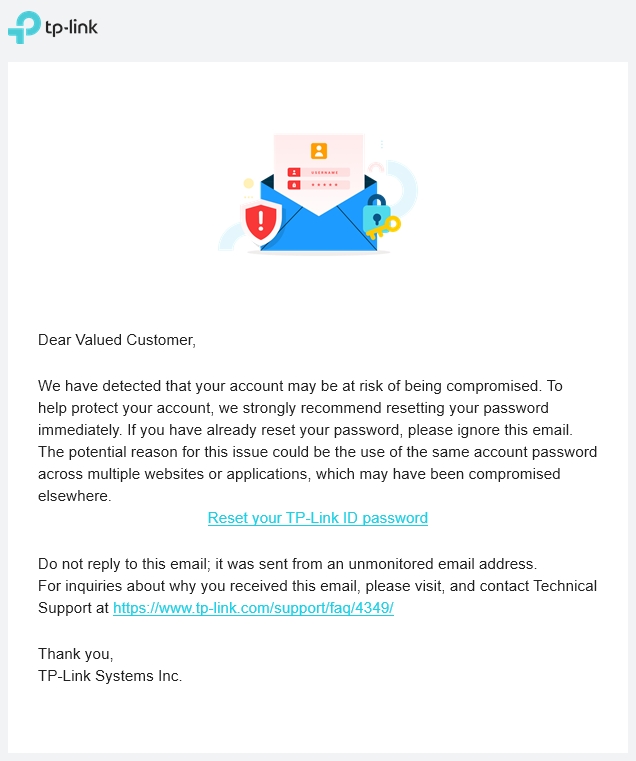
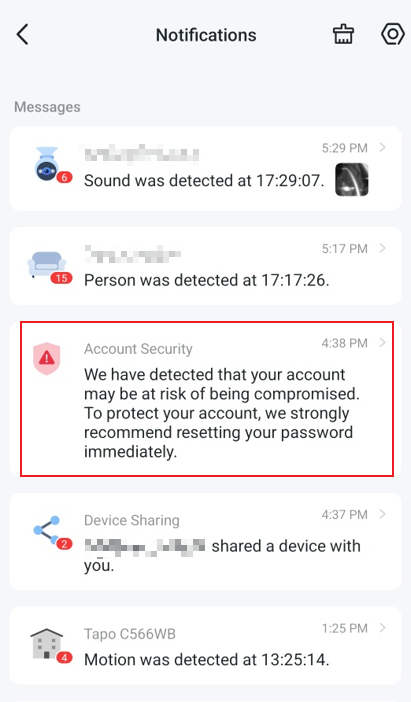
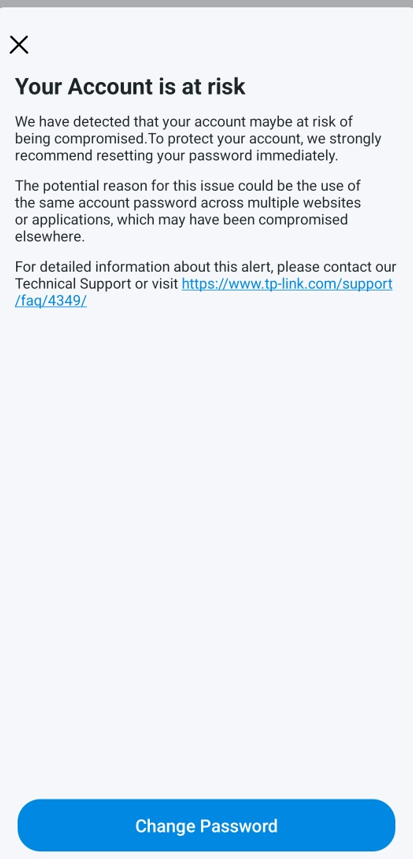
Q1. Why did I receive this email or app notification?
TP-Link takes user data security seriously. There are two reasons you may have received this notification: your username and password combination is shared with another website or service, and that combination was exposed in a data breach on that platform. This does not mean your TP-Link account has been accessed by anyone else or that data stored within your TP-Link account has been compromised. It does mean your credentials were leaked elsewhere, which poses a security risk if the same password is reused across accounts. TP-Link recommends resetting your password immediately.
Q2. How does TP-Link know my data has been compromised?
TP-Link collaborates with Google to check whether user credentials appear in publicly known data breach records. When Google identifies that your credentials are present in a public breach database, TP-Link sends this email or app notification to notify you so you can act quickly.
Q3. Is this email legitimate?
This email is legitimate if it was sent from no-reply@email.tp-link.com — check the sender address first. TP-Link will never ask you to enter your password directly within an email. If you receive this notification, navigate directly to the TP-Link website to reset your password rather than clicking any link you are unsure about. If the sender address does not match no-reply@email.tp-link.com exactly, do not click any links and treat it as a phishing attempt.
Q4: What should I do upon receiving this email or app notification to ensure my account is secure?
Reset your TP-Link ID password as soon as possible using the link in the email or by logging in directly at the TP-Link website. When setting your new password, follow these recommendations:
- Use a unique password that is not shared with any other account.
- Choose a password longer than eight characters, ideally a mix of uppercase and lowercase letters, numbers, and symbols.
- Enable Two-Step Verification (2FA) so that only trusted devices can log into your account.
Q5. What happens if I don’t take action after receiving this email?
If you do not reset your password after receiving this email, your account remains at risk. If the same password exposed in the third-party breach is also used for your TP-Link account, an unauthorized party could potentially access your account and any connected devices or data associated with it. Taking action promptly significantly reduces this risk.
Q6. What if I need further assistance?
If you have any questions or need further assistance, please email us at privacy@tp-link.com.
