


Best Practices for Deploying Sonos on an Omada Network


Contents
Best Practice 1. Deploy Sonos Devices Using a Fully Wired or Fully Wireless Topology (Recommended)
Best Practice 2. Hybrid Wired and Wireless Setup.
Introduction
Sonos devices can be integrated into an Omada network using either wired or wireless connections. Certain Sonos products support SonosNet, a proprietary wireless mesh network that allows speakers to communicate with one another while extending connectivity from a single wired device. Because SonosNet participates in the Spanning Tree Protocol (STP) and relies on multicast traffic for device discovery, deployment in managed switch environments requires careful network design. Improper deployment, particularly when multiple Sonos devices are connected through both wired and wireless paths, may result in STP topology changes, temporary forwarding state changes, or network instability. This guide outlines recommended best practices for deploying Sonos devices on an Omada network to help maintain a stable and reliable network.
Note: This guide summarizes deployment best practices for integrating Sonos devices with an Omada network. For additional information regarding Sonos networking behavior and recommended STP configuration for managed switch environments, refer to the official Sonos documentation:
Sonos Best Practices and Recommended Settings
Configure STP Settings to Work with Sonos
Requirements
-
Omada Switches (Except Agile and Unmanaged switches)
-
Omada Controller
- Omada EAP
Best Practices
General Settings
Global Network Settings:
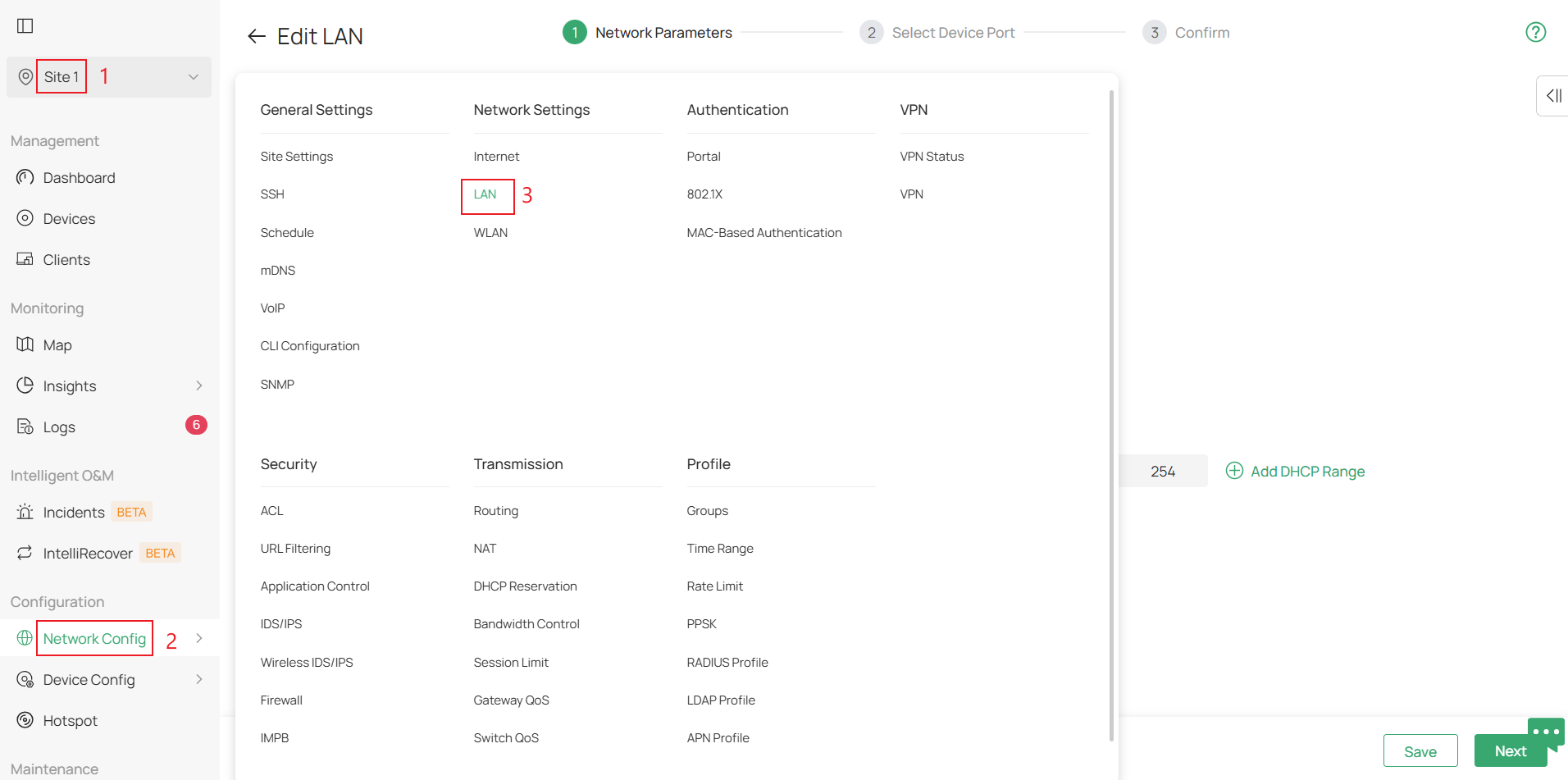
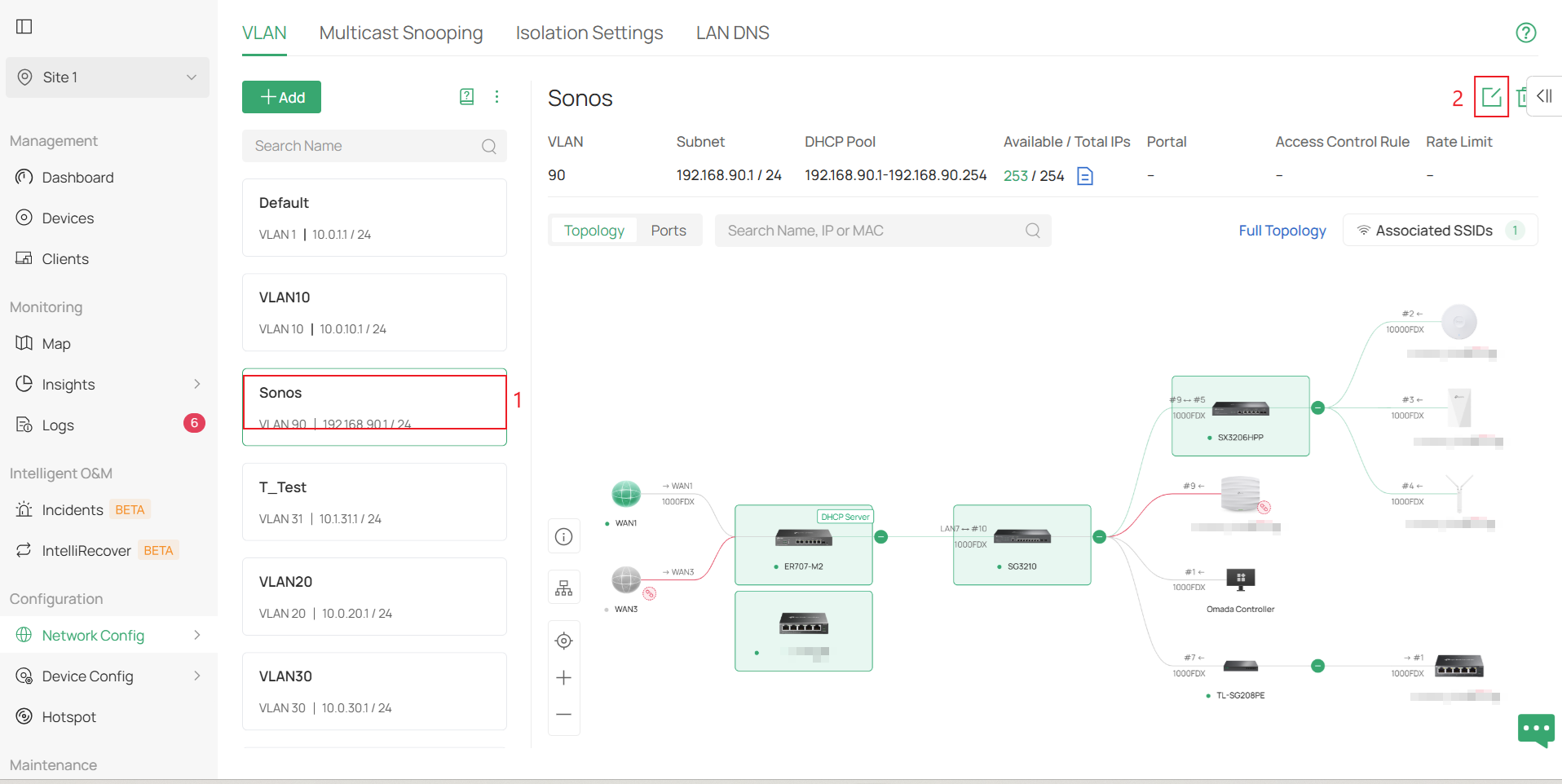
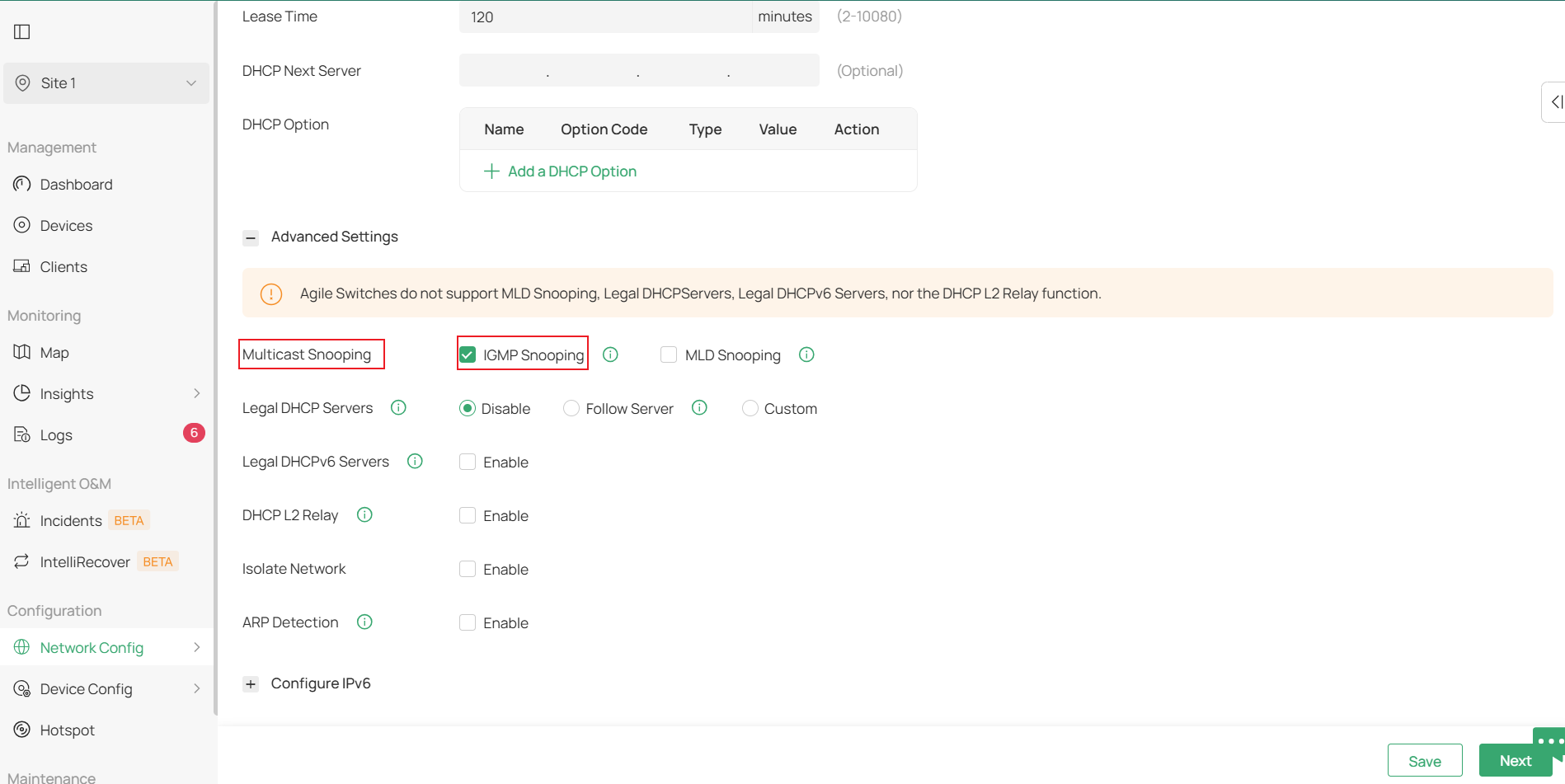
Enable IGMP Snooping on your LAN settings.
- Controller: Site > Network Config > LAN > select the LAN > edit the LAN > expand Advanced Settings > enable IGMP Snooping under Multicast Snooping.
Wireless Settings:
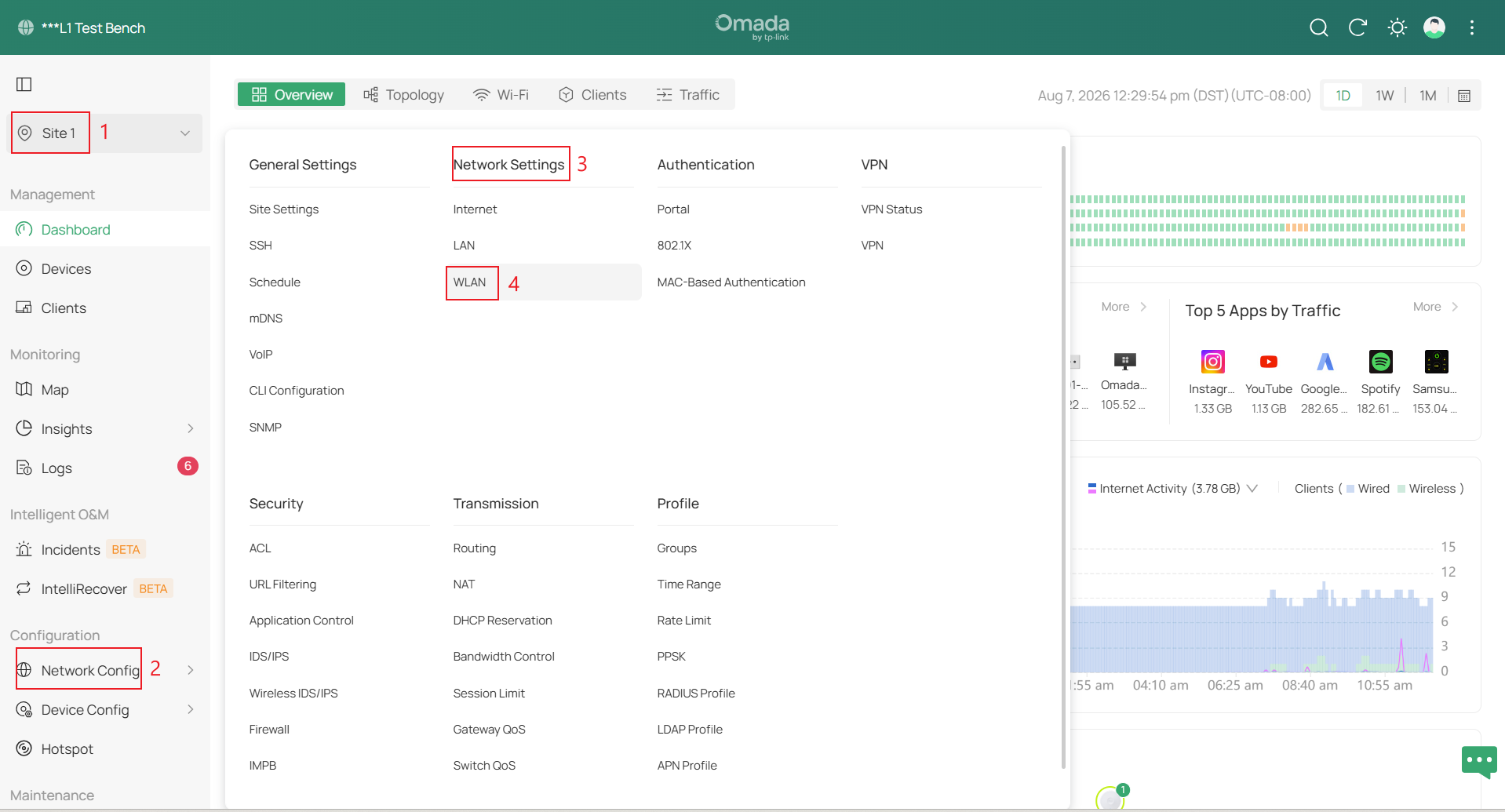
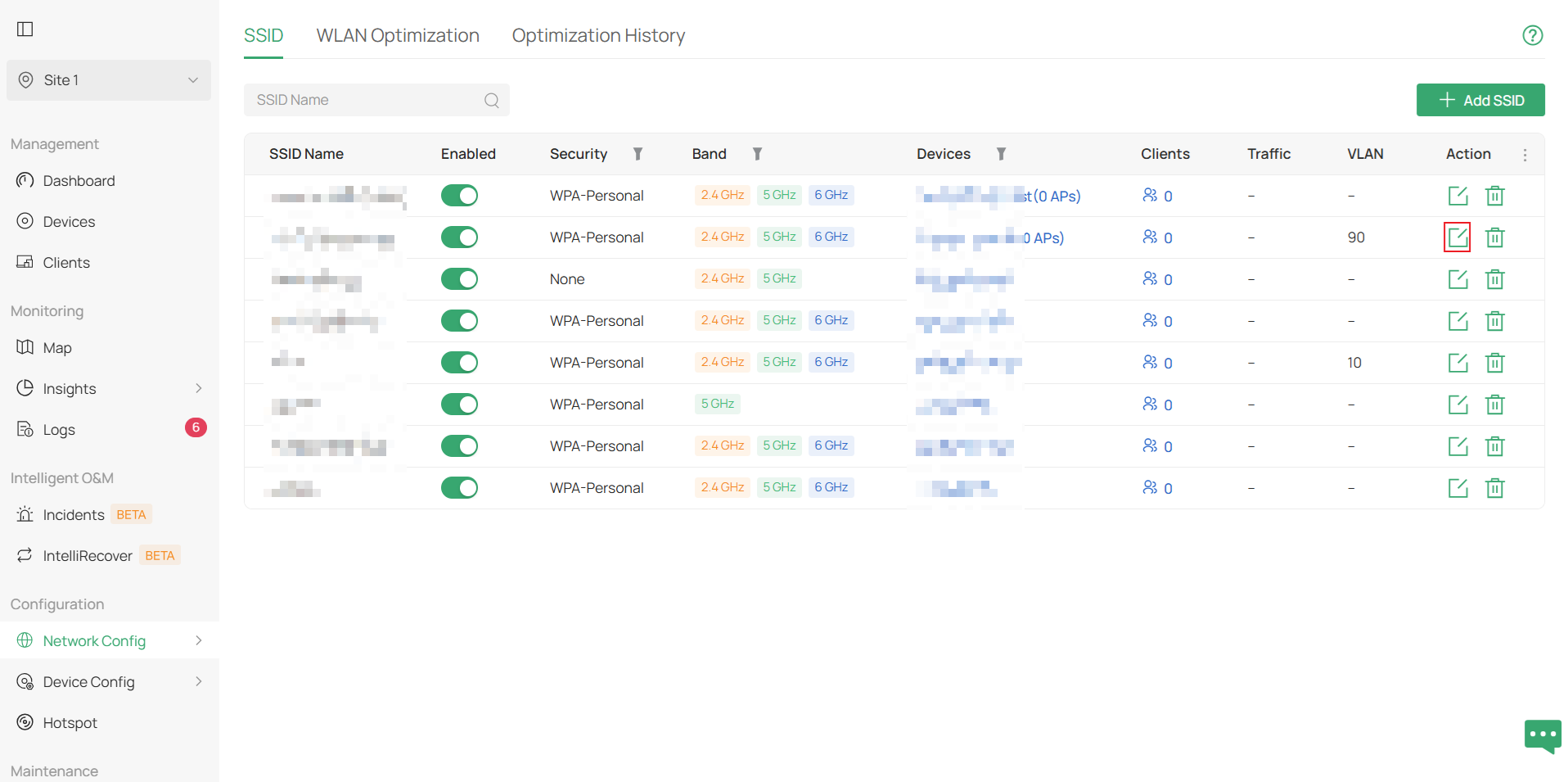
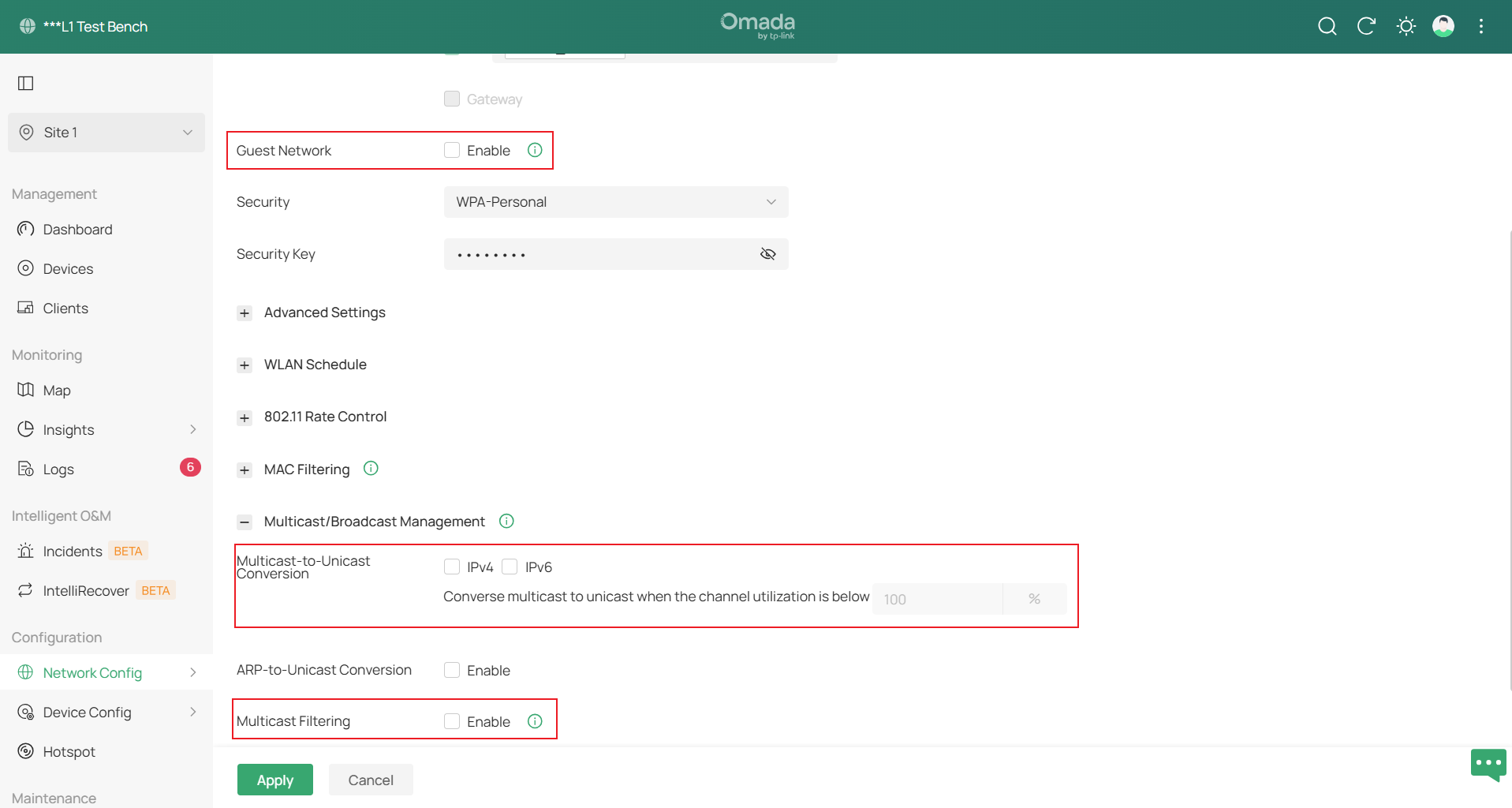
Navigate to your Site > Network Config > Network Settings > WLAN, edit the wireless network intended for the Sonos devices, and follow below:
- Guest Network: Disabled
- Multicast/Broadcast Management:
-
- Multicast-to-Unicast Conversion: Disabled
- Multicast Filtering: Disabled
-
Best Practice 1. Deploy Sonos Devices Using a Fully Wired or Fully Wireless Topology (Recommended)
For the most stable Sonos deployment, please see the following:
- Fully Wireless Topology: All your Sonos devices are wirelessly connected to your Omada EAPs.
- Ensure that all Sonos devices are wirelessly connected to the same subnet.
- Fully Wired Topology: All Sonos devices are wired to the network, and if possible, all to the same switch.
- Ensure to turn Wi-Fi is disabled on every Sonos device.
Best Practice 2. Hybrid Wired and Wireless Setup.
If you are using Sonos devices where there are multiple wired and wireless devices Sonos recommends the following:
Please follow this guide on how to configure STP on an Omada Controller and Standalone: How to Prevent Network Loops with STP and Loopback Detection on Omada Devices
Global Switch Settings:
- Spanning Tree: Set to STP (not RSTP)
- Priorities: Proper CIST priorities should be set on all the switches in the network in increments of 4096 cascading from top down. For example, the main switch is set to 4096, Secondary switches to 8192, tertiary switches to 12288, and so on.
Sonos Hardwired Port Settings:
- STP: Enabled
- Edge Port: Auto or Enabled
- BPDU Protect: Disabled
- Root Protect: Disabled
- Path Cost: 10
- Port Priority: 128
Conclusion
By following these best practices, Sonos devices can be successfully integrated into an Omada network while minimizing the likelihood of network loops, excessive STP topology changes, and multicast-related discovery issues. Whenever possible, deploy Sonos devices using either a fully wired or fully wireless topology. If a mixed wired and wireless deployment is required, applying the recommended STP and multicast settings can help improve network stability and ensure reliable communication between Sonos devices.
To learn more about each function and configuration, please visit Support Home to download or check the manual for your product.
QA
Q1: Should I deploy Sonos using a fully wired or fully wireless topology?
A1: Yes. Whenever possible, deploy all Sonos devices using the same connection method. Fully wired and fully wireless deployments are generally simpler to manage and reduce the likelihood of network issues associated with mixed deployments.
