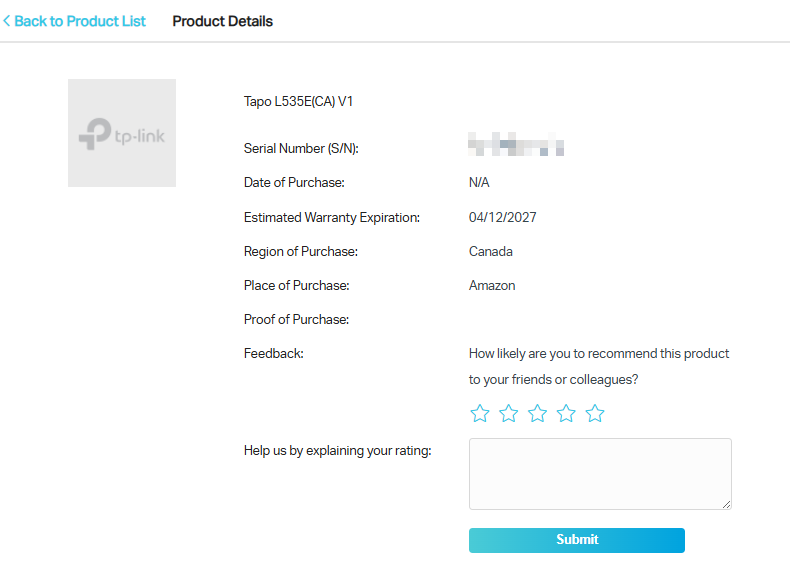
Step 1. Visit https://myproducts.tp-link.com/ and log in with your TP-Link ID.
If you have not yet created a TP-Link ID, please refer to How to create an account on the TP-Link Product Registration System.
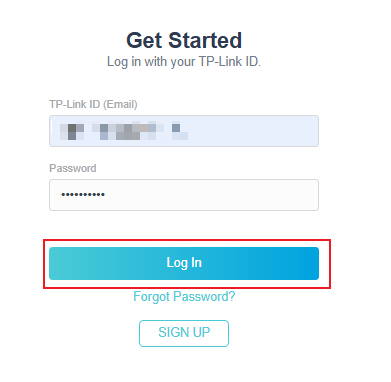
Step 2. Click on +Register a Product.
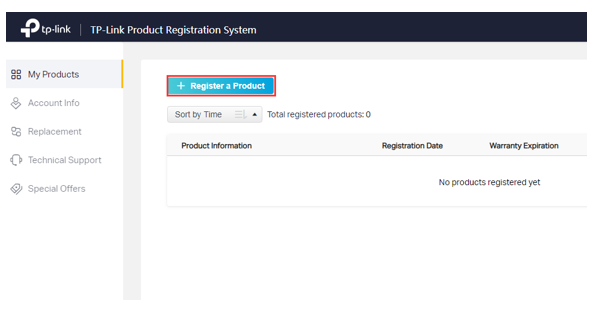
Step 3. Follow the onscreen steps to enter the Serial Number, Proof of purchase and Place of Purchase. Proof of purchase is optional, if you don't have it ready you can upload it later. When the proof of purchase is uploaded during this process, you will then be able to enter a date of purchase as well.
Once the form is filled out, please check I understand and agree to the terms and conditions of the TP-Link Warranty Policy and click Submit.
The serial number is crucial.
If you need assistance finding your product serial number, please refer to How to find the serial number on TP-Link devices.
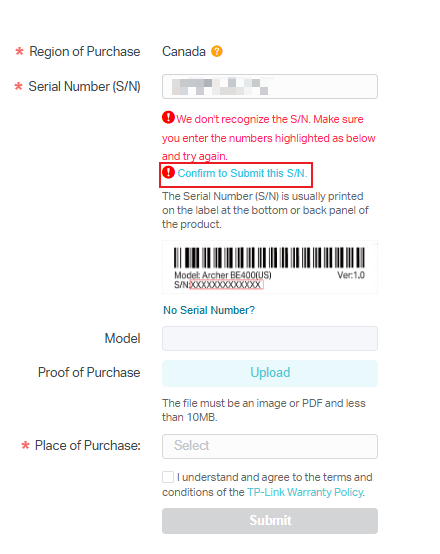
- If the serial number cannot be recognized by the system, please ensure the product was bought from an authorized TP-Link reseller in the Canada and you have entered the serial number correctly. After confirming that everything is correct, please choose Confirm to Submit this S/N to continue registering the product.
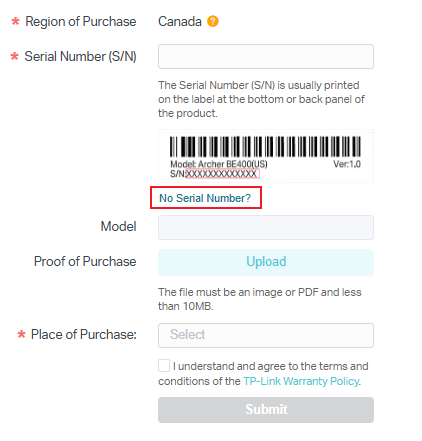
- If there is no serial number on the device, such as the USB adapter, you can click No Serial Number? to continue registering the product.
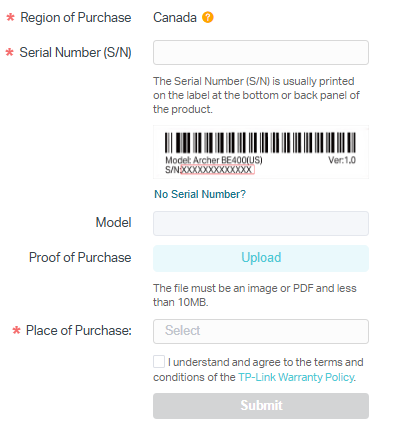
You can view the status of the registered products under My Products.
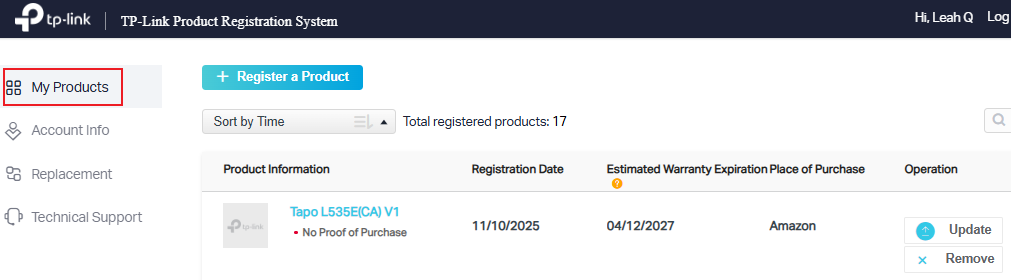
To view more details about a specific product, click on the blue color model number under My Products. Product details will be listed here.