


What Should I Do if the Omada Controller Won't Start on Windows? (Controller v6 or Later)


Contents
Start the Omada Controller via “start.bat”
Start the Omada Controller via CLI command.
Introduction
Sometimes we may face the issue that the Controller start page will not pop up automatically when double click the start icon, and we can’t start the Omada Controller successfully.

Requirements
- Controller v6 or above
Troubleshooting method
Start the Omada Controller via “start.bat”
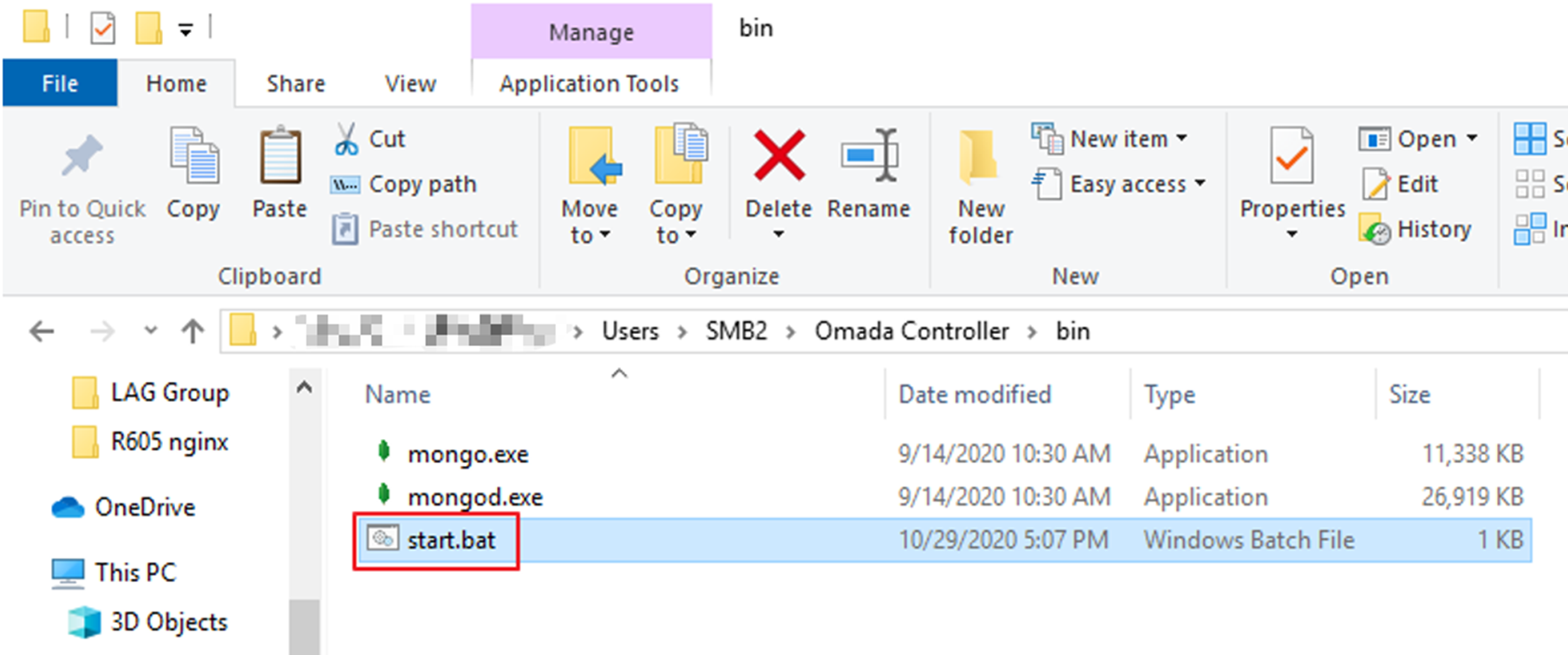
Go to the “bin” folder of the Omada Controller installation path and double click the “start.bat”, check if we can start the Controller successfully. The default path of “start.bat” is C:\Users\Administrator\Omada Controller\bin\start.bat.
Start the Omada Controller via CLI command.
This section describes the configuration steps.
Step 1. Open the CMD in windows system, use the cd command to log in to the “lib” folder of Omada Controller, for default installation path it should be cd C:\Users\<USERNAME>\Omada Controller\lib.
You might need to run CMD as administrator if you customized the installation path, or you won’t be able to start the controller.
Make sure you are using CMD, but not PowerShell here, or you won’t be able to execute cd command.
Step 2. There should be a local-starter-<YOUR_OMADA_VERSION>.jar file under that path. Start it by command java -jar local-starter-<YOUR_OMADA_VERSION>.jar, such as java -jar local-starter-6.2.10.9.jar. The version may varies, just replace with your installed version.
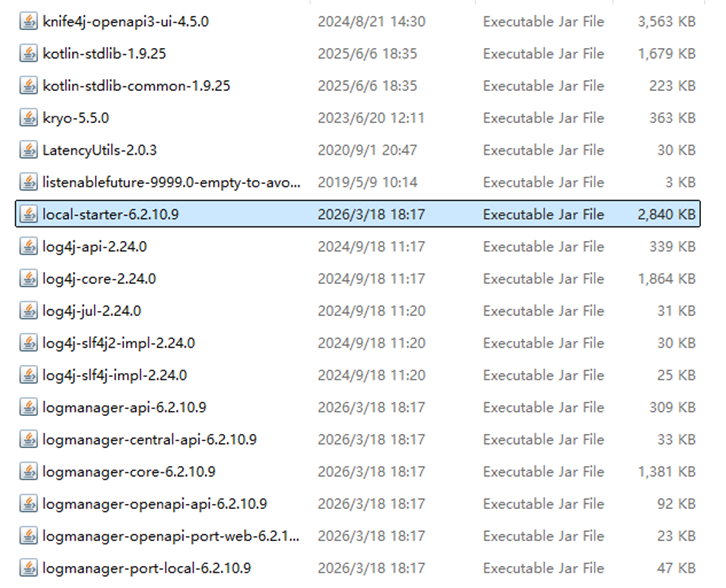
Note: When using the command-line method, users need to have Java installed locally; otherwise, an error will occur if they execute it directly.
Conclusion
This article explains that starting from version 6.0, the Omada Controller has the JRE embedded within the controller package. Therefore, users no longer need to worry about Java version compatibility or Java path configuration issues.
If the controller fails to start on Windows, you can try alternative startup methods, such as launching via the provided batch file or using the command-line method to start the controller.
To learn more about each function and configuration, please visit Support Home to download or check the manual for your product.
