


Contents
What Devices are Powered By PoE?
Introduction
Deploying hardware such as access points, surveillance cameras, or VoIP desktop terminals used to require two independent cable runs: one for electricity, and one for data. Power over Ethernet (PoE) eliminated this redundancy by transmitting low-voltage direct current (DC) electrical power alongside high-speed data over a single standard Category 5e, Category 6, or Category 6A cable. In this guide, we will discuss what PoE is, why it’s used, and differences between standards.
Whether you’re architecting an enterprise campus or a home lab, understanding PoE fundamentals prevents deployment oversights like power budget shortfalls, mid-run voltage drops, and costly hardware incompatibilities.
What is PoE in Networking?
Power over Ethernet (PoE) is an official IEEE standard and technology that allows Ethernet cable to carry both electrical power and network data at the same time to a connected device.
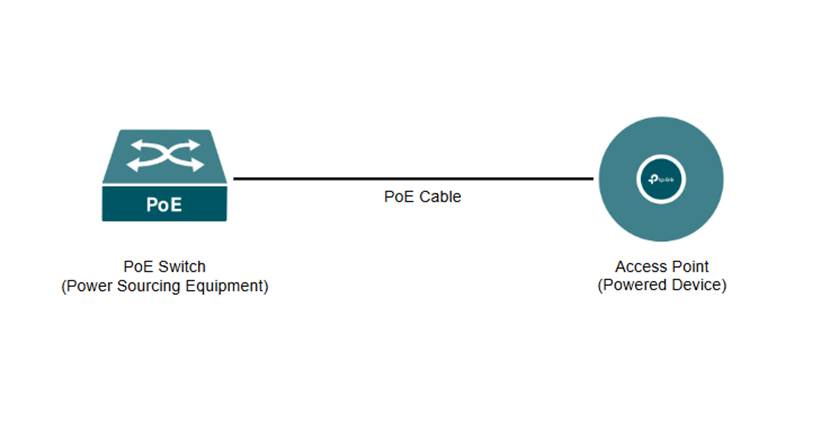
The device supplying the power, such as a PoE switch or PoE injector, is called the Power Sourcing Equipment (PSE). The device receiving the power, such as an IP security camera, access point, or VoIP phone, is called the Powered Device (PD).
Why is PoE Used?
Since PoE sends both electrical power and network data through a single Ethernet cable, this removes the need for separate power cords or nearby electrical outlets.
For devices that can be powered by PoE, the benefits for network administrators and installers include cost and time savings, device placement flexibility, and centralized power and backup.
What Devices are Powered By PoE?
Common examples of devices that are powered by PoE include IP security cameras, wireless access points, VoIP phones, and smart-home devices.
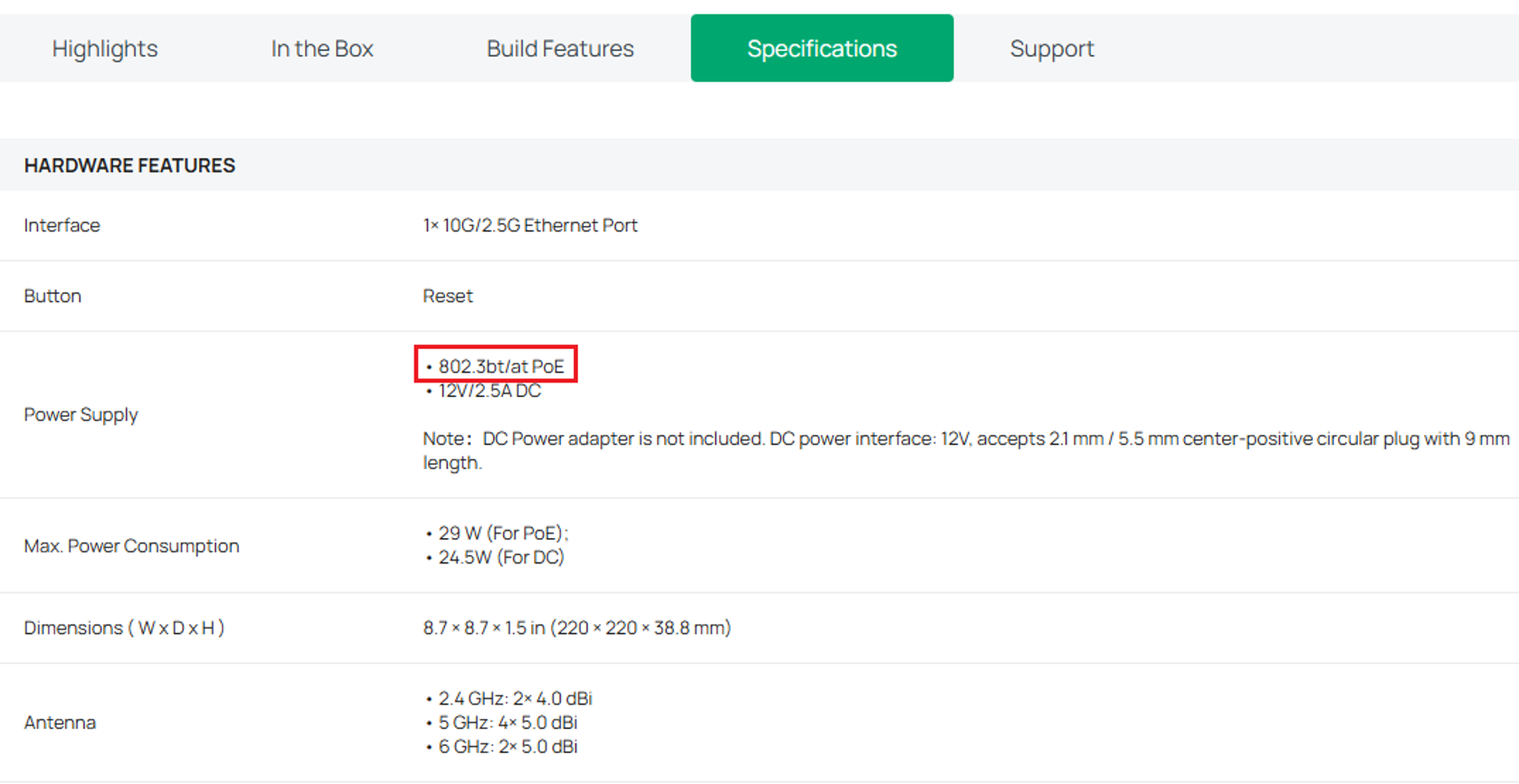
To know if your devices can be powered by PoE, check the user manual, spec sheet, or input port. For example, for the EAP787, on the Specifications page we can see it can be powered by 802.3bt/at PoE:
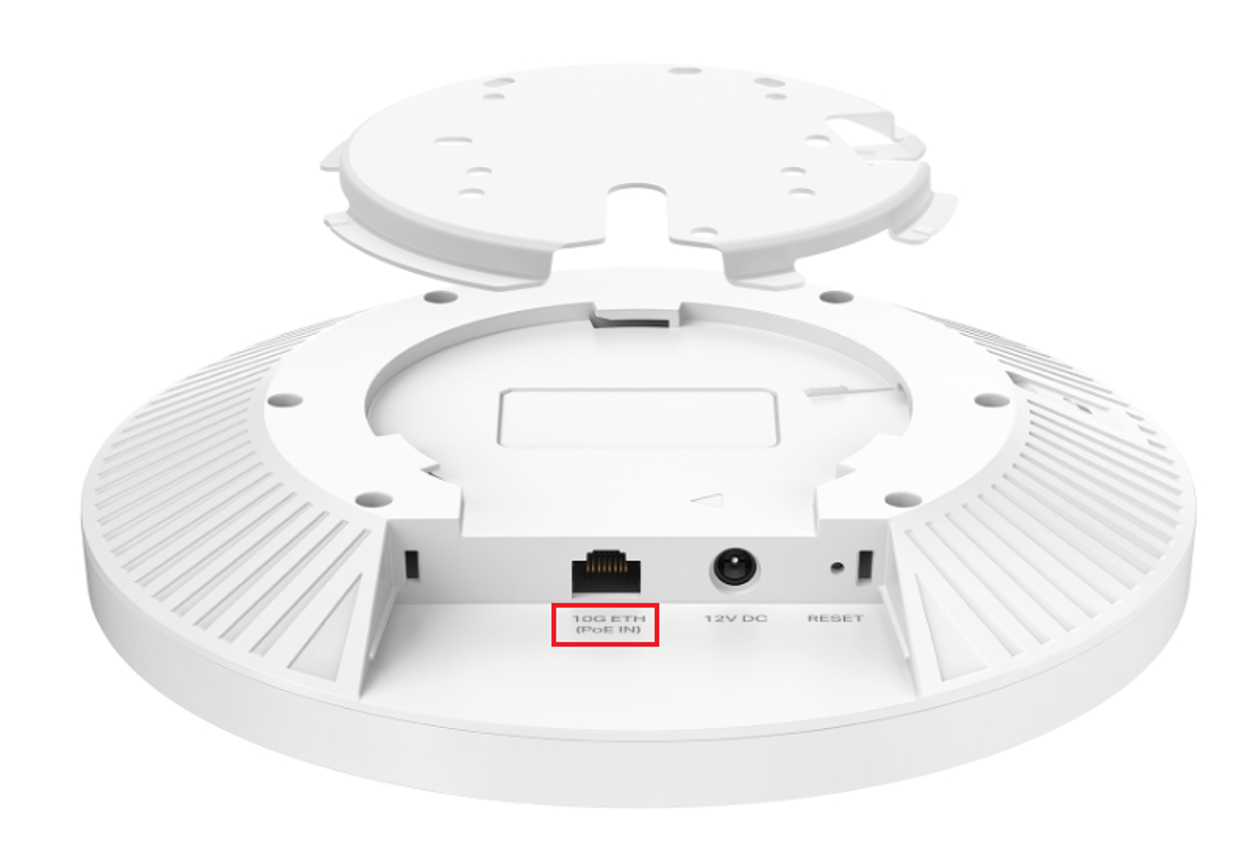
A “PoE IN” label is also written below the input port:
Active vs. Passive PoE
Active PoE and Passive PoE are both types of PoE that deliver electrical power and data over an Ethernet cable, but they handle compatibility differently.
Active PoE and PoE Standards
Active PoE follows IEEE standards such as 802.3af, 802.3at, and 802.3bt.
|
Standard |
Max per Port (PSE) |
Realistic Output (PD) |
|
802.3af (PoE) |
15.4 W |
12.95 W |
|
802.3at (PoE+) |
30 W |
25.5 W |
|
802.3bt (Type 3 PoE++) |
60 W |
51 W |
|
802.3bt (Type 4 PoE++) |
90 W |
71.3 W |
With Active PoE, the PSE performs a detection and negotiation process before supplying power to verify that the connected device is PoE-compatible and determine the appropriate power requirements. For example, if a standard non-PoE laptop is connected to a PoE switch, the switch will recognize that it is not a compatible Powered Device (PD) and will not supply power.
Passive PoE
Passive PoE does not follow IEEE standards.
PSE that uses Passive PoE delivers a constant, fixed voltage down the line without any safety handshakes. The risk of passive PoE is that connecting a device to an incompatible voltage may damage the hardware.
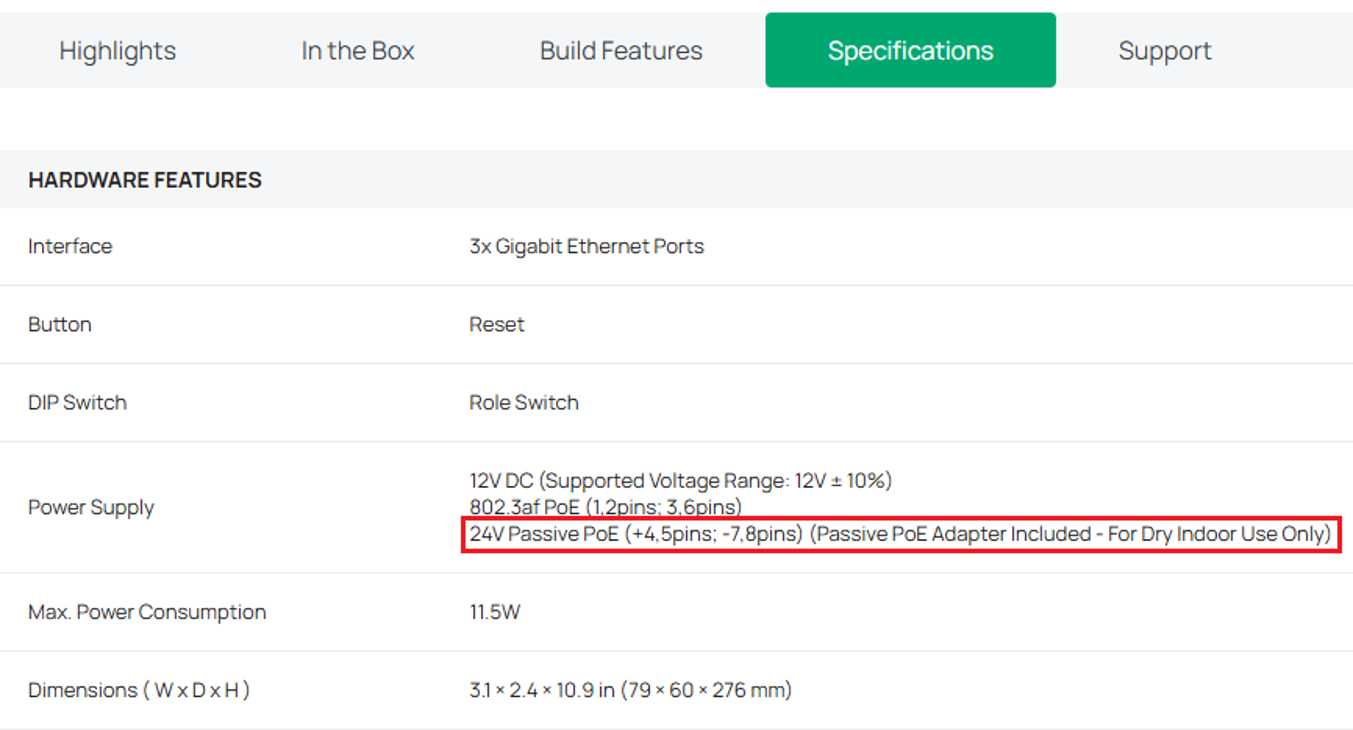
When choosing a device that supports Passive PoE, pay close attention to the voltage on the spec sheet. For example, the EAP215-Bridge KIT V3 can be powered via 802.3af PoE, 24V Passive PoE, and 12V DC.
Note: If using a Passive PoE adapter, it is recommended to use the same brand as the device.
PoE Power Delivery Modes
Standard Ethernet cables (Cat5e, Cat6, Cat6A) contain four twisted wire pairs (eight individual wires). Depending on the network switch and cabling design, power can be transmitted across these pairs in one of two official configurations:
Alternative A (Mode A)
Power is transmitted over the active data pairs (pins 1, 2, 3, and 6). This mode is used by most standard PoE/PoE+ switches.
Alternative B (Mode B)
Power is transmitted over the spare pairs (pins 4, 5, 7, and 8). This mode is used by most standalone PoE injectors and passive PoE devices.
Note 1: Standard 802.3af/at devices operate on 2-pair power (Alternative A or Alternative B). While compliant PDs can accept either configuration, supplying power across both modes simultaneously is non-standard for 802.3af/at and may cause power delivery issues.
Note 2: At present, all Omada PoE switches are standard PSE and designed based on the Alternative A mode, and the line pair 1/2 is passive pole while the line pair 3/6 is the positive pole.
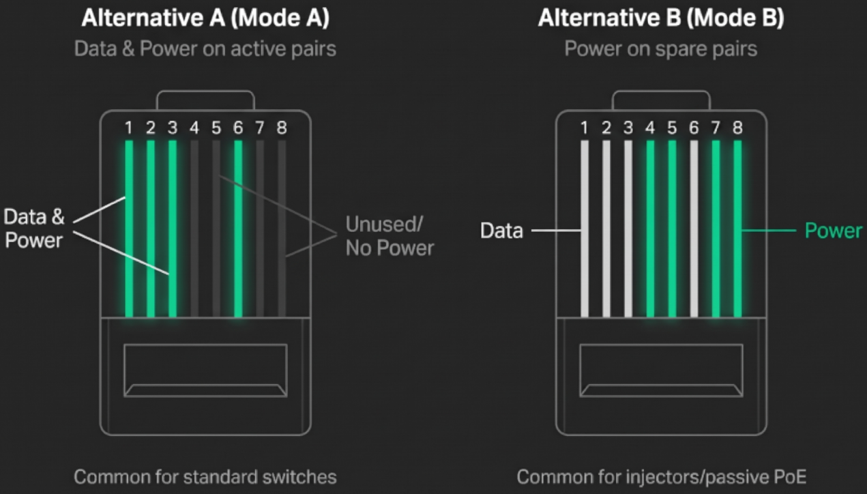
Note: 802.3bt uses all 4 twisted pairs in an Ethernet cable to deliver power simultaneously.
Conclusion
Power over Ethernet (PoE) has transformed modern networking by combining electrical power delivery and high-speed data transmission into a single Ethernet cable. By eliminating the expense and challenges of running dedicated electrical circuits, PoE gives network administrators and home lab enthusiasts the freedom to deploy devices wherever they perform best, whether on a ceiling, outdoors, or in remote corners of a building.
To learn more about each function and configuration, please visit Support Home to download or check the manual for your product.
QA
Q1: Will connecting a standard laptop or non-PoE device to a PoE switch port damage it?
A1: If you are using an Active PoE switch (IEEE 802.3af, 802.3at, or 802.3bt), it will not cause damage because the switch executes a safety handshake to verify compatibility before sending electricity. If the switch or injector uses Passive PoE, power is supplied continuously without a handshake, which can permanently damage non-PoE devices.
Q2: Why is my connected PoE device failing to power on or rebooting under load?
A2: This usually occurs when the Powered Device (PD) demands more wattage than the Power Sourcing Equipment (PSE) can deliver, such as connecting an 802.3at (PoE+) or 802.3bt (PoE++) device to an 802.3af port, or when the switch has exhausted its total system power budget. Verify the device's power requirements on its spec sheet and check the switch's available power capacity.
Q3: Can a networking device support both Active PoE and Passive PoE inputs?
A3: Yes, devices can support flexible power methods. Always check the hardware specifications to confirm supported voltages and pinouts before connecting your power source.
Q4: What PoE products does Omada have?
A4: Powered Devices (PD): Access points, security cameras, Omada gateways. Power Sourcing Equipment (PSE): PoE switches, PoE injectors, PoE adapters, other PoE accessories, NVR.
Note: If choosing an Omada product, verify the device's specification sheet to help you choose a suitable PoE device.
