


Why Can I Configure Fewer VLANs Than Expected on My Agile Switch


Contents
Introduction
When using Omada Agile Switch (ES Series) together with Omada Controller, you may notice that the available number of VLANs is not the expected 32, but 31 instead.
This document explains the reason for this phenomenon and the specific scenarios in which it may occur.
Requirements
- Omada Controller (Software Controller / Hardware Controller / Cloud-Based Controller)
- Omada Agile Switch
Cause of the phenomenon
When Omada Agile Switch works with Omada Controller, VLAN 1 is always reserved by the Agile Switch and occupies one VLAN resource.
If VLAN 1 is not enabled on the Controller, or is not configured on the Agile Switch, the available VLAN count will appear to be limited to 31.
Scenario #1
The Default VLAN ID is modified and VLAN 1 is not created.
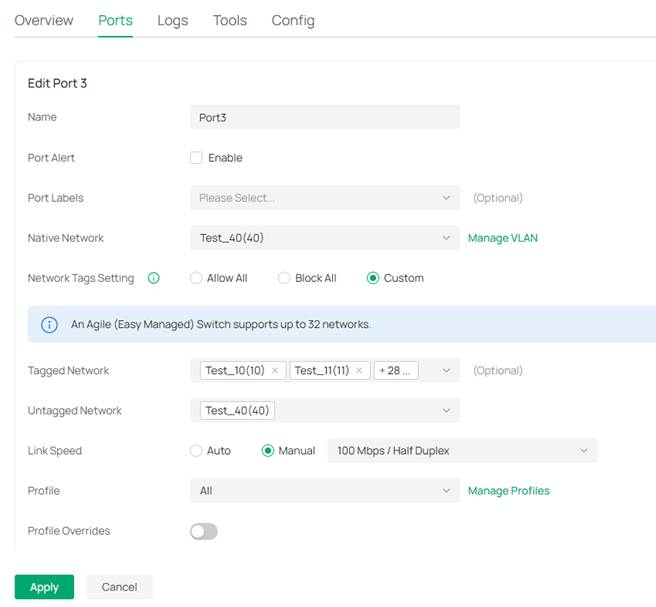
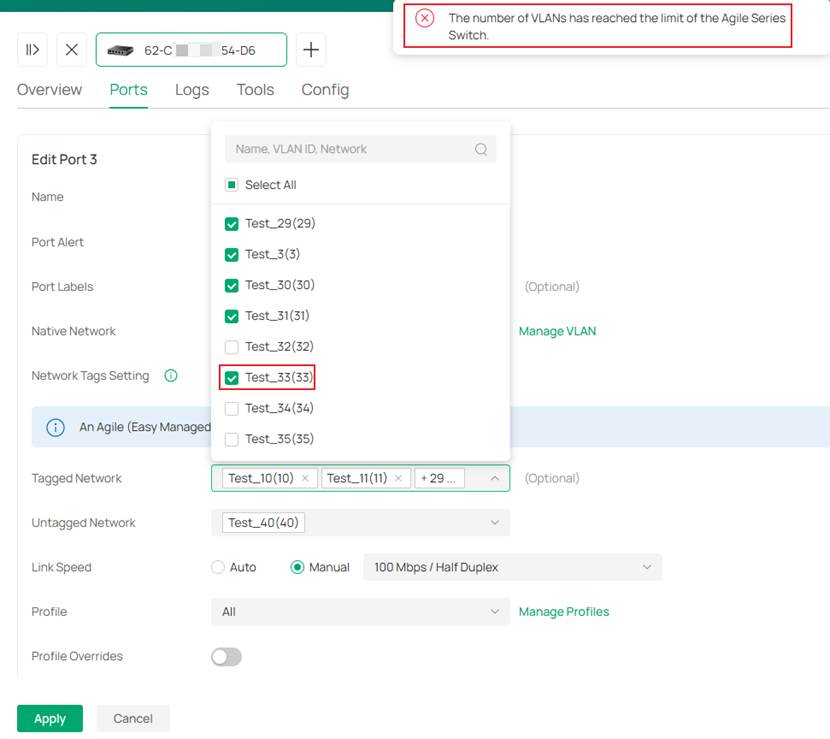
As a result, when Network Tags Setting is configured as Allow All, only the first 30 VLANs can be applied. Together with the Native Network, only 31 VLANs can take effect.
Example
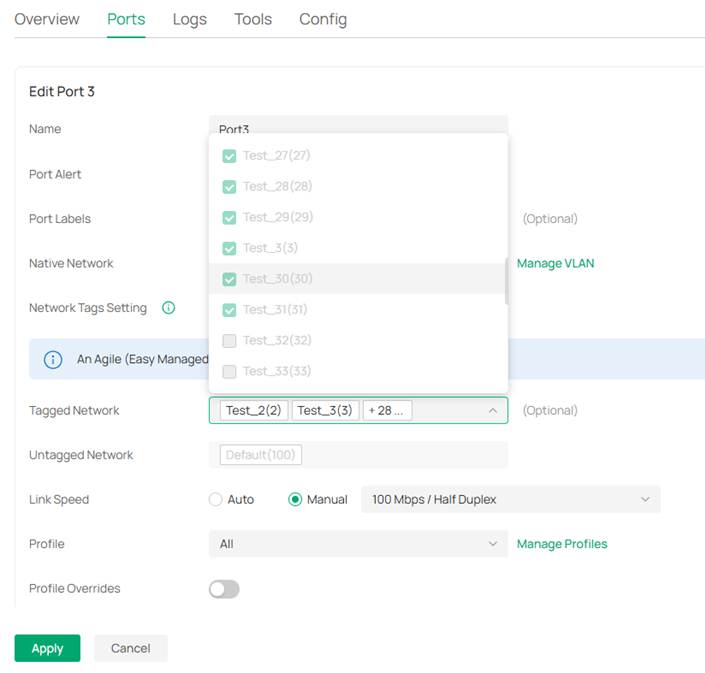
The VLANs configured under the Site include Default VLAN (VLAN 100) and VLAN Test_2 (VLAN 2) to Test_40 (VLAN 40).
When the Network Tags Setting of an Agile Switch port is set to Allow All, only VLAN Test_2 to VLAN Test_31 are included, for a total of 30 VLANs.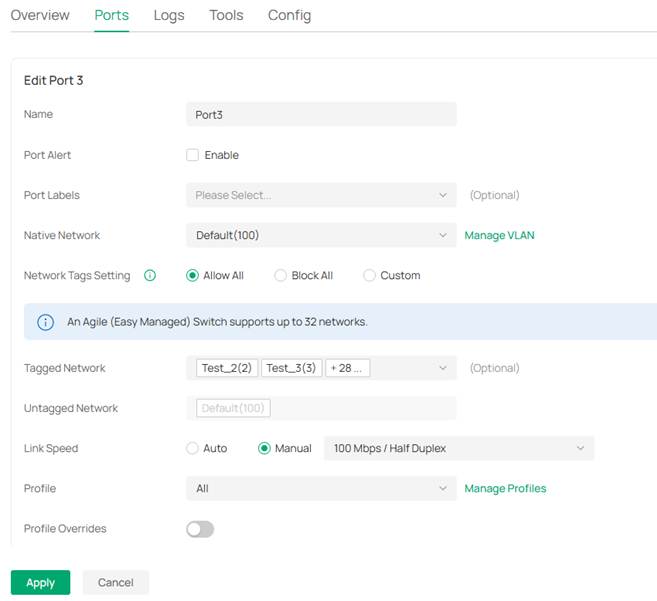
Scenario #2
The Default VLAN ID is modified, and VLAN 1 is created, but VLAN 1 is not configured on the Agile Switch.
In this case, Network Tags Setting can only apply 30 VLANs. Together with the Native Network, only 31 VLANs can take effect.
Example
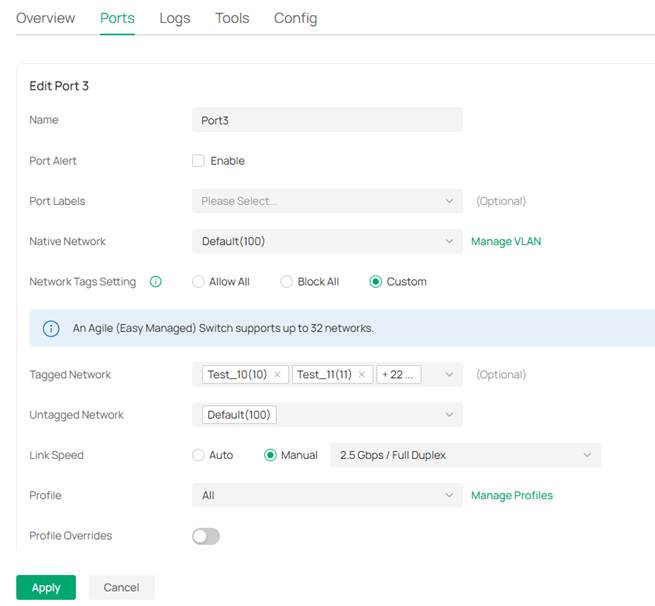
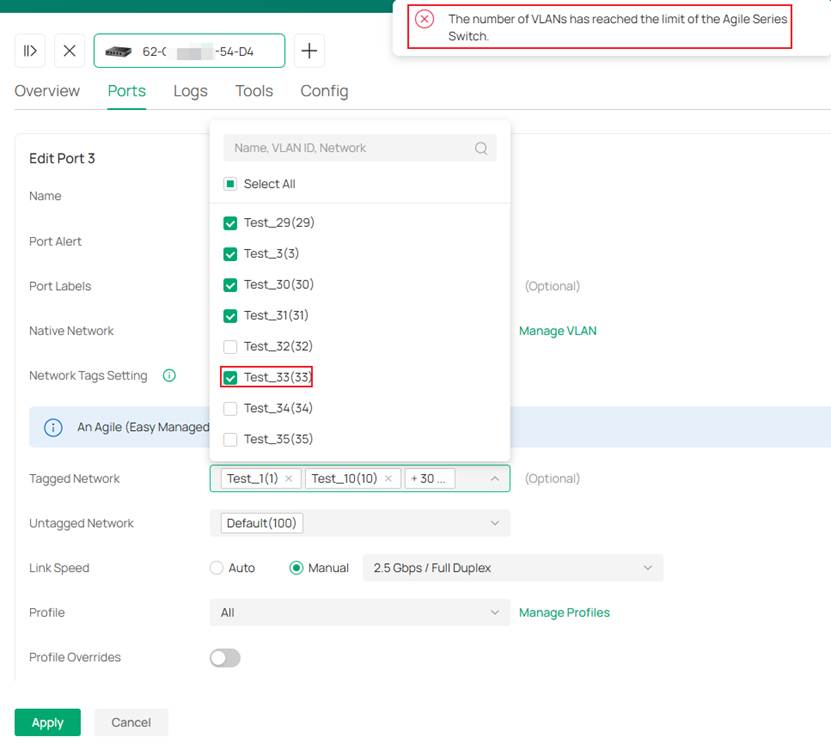
The VLANs configured under the Site include Default VLAN (VLAN 100), VLAN Test_2 (VLAN 2) to Test_40 (VLAN 40), and VLAN Test_1 (VLAN 1).
When the Network Tags Setting of all Agile Switch ports is configured as Custom, if VLAN Test_1 is not included in Tagged Network, a maximum of 30 VLANs can be configured, such as VLAN Test_2 to VLAN Test_31.
Scenario #3
The Default VLAN ID is not modified, but the Default VLAN is not configured on the Agile Switch.
In this case, Network Tags Setting can only apply 30 VLANs. Together with the Native Network, only 31 VLANs can take effect.
Example
The VLANs configured under the Site include Default VLAN (VLAN 1) and VLAN Test_2 (VLAN 2) to Test_40 (VLAN 40).
When the Native Network of all Agile Switch ports is configured as VLAN Test_40 (VLAN 40) and the Network Tags Setting is set to Custom, if the Tagged Network does not include the Default VLAN, a maximum of 30 VLANs can be configured, such as VLAN Test_2 to VLAN Test_31.
Conclusion
The above is an introduction to the special case of VLAN quantity limitation when using Omada Agile Switch together with Omada Controller.
Get to know more details of each function and configuration please go to Download Center to download the manual of your product.
