


Contents
Scenario 2. Scheduled Speed Test
Introduction
Starting from v6.2, Omada Network System introduces the Speed Test feature, offering both manual and scheduled modes to help us monitor network quality easily.
Requirements
- Omada Network 6.2 and above
- Omada Gateway (Speed Test supported)
Scenario 1. Manual Speed Test
Go to Dashboard > Overview, click Speed Test.
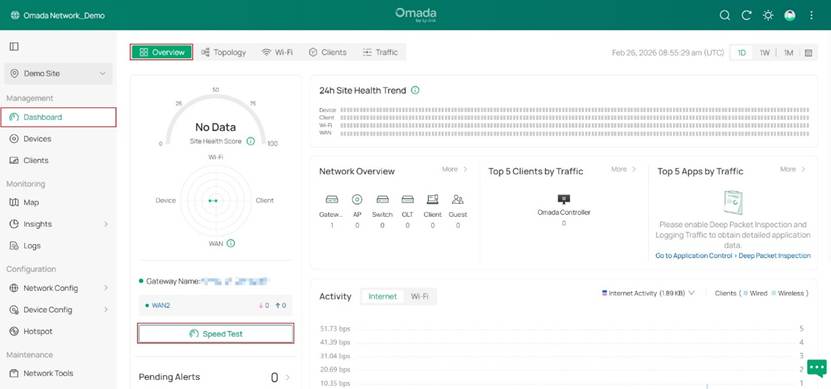
Then the gateway will immediately begin the speed test.
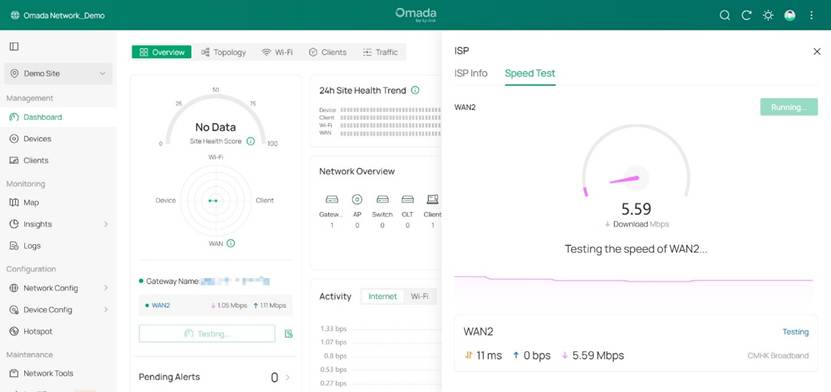
Speed test results will be available in a few seconds. And we can view all historical speed test results below.
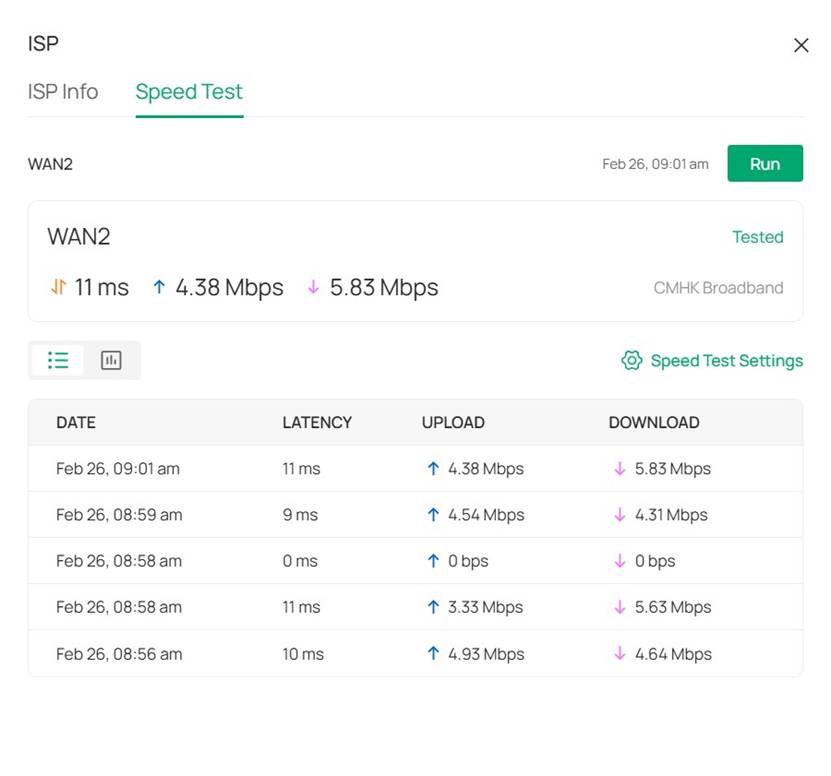
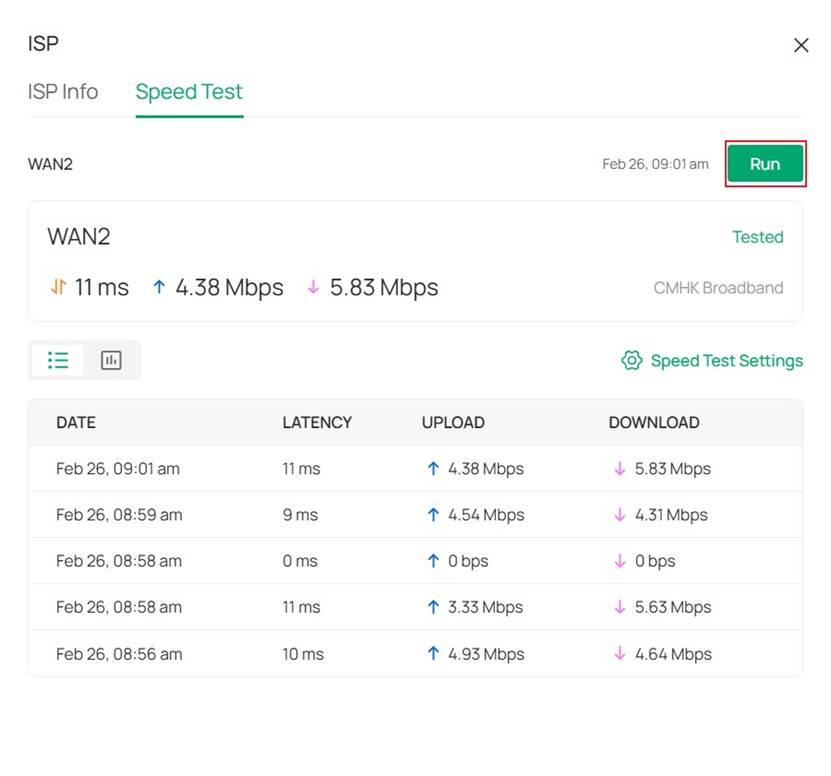
Additionally, we can click Run here to perform the next manual speed test.
Scenario 2. Scheduled Speed Test
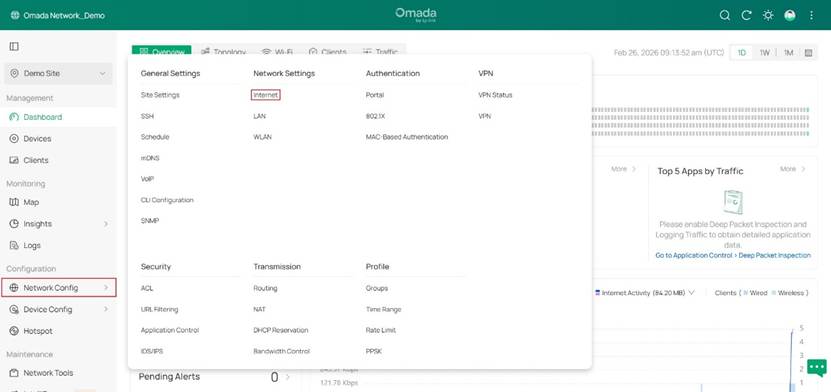
Step 1. Go to Network Config > Network Settings > Internet.
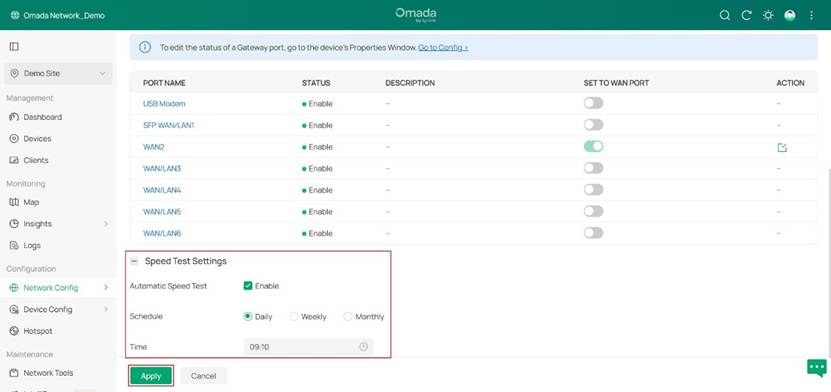
Step 2. Enable Automatic Speed Test and configure the cycle to run it as needed.
The method for viewing historical test results of scheduled speed tests is identical to that for Manual Speed Tests.
Conclusion
The above is an introduction to the Speed Test feature on the Omada Controller v6.2 and above
Get to know more details of each function and configuration please go to Download Center to download the manual of your product.
