Table of Contents

  • Package Contents

  • Paintable Cover

  • Mounting

  • Configuration

  • Appendix: Uninstalling the AP

  • EAP775-Wall_Installation Guide

    Hướng dẫn cài đặt phần cứng
    01-10-2026
    2184
    Table of Contents

    Package Contents
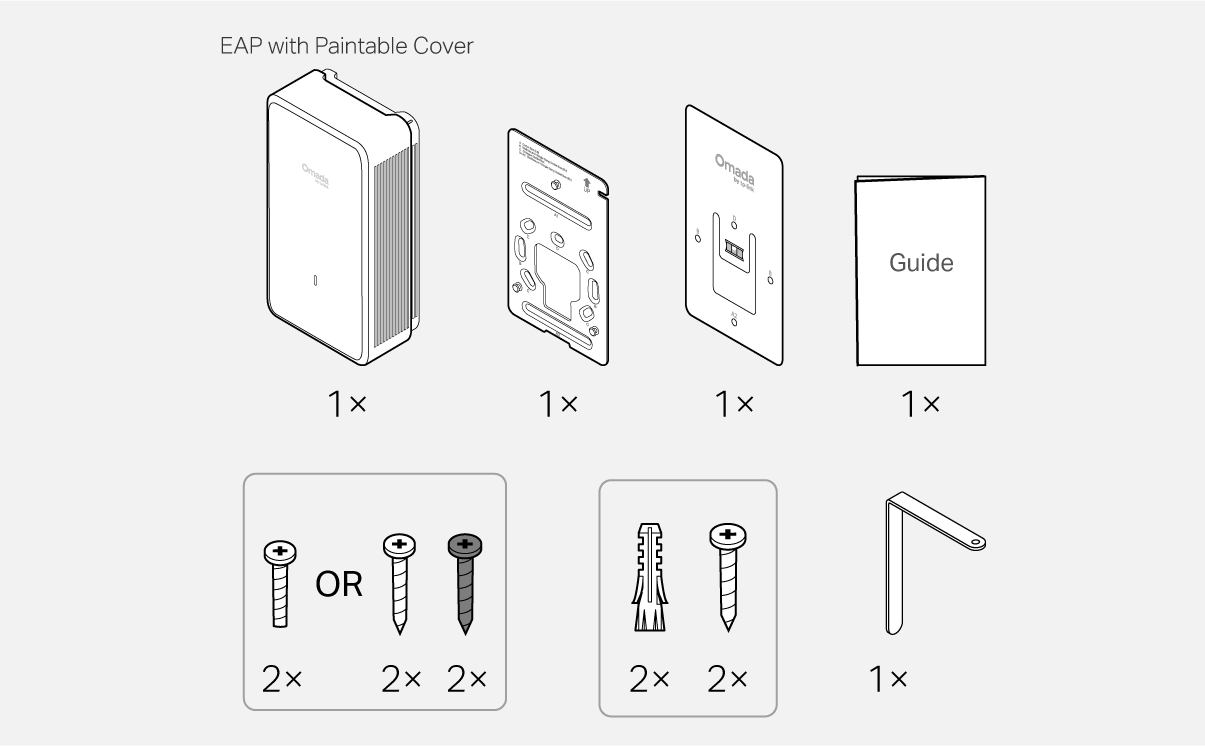
    Packet Contents

    Note: Accessories may vary by region and model.

    Paintable Cover

    Notes: 
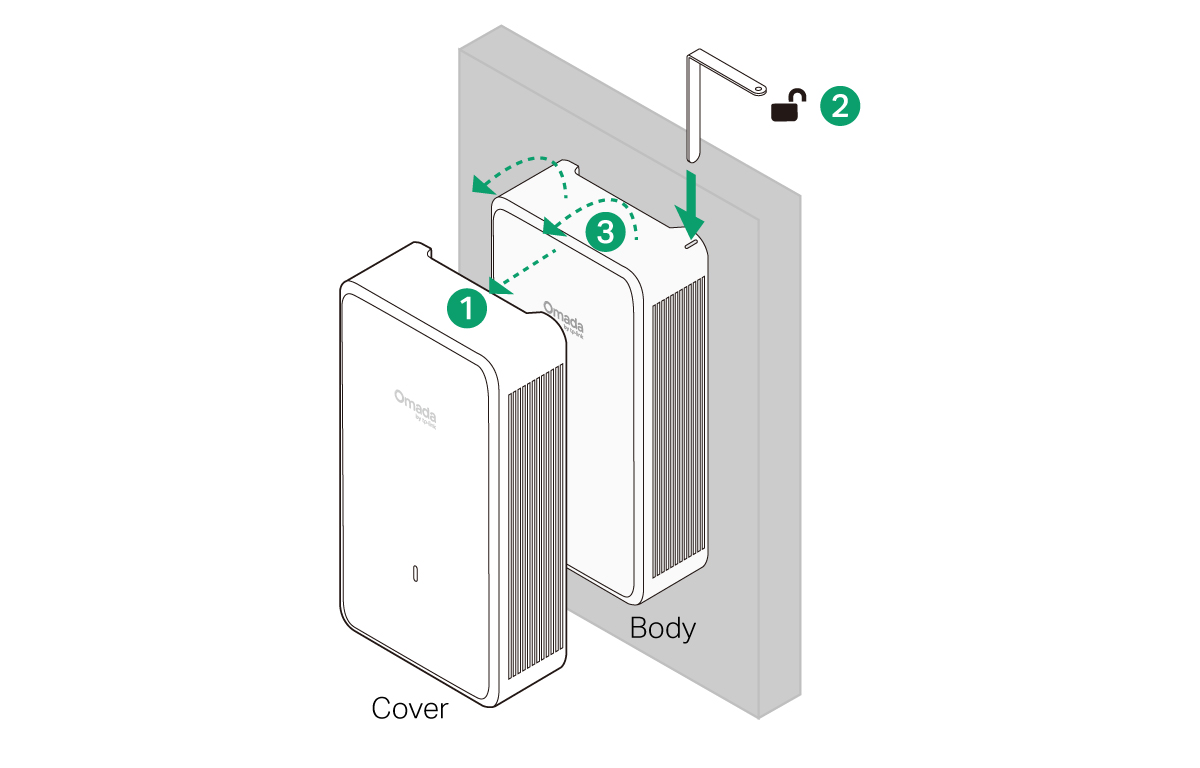
    1. If you want to paint the cover, remove it from the EAP body before painting. 
    2. To ensure product safety, please use the product with the cover installed.
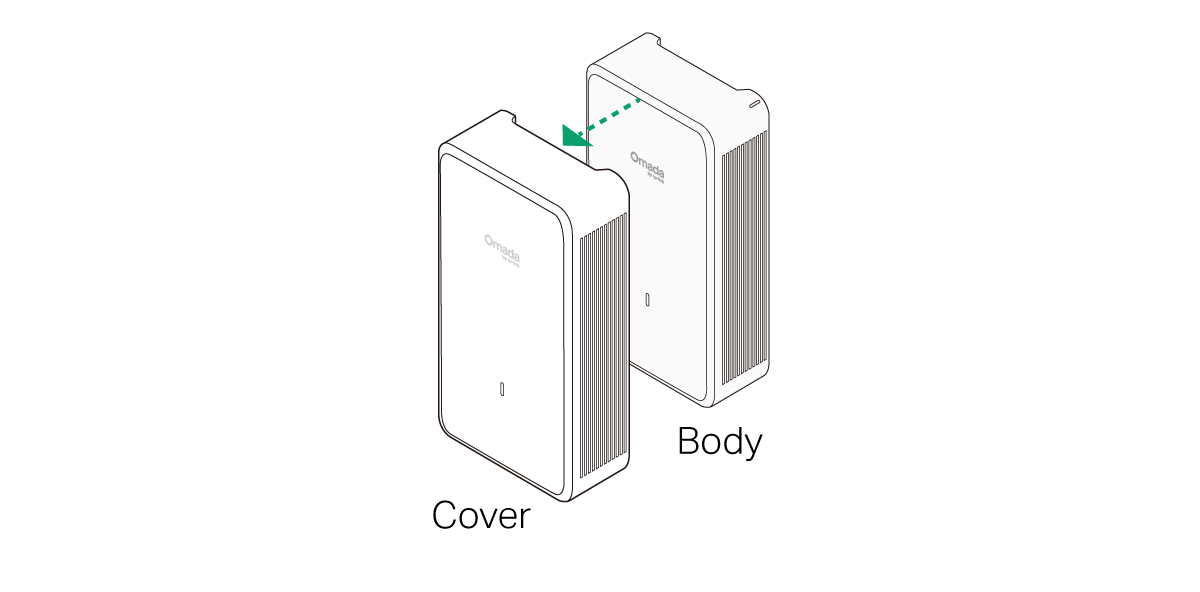
    Paintable Cover

    1 Mounting

    Note: This equipment shall be installed at a height of less than 2 meters.
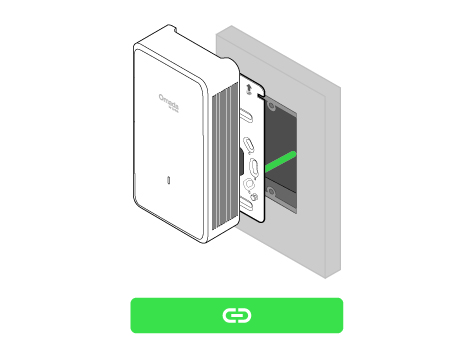
    Option 1 Junction Box Mounting

    Option 2 Wall Mounting (Cable Through Wall)Option 3 Wall Mounting (Cable Along Wall)

    Junction Box Mounting

    Note: To ensure product safety, please use the product with the cover installed.
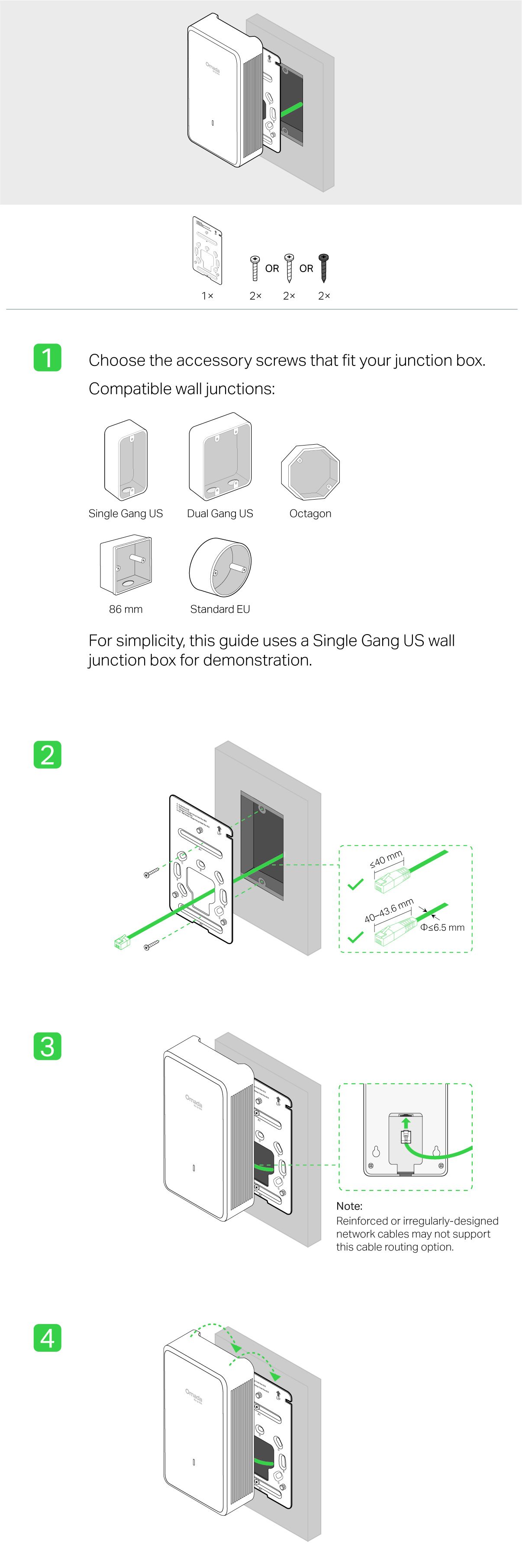
    Steps - Option 1 Junction Box Mounting
     

    Wall Mounting (Cable Through Wall)

    Note: To ensure product safety, please use the product with the cover installed.

    Steps - Option 2 Wall Mounting (Cable Through Wall)

    Wall Mounting (Cable Along Wall)

    Note: To ensure product safety, please use the product with the cover installed.

    Steps - Option 3 Wall Mounting (Cable Along Wall)

    2 Configuration

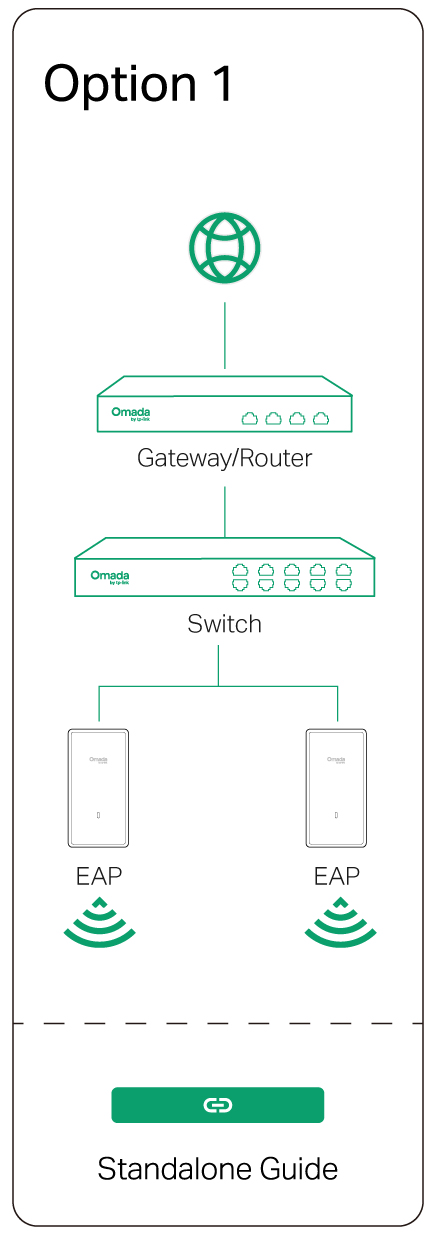
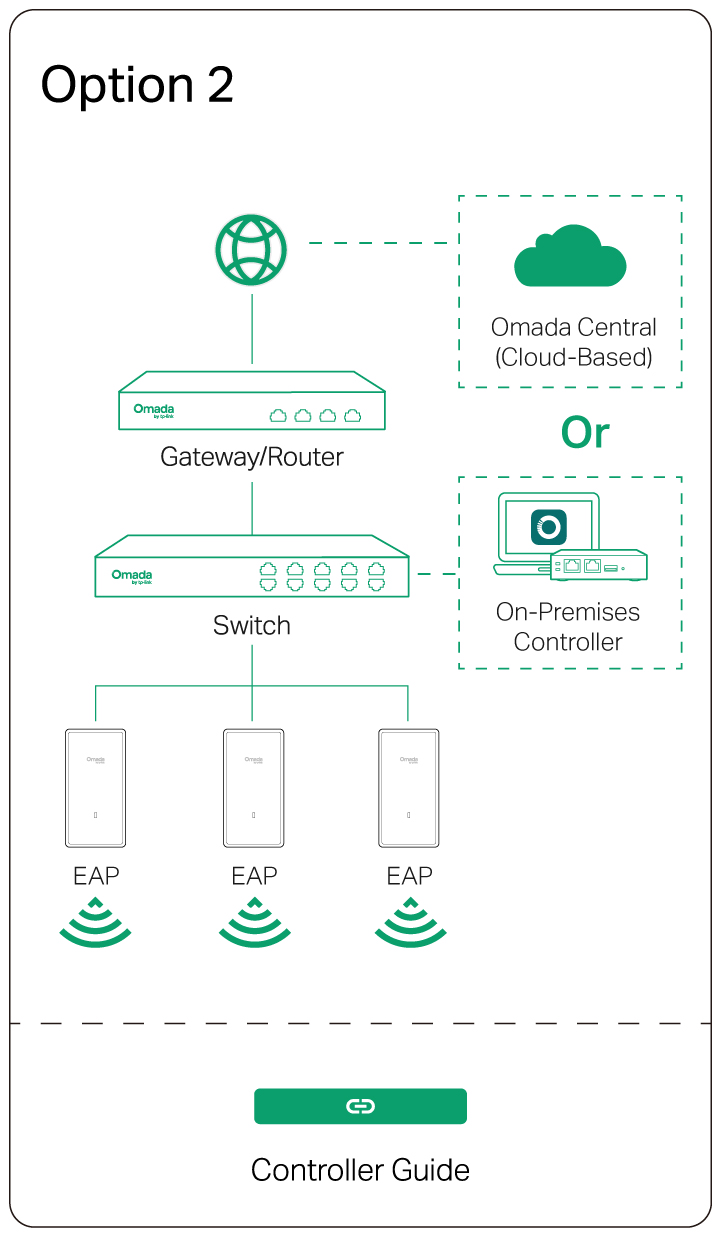
    Option 1: Standalone ModeOption 2: Controller Mode


    Omada App

    apple storegoogle storeomada app

    line

    Uninstalling the AP

    Uninstallation

    Please Rate this Document

    Related Documents

    EAP775-Wall_V1_Installation Guide

    Hướng dẫn cài đặt phần cứng
    10-31-2025
    2529

    EAP775-Wall_V1_Datasheet

    Datasheet
    10-20-2025
    3605

    How to configure MLO SSID of AP on Omada Controller

    Hướng dẫn cấu hình
    Không dây
    09-21-2024
    25831

    EAP775-Wall(EU)_V1_1.0.1 Build 20251030

    Thông báo phát hành
    11-07-2025
    1671

    EAP775-Wall(EU)_V1_1.0.4 Build 20260214

    Thông báo phát hành
    02-18-2026
    773