


Contents
Introduction
For households with farms or scenarios requiring connection between two distant networks or expanded coverage, wireless bridging has become an efficient and flexible solution. The Bridge Kit is one of the key devices used to achieve this. This article provides recommendations for applications.
Requirements
- Omada Wireless Bridge
- Omada Controller/Omada App/PC
Basic Needs
What are the basic needs for the wireless network between the home and the farm?
Normally, a wireless network between home and farm should meet the following needs:
- Requirements for long-distance data transmission and high signal strength.
- Device should have protection from a harsh outdoor environment, with lightning protection and a waterproof design.
- Device should support PoE power supply, be flexible for outdoor deployment.
- Convenient in maintenance; with tools for central management, configuration, and real-time monitoring.
Solution
What kind of solution can meet the needs of the wireless network between the home and farm?
Here we provide a full solution including the network topology, product features, and parameters.
Topology
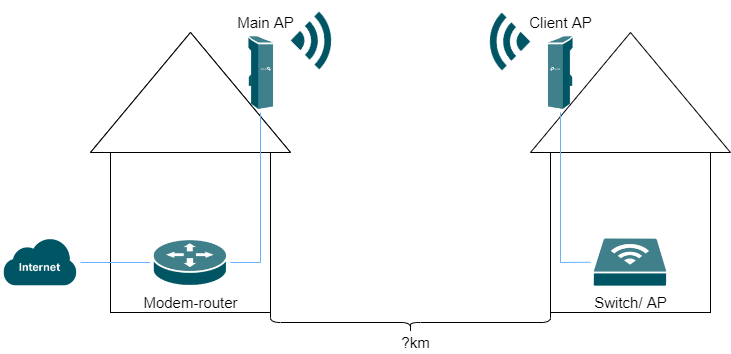
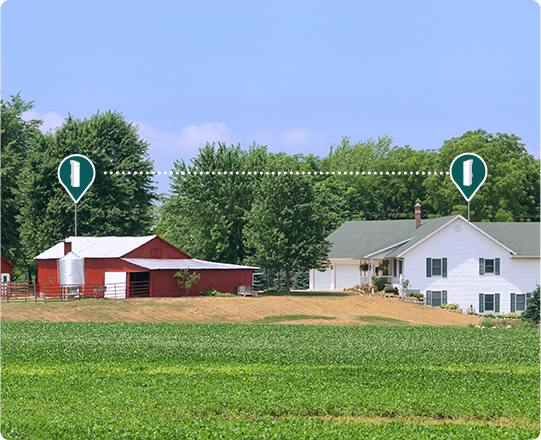
PtP (Point-to-Point) Network Access
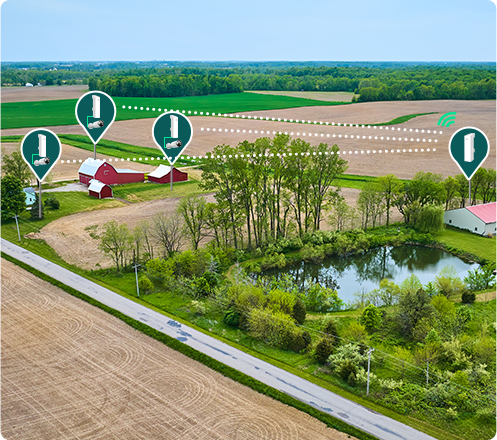
PtMP (Point-to-Multipoint) Network Access
Highlights
What are the highlights of this solution?
- High Durability
The Bridge Kit features an outdoor stabilized enclosure with IP65 weatherproof certification, supporting 6kV lightning protection and operating reliably in temperatures ranging from -40°C to +70°C. Its robust design ensures long-lasting performance in harsh environments.
- Effortless Installation and Auto-Pairing
Auto-Pairing with Preconfigured Kit: The Main AP and Client AP in the same kit will automatically form a bridge network after powering on.
Multi-Bridge Auto-Pairing: Effortlessly connect multiple bridges (The EAP100-Bridge KIT supports up to 1-to-3 multi-bridge connections; all other EAP Bridge KITs support up to 1-to-4 multi-bridge connections) by simply dialing roles and pressing the pair button—no portal login required.
Note: Only the latest version of the EAP-Bridge KIT supports one-click pairing.
- App-Guided Alignment and Optimal Performance
Real-Time Signal Visualization: The Omada app provides signal strength feedback, simplifying long-distance bridge alignment for optimal connectivity.
Speed Testing: Verify installation success and troubleshoot via the app, ensuring high performance and reliable connections.
- Versatile Power & Connectivity
Flexible Power Options: Supports 802.3af PoE, 24V Passive PoE, and 12V DC power supplies for versatile deployment in various environments.
Note: As specifications vary between different models, it is advisable to visit the official website for detailed information.
LED Signal Indicators: Displays signal strength and adjusts position for optimal reception.
- Dual Control Modes
Operate in standalone mode for simple deployment or integrate into Omada SDN for centralized management, remote access, and batch configuration.
- Long Distances Data Transmission
EAP-Bridge KIT is designed for long-distance indoor/outdoor data transmission, with multiple product models to meet varying distance requirements from 0.5km to 5km.
For distances from 5km to 15km, you might consider the Beam Bridge 5 UR KIT.
- More Ethernet Ports
The EAP-Bridge KIT supports three Ethernet ports, enabling connection to additional cameras and devices without the need for an extra switch.
Note: Beam Bridge 5 only supports one Ethernet port.
Product selection
Which product should I choose to build the wireless network between the home and farm? (Taking the latest version as an example)
|
Model |
EAP215-Bridge KIT |
EAP211-Bridge KIT |
EAP115-Bridge KIT |
EAP100-Bridge KIT |
Beam Bridge 5 UR KIT |
|
Ethernet Ports |
3 x Gigabit |
3 x Gigabit |
3 x 10/100 Mbps |
3 x 10/100 Mbps |
1 x 10/100/1000Mbps Gigabit |
|
Max. range |
5 km |
1 km |
5 km |
0.5km |
15km |
|
Wi-Fi band &Speed |
5GHz: 867Mbps |
5GHz: 867Mbps |
5GHz: 300Mbps |
2.4GHz: 300Mbps |
5 GHz: 867 Mbps |
|
Antenna |
5 GHz: 14.0 dBi |
5 GHz: 10.0 dBi |
5 GHz: 14.0 dBi |
2.4 GHz: 8.0 dBi |
5 GHz: 23 dBi |
|
Beam width |
Horizontal: 43°, |
Horizontal: 60°, |
Horizontal: 43°, |
Horizontal:70°, Vertical: 70° |
Horizontal: 9°, Vertical: 7° |
|
Power Supply |
Support 802.3af PoE / Passive PoE / 12V DC |
Support 802.3af PoE / Passive PoE |
|||
Conclusion
Now you can choose the right product based on the above recommendations.
Get to know more details of each function and configuration please go to Download Center to download the manual of your product.
