


目錄
介紹
本文概述了與 6.2 版本相比,Omada Network 6.3 中引入的關鍵變更。它旨在幫助您快速了解最新版本中的新功能、增強功能和結構更新。
需求
- Omada Network 6.3
關鍵更新
1. 新增管理所有 Omada Pro/Campus 設備的支援。
2. 新增支援從以下本地系統直接升級至 Omada Network 6.3:
- Omada Pro Software Controller v1.10.20 (Windows 和 Linux,TAR 格式)
- Omada Pro Hardware Controller C5300 (韌體版本 1.4.4 Build 20260121 Rel. 36286)
3. 新增支援透過 Settings > Maintenance > Restore 或 Settings > Migration > Controller Migration > Migration Import 匯入 Omada Pro Controller 設定檔。
4. 與 Omada Pro Controller v1.10.20 或 Omada Network 6.2 相比,Omada Network 6.3 沒有缺少任何功能。
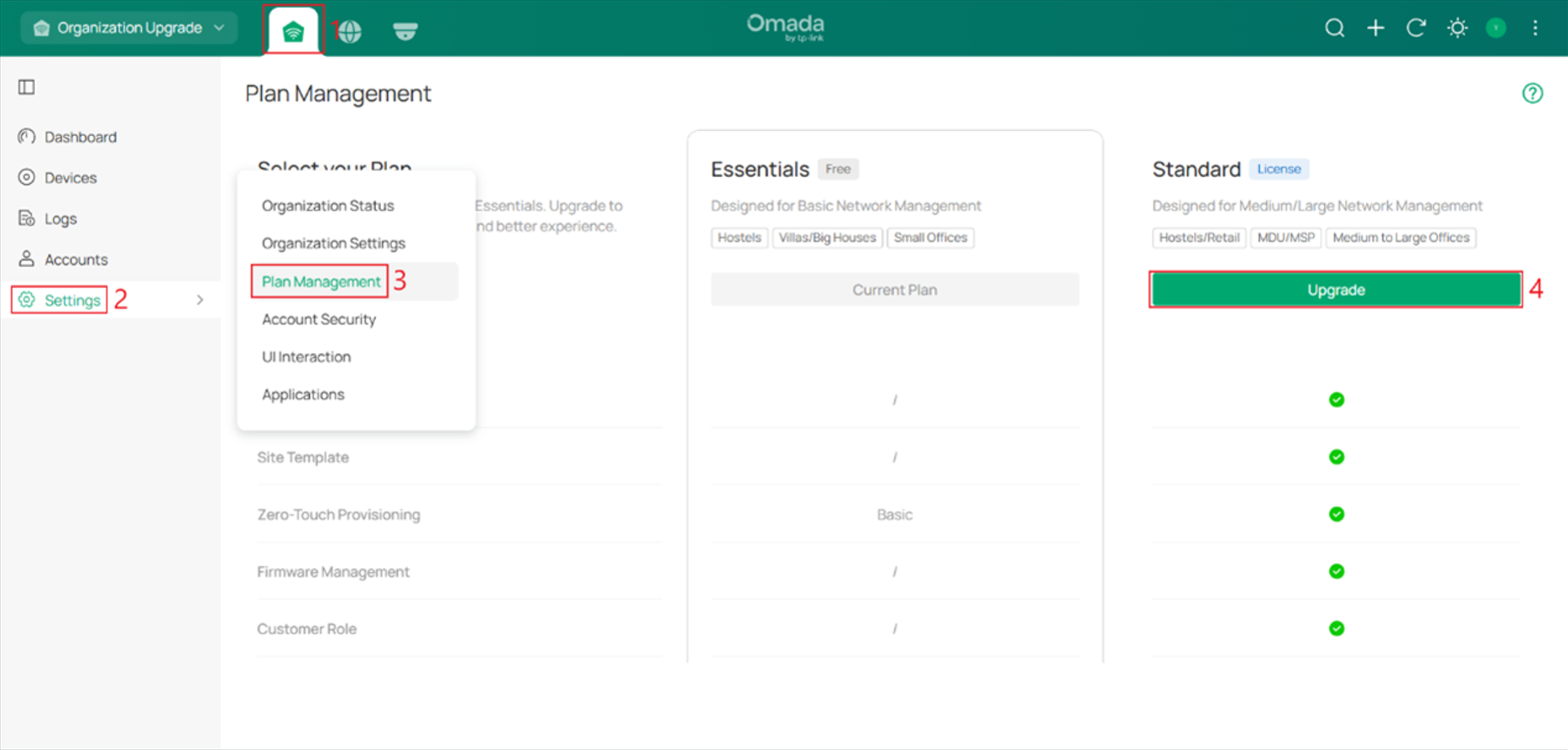
5. 新增支援在 Omada Central Plane 中將 Omada Central Essential 升級為 Omada Central Standard。
全域觀看新功能
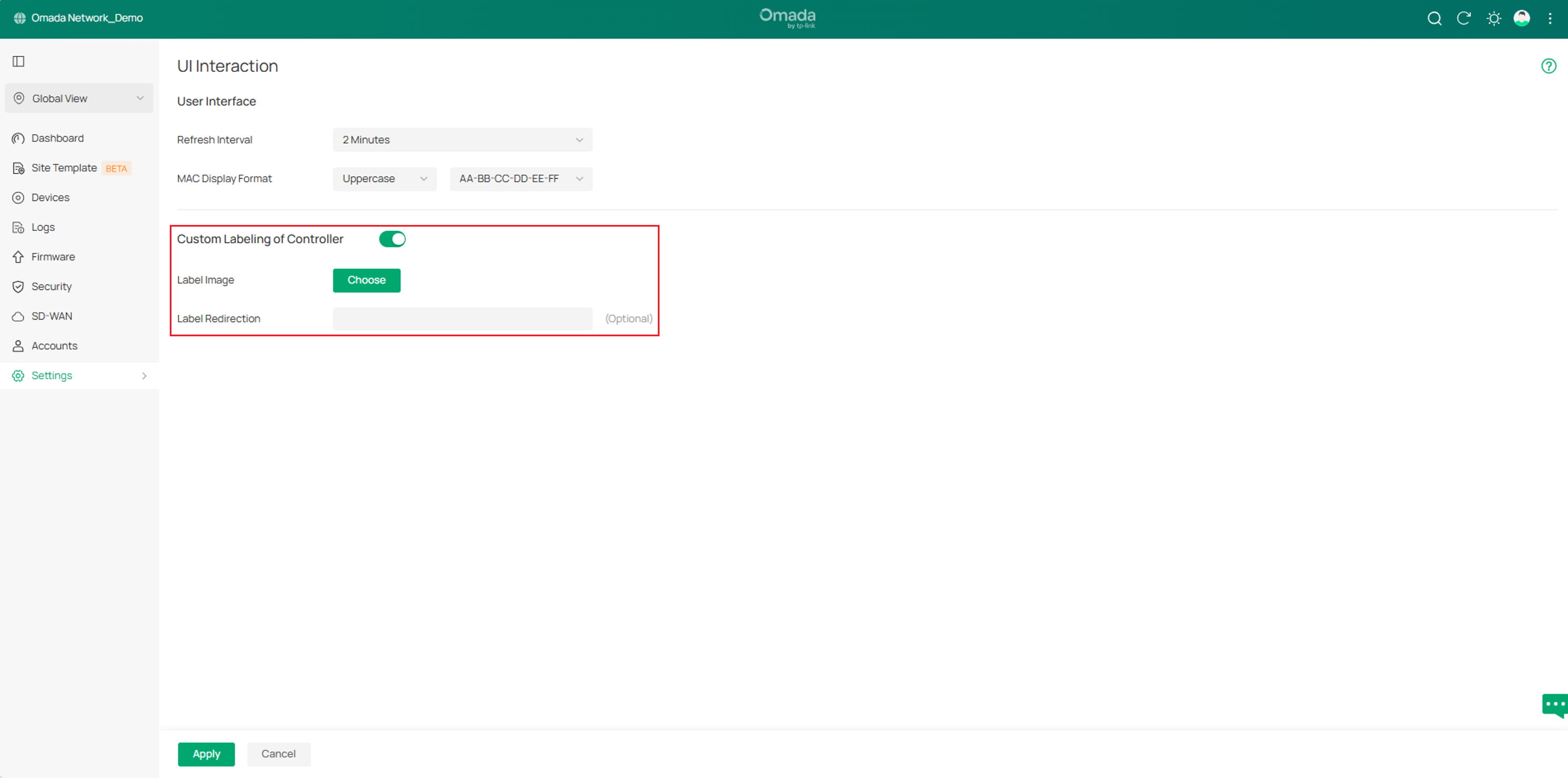
1. 新增支援在 Settings > UI Interaction 中自訂控制器的標籤。
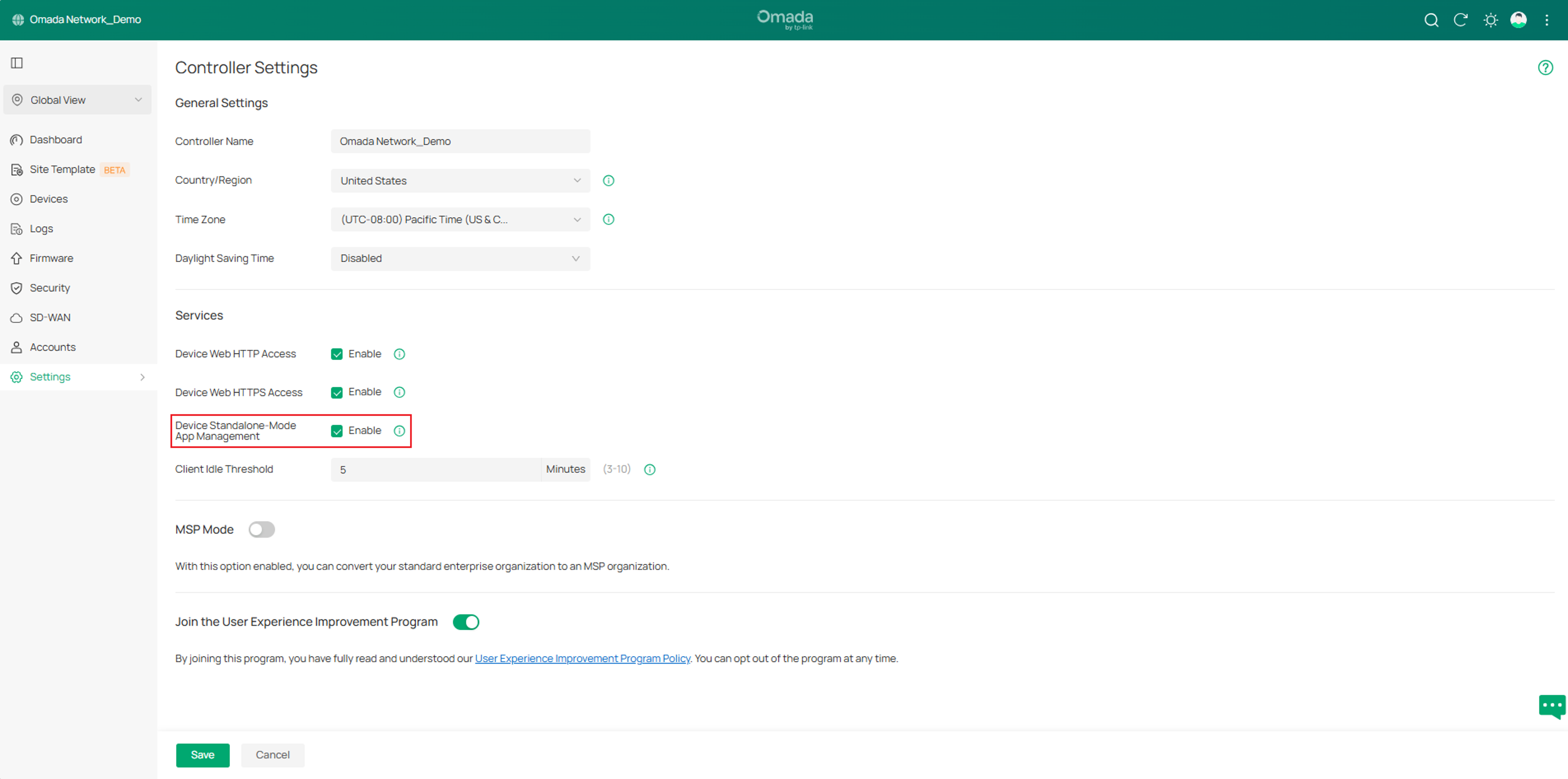
2. 新增支援在 Settings > Controller Settings > Services 中控制已管理 Omada 設備的單機模式 App 管理。
站點新功能
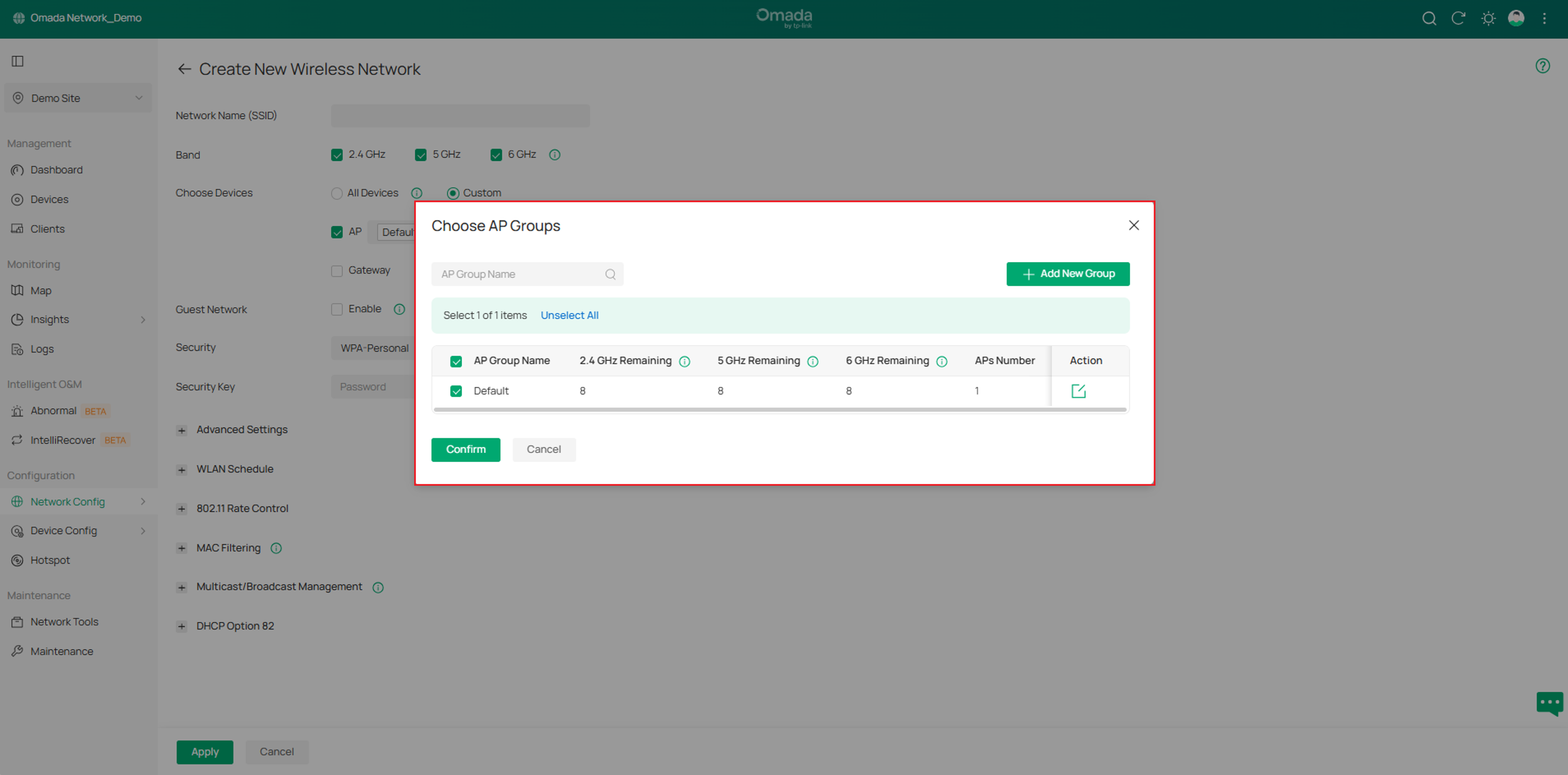
1. 新增支援 AP 群組 (AP Group) 以取代無線網路群組 (WLAN Group),路徑為 Configuration > Network Config > Network Settings > WLAN > Choose Devices > Custom > AP。
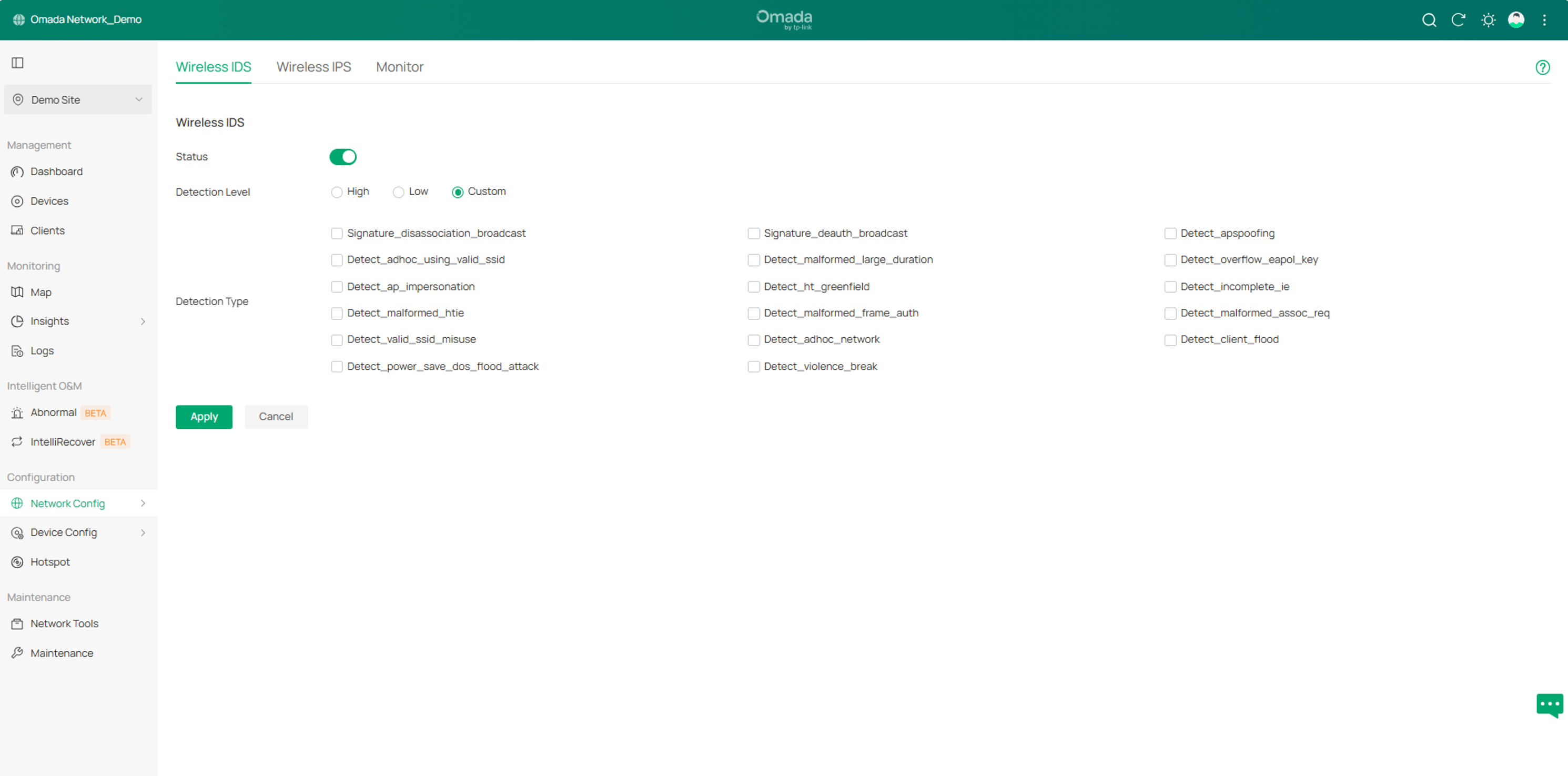
2. 新增支援無線網路入侵偵測/防禦系統 (Wireless IDS/IPS),路徑為 Configuration > Network Config > Security > Wireless IDS/IPS。
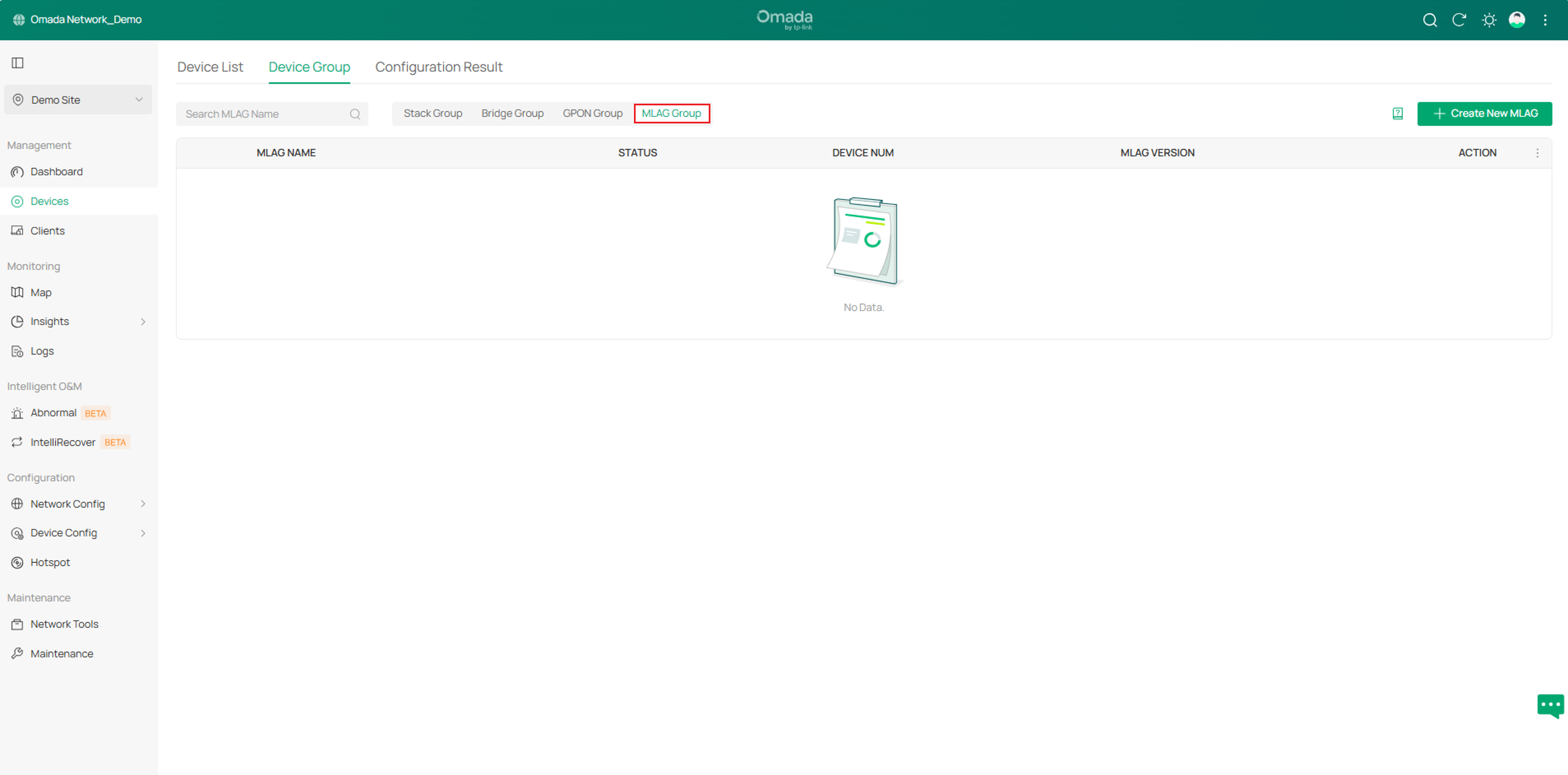
3. 新增支援多機箱鏈路聚合 (M-LAG),路徑為 Devices > Device Group > M-LAG Group。
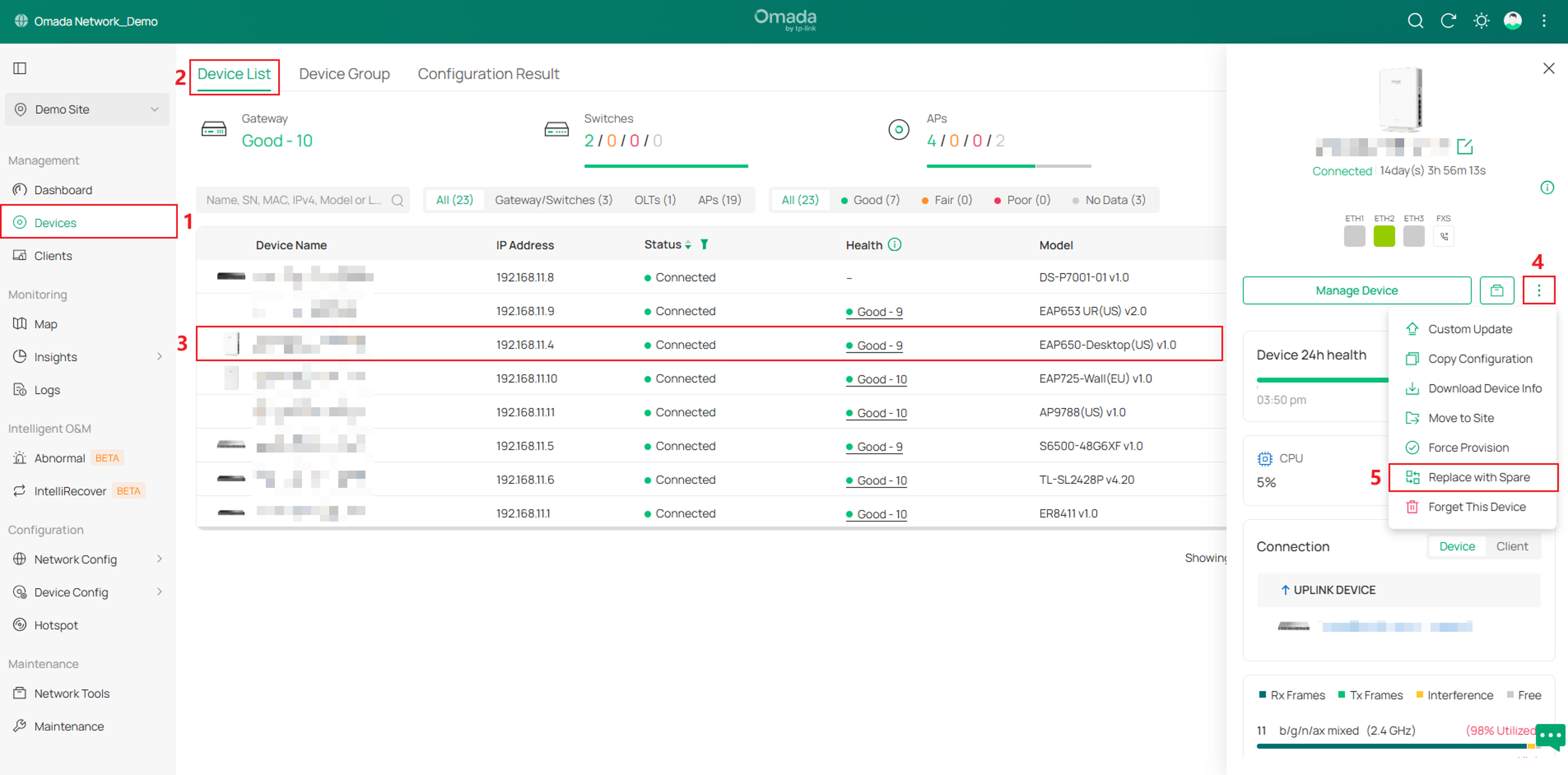
4. 新增支援使用備品替換 (僅適用於 Omada 交換器和 AP)。
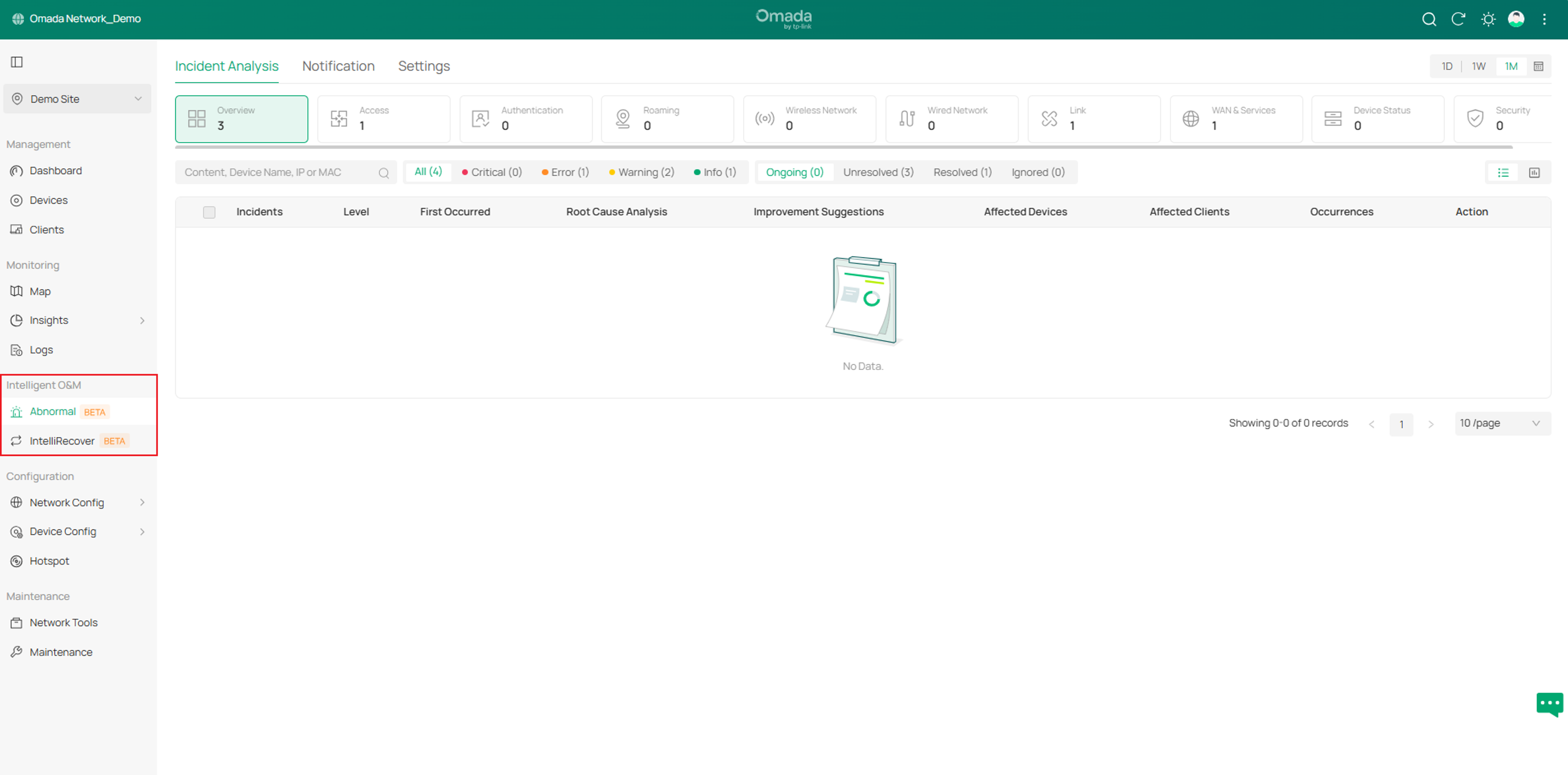
5. 新增支援智慧維運 (Intelligent O&M)。
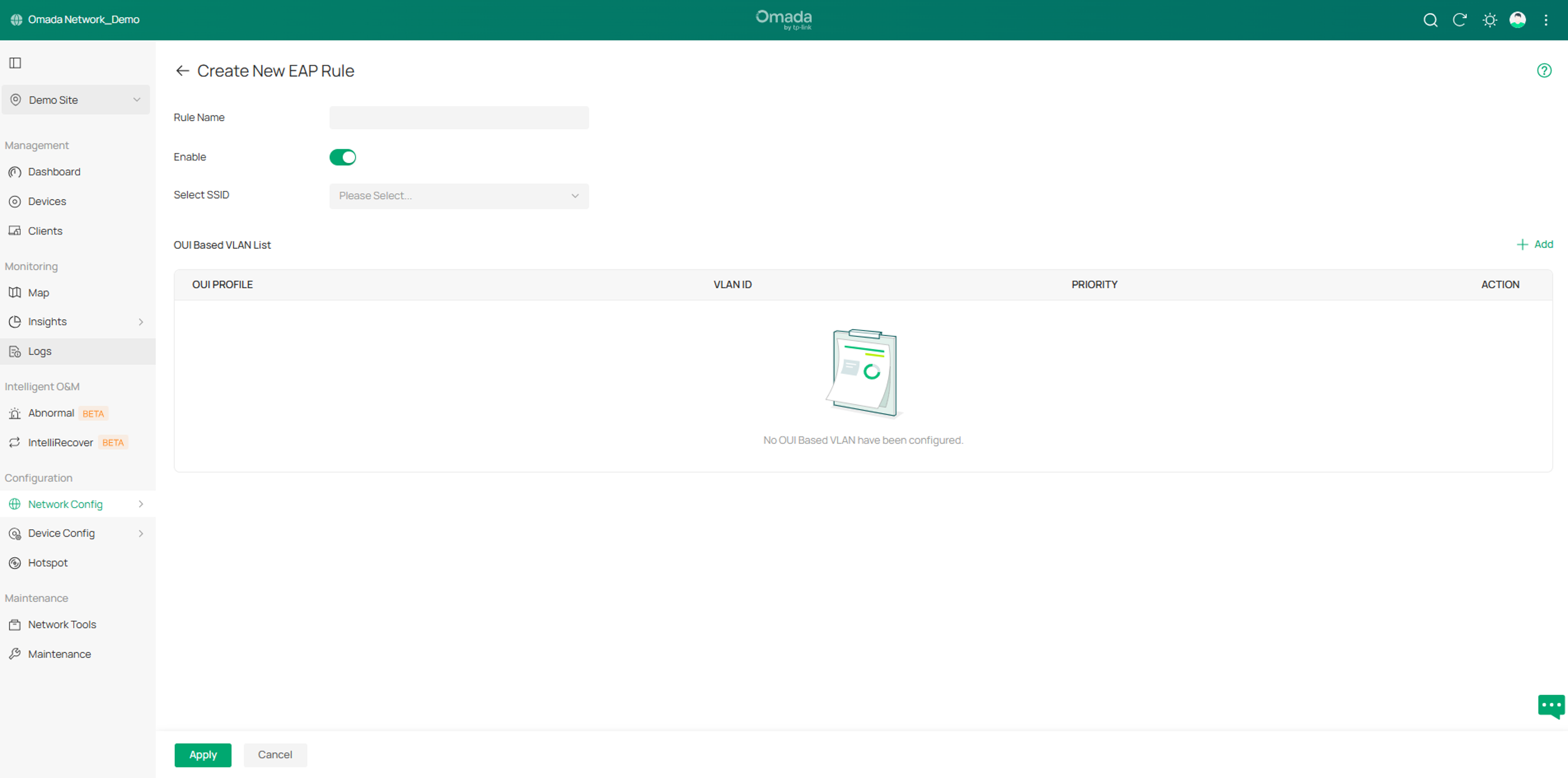
6. 新增支援 AP 上的 OUI Based VLAN,路徑為 Configuration > Network Config > Transmission > OUI Based VLAN > EAP Rules。
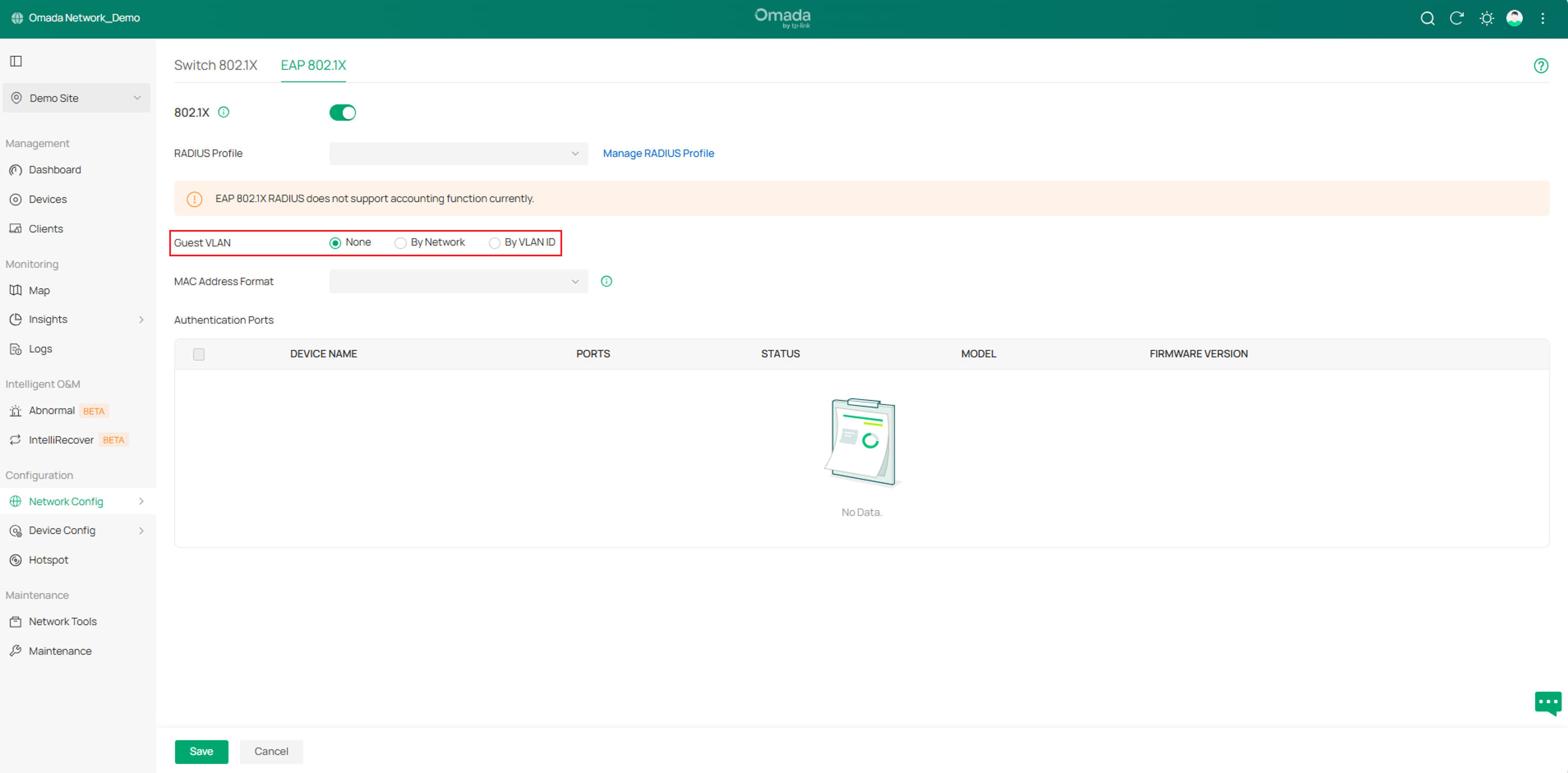
7. 新增支援訪客 VLAN (Guest VLAN),路徑為 Configuration > Network Config > Authentication > 802.1X > EAP 802.1X。
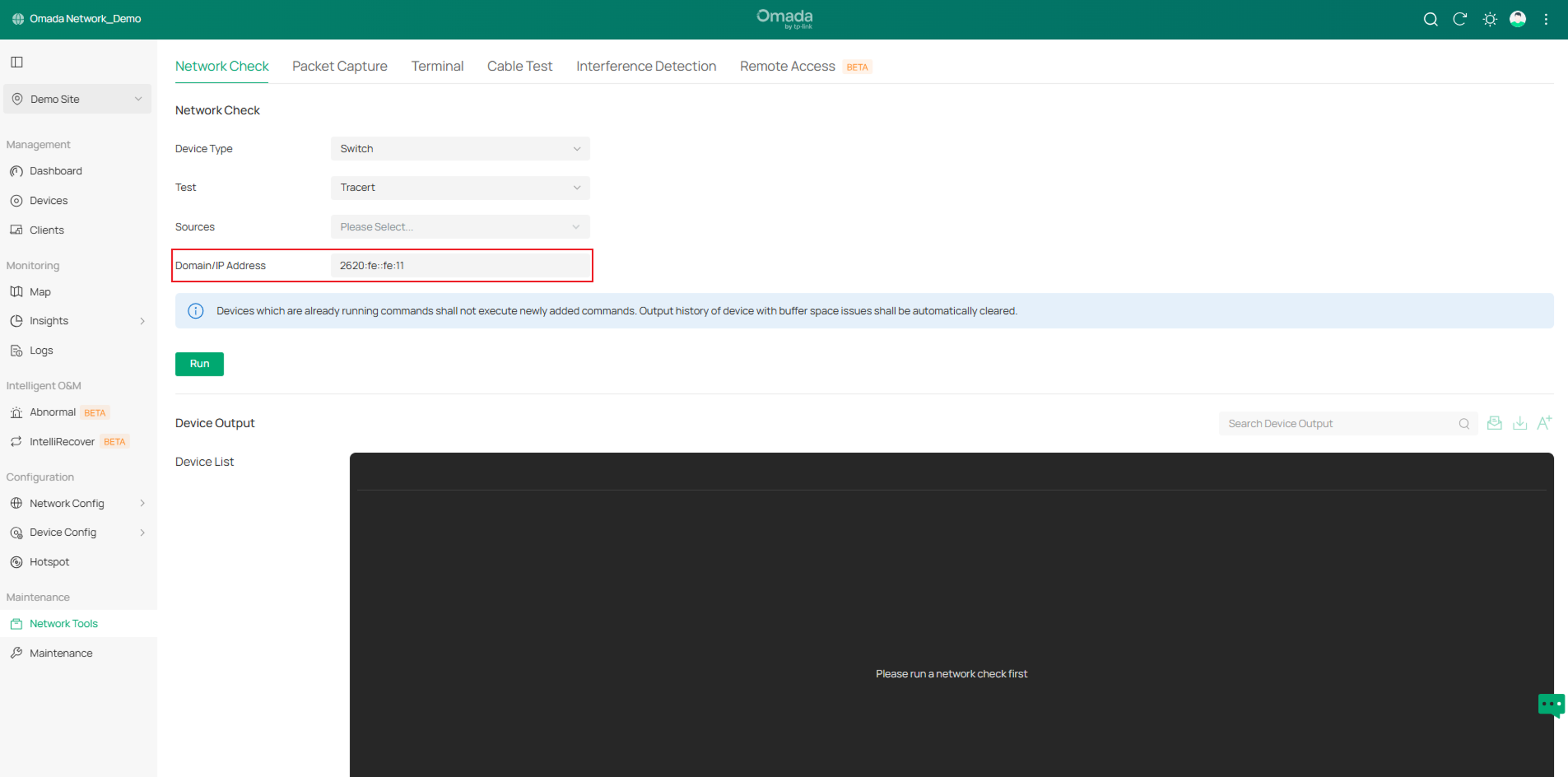
8. 新增支援 IPv6,路徑為 Maintenance > Network Tools > Network Check。
本文概述了與 6.2 相比,Omada Network 6.3 中引入的關鍵變更。這些更新包括設備支援、設定工作流程的增強,以及全域觀看和站點視角中的新功能。
要了解更多關於每個功能和設定,請造訪 支援首頁 下載或查看您產品的手冊。
