Omada Pro Logo official website Vigi Logo official website
Bize Ulaşın
  • Satış ile İletişime Geçin
  • Destek ile İletişime Geçin
Giriş Yapın
avatar

    Mesajlar Mesajlar Yer İmleri Yer İmleri Hesap Ayarları Hesap Ayarları
    Türkiye / Türkçe
    Omada logo
    • Ürünler

      Ürünler

      • Fusion Gateway'ler
        • Fusion Pro Serisi
          Fusion Pro Serisi
        • Fusion Serisi
          Fusion Serisi
        • Tümünü Gör
          Tümünü Gör
      • Standart Gateway'ler
        • Kablolu Ağ Geçitleri
          Kablolu Ağ Geçitleri
        • Wi-Fi Ağ Geçitleri
          Wi-Fi Ağ Geçitleri
        • 4G Wi-Fi Ağ Geçitleri
          4G Wi-Fi Ağ Geçitleri
        • Entegre Ağ Geçitleri
          Entegre Ağ Geçitleri
        • DSL Ağ Geçitleri
          DSL Ağ Geçitleri
        • Tümünü Görüntüle
          Tümünü Görüntüle
      • Wi-Fi Ürünleri
        • Wi-Fi 7
          Wi-Fi 7
        • Tavana Monte
          Tavana Monte
        • Duvara Monte
          Duvara Monte
        • Dış Mekan
          Dış Mekan
        • Kablosuz Bridge
          Kablosuz Bridge
        • GPON
          GPON
        • Tümünü Görüntüle
          Tümünü Görüntüle
      • Switch'ler
        • Tümünü Görüntüle
          Tümünü Görüntüle
        • Campus
          Campus
        • Aggregation
          Aggregation
        • Access Max
          Access Max
        • Access Pro
          Access Pro
        • Access Plus
          Access Plus
        • Access
          Access
        • Agile
          Agile
        • Unmanaged
          Unmanaged
        • Endüstriyel
          Endüstriyel
      • Güvenlik Kameraları
        • Kameralar
          Kameralar
        • Video Kaydediciler
          Video Kaydediciler
        • Güvenlik Kamera Sistemleri
          Güvenlik Kamera Sistemleri
        • Yazılım Hizmetleri
          Yazılım Hizmetleri
      • Controller
        • Bulut Tabanlı
          Bulut Tabanlı
        • Donanım
          Donanım
        • Yazılım
          Yazılım
        • Tümünü Görüntüle
          Tümünü Görüntüle
      • Aksesuarlar
        • Güç ve PoE
          Güç ve PoE
        • Medya Dönüştürücüler
          Medya Dönüştürücüler
        • Modüller ve Kablolar
          Modüller ve Kablolar
        • Montaj ve Braketler
          Montaj ve Braketler
        • Tümünü Görüntüle
          Tümünü Görüntüle

      Yönetim Sistemleri

      • Yönetim Sistemleri
        • Fusion Gateway
          Fusion Gateway
        • Bulut Tabanlı
          Bulut Tabanlı
        • Donanım
          Donanım
        • Yazılım
          Yazılım
        • Tümünü Görüntüle
          Tümünü Görüntüle
      • Bulut Portalı
    • Çözümler
      Çözüm Merkezi

      Senaryolar

      • Çok Konutlu Yapılar
      • Küçük ve Orta Ölçekli Ofisler
      • Küçük Ölçekli Zincir Restoranlar/Dükkanlar
      • Çiftlikler/Ahırlar/Park Alanları için Wi-Fi
      • Dış Mekan İçin Wi-Fi
      • Yüksek Yoğunluklu Wi-Fi

      Teknolojiler

      • Birleşik Ağ ve Güvenlik Çözümü
      • Omada Central Essentials ile Ücretsiz Bulut Üzerinden Yönetim
      • Wi-Fi 7
      • PPSK Çözümü
      • PtP & PtMP Kablosuz Bridgeler
      • GPON Çözümleri
      • Multi-Gigabit Çözüm
      • Gözetim için PoE Anahtarlar

      Örnek Çalışmalar

      Örnek Çalışmalar

      Omada Gerçek Dünya Başarısını Güçlendiriyor

      Gözat
    • Öğrenin ve Eğitin

      Öğrenin

      • FAQs
      • Setup Videos
      • Configuration Guides
      • Case Studies

      Eğitim

      • Training Introduction
      • For Learners
      • For Instructors
    • Destek
      Destek Ana Sayfa

      Dokümanlar

      • Donanım Kurulum Kılavuzu
      • Bilgi tabanı
      • Datasheet
      • Referans Kılavuzu
      • Tümünü Görüntüle

      İndirmeler

      • Yazılım İndirme
      • Firmware İndirme
      • GPL Kodu
      • MIB Dosyaları
      • Tümünü Görüntüle

      Bültenler

      • Güvenlik Zafiyeti
      • EOL/EOM/EOS Bildirimi
      • Tümünü Görüntüle

      Destek ile İletişime Geçin

      • Destek Çağrısı
      • Garanti Hizmetleri

      Aletler

      • Omada Emülatörleri
      • Uygulamanın Sahibi
      • Uyumluluk Listesi
    • Topluluk
    Arama
    1. Ev>
    2. Ürün Desteği>
    3. ER706W-4G>
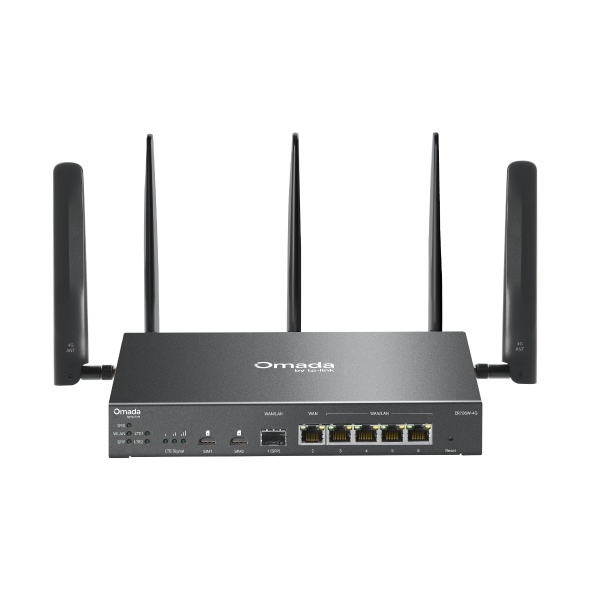
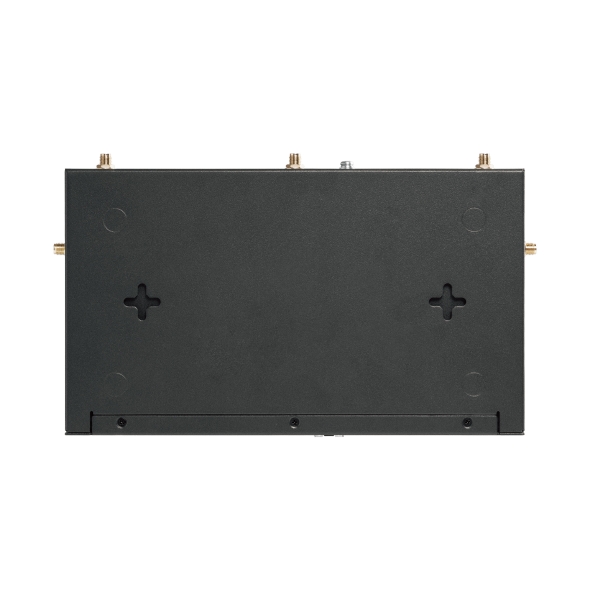
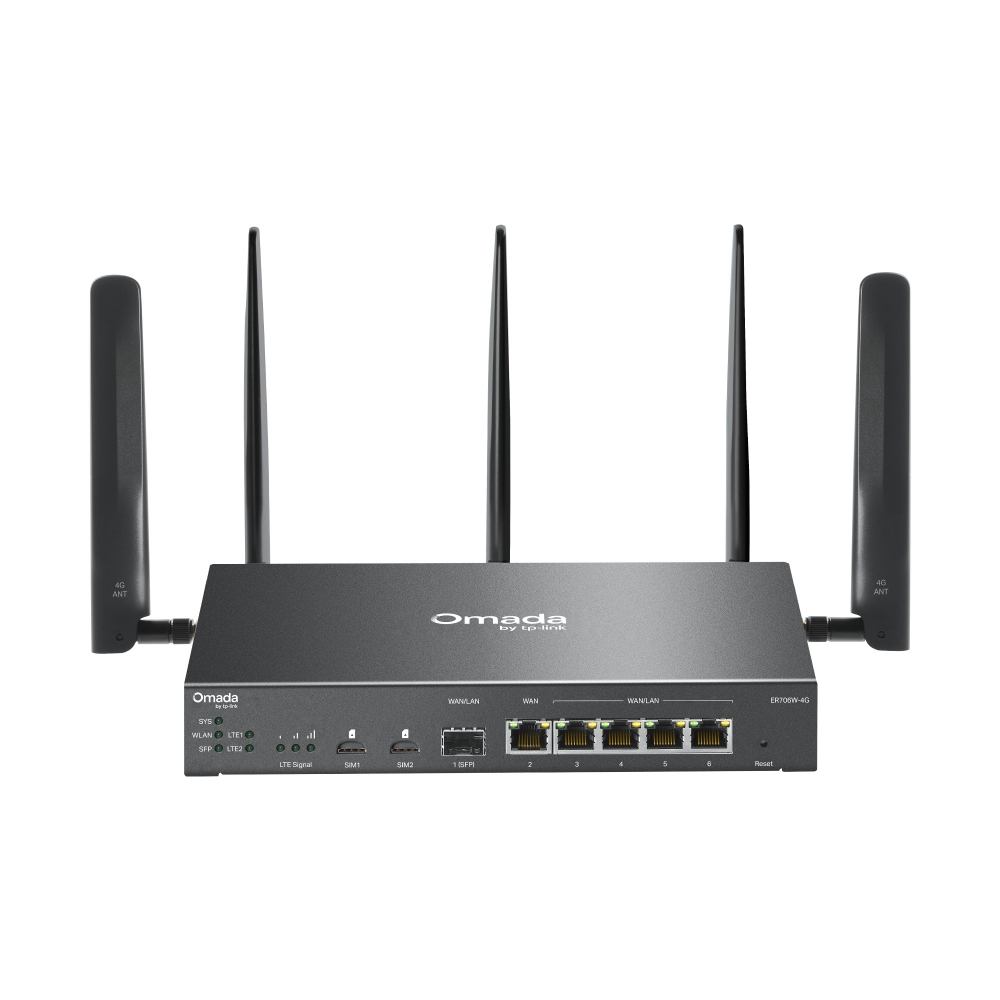
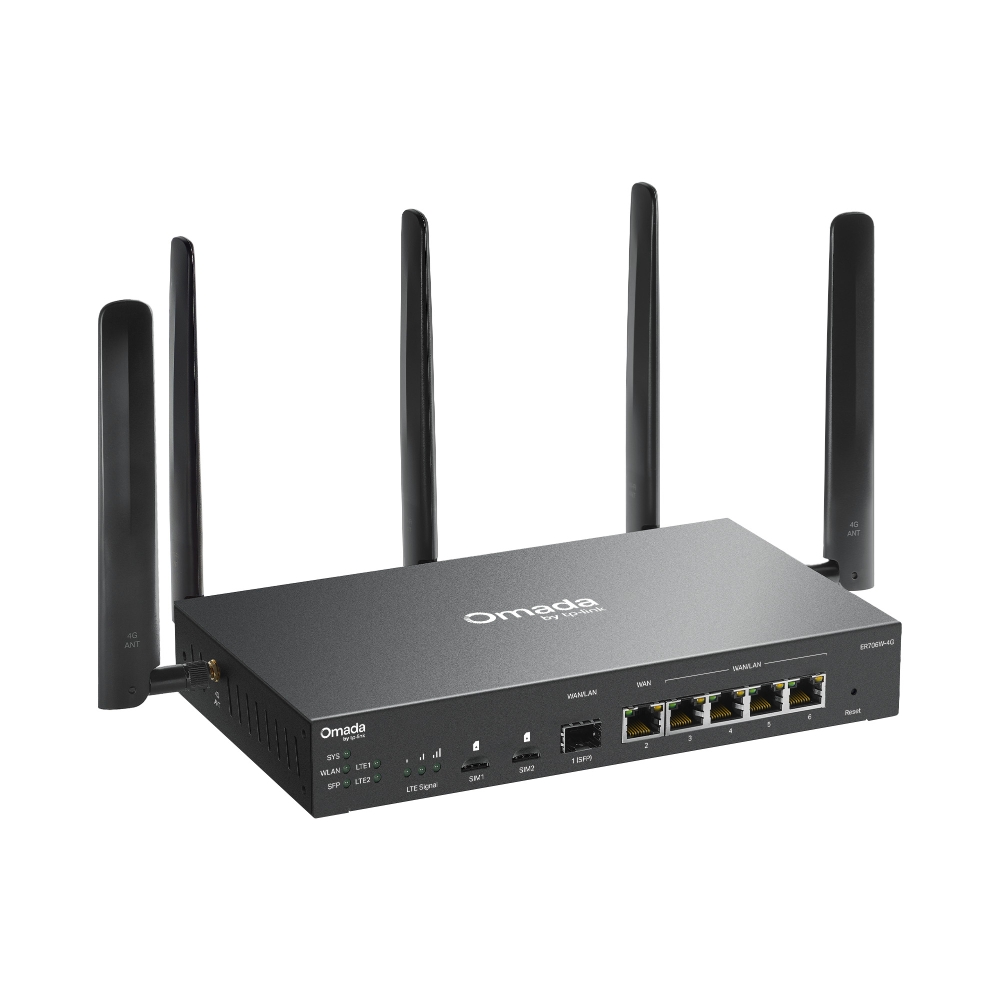
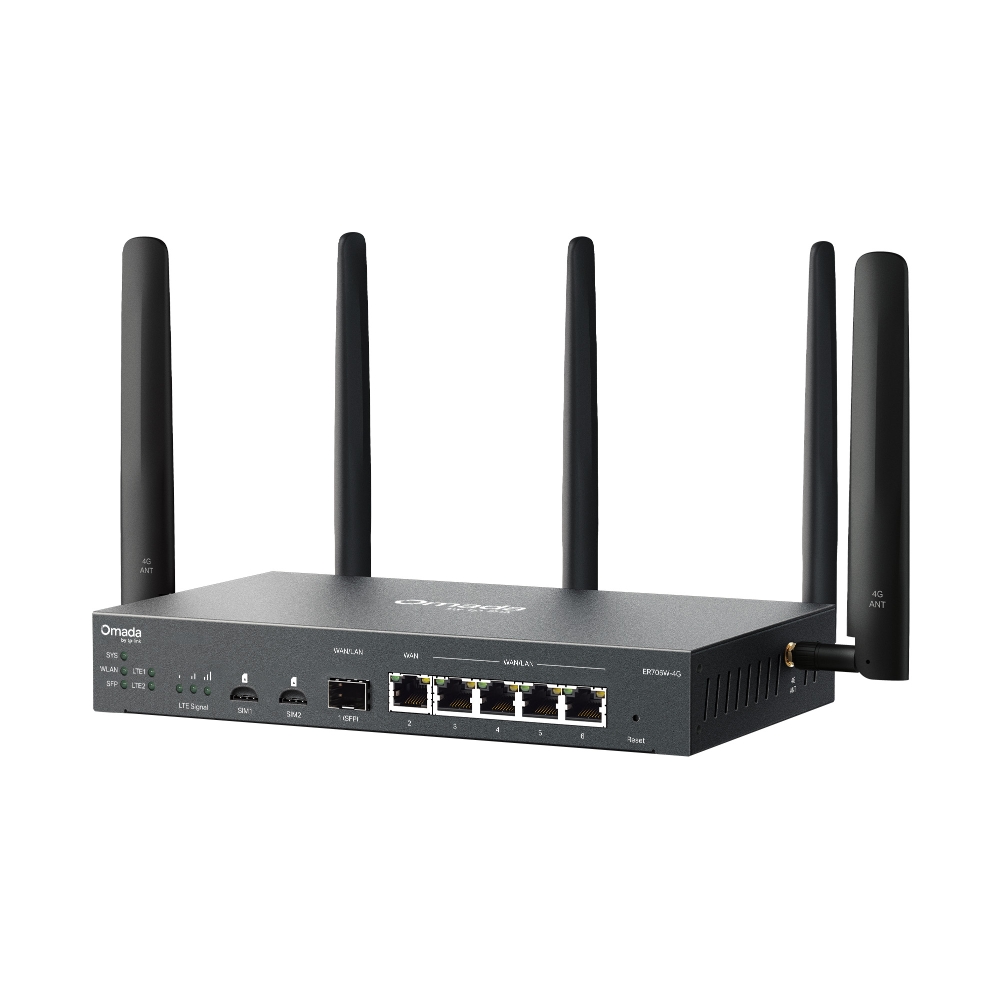
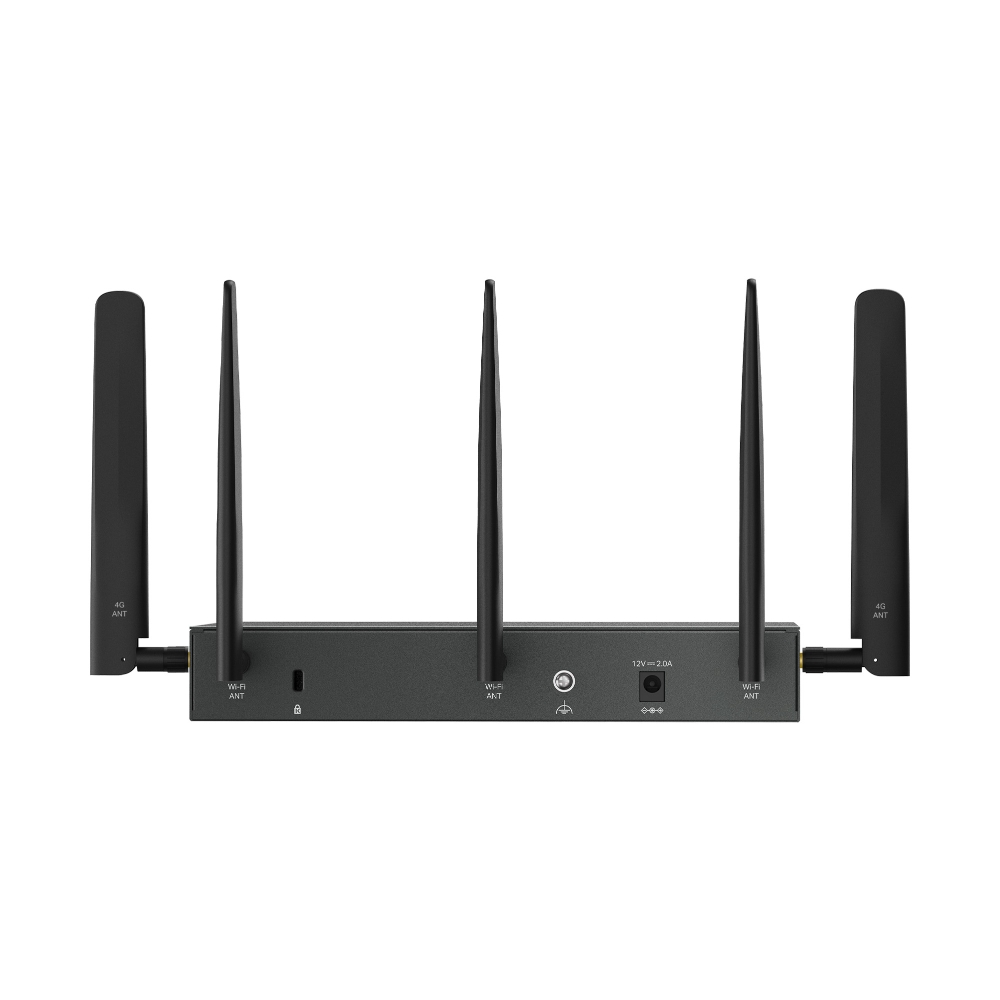
    Omada 4G+ Cat6 AX3000 Wi-Fi 6 Gigabit VPN Gateway
    Omada 4G+ Cat6 AX3000 Wi-Fi 6 Gigabit VPN Gateway
    Omada 4G+ Cat6 AX3000 Wi-Fi 6 Gigabit VPN Gateway
    Omada 4G+ Cat6 AX3000 Wi-Fi 6 Gigabit VPN Gateway
    Omada 4G+ Cat6 AX3000 Wi-Fi 6 Gigabit VPN Gateway
    Omada 4G+ Cat6 AX3000 Wi-Fi 6 Gigabit VPN Gateway
    Omada 4G+ Cat6 AX3000 Wi-Fi 6 Gigabit VPN Gateway
    Omada 4G+ Cat6 AX3000 Wi-Fi 6 Gigabit VPN Gateway
    Omada 4G+ Cat6 AX3000 Wi-Fi 6 Gigabit VPN Gateway
    Omada 4G+ Cat6 AX3000 Wi-Fi 6 Gigabit VPN Gateway
    Omada 4G+ Cat6 AX3000 Wi-Fi 6 Gigabit VPN Gateway
    Omada 4G+ Cat6 AX3000 Wi-Fi 6 Gigabit VPN Gateway
    Omada 4G+ Cat6 AX3000 Wi-Fi 6 Gigabit VPN Gateway
    Omada 4G+ Cat6 AX3000 Wi-Fi 6 Gigabit VPN Gateway
    Omada 4G+ Cat6 AX3000 Wi-Fi 6 Gigabit VPN Gateway

    /5İndir

    ER706W-4G

    V2.20

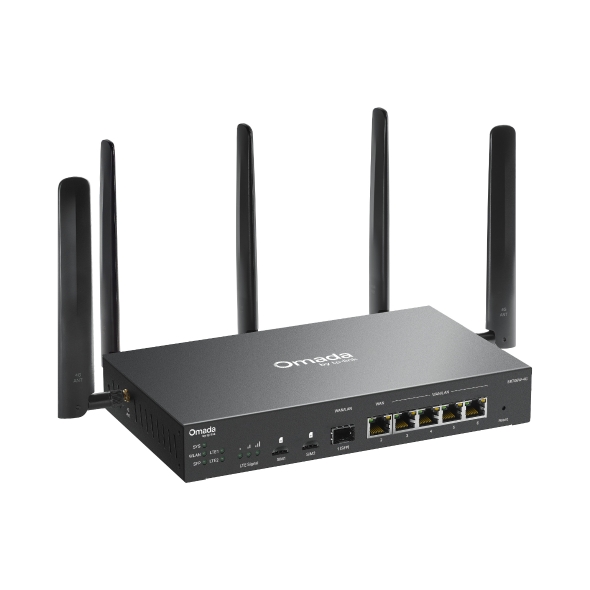
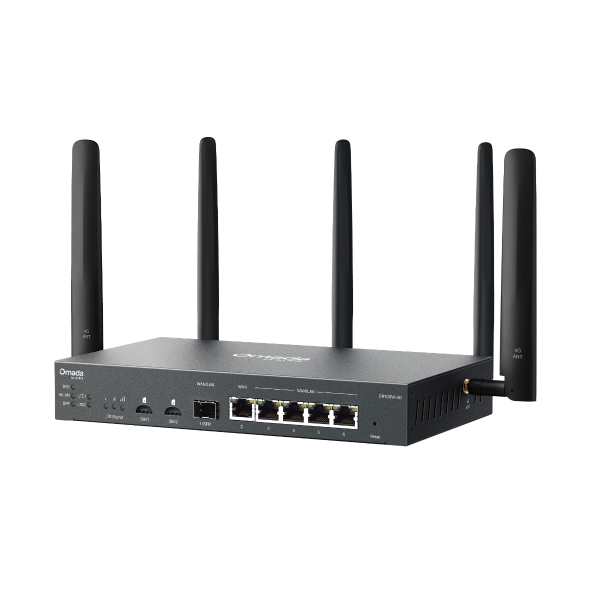
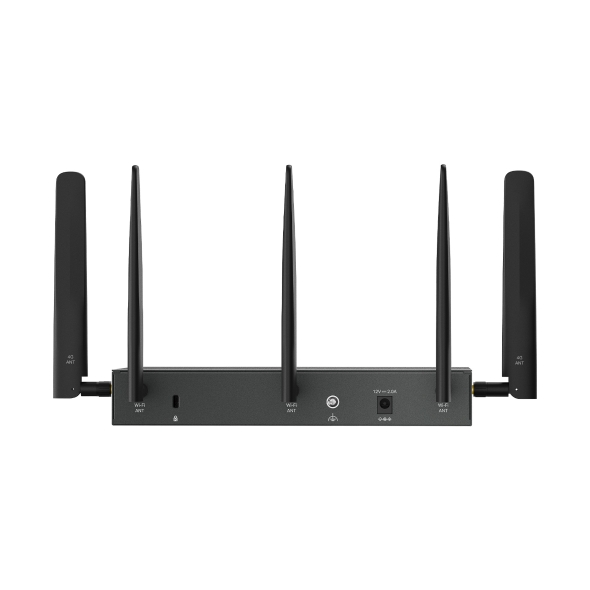
    Omada 4G+ Cat6 AX3000 Wi-Fi 6 Gigabit VPN Gateway

    • 4G+ Cat6 300 Mbps'e kadar
    • 3 Gbps Wi-Fi 6 Hızları
    • 1 adet Gigabit WAN Portu, 5 adet Gigabit WAN/LAN Portu
    • 5 adet Yüksek Kazançlı Sökülebilir Anten
    • Merkezi Bulut Yönetimi
    • 4G+ Cat6 300 Mbps'e kadar
    • 3 Gbps Wi-Fi 6 Hızları
    • 1 adet Gigabit WAN Portu, 5 adet Gigabit WAN/LAN Portu
    • 5 adet Yüksek Kazançlı Sökülebilir Anten
    • Merkezi Bulut Yönetimi
    • Belgeler
    • Videolar
    • İndirmeler
    • Araçlar
    • Bültenler
    • Topluluk

    Türe Göre FiltreleSıfırla

    • checkbox

      Datasheet

    • checkbox

      Donanım Kurulum Kılavuzu

    • checkbox

      Bilgi Tabanı

      checkbox
    • checkbox

      Sürüm Notu

    • checkbox

      Referans Kılavuzu

      checkbox
    • checkbox

      Diğer

    Etikete Göre FiltreleSıfırla

    • Kontrolör
    • Geçit
    • Vlan
    • ACL
    • Bağımsız
    • Ağ
    • CLI
    • VPN
    • App
    • Çevrimiçi
    • Sıfırla
    • Kimlik doğrulama
    • Portal
    • Kablosuz
    • API

    How to Set Up an SSL VPN Server on Omada Gateway in Controller Mode

    Learn how to set up an SSL VPN server on an Omada Gateway in Controller Mode, configure user authentication and client access permissions, and securely enable remote access to your private network.

    Yapılandırma Kılavuzu
    07-22-2026
    3706

    How to Choose a SIM Card Plan and Configure LTE WAN on Your Omada Gateway

    Using a SIM card as the WAN connection on an Omada gateway provides a flexible and reliable networking solution, especially in scenarios where traditional wired connections are unavailable or unstable. It is widely used in applications such as remote sites, temporary deployments, backup WAN failover, and mobile or outdoor environments.

    SSS
    07-07-2026
    7978

    How to Configure Dynamic DNS (DDNS) on Omada and Fusion Gateways Using the Omada App

    Need to configure DDNS on an Omada or Fusion Gateway? Follow these steps to maintain a consistent hostname when your public IP address changes.

    Yapılandırma Kılavuzu
    06-23-2026
    7599

    How to Allow Specific Public IPs to Access an Internal Server on Omada Gateways

    When hosting an internal server behind an Omada Gateway, such as a web server, exposing it to the Internet can pose security risks. This guide demonstrates how to allow only specific public IP addresses to access an internal server, while blocking all other public traffic.

    Yapılandırma Kılavuzu
    06-19-2026
    8954

    How to Utilize Link Backup and Policy Routing to Keep Critical Devices Online and Conserve Data

    In dual-WAN environments where one WAN connection is designated as a backup link, it is often necessary to control which devices and networks are permitted to use the backup connection during a failover event. This guide demonstrates how to use Policy Routing to allow only specific devices, networks, or IP addresses to route traffic through the backup WAN.

    Yapılandırma Kılavuzu
    06-10-2026
    9834

    How to Configure Port Mirroring on Omada Gateways

    This article describes how to configure port mirroring for Gateways on Omada Controller and Standalone Mode. Port Mirroring is a feature that copies network traffic from one or more ports and sends it to another port for monitoring or analysis. This is commonly used for troubleshooting network issues, monitoring traffic, or performing traffic analysis using packet capture tools.

    Yapılandırma Kılavuzu
    06-02-2026
    11694

    How to Use an Omada Controller to Manage Omada Devices Across Different Subnets Over the Internet

    In enterprise networks, devices are often deployed across different subnets, making it common for Omada devices and the Omada Controller to reside in separate network segments. Supporting device adoption and management across subnets enables centralized control without changing existing network designs. This article introduces different methods for adopting devices across subnets using Omada products.

    Yapılandırma Kılavuzu
    05-28-2026
    33333

    How to configure IPsec VPN on Omada Gateway in Controller Mode (Controller v6.2 and above)

    IPsec Site-to-Site VPN enables the connection of geographically separated networks. Large enterprises commonly use it to establish secure VPN connections between branch offices and headquarters. The IPsec VPN connects branch routers over the public network, ensuring secure transmission of private network data.

    Yapılandırma Kılavuzu
    04-29-2026
    14009

    How to Configure IPsec VPN on Omada Gateway in Standalone Mode

    With the Site-to-Site VPN function, different private networks can be connected over the internet.

    Yapılandırma Kılavuzu
    04-20-2026
    14382

    How to use an Omada gateway to restrict specific clients from visiting specific URLs

    Sometimes, we may need to restrict certain clients behind the gateway from accessing specific URLs. Omada gateways provide a feature called URL Filtering to help manage and control web access in such cases.

    Yapılandırma Kılavuzu
    04-08-2026
    13721
    • Toplam 98 kalem
    • 1
    • 2
    • 3
    • 4
    • 5
    • •••
    • 10
    • 10 / sayfa

    Sonuç bulunamadı.

    Türe Göre FiltreleSıfırla

    • checkbox

      Ürün Yazılımı

    • checkbox

      Yazılım

      checkbox
    • checkbox

      MIBs Dosyaları

    • checkbox

      GPL Kodu

    • checkbox

      Uygunluk Beyanı

      checkbox
    • Toplam 25 kalem
    • 1
    • 2
    • 3

    Diğer Araçlar

    Omada App

    Omada App

    Türe Göre FiltreleSıfırla

    • checkbox

      Güvenlik Zafiyeti

    • checkbox

      EOL/EOM/EOS Bildirimi

    • checkbox

      Diğer

    Sonuç bulunamadı.

    • Toplam 20 kalem
    • 1
    • 2

    AbonelikTP-Link, gizliliğinizi ciddiye alır. TP-Link'in gizlilik uygulamaları hakkında daha fazla ayrıntı için bkz. TP-Link's Privacy Policy.

    Email Error

    TP-Link haberleri, ürün güncellemeleri ve promosyonları ile güncel kalmak istiyorum.

    Bu formu doldurarak kabul ettiğinizi onaylayabilirsiniz ve anladığınızı Privacy Policy.

    reCaptcha not verified

    Bizi Takip Edin

    • TP-Link Omada facebook
    • TP-Link Omada youtube
    • TP-Link Omada linkedin
    • TP-Link Omada twitter
    About
    • Corporate Profile
    • Sustainability
    • Contact Us
    • Privacy Policy
    Press
    • News
    • Blog
    • Security Advisory
    Learning Center
    • Technology Trends
    TP-Link Omada Omada Pro VIGI
    Türkiye / Türkçe

    Telif Hakkı © 2026 TP-Link Bilgi Teknolojileri Tic. Ltd. Şti. Tüm hakları saklıdır.

    Bu web sitesi çerezler içermektedir. Çerezlerin kullanım amacı ve 6698 sayılı Kişisel Verilerin Korunması Kanunu uyarınca kişisel verilerin kullanımına dair şirket politikası hakkında daha fazla bilgi için buraya basınız. Tekrar Gösterme

    Your Privacy Choices

    Bu web sitesi çerezler içermektedir. Çerezlerin kullanım amacı ve 6698 sayılı Kişisel Verilerin Korunması Kanunu uyarınca kişisel verilerin kullanımına dair şirket politikası hakkında daha fazla bilgi için buraya basınız. Tekrar Gösterme

    Temel Çerezler

    Bu çerezler, web sitesinin çalışması için gereklidir ve sistemlerinizde devre dışı bırakılamaz.

    TP-Link

    SESSION, JSESSIONID, accepted_local_switcher, tp_privacy_banner, tp_privacy_base, tp_privacy_marketing, tp_top-banner, tp_popup-bottom, tp_popup-center, tp_popup-right-middle, tp_popup-right-bottom, tp_productCategoryType

    Youtube

    id, VISITOR_INFO1_LIVE, LOGIN_INFO, SIDCC, SAPISID, APISID, SSID, SID, YSC, __Secure-1PSID, __Secure-1PAPISID, __Secure-1PSIDCC, __Secure-3PSID, __Secure-3PAPISID, __Secure-3PSIDCC, 1P_JAR, AEC, NID, OTZ

    Zendesk

    OptanonConsent, __cf_bm, __cfruid, _cfuvid, _help_center_session, _pendo___sg__.<container-id>, _pendo_meta.<container-id>, _pendo_visitorId.<container-id>, _zendesk_authenticated, _zendesk_cookie, _zendesk_session, _zendesk_shared_session, ajs_anonymous_id, cf_clearance

    Analiz ve Pazarlama Çerezleri

    Analiz çerezleri, web sitemizin işlevselliğini geliştirmek ve uyarlamak için web sitemizdeki faaliyetlerinizi analiz etmemizi sağlar.

    Pazarlama çerezleri, ilgi alanlarınıza uygun bir profil oluşturmak ve size diğer web sitelerinde alakalı reklamlar göstermek için reklam ortaklarımız tarafından web sitemiz aracılığıyla ayarlanabilir.

    Google Analytics & Google Tag Manager

    _gid, _ga_<container-id>, _ga, _gat_gtag_<container-id>

    Google Ads & DoubleClick

    test_cookie, _gcl_au