


本文適用於任何EAP產品
Free authentication policy功能用於用戶存取控制,It permits the specified IP address/subnet and port be accessed by the client specified by IP address/subnet or MAC address without authentication such as the web page of Portal Authentication. You can set up several items to customize flexible authentication policy in your network.
For example, we need to let several clients to access resources in a specified subnet through port 80 freely. The subnet of clients is 192.168.0.0/24 and the subnet resources is 10.0.0.0/28.
Step 1
Go to Wireless à Portal.
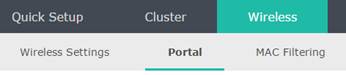
Click  in Free Authentication Policy section below Portal Configuration.

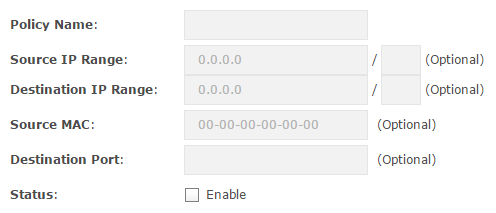
Then the page will show as below
Step 2
Enter “policy1” as a policy name in the Policy Name item.
Step 3
Fill the Source IP Range with 192.168.0.0/24 so that all clients in this subnet can access to the specified resources.
Step 4
Fill the Destination IP Range with 10.0.0.0/28 so that the specified clients can access this subnet freely. Note the VLSM (Variable Length Subnet Mask) is supported.
Step 5
Leave the Source MAC empty otherwise the Source IP Range won’t take effect.
Step 6
Specify the Destination Port as 80 so that only 80 port can be accessed. Note leave it empty means all ports can be accessed.
Step 7
Tick the Enable of Status to enable this policy. And click OK button to finish it.
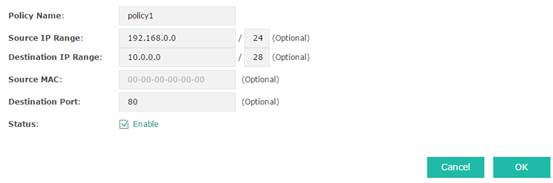
The clients in 192.168.0.0/24 can access the resources in subnet 10.0.0.0/28 through 80 port without authentication now.
